
 WinningPC
About this app
About
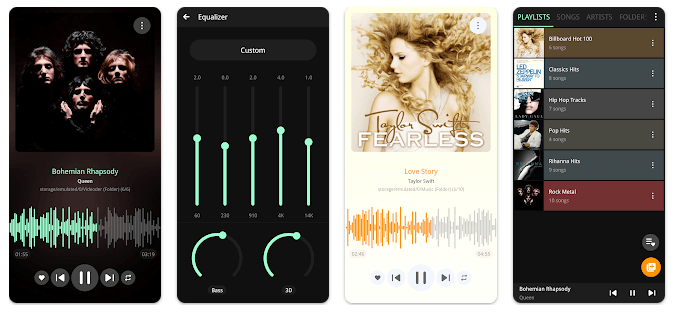
The entire fresh music experience comes from PowerAudio music player. Its interface is simple and its audio quality is among best in class. You can peruse music by albums, performers, or playlists. From any tab, you can add songs to your favorites; PowerAudio music player features a distinct tab for all your favorite tracks. PowerAudio music player supports playlists; you can make your own using the tracks you wish. BassBoost and Virtualizer enable this music player to have a strong equalizer. Either make your own preset or select from a range of music presets.
Key features
Features
- Supports all major audio formats (mp3, m4a, wav, aac, amr, ogg etc)
- Equalizer with various presets
- BassBoost and Virtualizer
- Browse songs by albums, artists, favorites or playlists
- Multi-select
- Custom queue
- Add songs to favorites
- Detects headphones (auto pause on disconnect)
- Create your own playlists
- Repeat or shuffle tracks
- Set phone ringtone
- Share media files
- Codec details (bitrate, sample frequency, channels etc)
- Delete songs, playlists
- Sort songs by name or date
- Play next option
- Sort songs by date added
- Sleeptimer
Get PowerAudio Plus Music Player App Lifetime for Free
Download App
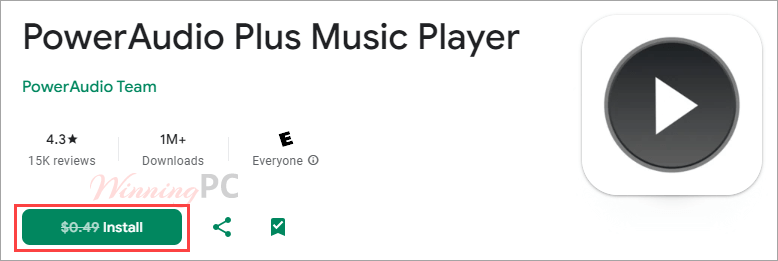
This giveaway is available at the time of sharing, but it may end at any moment, so please check before installing it on your phone. To protect your information, be sure to review the app permissions on the product page to ensure it’s safe.
Get the app on your phone or tablet:
- Android: https://play.google.com/store/apps/details?id=power.amp.musicplayer.pi.audioplayer
- Requires Android 11 and up



Hi
May be if I repost this Winningpc may help contact the vendor, as I got a problem with this otherwise good problem with last offer. I installed the player and it worked well until an update was offered that destroyed the player and it never worked again. I tried to contact their support via the website support contact page weeks ago, not even a response to-date, even via Google play comments.
As you can see, even seeking for help here in desperation, no comment.
I am going to uninstall the defective software and try to install the new offer and hope it will work. Certainly no update until, the author hopefully responds to this or my support question I sent them. May be having a responsive support team is a good idea …
Here is a reposting of the problem:
I am coming here because an email I wrote to support (xsoftstudioapps@gmail.com) a couple of days ago but no response up to now.
Actually after installing this giveaway a couple of months ago, it has been indispensable. A couple of days ago while in Playstore, I got an update alert, which I responded to, but since then the app won’t work. It keeps asking for Bluetooth enablement, and even if I enable it, it keeps bringing me back to an interface with the options Open, Uninstall and Force shutdown.
I have tried restarting phone but it keeps bringing me to this point, even forced shutdown.
The update started all this as it worked perfectly before.
What can I do, without being forced to buy in case I have to uninstall?
This is on a new TCL 40 nxtpaper smartphone with latest Android 14 version
Thank you in advance
Hi John,
Thanks for sharing the issue. Sorry to hear about your experience. We’ll try to reach out to the vendor on your behalf and let them know.
Hi
I am coming here because an email I wrote to support (xsoftstudioapps@gmail.com) a couple of days ago but no response up to now.
Actually after installing this giveaway a couple of months ago, it has been indispensable. A couple of days ago while in Playstore, I got an update alert, which I responded to, but since then the app won’t work. It keeps asking for Bluetooth enablement, and even if I enable it, it keeps bringing me back to an interface with the options Open, Uninstall and Force shutdown.
I have tried restarting phone but it keeps bringing me to this point, even forced shutdown.
The update started all this as it worked perfectly before.
What can I do, without being forced to buy in case I have to uninstall?
This is on a new TCL 40 nxtpaper smartphone with latest Android 14 version
Thank you in advance