

Coolmuster PDF to ePub Converter Giveaway Download
Coolmuster PDF to ePub Converter
Batch convert multiple PDF files to ePub with original text, hyperlinks, layouts, and more preserved.
- Product
- PDF to ePub Converter
- Product website
- coolmuster.com
- License
- 1-Year
- Platform
- Windows 11/10/8/7
- Usage
- Non-commercial only
- Updates
- Free updates for 1-year
- Support
- No support
- Updated
- 2026-09-16
Continue on coolmuster.com
Share to reveal the official giveaway page, then register there to receive your license.
This giveaway ended on .
50% Off 1 Month License(1 PC)
How to Get Coolmuster PDF to ePub Converter Key for Free
- Go to the Coolmuster giveaway page and complete the form.
- Check your inbox for the free 1-year license code.
- Install the software on your PC.
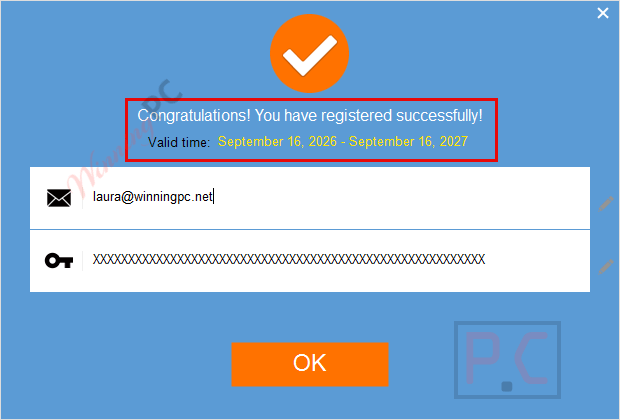
- Open Register and paste the code to activate.


Coolmuster PDF to ePub Converter Discount Codes
Coolmuster PDF to ePub Converter
6 plans · best save 50%
You may also like

All Products Bundle, Lifetime (Windows)
One-time payment, permanent lifetime license | Free lifetime software upgrades
All Products Bundle, Lifetime (Mac)
One-time payment, permanent lifetime license | Free lifetime software upgrades
Coolmuster PDF to ePub Converter Review & Features
Coolmuster PDF to ePub Converter converts PDF files into EPUB format for reading on eBook devices and apps. It supports batch conversion, allowing multiple PDFs to be processed at once. The program keeps original elements such as text, images, and hyperlinks in the converted EPUB files. The next advantage of PDF converter software is that it allows users to select files, adjust conversion settings, and export EPUB versions for reading, editing, or digital library use.

Key features
- Batch Conversion Capability: converts multiple PDF files to ePub format at once, reducing manual work when processing large document collections.
- High-Quality Preservation: keeps original text, hyperlinks, graphics, and layout intact during conversion for consistent formatting in the final ePub file.
- Customizable Conversion Options: lets you convert entire PDFs or select specific pages depending on your document requirements.
- Fast and Accurate Conversion: processes PDF files quickly while maintaining accuracy and formatting quality throughout the conversion process.
- Preview Functionality: allows you to review file name, size, page count, and selected pages before starting the conversion.
- Wide Device Compatibility: produces ePub files supported by popular eBook readers including: iPad, iPhone, iPod, Sony Reader, and Barnes & Noble Nook.
More Coolmuster PDF to ePub Converter screenshots!

Frequently Asked Questions
Is there a limit to the number of pages I can convert?
There is no specific limit to the number of pages you can convert. However, the conversion speed may vary depending on the size and complexity of the PDF files.
How long does the conversion process take?
The conversion time depends on the size and number of PDF files being converted. Generally, the software is designed to perform fast and efficient conversions.
Can I convert multiple PDF files at once?
Yes, the software supports batch conversion, allowing you to convert multiple PDF files to ePub format simultaneously.
Will the converted ePub files retain the original formatting?
Yes, Coolmuster PDF to ePub Converter preserves the original text, images, graphics, and layout of the PDF files in the converted ePub files.
What eBook readers are compatible with the converted ePub files?
The ePub files can be read on various eBook readers, including Apple iPad, iPhone, iPod, Sony Reader, Barnes & Noble Nook, and many more.
Are there any discounts available for purchasing the software?
Yes, you can use coupon codes provided by partners like WinningPC to get up to 50% off on your purchase.
System Requirements & Details
| Language Support | English, Français, Italian, Spanish, Swedish, and more… |
| Operating System | Windows 11/10/8/7 |
| RAM | 512MB or above |
| CPU/Processor | Intel Pentium 1000MHz and above |
| Hard Disk Space | 1GB above |
| Import | |
| Output | ePub |


Is there any OCR for scanned PDF files? Or will it just embed the pages as images in the epub file or remove them?
Hi,
Yes, the software offers two modes: Text mode (OCR) and Image mode.
Based on my experience, the Image mode usually produces better EPUB results, as the Text mode (OCR) can sometimes break the content structure and formatting. If preserving layout is important, I’d recommend using Image mode.
Text mode is NOT an OCRing mode! There is no OCR engine in this program!
If you input a scanned to PDF file which is just a raster image of the scanned document which may or may not contain rendered text and you use “Text Mode” the output will be a blank epub document. If you use Mixed mode just the raster image(s) will be converted to no searchable raster epub pages NOT OCR’d text. same for if you just Image mode. It’s just a cheap and nasty GUI on top of unlicensed 3rd party PDF converter binaries.