Cathryn Lee

Why You Need Stellar Toolkit for iPhone
Stellar Toolkit for iPhone is a 4-in-1 iOS software that helps you solve all iOS device problems. With its help, you can recover iPhone data such as contacts, messages, notes, etc. from your iPhone, iTunes backup, or iCloud backup. This tool enables the safe erasure of all data and apps from your iPhone, ensuring that data can’t be recovered. Furthermore, Stellar Toolkit for iPhone helps you repair an iOS device that is stuck on the Apple logo or fix issues such as reboot loops, black screens, and more, as well as remove the Apple ID configured on the selected iOS device.
Stellar Toolkit for iPhone Coupon Code (100% Working)
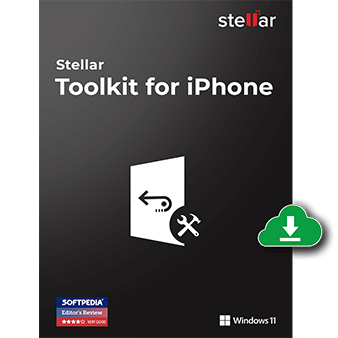
Stellar Toolkit for iPhone-Windows
10% coupon code: regular price: $49.99, discounted price: $44.99
Stellar Toolkit for iPhone-Mac
10% coupon code: regular price: $49.99, discounted price: $44.99

Stellar Toolkit for iPhone 50-iPhones-Windows
10% coupon code: regular price: $149.99, discounted price: $134.99
Stellar Toolkit for iPhone 50-iPhones-Mac
10% coupon code: regular price: $149.99, discounted price: $134.99
Key Features and Screenshots of Stellar Toolkit for iPhone
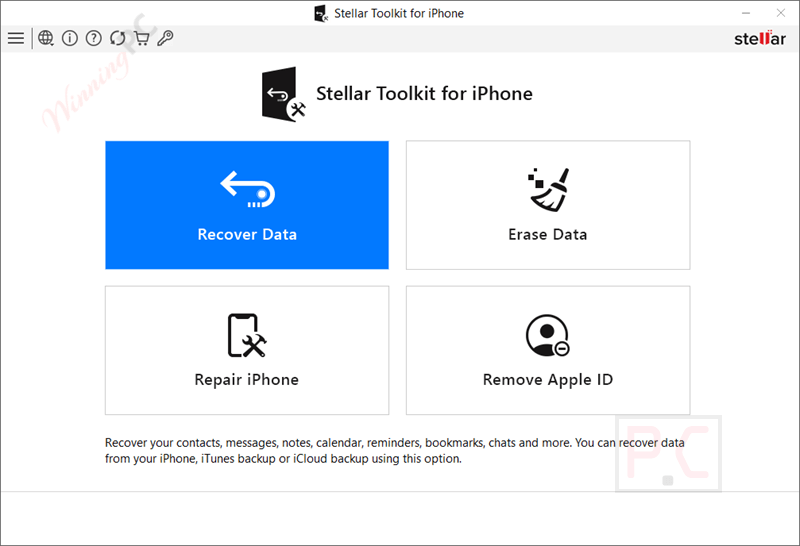
- Restore files directly from your iPhone/iPad, iTunes backups, or iCloud accounts, even encrypted ones.
- Supports a wide array of content: photos, videos, contacts, messages (SMS/iMessage), call logs, voice memos, notes, reminders, Safari bookmarks, and chat data from apps like WhatsApp, Viber, Kik, Line, WeChat, etc.
- Offers a deep‑scan mode that searches by file signature to maximize data recovery, even after formatting or long deletions.
- Fixes multiple common system issues, including Apple logo freezes, boot loops, black/white screens, Recovery Mode stuck, and more, without wiping your data.
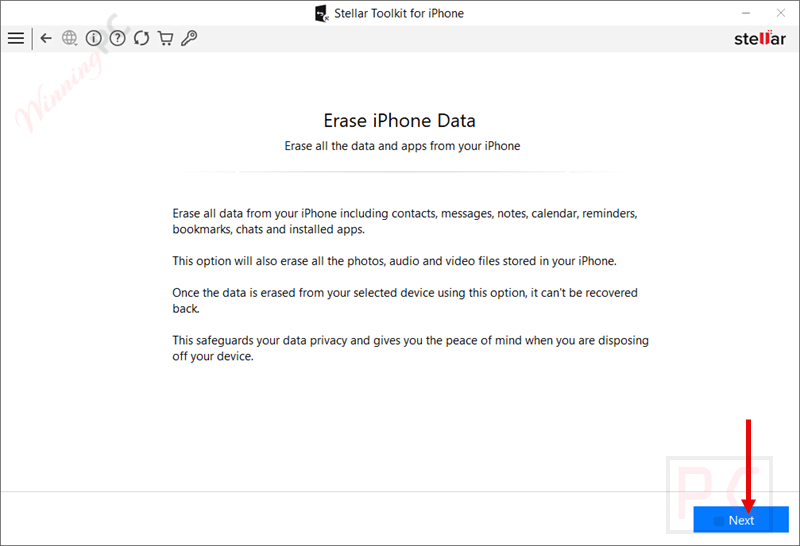
- Completely wipes your device, overwriting all content so nothing is recoverable, even with forensic tools.
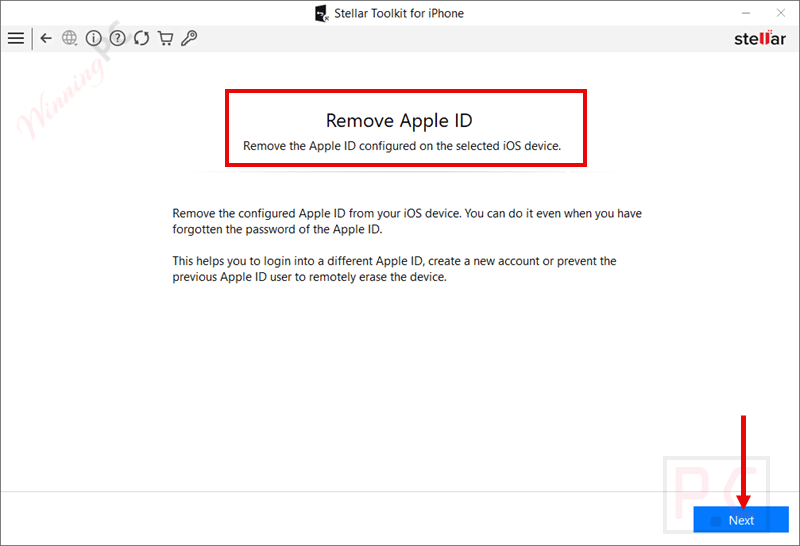
- Remove a configured Apple ID from iOS devices, even without the password, so the device can be reconfigured under a new account or used by someone else.
Stellar Toolkit for iPhone Pros and Cons
Conclusion – Is Stellar Toolkit for iPhone Worth It?
Stellar Toolkit for iPhone is powerful software that is designed to meet all of your iOS troubleshooting needs. Whether you’re recovering lost data, repairing a system, permanently wiping data, or removing a configured Apple ID without a password, this toolkit delivers with solid performance and broad compatibility. It supports mainstream data types and works across iOS 12–18 on both Windows and macOS devices. However, the interface is often described as visually dated, slower on deep scans, and inconsistent in recovery, and the system repair function has reportedly crashed in some scenarios.
How to Use Stellar Toolkit for iPhone (Step-by-Step Guide)
Step 1. Connect Your Device
Use a USB cable to connect your iPhone or iPad to the computer.
Step 2. Choose the Desired Module
The toolkit offers four modules: Recover Data, Erase Data, Repair iPhone, and Remove Apple ID. Select the function based on your issue.
Step 3. Scan Your Device or Backup
For recovery, choose whether to scan the device directly or use an iTunes/iCloud backup. Select the files you need to recover. Wait for the scan to complete and preview the recoverable data.
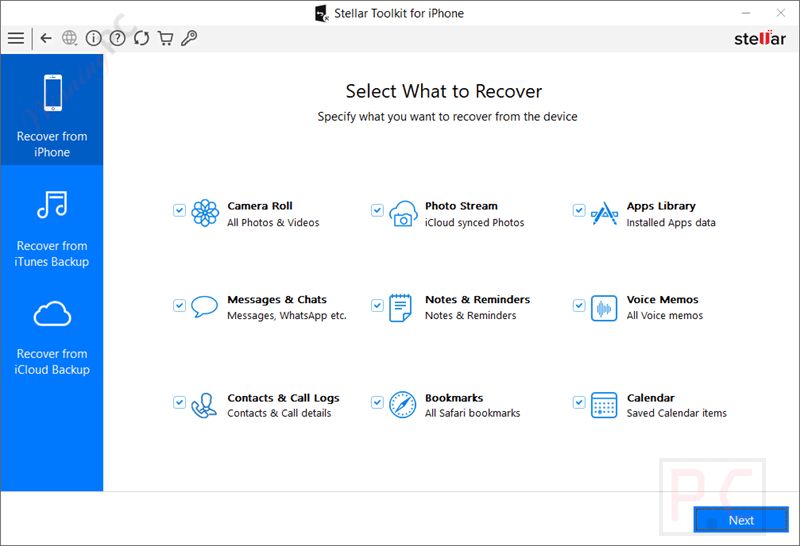
Step 4. Repair, Erase, or Remove Apple ID
If repairing iOS or removing Apple ID, follow the on-screen instructions to complete the process.
For data erasure, confirm the action to securely wipe your device.

Stellar Toolkit for iPhone FAQs
Can it recover data from a broken iPhone?
Yes. As long as the device is detected by your computer, Stellar can recover data. It also supports recovery from iTunes and iCloud backups if the device is severely damaged.
What types of data can be recovered?
You can restore photos, videos, contacts, call logs, SMS/iMessages, WhatsApp chats, notes, voice memos, Safari bookmarks, and data from other third-party apps.
Does the software require a jailbreak?
No, Stellar Toolkit for iPhone works without jailbreaking your device, keeping it safe and secure during the recovery and repair process.
Can it remove the Apple ID without a password?
Yes. Stellar Toolkit can remove a configured Apple ID without needing the password, allowing you to set up a new account on your iPhone or iPad.
What is the difference between the Toolkit and Toolkit Plus versions?
The Toolkit includes data recovery, system repair, data erasure, and Apple ID removal. Toolkit Plus supports multiple devices and offers advanced features for professionals.
Will using this software erase my data during repair?
No, the iOS repair feature is designed to fix system issues without data loss. However, data erasure and Apple ID removal functions will wipe the device.
Is the data erased with this tool recoverable?
No. The erasure feature overwrites your iPhone’s storage, making the data 100% unrecoverable, even with advanced recovery tools.
How can I save money when purchasing this software?
You can use the WinningPC coupon code STE***R10 to get up to 10% off your order when buying from the official Stellar store.
Why Choose WinningPC for the Best Software Discounts?
At WinningPC, we are committed to providing 100% valid and verified coupon codes, so you can always shop with confidence.
- If you come across an invalid code or a better offer, let us know.
- Our team updates all discount information regularly to ensure accuracy.
- Official Authorization: We only share authentic discounts from trusted software developers.
- No Fake Discounts: Unlike some sites, we never use misleading deals. The final price you see is the true discounted price.
- Secure Purchases: All transactions are processed on the official vendor’s website, ensuring authenticity and data protection.
- Extra Support: If you face order or vendor issues, contact us. We’ll liaise with the vendor to help resolve your problem quickly.