Cathryn Lee
Minicoders teaches coding and computational thinking through play-based lessons inside Roblox and Minecraft environments. Kids learn basic programming concepts by completing structured challenges and adventure-style activities. The educational platform includes voice assistance and dictation tools to support learners with ADHD or dyslexia. Parents can access progress tracking and private dashboards to monitor activity, achievements, and learning progress while children practice problem-solving and build projects inside the games.
Minicoders Deals & Promo Codes (100% Working)
Minicoders - Quarterly License
$19.99 /month; Billed Quarterly($59)
Minicoders - Yearly License
$12.46 /month; Billed Annually($149)
Minicoders - Lifetime License
$349 One payment
Key Features and Screenshots
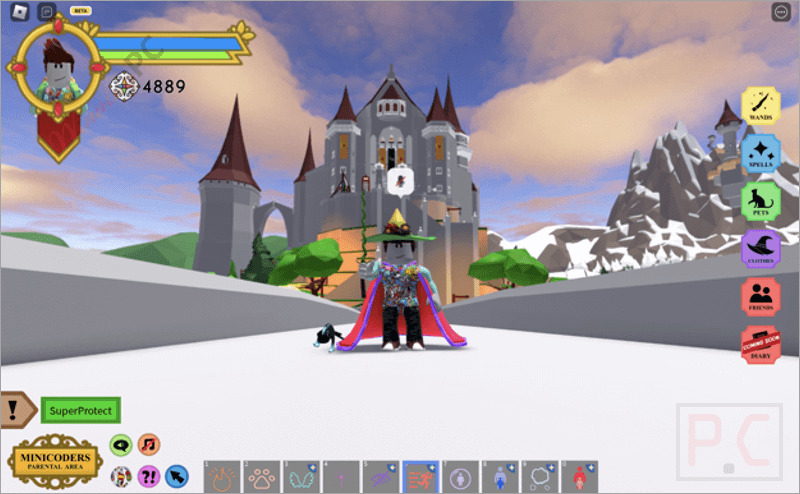
- Game-Based Learning: It transforms traditional coding lessons into exciting game missions in Roblox and Minecraft, helping children learn basic coding concepts through fun, interactive play.
- Real-Time Progress Tracking: Parents can monitor their child’s real-time progress and track completed activities from a dedicated dashboard.
- Second Virtual Assistant: A virtual assistant is integrated and always there to provide kids with the answers they need in real time.
- Multiple learning formats: Intensive, focused training programs designed to teach coding skills in a short period, themed coding challenges with rewards, and school programs to keep the experience fresh and exciting.
- Curriculum-Aligned Content: Lessons are aligned with CSTA, ISTE, and UK National Curriculum standards with teacher guides and walkthroughs for classroom instruction.
- Adaptive Learning Paths: Personalized paths adjust difficulty and content based on the child’s age, skill level, and learning progress.
- No Prior Experience: Designed for beginners, kids can start learning without a coding background and aren’t overwhelmed.
- ADHD and Dyslexia friendly: Built with accessibility in mind, supporting kids with ADHD, dyslexia, and different learning needs, a gender‑neutral approach, etc.
- Teacher guides: Provides teachers with guides, lesson plans, and assessment tools for classroom use.
- Automatic Assessment: Automated assessment tools for teachers to track student progress to save time and effort
How to Use (Step-by-Step Guide)
Step 1. Create an Account
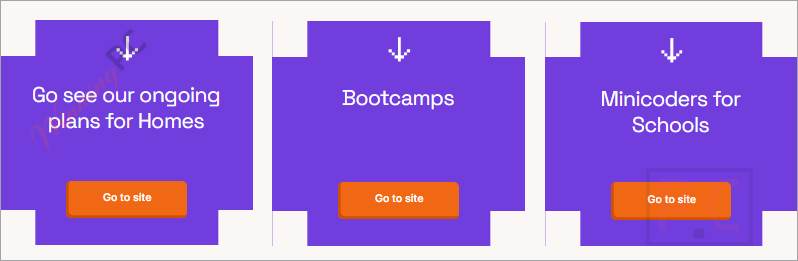
Visit the Minicoders Website. You’ll find different sections for Parents, Schools, and Bootcamps. Choose the one that best suits your needs. Click “Start Now” or “Sign Up” to create a free account. Enter your name and email address, and create a password to get started.
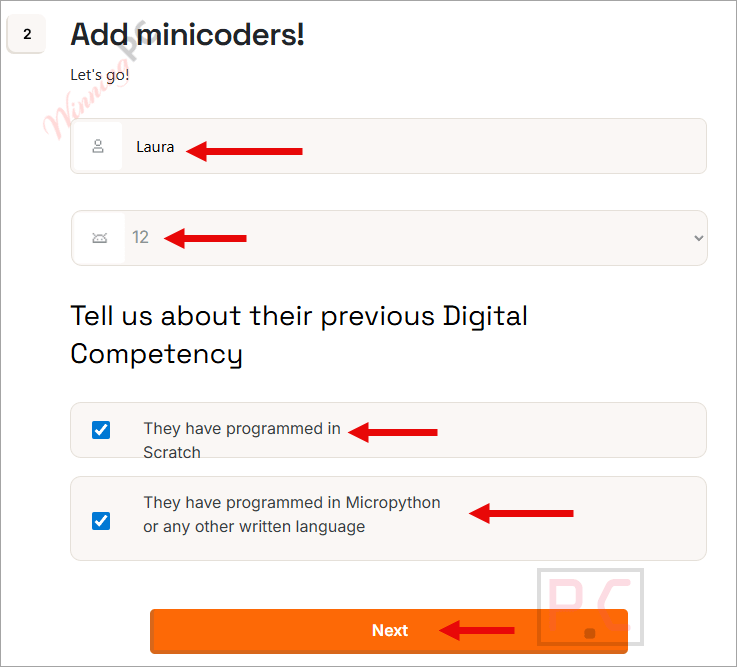
Step 2. Set Up Your Child’s Profile
After signing up, add your child’s information, including their name, age, and preferred language of instruction. This helps Minicoders personalize their experience.
Step 3. Choose a Learning Path
Minicoders will recommend coding missions based on your child’s age and level. Select a suitable coding adventure that matches their interests and skill level.
Step 4. Download Required Games
Install Roblox or Minecraft on your device if not already installed. Minicoders uses these platforms to deliver interactive learning missions.
Step 5. Connect Minicoders to the Game
Follow the platform’s instructions to launch the Minicoders missions inside Roblox or Minecraft. This step may involve logging into the game and selecting a specific server or game world.
Step 6. Let Your Child Start Playing and Learning
Once inside the game, your child can begin completing coding challenges. These are structured like missions, helping them learn programming logic, loops, and problem-solving through gameplay.
Step 7. Monitor Progress via the Parent Dashboard
As your child progresses, log in to the Parent Dashboard to:
– View completed lessons
– Track achievements
– Check areas that may need improvement
Step 8. Encourage Regular Play
Set aside regular time for your child to play and learn. The platform is designed to build skills through repetition and new challenges gradually.
Frequently Asked Questions
Do I need to install Roblox or Minecraft to use Minicoders?
Yes. Minicoders integrates its learning missions within these gaming platforms, so having them installed is required for gameplay-based lessons.
Can I track my child’s learning progress?
Yes. Minicoders provides a real-time parental dashboard where you can view your child’s achievements, completed tasks, and skill development.
Does Minicoders offer content aligned with school curricula?
Yes, the lessons align with global educational standards such as CSTA, ISTE, and the UK National Curriculum.
Is there any support for children with ADHD or dyslexia?
Yes. Minicoders is designed to be inclusive and accessible, offering voice-based support and visual-friendly layouts for diverse learners.
Do I need to supervise my child during gameplay?
Not necessarily. The platform is built to be intuitive and self-guided. However, younger kids may benefit from occasional support or discussion.
Can I get a discount on Minicoders?
Yes! Use the latest discount promo codes on WinningPC to receive 38% off your subscription.
Why Choose WinningPC
- Why Trust? We are committed to providing 100% valid and verified coupon codes, so you can always shop with confidence.
- Found an Invalid Coupon or a Better Deal? If you encounter an invalid code or a better offer, please let us know. Our team updates all discount information regularly to ensure accuracy.
- Official Authorization: We only share authentic discounts from trusted software developers.
- No Fake Discounts: Unlike some sites, we never use misleading deals. The final price you see is the true discounted price.
- Secure Purchases: All transactions are processed on the official vendor’s website, ensuring authenticity and data protection.
- Extra Support: If you face order or vendor issues, contact us. We’ll liaise with the vendor to help resolve your problem quickly.
Technical Details
| Language Support | English, Spanish, and Catalan |
| Money Back Guarantee | 30-Day |
| Operating System | Windows PC, Mac, iPad, Android Tablet, Chromebook |
| Shipping | Register code will be sent to your email in minutes |
| Subscription | 3-Month, 1-Year, Lifetime |
| Support Services |