Laura Marano
Locked out of your own PDF? Whether you forgot the password or a colleague sent a restricted file without the “Owner” code, paying full price to get back in shouldn’t be your next headache. We’ve secured exclusive Cisdem PDF Password Remover discounts for the WinningPC community to help you bypass these digital roadblocks for a fraction of the cost.
Status: ✅ Active & Verified
Last Checked: October 2026
Offer: Up to 70% Off Lifetime Licenses
For Windows

Cisdem PDF Password Remover for Windows - Lifetime License
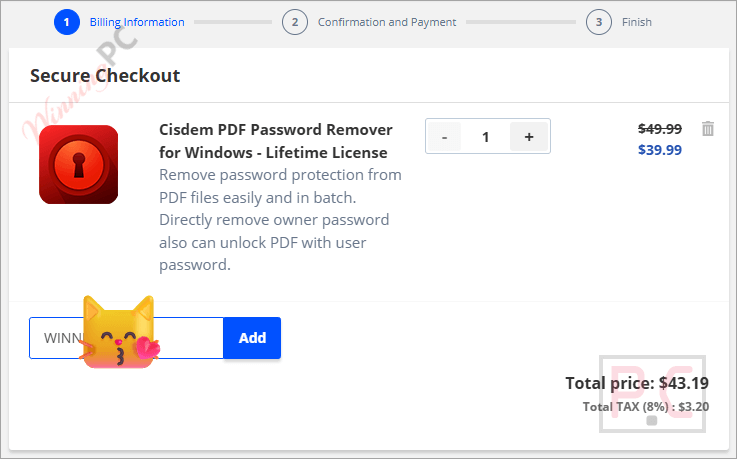
20% off: regular price $49.99, discounted price $39.99
Cisdem PDF Password Remover for Windows - Lifetime License for 2 PCs
44% off: regular price $99.98, discounted price $55.99
Cisdem PDF Password Remover for Windows - Lifetime License for 5 PCs
60% off: regular price $249.95, discounted price $99.99
For macOS
Cisdem PDF Password Remover for Mac - Lifetime License
40% off: regular price $49.99, discounted price $29.99
Cisdem PDF Password Remover for Mac - Lifetime License for 2 Macs
58% off: regular price $99.98, discounted price $41.99
Cisdem PDF Password Remover for Mac - Lifetime License for 5 Macs
70% off: regular price $249.95, discounted price $74.99
Price Comparison Table
| Plan Name | Official Price | WinningPC Price | You Save |
| Windows – Lifetime / 1 PC | $49.99 | $39.99 | 20% OFF |
| Windows – Lifetime / 2 PCs | $99.99 | $55.99 | 44% OFF |
| Windows – Lifetime / 5 PCs | $249.95 | $99.99 | 60% OFF |
| Mac – Lifetime / 1 Mac | $49.99 | $29.99 | 40% OFF |
| Mac – Lifetime / 2 Macs | $99.98 | $41.99 | 58% OFF |
| Mac – Lifetime / 5 Macs | $249.95 | $74.99 | 70% OFF (Recommended) |
Redemption Guide
- Visit the official Cisdem store page via our link by clicking on the “Copy Code” button.
- Check the “Order Summary”. You will see that the discount code is already loaded and the price has been slashed.
What is Cisdem PDF Password Remover?
Cisdem PDF Password Remover is a lightweight, easy-to-use PDF password remover designed to remove two specific types of PDF barriers: User Passwords (which prevent you from opening the file) and Owner Passwords (which prevent you from editing, printing, or copying). It’s built for office workers, students, and legal professionals who deal with restricted documents and don’t have time to wait for a password reset.
Deep Dive: Features & Benefits
- Owner Password Removal: Even if you don’t know the permission password, Cisdem PDF Password Remover can strip it away instantly. This means you can finally print that locked report or copy snippets into your own research paper.
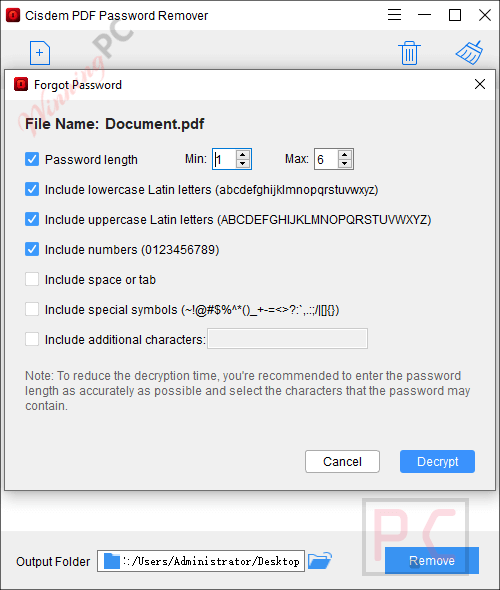
- Brute Force Decryption: Forgotten your “Open” password? The software uses a brute-force engine to try combinations. You can speed this up by giving it “clues” like the estimated length or character types (e.g., “I know it starts with a capital letter and has a ‘!’ at the end”).
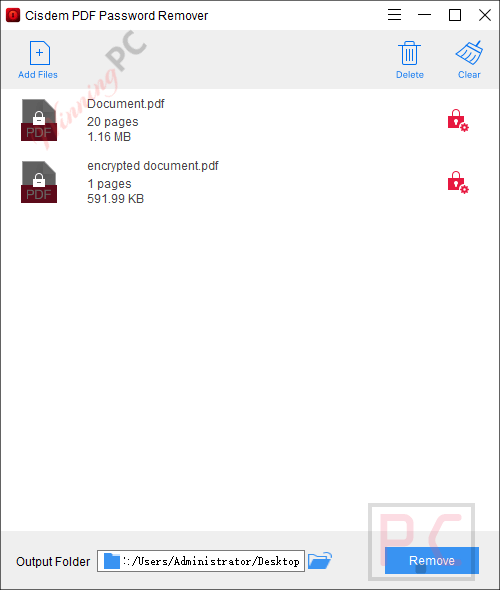
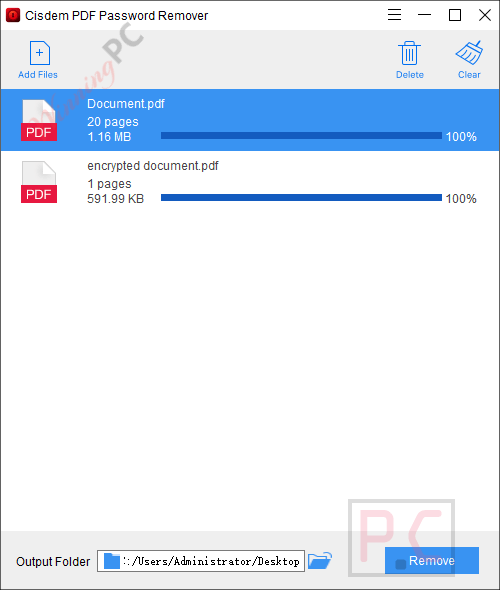
- Batch Processing (Up to 200 files): Don’t waste time doing one by one. You can drag a whole folder of restricted PDFs into the app and unlock them in one go.
- Zero Quality Loss: Unlike some “free” online converters that mess up your formatting or blur your images, Cisdem PDF Password Remover keeps every byte of the original file intact.
Pros & Cons
More Screenshots
Frequently Asked Questions
Is it safe to use?
Totally. It doesn’t modify your original file; it creates a decrypted copy. Your data never leaves your computer, unlike online “free” tools that might store your sensitive PDFs on their servers.
What happens if I don’t know the password at all?
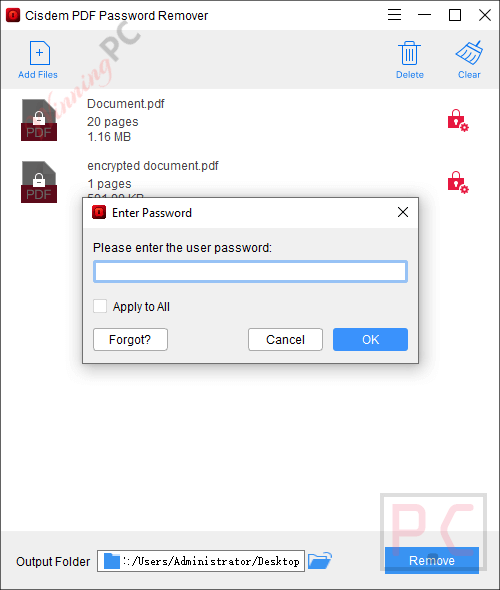
For “Owner” passwords (printing/copying restrictions), it doesn’t matter—it removes them regardless. For “User/Open” passwords, you’ll need to use the Decrypt feature. If the password is short, it’s fast; if it’s 20 characters of gibberish, be prepared to let your PC run for a while.
Can I try it before I buy?
Yes, there is a 14-day trial, but it’s limited. You can only export half the pages (or up to 3 pages) and they will have watermarks. The coupon version removes all these limits.
Technical Specifications
| Requirement | Windows Requirements | Mac Requirements |
| Operating System | Windows 10, Windows 11 (64-bit) | macOS 10.13 through macOS 15.0 Sequoia |
| CPU | 1GHz Intel or AMD processor | Intel or Apple Silicon (M1/M2/M3) |
| RAM | 512MB minimum | 512MB minimum |
| Disk | 50MB for installation |