Cathryn Lee
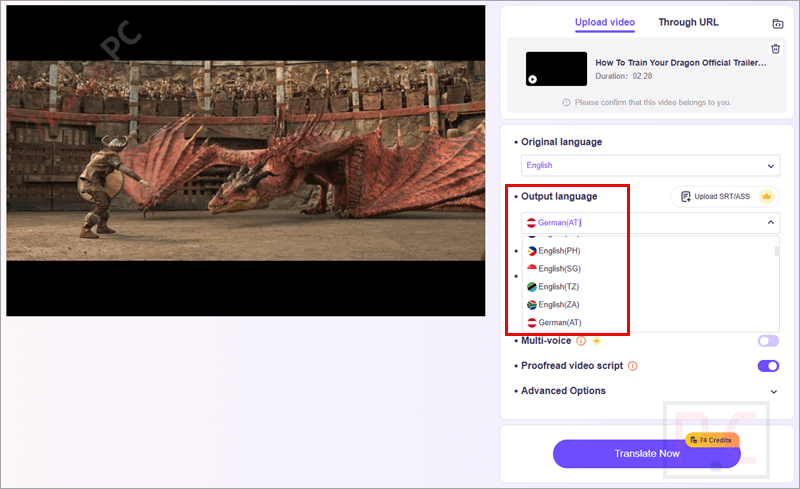
Vidnoz AI Video Translator is a web-based tool that automatically translates your video content into over 140 languages. Instead of hiring human translators and waiting days, this software processes translations in under 5 minutes. It is built for creators and businesses who want to expand their global audience, improve video localization, and increase viewer engagement through accurate AI dubbing and natural voice cloning.
Vidnoz AI Video Translator Coupon Codes
At the moment, no valid coupon codes are available for Vidnoz AI Video Translator. However, you may consider the following alternatives.

BlipCut
55% off coupon code: : regular price $30, discounted price $13.59

VidScribe AI Elite Monthly
75% off coupon code: regular price $67, discounted price $17
VidScribe AI Elite Yearly
41% off coupon code: regular price $97, discounted price $57

Vovsoft Subtitle Translator
30% Off coupon code, regular price $19, discounted price $13.3

FlexClip Plus Annually Plan
58% Off coupon code: regular price $239.88, discounted price $100.72
Redemption Guide
Getting this discount is incredibly straightforward. Follow these steps to ensure the lower price registers in your cart:
- Click the discount button or link above for your preferred plan.
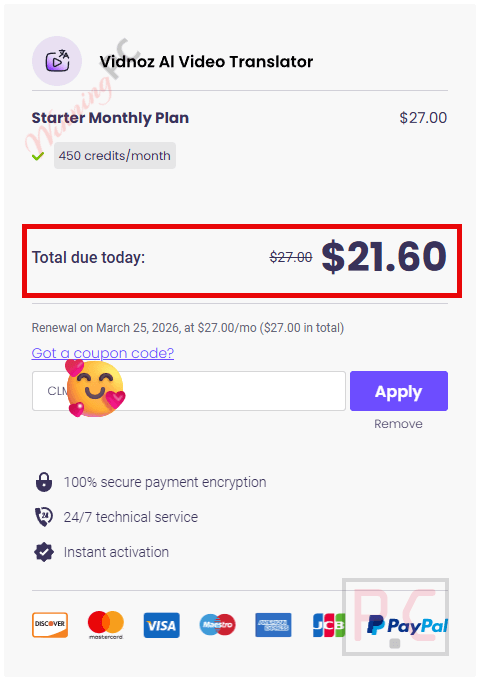
- You will be redirected to the official checkout page. The system recognizes the WinningPC referral and automatically adjusts the price.
- Verify that the price has dropped to match the price in our table above. Check the screenshot below to ensure the discount is applied correctly.
- Complete your payment information and proceed to checkout.
In-Depth Review & Features
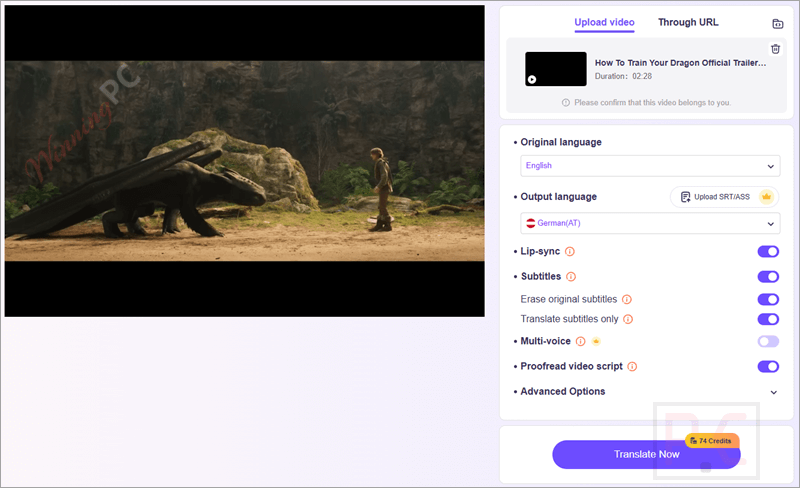
Vidnoz AI Video Translator takes the manual labor out of translating videos. You just upload your file, pick your target language, and the AI handles the rest.
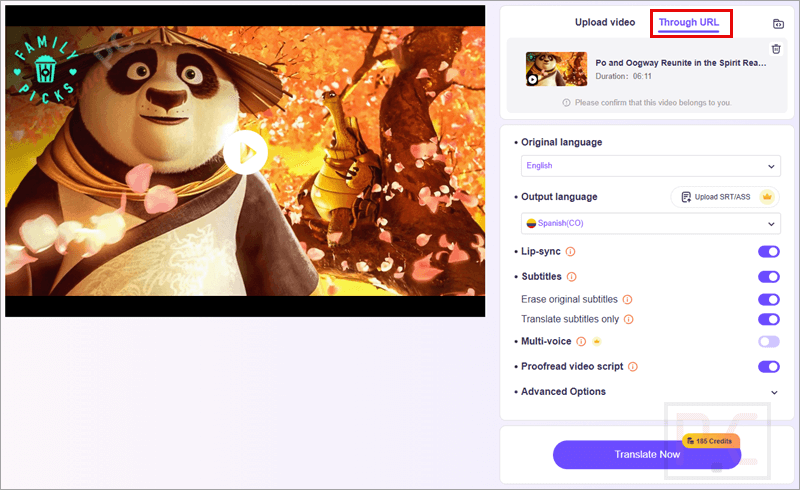
- Voice and Subtitle Translation: You can do voice-over translations, generate automated AI dubbing, and transcribe subtitles all at the same time, or pick exactly what elements you want to translate.
- Unparalleled AI Voice Cloning: The AI doesn’t just read text; it creates a synthetic replication of the original speaker’s voice. It preserves your authentic speaking style, tone, and emotion.
- Seamless Lip-Synching: The software aligns the speaker’s lip movements with the newly dubbed speech. It makes you look like a native speaker of the target language, making the video much more convincing.
- Massive Language Support: Vidnoz AI Video Translator translates to and from 140+ languages, giving you the reach to hit almost any region or country.
Pros & Cons
Based on the feature set and our internal assessment of the software market, here is an objective look at what to expect:
More Vidnoz AI Video Translator screenshots
Frequently Asked Questions
Is this the best coupon for Vidnoz AI Video Translator?
Yes. WinningPC currently offers the highest discount rate available on the market for this software, giving you up to 27% off the Business Yearly plan and 38% off the Creator Yearly plan.
How can I translate a video without subtitles?
Vidnoz AI Video Translator supports AI dubbing and voice-over translation without needing subtitles. If your video does have subtitles, you can choose to enable or disable translating them.
Do I have to translate the video manually?
No. The process is fully automated. You upload the video, choose your options, click “Translate Now,” and the tool handles it from start to finish.
Can I translate an audio file?
Not directly. The tool does not support audio-only file formats. You will need to convert your audio to M4V, MP4, MOV, or WEBM first, and then translate the audio within that converted video file.
How do I translate a YouTube video?
You cannot translate it directly via a URL. You must save the YouTube video offline first, then upload that file into the Vidnoz tool.
Can I translate a video from any language?
Yes. The 140+ language support applies to the input sources as well, meaning you can translate from almost any popular spoken language.
How do I download my finished translations?
Once the translation is done, click the Download button. A prompt will ask you to sign in with your Gmail address. Once signed in, your download will start immediately.
Technical Specifications
| Operating System | Cloud-based (Works on any modern browser). |
| RAM/CPU | N/A (All processing is done on Vidnoz servers). |
| Supported Input Formats | M4V, MP4, MOV, WEBM. (Note: Audio files must be converted to one of these video formats first). |
| Account Requirement | Gmail account required to download translated files. |