
On this page
iReaShare Data Wipe Giveaway
iReaShare Data Wipe
This Data Wipe software can permanently wipe your files, folders, and drives on your computer. All your files will be shredded and erased.
- Product
- iReaShare Data Wipe
- Website
- ireashare.com
- License
- 1-Year
- Platform
- Windows 11/10/8/7
- Installer
- ireashare-data-wipe.exe
- Support
- No technical support
- Updates
- No free upgrades
- Usage
- Non-commercial use only
- Updated
- October 30, 2026
Get your unique code by email
License key delivered free to your inbox within minutes.
Protected by Cloudflare Turnstile · Email quality checked by Reoon
All codes have been claimed or the giveaway has closed.
iReaShare Data Wipe Plans & Discount Code
iReaShare Data Wipe for Windows
9 plans · best save 75%For 1 PC:

1 Month License(1 PC) ★ Best Deal
Use it on 1 PC | 1-month free upgrades | 7-day money-back guarantee
1 Year License(1 PC)
Use it on 1 PC | 1-year free upgrades | 30-day money-back guarantee
Lifetime License(1 PC)
Use it on 1 PC | lifetime free upgrades | 30-day money-back guarantee
For 5 PCs:
1 Month License(5 PCs)
Use it on 5 PCs | 1-month free upgrades | 7-day money-back guarantee
1 Year License(5 PCs)
Use it on 5 PCs | 1-year free upgrades | 30-day money-back guarantee
Lifetime License(5 PCs)
Use it on 5 PCs | lifetime free upgrades | 30-day money-back guarantee
For 10 PCs:
1 Month License(10 PCs)
Use it on 10 PCs | 1-month free upgrades | 7-day money-back guarantee
1 Year License(10 PCs)
Use it on 10 PCs | 1-year free upgrades | 30-day money-back guarantee
Lifetime License(10 PCs)
Use it on 10 PCs | lifetime free upgrades | 30-day money-back guarantee
📄 Licensing & Support Details
- Safety Guarantee
- 30-day money-back guarantee
- Instant Delivery by Email
- Free Lifetime Updates
- Free Customer Support.
- Auto-renewal.
- Cancel at any time.
📝 How to apply
Click ‘Copy Code’ above to proceed to checkout. Verify the promotional price and complete your order.

How to Get the iReaShare Data Wipe Key Free?
- Enter your email address on the giveaway form to get your free license key.
- Download and install iReaShare Data Wipe on your Windows PC.
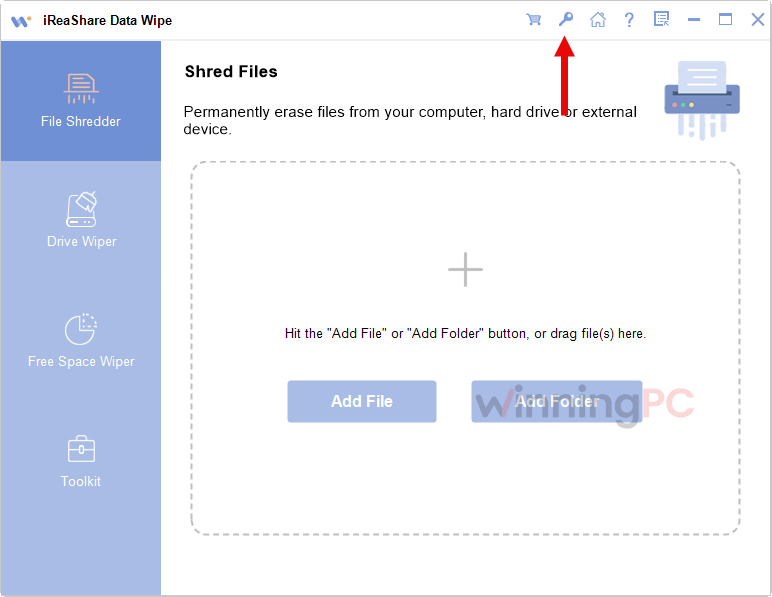
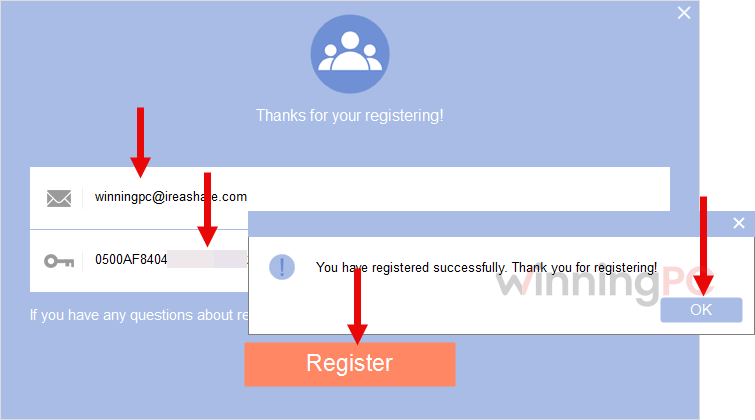
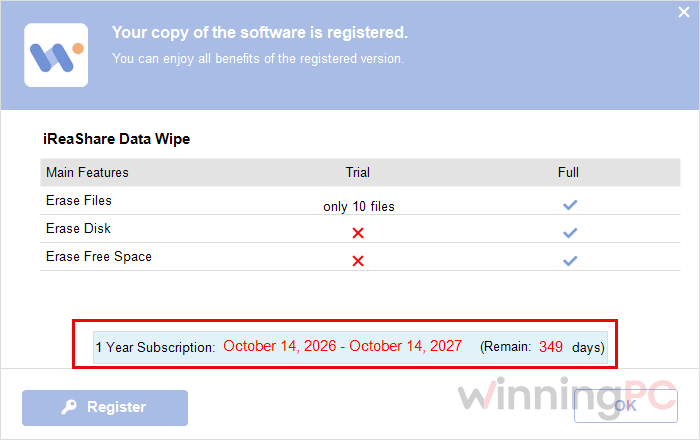
- Launch the software then copy your license code and enter it in the registration window to activate your 1-year license.
iReaShare Data Wipe review: what it actually does
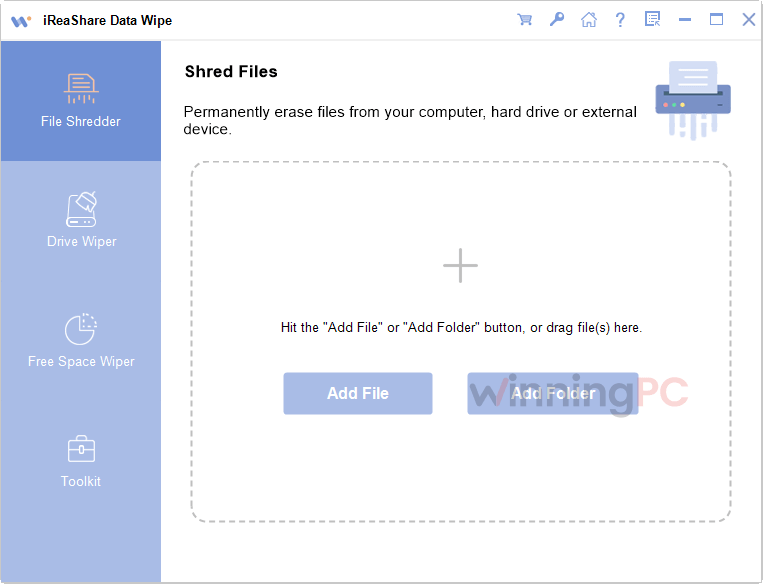
iReaShare Data Wipe is made for users who need to permanently remove data from a PC or external storage device. It can shred selected files and folders, wipe entire drives, and overwrite free space so previously deleted data cannot be recovered. For anyone handling private files or preparing a device for transfer, using one of the available license discounts makes the purchase more appealing.
Key features
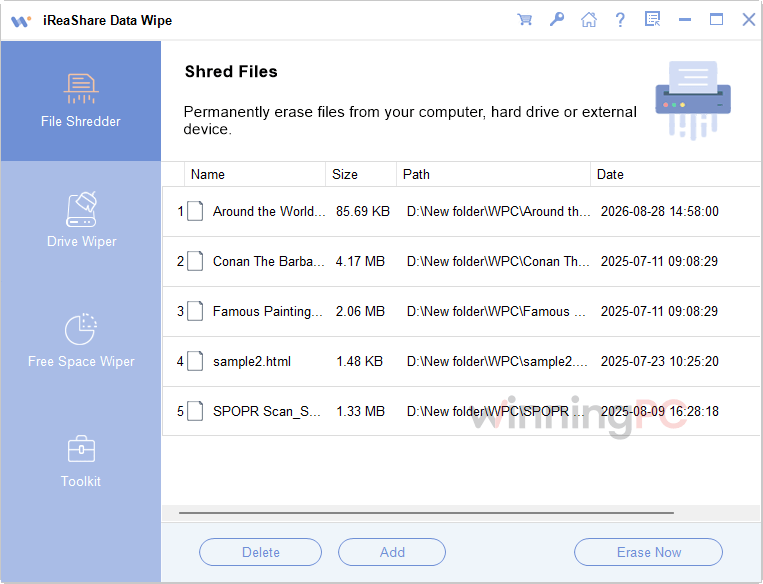
- File and folder shredding: permanently deletes files and folders so they cannot be recovered by data recovery software.
- Works with all file types: lets you choose specific files and folders regardless of file type.
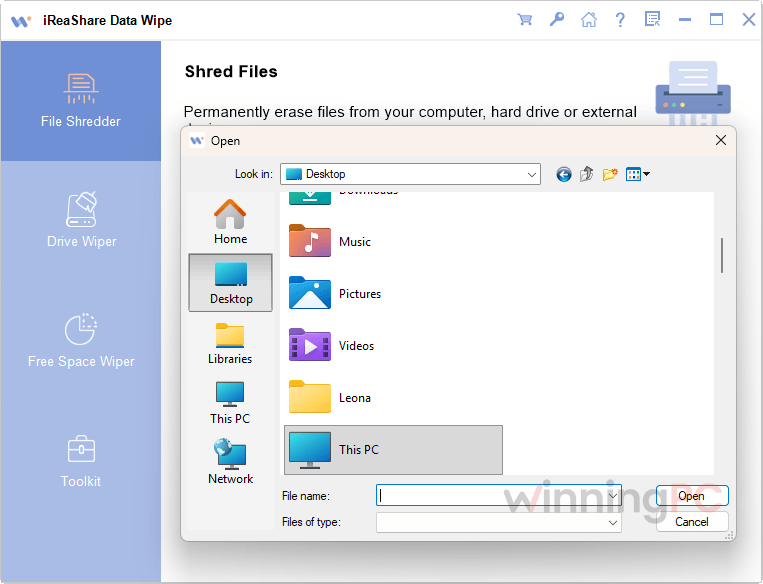
- Drag-and-drop support: allows you to add files to the wiping area without extra steps.
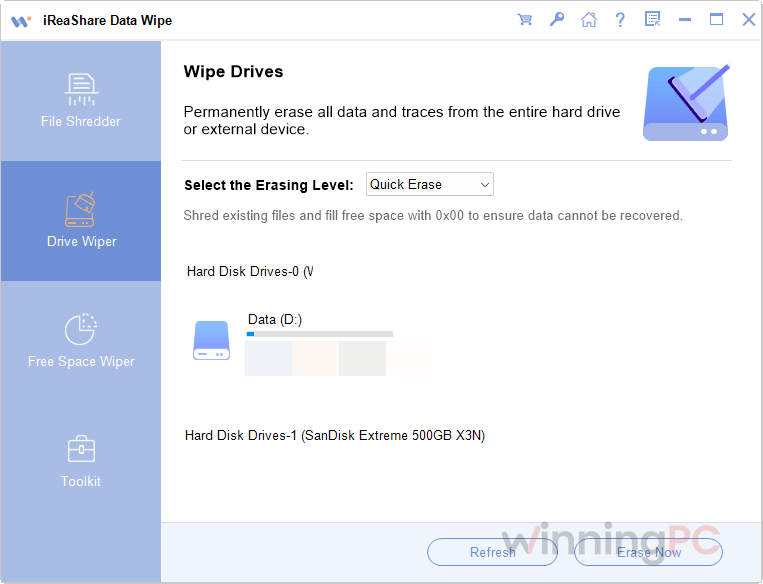
- Full drive wiping: erases all data on hard drives and external drives.
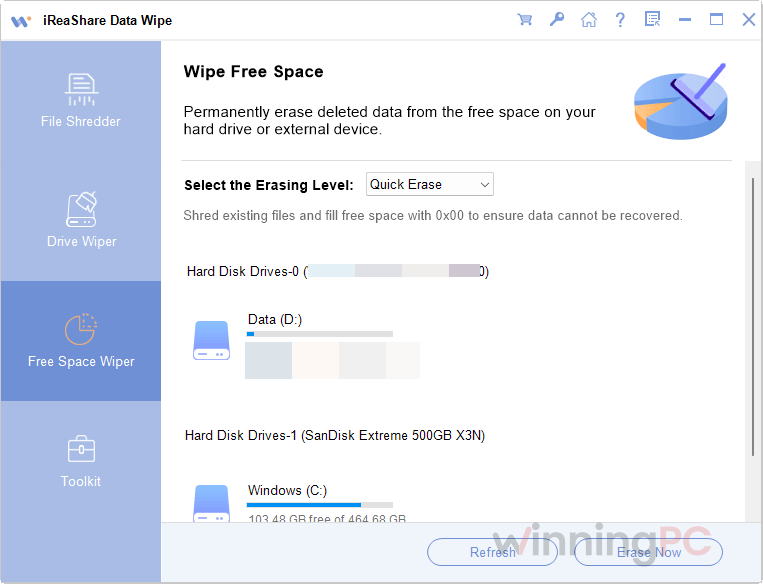
- Quick Erase mode: offers faster wiping for everyday data erasure needs.
- Deep Erase mode: uses advanced overwriting algorithms and multiple passes for stronger data security.
- Free space wiping: overwrites free space on hard drives and external devices to remove traces of previously deleted files.
- Recognized wiping standard: uses the DoD 5220.22-M standard for secure data erasure.
- Custom erasure methods: gives you different wiping method options for flexibility and security.
The good and the not-so-good
More iReaShare Data Wipe Screenshots
Frequently Asked Questions
What does iReaShare Data Wipe do?
It is a data wiping program that securely erases files, folders, entire hard drives, external drives, and free space on storage devices.
Which iReaShare Data Wipe deal gives the biggest discount?
The 1 Month License (1 PC) gives the biggest percentage discount at 75% off.
Is there a free trial for iReaShare Data Wipe?
Yes. A free trial version is available, but its features are limited.
Can iReaShare Data Wipe erase entire drives?
Yes. It can wipe entire hard drives and external devices, so data becomes unrecoverable.
Does it support wiping previously deleted data?
Yes. It can overwrite free space on hard drives and external storage devices to erase remnants of deleted files.
What is the difference between Quick Erase and Deep Erase?
Quick Erase is meant for faster wiping when time matters, while Deep Erase uses advanced overwriting algorithms and multiple passes based on the US DoD 5220.22-M(E) standard.
Is it safe to buy from the iReaShare website?
According to the provided information, orders are processed through 2Checkout (now Verifone), which holds PCI DSS Level 1 Certification. Transactions use a 128-bit SSL connection secured by VeriSign, and the servers are McAfee Secure certified with daily scans by ScanAlert.
How do I cancel a subscription?
You can cancel it through 2Checkout (now Verifone) using MyAccount, or contact support at support@ireashare.com
What discount is available for iReaShare Data Wipe?
WinningPC offers discounts of up to 75% on 1-month licenses.
Technical Details
| Money Back Guarantee | 30-Day |
| Operating System | Windows 11, Windows 10, Windows 8, Windows 7 |
| Shipping | Register code will be sent to your email in minutes |
| Subscription | 1 Month, 1-Year, Lifetime |
| Support Services | Email. |
| Erasure standard | DoD 5220.22-M / DoD 5220.22-M(E). |




When overwrite erasing data to ever have a chance to permanently erase data you have to disable system protection/System Restore on the drive you want to erase data on as system protection uses VSS to shadowcopy silently all previous contents you try to overwrite into the VSS unencrypted database that can be read by 3rd party programs, restored using windows previous versions feature where supported of just deep deep data recovery software. They also have FALSE information, fact 1 there is no public example of anyone in the world EVER recovering data from modern hard-drives once data has been overwritten just once with zeros there are NO known examples of anyone ever using Gutmanna white paper hypothetical technique for recovering any pervious data once it has been overwritten once with zeros. It is unnecessary to waste time and power and drive life by using multi-pass writes and also not necessary to overwrite with random or pseudo-random bitstreams, it adds nothing to the difficulty but can spoil SSD’s whose firmware monitors for zeroed sector writes and internally translate that write into an internal TRIM with read zeros command saving internal storage space and preventing an erase/write cycle. AND NEVER use the Gutmann 35 pass method it was invented to hypothetically cater to erasing all known recording methods at the time and was NEVER necessary! It was never demonstrated in real life that is why it was never a theory let alone a fact! A Bit like life from inanimate matter is not even a theory it has never ever been observed and not hypothetical mechanism has been imagined where such an event would be possible so it’s not even a a genuine scientific hypothesis!