iFunia Video Converter for Mac is an all-in-one media toolkit designed to convert, compress, and edit video and audio files. It supports hundreds of formats, 4K/8K processing, batch conversion, video compression, and built-in editing tools for Mac users.
📄 Licensing & Support Details
- 30-day money-back guarantee
- Instant activation
- Secure payment encryption
- 24H/7 one-to-one expert support.
📝 How to apply
- Click “Copy Code” on the activation link above. You will be redirected to the official iFunia checkout page.
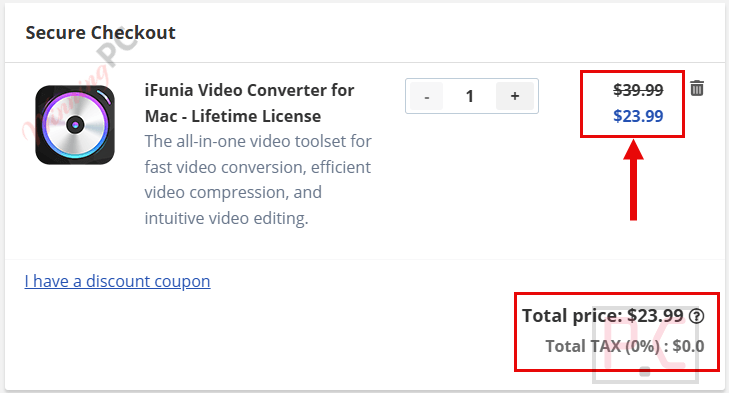
- Check the “Order Summary”. You will see the discount code is already loaded and the price slashed.
In-Depth Review & Features
Key Features
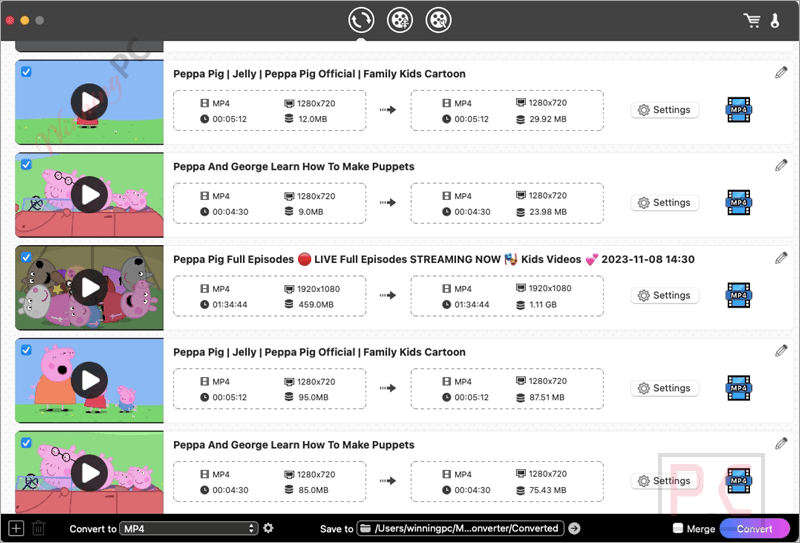
- Extensive Format Support: Converts video and audio across 400+ formats using 600+ input and output codecs, including modern standards like H.265, H.264, Xvid, VP8, VP9, and AV1.
- Ultra-HD Capabilities: Handles heavy files with ease, outputting video projects in crisp 4K and 8K resolutions, or downscaling 4K video to 1080P, 720P, or standard definition.
- Audio Extraction & Conversion: Separates audio layers from video tracks to create standalone music or voice files (such as converting MP4 to MP3 or MKV to OGG) while maintaining high-fidelity sound.
- Tailored Device Presets: Features more than 300 pre-configured profiles optimized for popular hardware, including iPhones, iPads, Apple TV, PlayStation, Xbox, and devices from Samsung, Huawei, and Xiaomi.
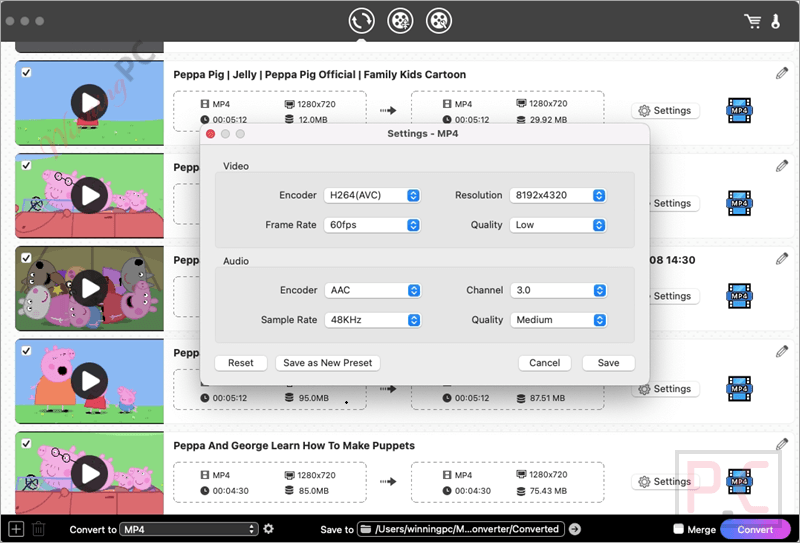
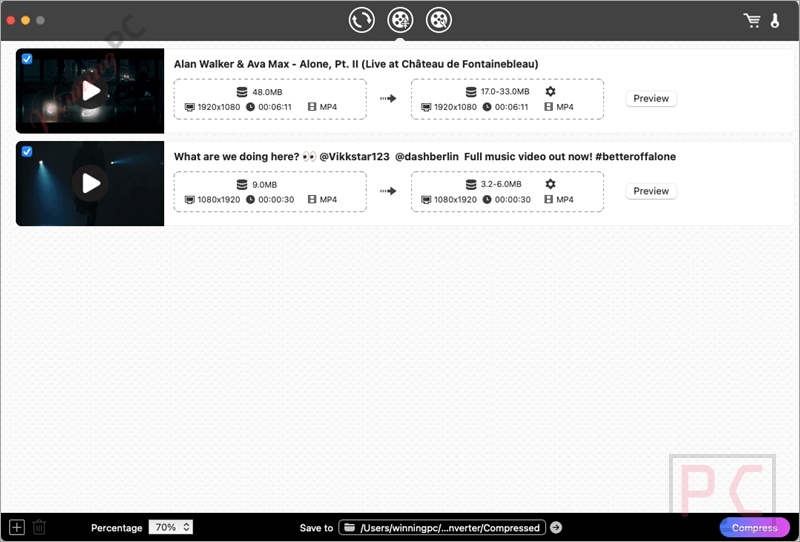
- Slider-Controlled Compression: Offers four target compression levels (Low, Medium, High, or Custom via a manual slider) to shrink files for easier emailing and streaming.
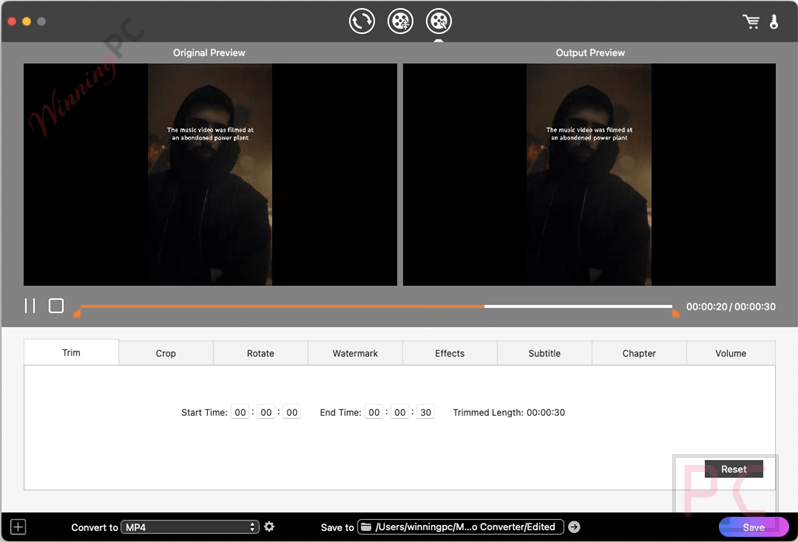
- Built-in Quick Editor: Allows you to stitch clips together, clip out unwanted parts, rotate orientations, crop out black bars, apply filters (like brightness, contrast, and deinterlacing), insert watermarks, and embed external subtitle tracks.
Pros & Cons
More iFunia Video Converter for Mac screenshots!
Settings
Compress video
Edit video
Frequently Asked Questions
Are there any promo codes for iFunia Video Converter for Mac?
Yes, active discount offers are hosted on WinningPC. WinningPC coordinates directly with software creators to bring users verified markdown deals alongside standard distribution methods.
How do I get the lowest price on iFunia Video Converter?
You can claim an exclusive 52% OFF price reduction through WinningPC. This dynamic promotion drops the regular $49.99 retail value down to a much lower price of $23.99.
Does this software support the newer AV1 video codec?
Yes. The software fully reads and encodes videos using the efficient AV1 codec, along with older formats like H.264 and Xvid.
Can I convert an entire folder of files at the same time?
Yes. You can import multiple video or audio tracks to run batch conversions all at once, saving significant time.
Will I lose video quality if I compress a file by 90%?
While extreme compression drops file sizes down dramatically, the built-in compression configurations prioritize high-definition lossless output to avoid visible pixelation or artifacting.
Can I use this tool to turn an MP4 movie into an MP3 audio file?
Yes. iFunia Video Converter for Mac allows you to strip out audio tracks from videos and re-save them as separate MP3, FLAC, AAC, or WAV files.
How do I fix a video that was filmed upside down on my phone?
You can import the clip into the application’s built-in quick editor and use the rotation utility to flip the orientation to the correct viewing angle.
Are external SRT subtitle files supported?
Yes. The intuitive editing module allows you to upload and embed external or floating subtitle tracks into your movies with one click.
Does iFunia Video Converter for Mac support high-resolution 8K video exports?
Yes. The software can convert, process, and export videos in modern 4K, 5K, and 8K resolutions.
System Requirements & Details
| Feature | Specifications |
|---|---|
| Language Support | English, Deutsch, Español, Français, Italiano, Português, & 日本語. |
| Operating System | macOS 10.15 or later |
| Subscription | Lifetime License |
| Supported Input | 600+ codecs (H.265, H.264, AV1, VP9, MP4, AVI, MKV, MOV, MP3, etc.) |
| Supported Output | 400+ formats up to 4K/8K resolution (MP4, AVI, FLV, MP3, AAC, FLAC, etc.) |