
 Cathryn Lee
TTSFree AI is an offline AI-powered text-to-speech app that lets you convert PDFs, EPUBs, TXT files, DOCX documents, and pasted text into natural-sounding voiceovers. It supports bulk conversion, multilingual voices, and advanced voice controls without relying on cloud processing.
TTSFree AI for Mac PRO Giveaway (Valued at $119)
TTSFree AI works the way you do - paste text or import files, then listen to natural, expressive speech that actually makes sense. No gimmicks. Just smart, offline TTS for Mac.
- Product
- TTSFree AI Pro
- Website
- poppop.ai
- License
- 6-month
- Platform
- macOS 13.0 and later
- Installer
- TTSFree-AI.dmg
- Terms
- Free updates & support
- Updated
- 2026-06-04
Get your unique code by email
License key delivered free to your inbox within minutes.
Protected by Cloudflare Turnstile · Email quality checked by Reoon
All codes have been claimed or the giveaway has closed.
Top Text to Speech Software Coupon Codes Oct 2026

HumanPal AI - Commercial Plan
Single Payment | Unlimited Videos | No Monthly Fees

BookFab AudioBook Creator - Lifetime License
Lifetime free access to all features and updates

Activation Guide: How to get the TTSFree AI for Mac for free?
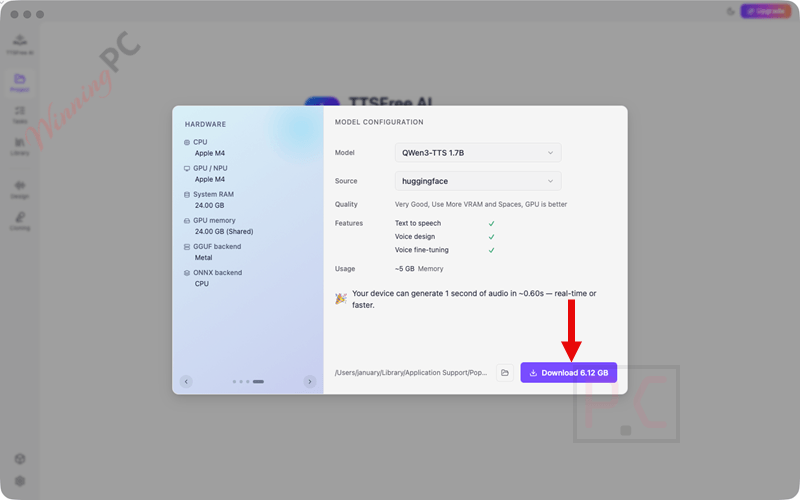
1. Download and install the software. You must select and download a TTS model that best suits your needs before proceeding.
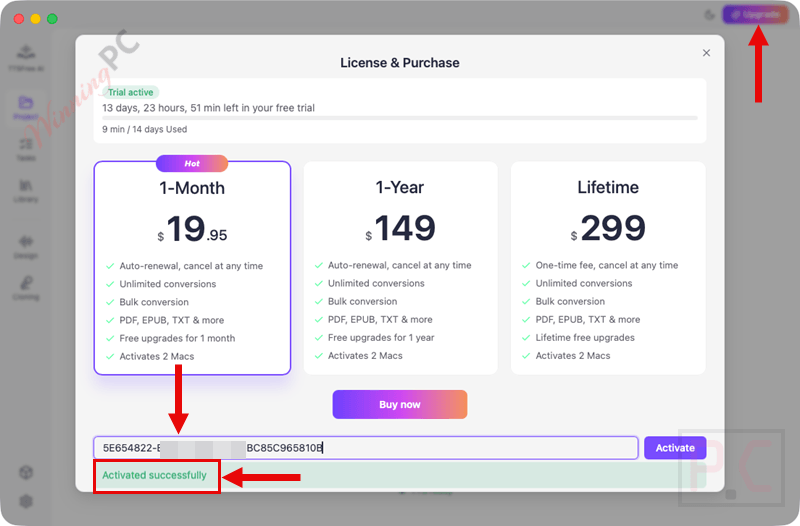
2. Click on the “Upgrade” button on the main window of the software, then copy and paste your free license code to activate the software.
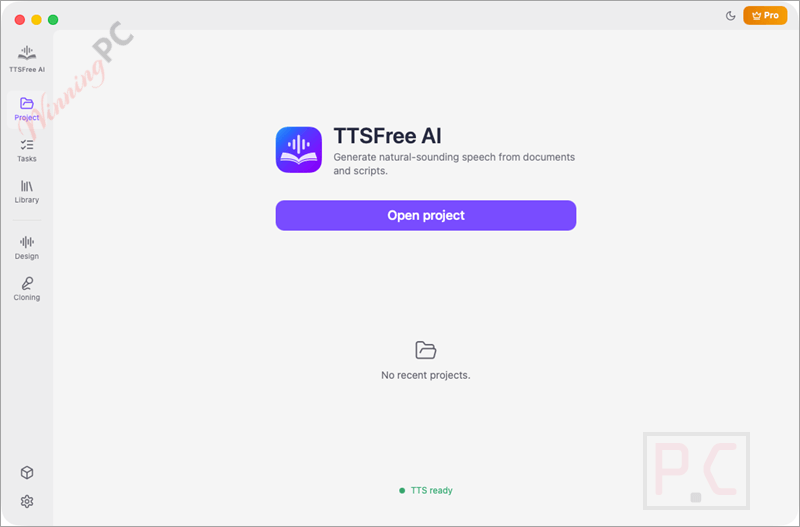
3. Enjoy the full features.
In-Depth Review & Features
- Local AI Processing: Generates text-to-speech entirely on your device, ensuring your documents are never uploaded to the cloud.
- Unlimited Usage: Convert entire documents without worrying about token caps, character limits, or queues.
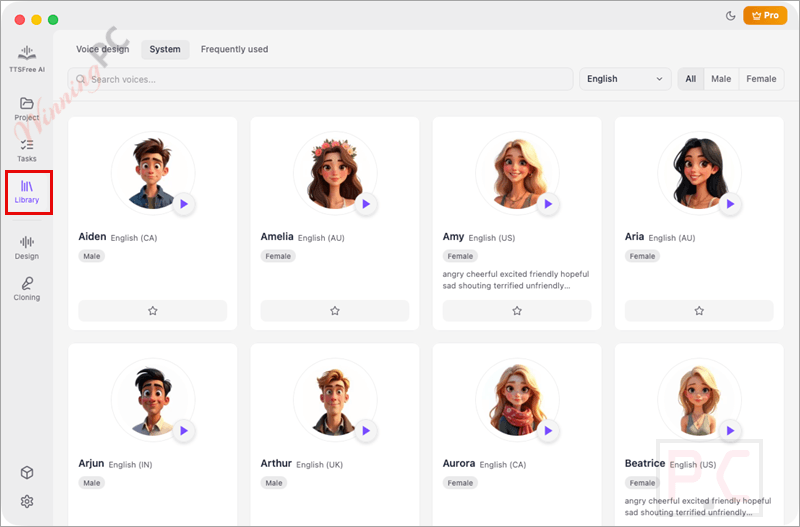
- Vast Voice Library: Access over 200 premium AI voices with natural intonation across 10 global languages.
- Flexible Input: Paste text directly or import full .txt, .docx, PDF, and EPUB files for bulk conversion.
- Multiple Audio Formats: Export your generated speech directly into MP3, WAV, or FLAC formats.
- Dual AI Models: Switch between the high-fidelity QWen3-TTS 1.7B engine for studio-grade quality or the 0.6B version for fast, low-hardware real-time processing.
- Deep Voice Control: Fine-tune pitch, speed, and tone to match the emotion of your script.
- Instant Preview: Listen to specific paragraphs or full documents in real time before exporting the final audio.
- Commercial Rights: Use the exported audio freely for YouTube videos, podcasts, client work, and mobile apps.
Pros & Cons
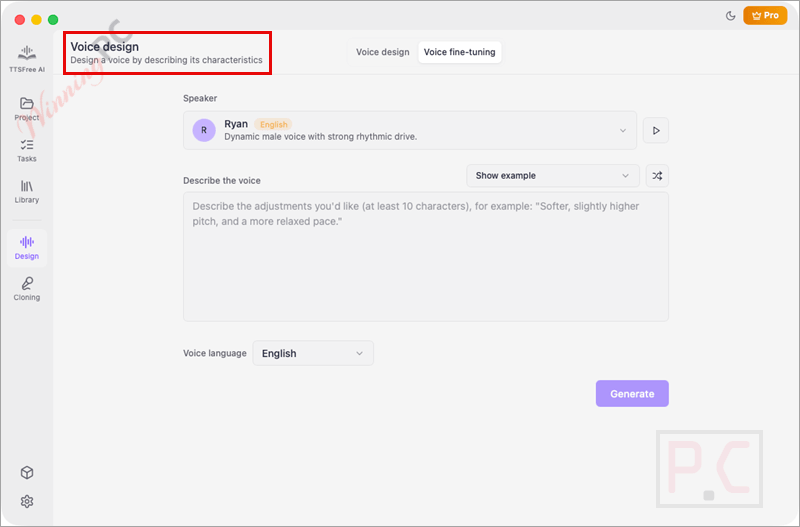
More TTSFree AI screenshots!
Frequently Asked Questions
Where can I hunt down promo codes or deals for TTSFree AI?
If you are looking to save on a license, WinningPC is the top spot to check. We regularly monitor and list verified discounts, coupons, and promotional offers for this software, directly alongside official developer campaigns.
Does this app require an active internet connection to function?
No. The core text-to-speech conversion runs entirely offline. You only need to be connected to the internet when verifying your license or downloading new AI voice models for the first time.
Will my sensitive documents be uploaded to a server?
Not at all. All processing happens locally on your machine. Your text and voice data remain strictly private and are never sent to the cloud.
Which file types can I upload and export?
You can import plain text, .txt, .docx, EPUBs, and PDF files. When it’s time to save your audio, you can export it as an MP3, WAV, or FLAC file.
Am I allowed to use the generated voices for client work?
Yes. Any audio you generate can be used for commercial purposes, including podcasts, YouTube monetization, mobile applications, and paid projects.
Can I change how fast the AI speaks?
Yes. The software includes voice design tools that allow you to easily adjust the reading speed, pitch, and overall tone to fit your needs.
System Requirements & Details
| Feature | Specifications |
|---|---|
| Language Support | English, Chinese, Japanese, Korean, German, French, Russian, Portuguese, Spanish, Italian |
| Operating System | macOS 13.0 and later |
| Processor | Intel and Apple Silicon |
| Supported Input | TXT, DOCX, PDF, EPUB, pasted text |
| Supported Output | MP3, WAV |




this giveaway was for only mac users now this software available for windows too please bring giveaway for windows users too
Their website claims:
“Operating Systems
Windows
Windows 10 and later
macOS
Intel and Apple Silicon”
But I cannot find ANY windows 10 or later download so looks like it doesn’t exist.
Why is it called TTSFree AI when it has a paid license model?