

iReaShare Screen Recorder Giveaway Download
iReaShare Screen Recorder
Record full screen or custom regions with system/microphone audio, save in MP4/PNG/JPG/JPEG/BMP, and edit screenshots directly, all locally and privately.
- Product
- iReaShare Screen Recorder
- Website
- ireashare.com
- License
- 1-Year
- Platform
- Windows 11/10/8/7
- Installer
- ireashare-screen-recorder.exe
- Support
- No technical support
- Updates
- No free upgrades
- Usage
- Non-commercial use only
- Updated
- 2026-06-07
Get your unique code by email
License key delivered free to your inbox within minutes.
Protected by Cloudflare Turnstile · Email quality checked by Reoon
All codes have been claimed or the giveaway has closed.
How to Get iReaShare Screen Recorder Key for Free
- Enter your email in the giveaway form above and submit.
- Check your inbox for the free 1-year license code.
- Install iReaShare Screen Recorder on your PC.
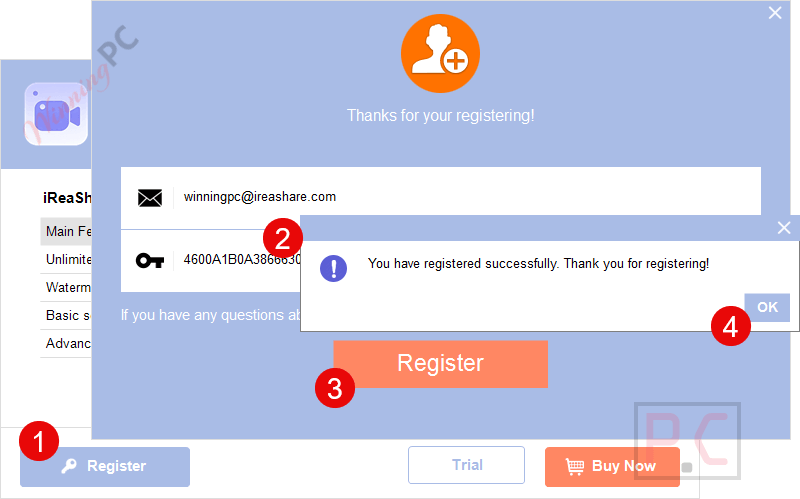
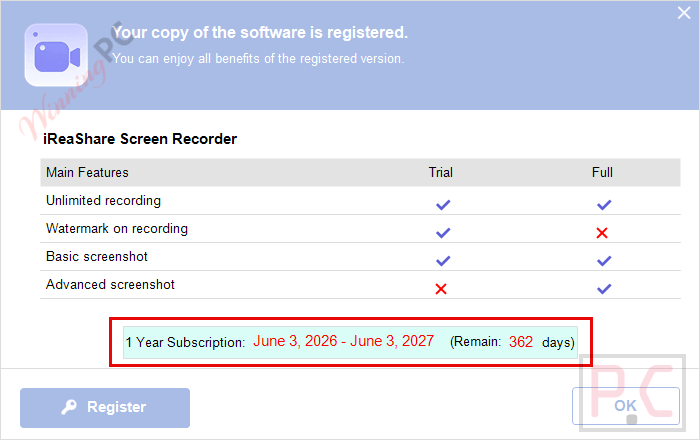
- Open Register and paste the code to activate.
Top Screen Recorder Software Coupon Codes & Deals

iTop Screen Recorder 6 PRO
Lifetime / 1 PC | Auto update & 24/7 technical support

EaseUS RecExperts (Lifetime Upgrades)
One license for 2 computers | Lifetime free upgrades


Edimakor Screen Recorder - Lifetime License
One license for 1 computer | perpetual free upgrades
Recordit - Lifetime/ 1 Computer
One-time purchase | Free updates & support


iReaShare Screen Recorder Review & Features
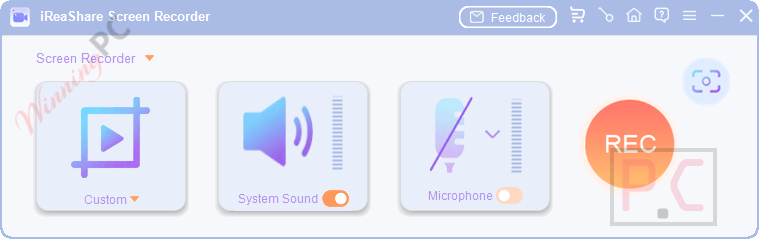
Key features
- Record the full screen or drag to select custom dimensions for your capture area.
- Record system audio or microphone input, or perform silent recordings with both turned off.
- Save recordings instantly as high-quality MP4 video files.
- Capture screenshots and save them directly in PNG, JPG, JPEG, or BMP formats.
- Edit screenshots immediately by adding text, arrows, and shapes for quick annotations.
- Processes all recordings entirely on your local device with no cloud uploads.
Pros & Cons
Frequently Asked Questions
Where can I find valid promotional offers for iReaShare Screen Recorder?
You can always find the latest, working promo codes and discounts for iReaShare Screen Recorder right here on WinningPC, as well as checking the official iReaShare website during holiday sales.
Does iReaShare Screen Recorder upload my videos to the cloud?
No, all recording and screenshot processing happens locally on your computer. This ensures complete privacy and data security.
Does iReaShare Screen Recorder add a watermark?
No watermark is added once the software is registered.
Can I record only part of my screen?
Yes. You can choose a custom area by dragging to select the exact section you want to record.
Can it record audio?
Yes. It can capture system audio, microphone input, or record silently with both audio sources turned off.
Can I edit screenshots inside the software?
Yes. You can add text, arrows, and shapes after capturing a screenshot.
System Requirements & Details
| Feature | Specifications |
|---|---|
| Language Support | English, Français, Italian, Spanish, Swedish, and more… |
| Operating System | Windows 11/10/8/7 |
| Supported Input | Full screen, custom screen area, system audio, microphone input |
| Supported Output | MP4 video, PNG/JPG/JPEG/BMP screenshots |




irealshare are using FFMPEG.ORG DLLs to perform the capture and encoding of the video/audio but they are not overtly stealing it they are using the LGPLv3 build and include the LGPLv3 license document but do not include the GPLv3 document that the LGPLv3 license refers to in several places so the license information is incomplete. The main license.txt document for the entire closed source product fails to mention it makes use of FFMPEG.ORG code so they are not fully complying with the license terms by not openly acknowledging they are using in a fundamental way and their entire product would have zero functionality without the FFMPEG.ORG code.