
Apeaksoft iOS System Recovery Coupons & Pricing
Apeaksoft iOS System Recovery
8 plans · best save 50%
1 Month/1 Device ★ Best Deal
Use it on 1 PC | 1 month access | free updates & support for 1 month
1 Month/2 Devices
Use for 2 iOS device on 1 PC | 1 month access | free updates & support for 1 month
Lifetime / 1 PC
Use for 6 iOS devices on 1 PC | lifetime access | free updates & support for lifetime
Lifetime / 3 PCs
Use for 6 iOS devices on 3 PCs | lifetime access | free updates & support for lifetime
Apeaksoft iOS System Recovery for Mac
8 plans · best save 50%1 Month/1 Device ★ Best Deal
Use it on 1 PC | 1 month access | free updates & support for 1 month
1 Month/2 Devices
Use for 2 iOS device on 1 PC | 1 month access | free updates & support for 1 month
Lifetime / 1 Mac
Use for 6 iOS devices on 1 Mac | lifetime access | free updates & support for lifetime
Lifetime / 3 Macs
Use for 6 iOS devices on 3 Macs | lifetime access | free updates & support for lifetime
In-Depth Review & Features
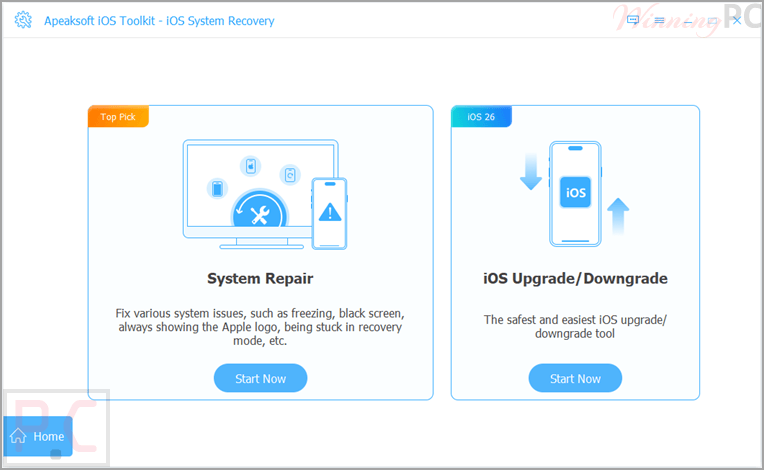
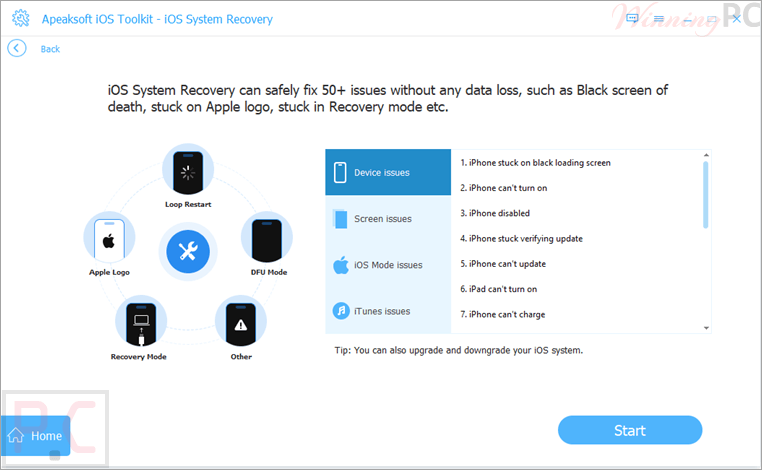
Apeaksoft iOS System Recovery allows users to fix iOS system issues such as devices stuck on the Apple logo, Recovery Mode, black screens, frozen screens, and many other system-related errors. This phone system recovery tool also helps users upgrade or downgrade iOS versions, reset devices, and recover normal device functionality without complicated steps.
Key features
- Fix over 150 iOS and iPadOS system problems.
- Repair devices stuck on the Apple logo.
- Resolve Recovery Mode and DFU Mode issues.
- Fix frozen, disabled, bricked, or black-screen iPhones.
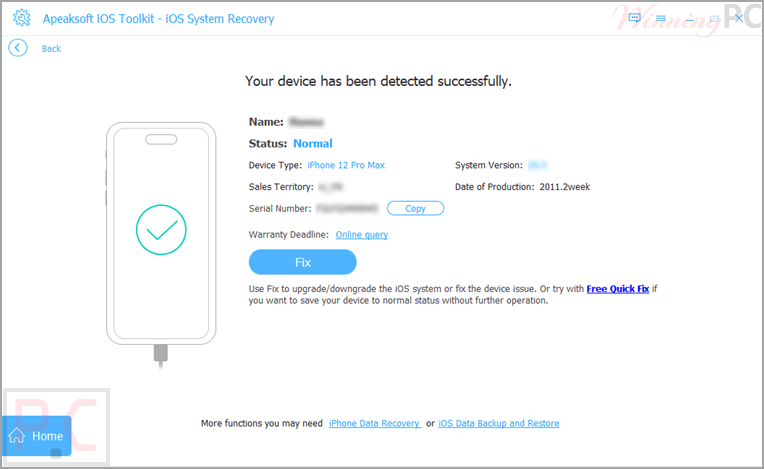
- Quick Fix option for fast one-click repairs.
- Standard Mode for deep system repair without affecting data.
- Advanced Mode for more extensive system restoration.
- Deep device scanning to detect hidden system issues.
- Upgrade to newer iOS versions directly during repair.
- Downgrade from iOS 27 Beta to iOS 26.
- Factory reset iPhone, iPad, or iPod without a password.
- Remove screen passcodes, Touch ID, and Face ID.
- Supports iPhone, iPad, and iPod devices.
- Compatible with iOS 5 and later versions, including iOS 27 Beta and iPadOS 27 Beta.
- Step-by-step on-screen repair guidance.
What we think
Screenshots
Frequently Asked Questions
Where can I find the latest Apeaksoft iOS System Recovery discount?
WinningPC is one of the best places to check for verified Apeaksoft deals, coupon codes, and limited-time promotions. You can also monitor Apeaksoft’s official website for seasonal offers.
What’s the biggest discount currently available?
At the moment, WinningPC features a 50% OFF coupon for the 1-Month License, reducing the price from $39.90 to $19.95.
Can this software fix an iPhone stuck on the Apple logo?
Yes. It is designed to repair devices that are stuck on the Apple logo, Recovery Mode, DFU Mode, black screens, and other common system failures.
Will my data be deleted during the repair process?
The Quick Fix feature and Standard Mode are designed to repair system issues without affecting your existing data and settings.
Does it support the latest iOS versions?
Yes. The software supports iOS 27 Beta, iOS 26, iPadOS 27 Beta, iPadOS 26, and older versions back to iOS 5.
Can I downgrade from iOS 27 Beta?
Yes. The software allows users to downgrade from iOS 27 Beta to iOS 26 through its repair modes.
Is the software safe to use?
According to Apeaksoft, the software is safe and focuses solely on repairing system errors without compromising user privacy or device data.
Can it fix a frozen iPhone?
Yes. It can repair frozen, disabled, or unresponsive iPhones caused by software-related issues.
Does it work on Mac computers?
Yes. It supports macOS 10.11 and later, including newer macOS releases listed by the developer.
System Requirements & Details
| Feature | Specifications |
|---|---|
| Operating System | Windows 11/10/8.1/8/7/Vista/XP macOS 10.11 and above |
| Processor | 4GHz Dual-Core Intel Core i5 or above, Apple M1/M2/M3/M4/M5 |
| RAM & Storage | 1GB RAM or more, 200MB free disk space |
| Supported Input | iPhone, iPad, iPod running iOS 5 and later |
| Supported Output | Repaired iOS/iPadOS devices, upgraded or downgraded iOS firmware. |