On this page
Krylack Office Password Recovery Coupons & Pricing

Krylack Office Password Recovery
One-time payment | a perpetual license | Free updates and support
Applying the code at checkout
- On the Krylack Office Password Recovery coupon section above, click COPY button. Checkout opens on Krylack’s payment partner.
- Copy WINNINGPC25 and paste it into the discount or coupon field on the order form.
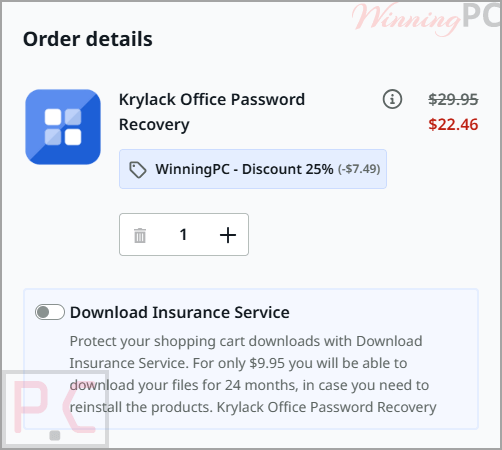
- Apply it and check the total reads $22.46 instead of $29.95 before you enter any payment details
- Complete the order, then enter the license Krylack sends you.
Can you trust this Krylack deal?
No crack or keygen
You install Krylack’s own build from krylack.com and unlock it with a license you paid for. Nothing is repackaged or patched.
Code-signed installer
Krylack’s download page states its installers are code-signed, so Windows can confirm the file came from the publisher and was not altered on the way to you.
The publisher’s own checkout
The code is applied on Krylack’s official store, handled by its payment partner, which also manages VAT and receipts. Your card details never pass through WinningPC.
Built for files you own
Krylack is explicit that the software is for documents you own or are authorized to open, and its license terms are written around that. Worth knowing before you buy.
What Krylack Office Password Recovery is good at
Key features
- All four Office apps plus Access. One $22.46 license handles the .docx, the .xlsx and the old .mdb database, so you are not buying a second Office password recovery tool halfway through.
- GPU acceleration. On the slow 2013-and-newer formats a graphics card tests far more candidates per second than a CPU on its own.
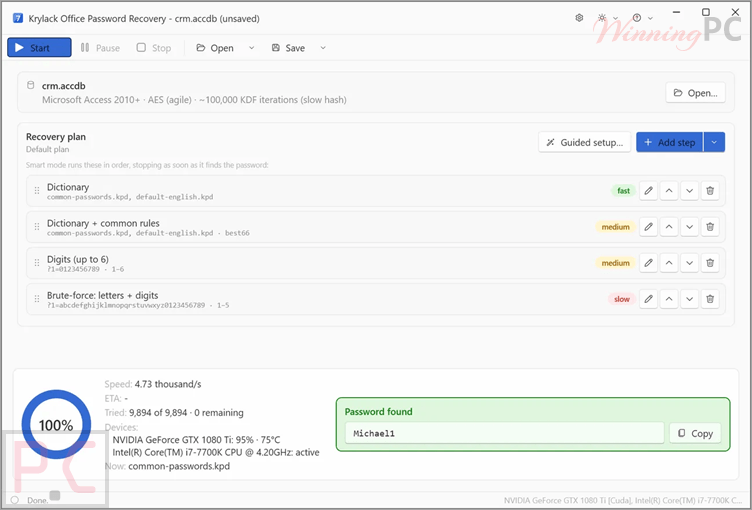
- Three search methods. Dictionary (real words and known password lists, with rules for how people tweak them), Smart masks (feed it the length, a prefix, or the year you probably tacked on), and brute-force for genuinely short passwords.
- Likely candidates first. Short, human-chosen passwords tend to surface early in the run rather than at the end of it.
- Save and resume. A multi-day search on a modern file survives a reboot instead of starting over.
What we liked, what we didn’t
Screenshots
Is there a cheaper or free option?
| Tool | Price | Office coverage | Worth knowing |
|---|---|---|---|
| Krylack Office Password Recovery (our pick) | $22.46 one-time with code | Word, Excel, PowerPoint, Access — open password | GPU accelerated, perpetual license, free updates |
| Krylack’s own free tools (Free Word / Excel / PowerPoint / Access) | Free, no time limit | One app each | CPU brute-force only. No GPU, no dictionary or mask methods, so realistically short passwords only |
| Accent OFFICE Password Recovery | Around $51 | Microsoft Office and OpenOffice/LibreOffice, plus VBA, sheet and modify passwords | Wider range of protection types. |
| PassFab for Office | $27.96 /month | Word, Excel, PowerPoint. No Access, and no Microsoft 365, per PassFab’s own FAQ | – |
| Passware Kit Standard | $67.15 | 120+ file types, far beyond Office | Passware has moved to annual licensing as its default |
| hashcat + office2john (John the Ripper) | Free, open source | Any Office hash you can extract yourself | Command line, no interface, and you build your own wordlists |
Here is the part most coupon pages will not tell you: if your file is an old .doc or an Access .mdb and the password was short, start with Krylack’s own free single-app tool. Krylack Office Password Recovery costs nothing, it has no time limit, and it may be all you ever need. Pay for the full edition when your file is Office 2013 or newer, or when you want the GPU, dictionary and mask methods doing the work.
Frequently Asked Questions
Is WINNINGPC25 the best Krylack discount right now?
At 25% off, it is the best verified code we have: $22.46 instead of $29.95. Krylack’s public pricing page lists no standing discount on the Office edition, so the code is doing all of the work here.
Is this a subscription?
No. It is a one-time payment for a perpetual license, and Krylack Office Password Recovery’s pricing page states plainly that there is no subscription. Free updates within the edition are included, so there is nothing to cancel later and nothing to auto-renew.
Does it really handle Access databases?
Yes, both legacy .mdb and modern .accdb. Legacy Access is the easy case: an Access 97-2003 .mdb stores its password with simple obfuscation rather than real encryption, so it is typically recovered almost instantly. A modern .accdb uses the same agile AES-256 as recent Office and behaves accordingly.
How long does recovery actually take?
That depends on the Office version and the password, not on the software. Old .doc, .xls, .ppt and legacy .mdb files often finish in seconds or minutes. Office 2013 and newer use agile AES-256 with roughly 100,000 hashing iterations per guess, so a strong password there can run for days, and a long random one may never fall at all.
My file opens but Excel will not let me edit it. Will this fix that?
No. That is worksheet protection or a restrict-editing setting, which is a different mechanism from the password that encrypts the file. This edition recovers the document’s open password only.
Can I try it before paying?
Yes. Every Krylack edition installs as a free trial, so you can point it at your actual locked file first.
Is using it legal?
It is licensed for documents you own or are authorized to open, and Krylack repeats that on every page of its site. The software does not technically block anything else, but anything else is outside what the license permits.
System Requirements & Details
| Field | Value |
|---|---|
| Operating system | Windows 10 and 11, 64-bit. No macOS build |
| Version | 4.0.3, code-signed installer |
| Supported input formats | .doc, .docx, .xls, .xlsx, .ppt, .pptx, .mdb, .accdb |
| Encryption handled | Office 97-2003 RC4/40-bit · Office 2007 AES-128 · Office 2010 AES-128 · Office 2013 and newer agile AES-256 |
| What it recovers | The document’s open password. Restrict-editing and worksheet protection are not covered |