On this page
Krylack Password Recovery Suite Coupons & Pricing

Krylack Password Recovery Suite
One-time payment | Free updates and support
How to Use the Krylack Password Recovery Suite Coupon
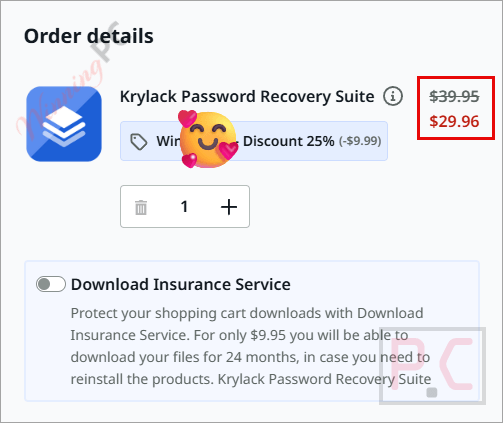
- Click on the “COPY” button on the Krylack Password Recovery Suite coupon section above. Checkout opens on Krylack’s payment partner.
- The coupon code WINNINGPC25 will be applied automatically and you will get the software at the discounted price.
- Complete the order, then check your email for the license key after purchase.
Is the Krylack Password Recovery Suite coupon legit?
No crack or keygen
You download and install Krylack’s own signed build. The license key you receive activates the full, official version – nothing is patched or repackaged.
Official authorized source
Code WINNINGPC25 is a publisher-approved discount for WinningPC readers. Payment goes directly through Krylack’s store, not a grey-market reseller.
Secure HTTPS checkout
Krylack’s purchase page is encrypted; your card details are handled on their own store and never pass through WinningPC.
Antivirus flags are normal for this category
Password-recovery software is routinely flagged by antivirus heuristics because of what it does, even when the installer is signed and legitimate. If your AV quarantines the file, restore it from quarantine, add an exception, then reinstall. Krylack support can help you verify the download if you’re unsure.
Hands-on with Krylack Password Recovery Suite
What stands out here is the scope without the subscription. Most competitors sell separate editions for archives, Office, and PDF – you end up buying three products to cover three use cases. Krylack Password Recovery Suite bundles all of them in a single install, and for the price with the code ($29.96), it’s hard to argue against it if you deal with more than one file type.
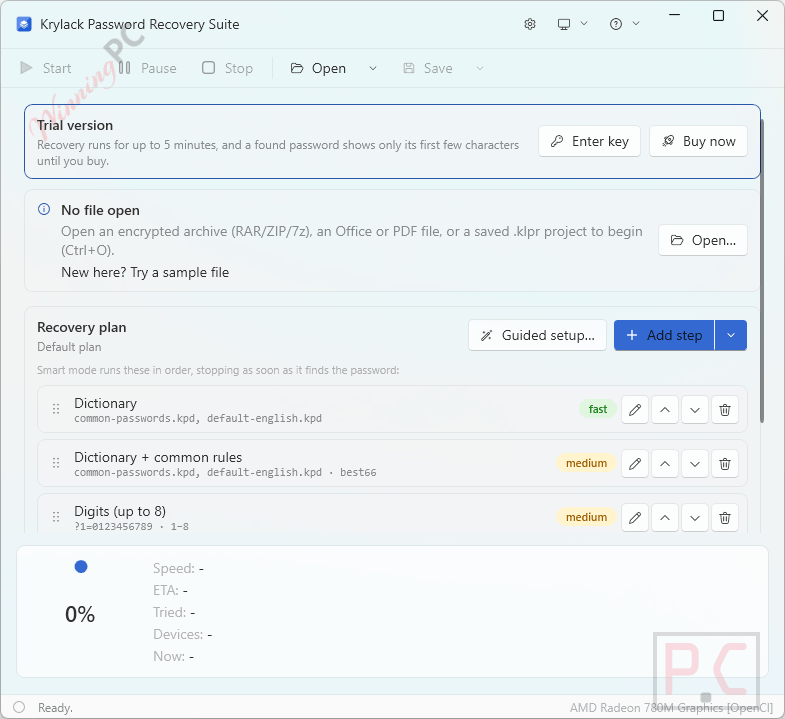
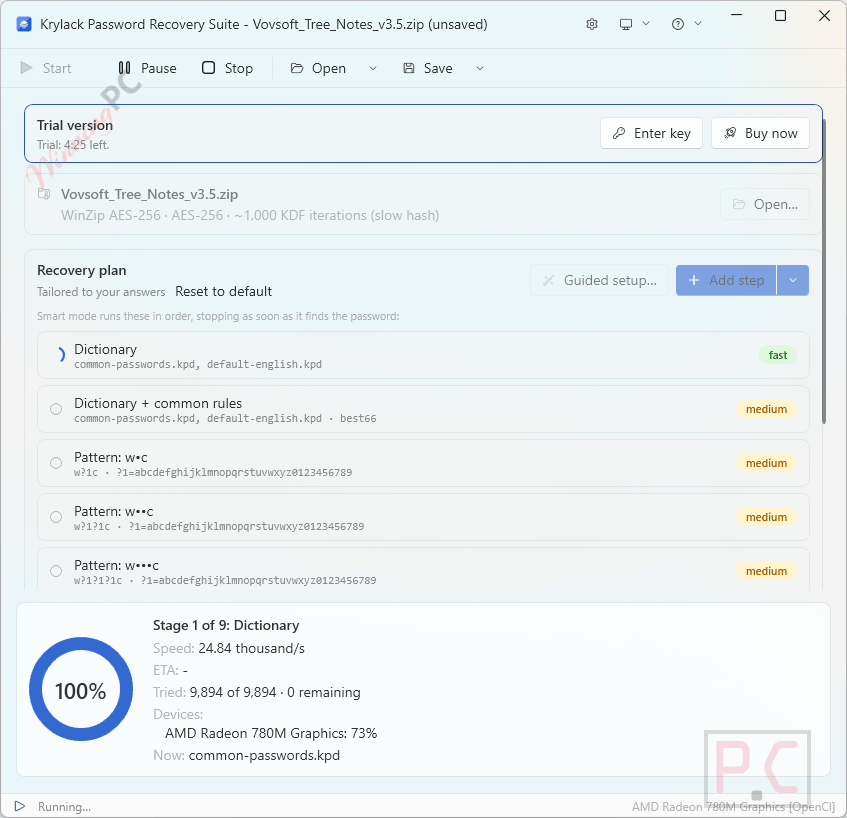
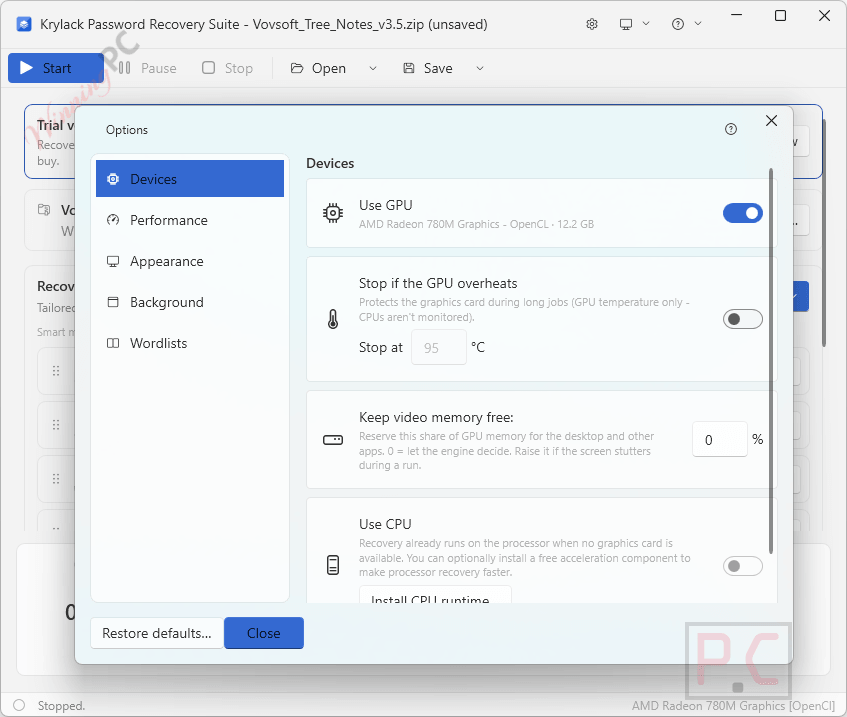
GPU acceleration is the other practical win. Older formats (legacy ZipCrypto, 40-bit PDF, older Office) recover fast even on CPU, because the encryption is weak. Modern AES-based formats are the hard case for any tool: a long, truly random password on RAR5 or 7-Zip AES-256 is genuinely unlikely to crack regardless of what software you run. Where GPU helps most is pushing the dictionary and smart-mask attacks further, faster – it won’t guarantee a result, but it improves the odds meaningfully. If you’ve forgotten a password you created yourself and can recall something about it, your chances are good.
Key features
- Recovers passwords from ZIP & ZIPX (ZipCrypto and WinZip AES), RAR (RAR3 and RAR5), and 7-Zip (AES-256).
- Office recovery: Word, Excel, PowerPoint, and Access, from legacy formats (.doc/.xls) through modern agile-AES documents.
- PDF: recover a forgotten open password, or instantly remove owner/permissions restrictions.
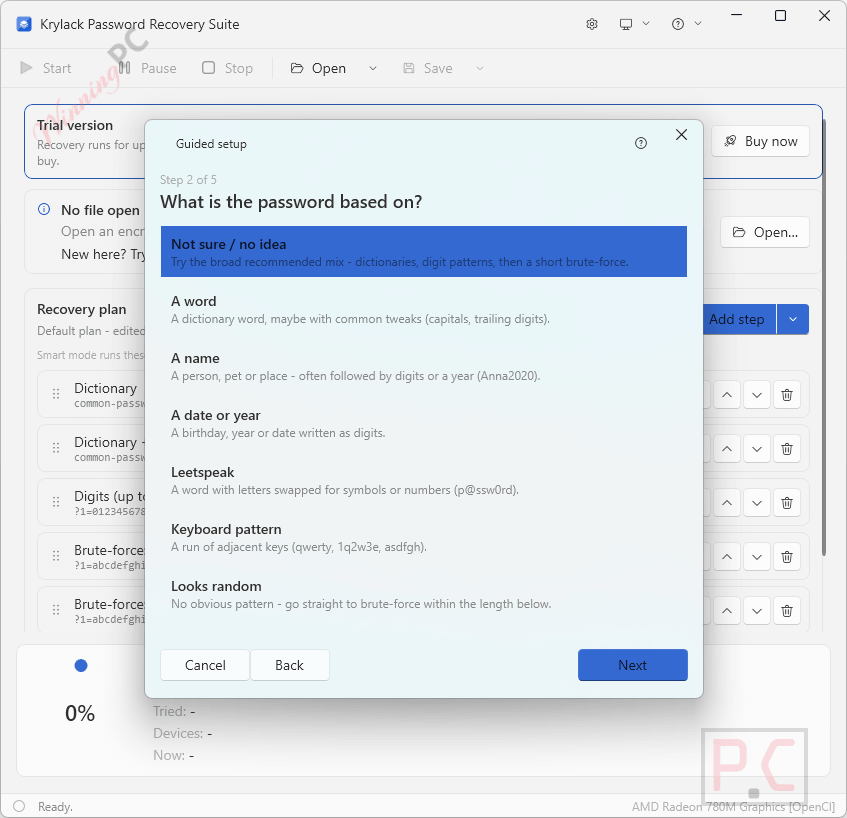
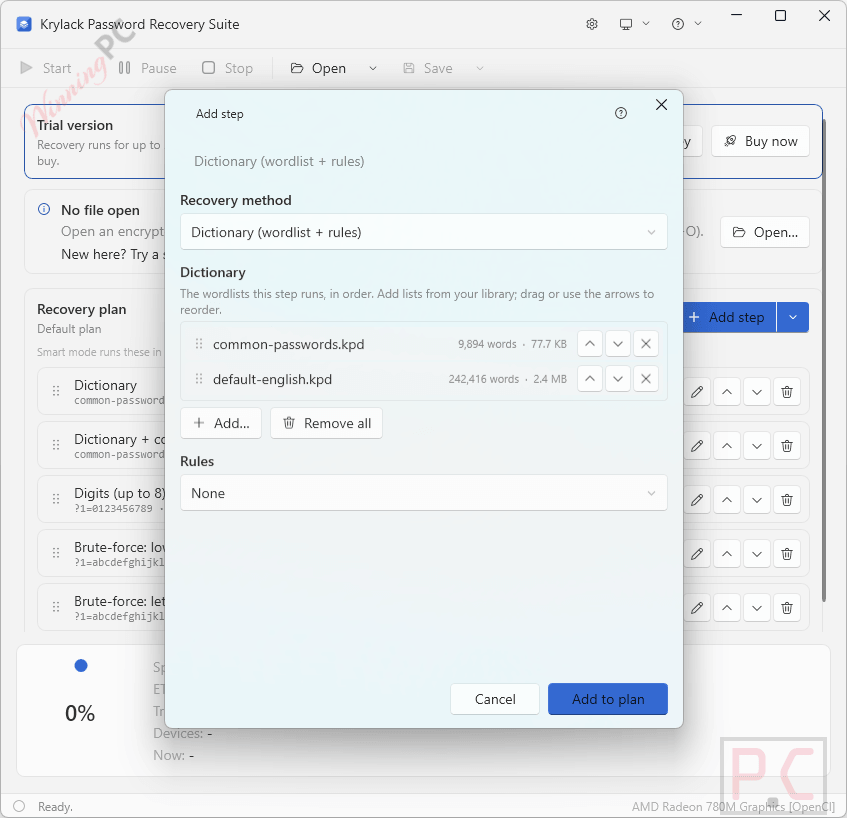
- Three recovery methods: Dictionary, Smart (masks and patterns), and Brute-force.
- GPU acceleration on AES-based formats – faster than CPU-only recovery.
- Save and resume long recovery sessions (pause and continue later).
- Offline license activation, no account required.
- Free updates and support included with one-time purchase.
What we think
Screenshots
Krylack Password Recovery Suite vs the alternatives
| Tool | Price | File formats | GPU support | Best for |
|---|---|---|---|---|
| Krylack Password Recovery Suite | $29.96 (code WINNINGPC25) | ZIP, RAR, 7-Zip, Word, Excel, PPT, Access, PDF | ✅ | Multi-format, best value |
| Passware Kit Standard | $67.15 | Office, PDF, ZIP, RAR + more | ✅ | Broader format coverage |
| Accent Passcovery Suite | $169.15 | ZIP, RAR, Office, PDF | ✅ (strong GPU focus) | GPU-heavy recovery workloads |
| hashcat | Free | Wide (command-line) | ✅ | Technical users, GPU rigs |
| John the Ripper | Free | Wide (command-line) | Partial | Developers, Linux-comfortable |
If you’re comfortable on the command line, hashcat or John the Ripper get the job done at no cost and with strong GPU support. For everyone else who wants a GUI and multi-format coverage without stitching together separate tools, Krylack is the practical pick at this price point.
Frequently Asked Questions
Is Krylack Password Recovery Suite a one-time payment or a subscription?
One-time payment. You pay $29.96 with code WINNINGPC25 (regular $39.95) and the license is perpetual – no annual renewal, and free updates and support are included.
Will it actually recover my password?
Most of the time, yes – especially if the password is one you created yourself and can recall something about. Older formats (legacy ZIP, older Office, 40-bit PDF) are fast and highly recoverable. The hard case is a long, truly random password on a modern AES format (RAR5, 7-Zip AES-256, recent Office): no tool can guarantee cracking those, and Krylack is honest about it.
Do I need a dedicated GPU?
No, but it helps. The software runs on any PC. Without a GPU, recovery on modern AES-based formats will be slower. With a compatible GPU, the speed increase on those formats is significant.
Is it legal to use?
Yes, provided you’re recovering a password on a file you own or have authorization to access – for example, your own archived document or PDF whose password you’ve forgotten. Using it on files you don’t have the right to open would be unauthorized.
My antivirus flagged the installer. Is it safe?
Yes. Password-recovery software is consistently flagged by antivirus heuristics – even when the installer is code-signed and downloaded directly from the developer – because of what the category does. Krylack’s installers are code-signed and hosted at krylack.com. Restore the file from quarantine, add an AV exception, and reinstall. Contact Krylack support if you want help confirming the download is genuine.
How do I activate the license after buying?
You’ll receive a license key by email after purchase. Open Krylack Password Recovery Suite, choose Enter License, and paste the key. Activation is offline – no account or internet connection required. If you lose your key, email Krylack with your order details and they’ll resend it.
System Requirements & Details
| Field | Value |
|---|---|
| Operating system | Windows 10 or 11 (64-bit) |
| Processor | Any – GPU recommended for AES formats, not required |
| GPU | Optional; compatible GPU accelerates AES-based format recovery |
| Supported file types | ZIP & ZIPX (ZipCrypto, WinZip AES) · RAR (RAR3, RAR5) · 7-Zip (AES-256) · Word (.doc/.docx) · Excel (.xls/.xlsx) · PowerPoint (.ppt/.pptx) · Access · PDF (open password + owner/permissions removal) |
| Internet required | No – offline activation |
| Extra runtimes | None – installer is self-contained |
Note: Krylack Password Recovery Suite is a password-recovery tool, not a file converter. The “supported file types” row lists the formats it can recover passwords from.