On this page
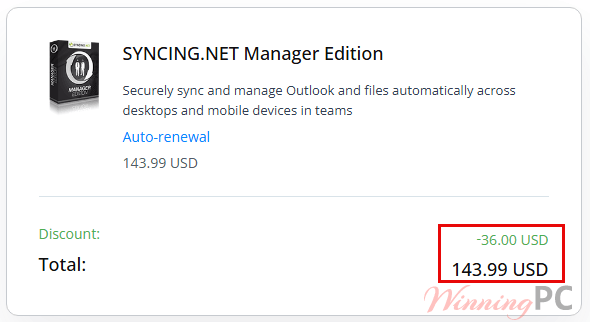
SYNCING.NET Manager Edition prices with the code applied

You may also like


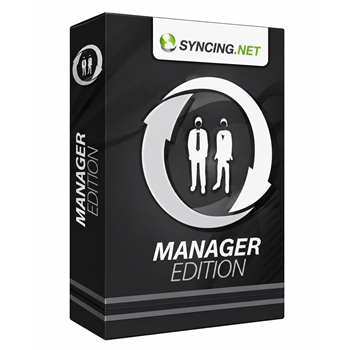
SYNCING.NET FileSharing Edition (3 PCs)
for individuals and workgroups

How to apply the code at checkout
- Copy WIN***GPC20 from the box above. That takes you to PayPro Global, the payment provider SYNCING.NET Manager uses for its own store.
- Check that the total reads $143.99 rather than $179.99 before you enter any card details.
- Complete the payment. Your license key arrives by email
SYNCING.NET Manager Review & Features
The thing Manager Edition does that cheaper sync tools don’t is enforce who can touch what. Roles are assigned per participant, so a contractor can get read-only access to a project folder while a colleague gets full delete rights, and you can change those roles later without tearing the group down and rebuilding it. That matters because peer-to-peer sync has one obvious failure mode: somebody deletes a file locally and it vanishes on every machine.
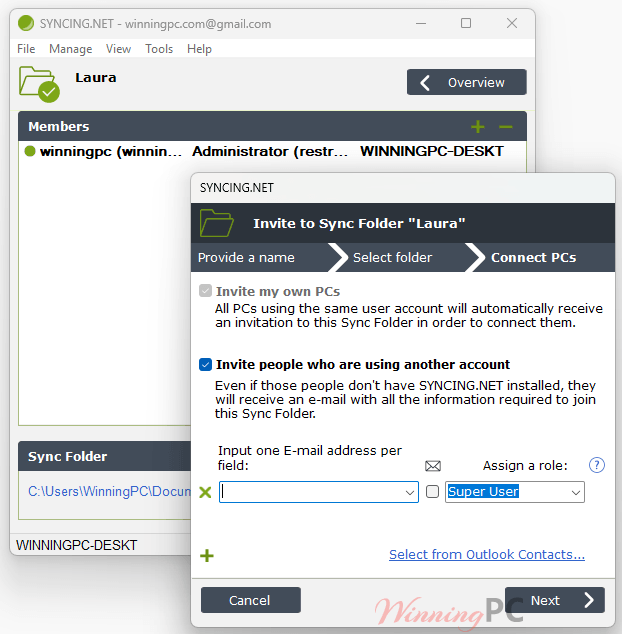
Rights management is the brake. The plumbing underneath looks solid too. SYNCING.NET Manager Edition syncs only the changed portion of a document or Outlook item rather than the whole file, encrypts everything end-to-end with 256-bit AES and 1024-bit RSA authentication, and buffers changes while you’re offline. Supporting both PST and OST files is genuinely uncommon in this category.
Key features
- Role-based rights: give each participant read-only, own-content-only, or full access, and change it whenever the project shifts.
- Three backup administrators: if you’re away, the team keeps working instead of waiting on you to approve invitations.
- PST and OST support: works with personal folders and with an Exchange mailbox, so it can sit alongside an existing Exchange setup rather than replacing it.
- Stated ceilings, not vague promises: up to 50 peers, 50 Outlook Groups, 50 Sync Folders and 3,000 Outlook folders in total, with no cap on individual items or files.
- Bandwidth control and instant pause: throttle syncing or stop it outright when you need the connection or the CPU for something else.
What we think
Is there a cheaper or free way to do this?
| Tool | Price | Syncs Outlook? | Server needed? | Best for |
|---|---|---|---|---|
| SYNCING.NET Manager Edition | $143.99 with code | Yes, PST and OST | No, peer-to-peer | Small teams that need restricted access without Exchange |
| CodeTwo Outlook Sync | Free | Yes, between two PCs | No | One person syncing a desktop and a laptop |
| Syncthing | Free, open source | No, files only | No, peer-to-peer | Folder sync for users comfortable with config files |
| Microsoft 365 Business Standard | Per-user monthly subscription | Yes, via Exchange Online | Cloud-hosted | Teams happy to keep mail and calendars in the cloud |
Frequently Asked Questions
How many computers does one $143.99 license cover?
One. The shop page lists “Number of computers: 1”, and the vendor confirms extra cost applies only when you add machines beyond your original quantity. A three-machine team needs three licenses.
Do I need an Exchange server?
No. Running without a dedicated server is the entire point: everything moves peer-to-peer between your own machines.
What happens to my data if I uninstall it?
Your files and Outlook items stay on each computer. The design stores everything locally on every device rather than on a central server, which is also why it keeps working offline and syncs the backlog once you reconnect.
What you need to run it
| Operating system | Windows 10, 8, 7, Vista, XP (x86 and x64); Server 2003, 2008, 2012. |
| Processor | Pentium-class, 800 MHz or faster |
| RAM | 256 MB minimum, 512 MB or more recommended |
| Framework | Microsoft .NET Framework 2.0 or later |
| Outlook versions | Outlook 2019, 2016, 2013, 2010, 2007, 2003 (32-bit and 64-bit). Microsoft Store Office apps are not supported. |
| Supported Outlook data files | PST (personal folders) and OST (with an Exchange server) |
| Connection | Internet access required; broadband and a flat-rate plan recommended |
| Current version | 6.5.0.4124, released 2 May 2026, 8 MB download |