On this page
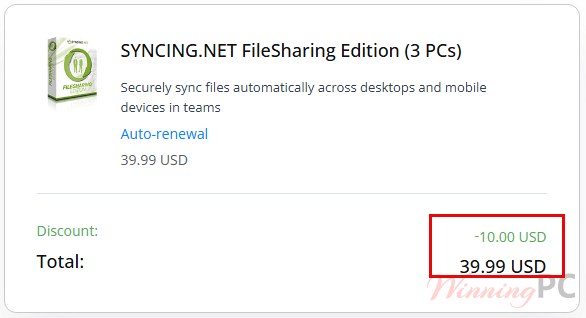
SYNCING.NET FileSharing prices with the code applied

You may also like


How to apply the FileSharing code at checkout
- Copy WINNINGPC20 from the coupon box above. That hands you over to PayPro Global, the publisher’s authorized reseller.
- On the checkout page, find the coupon or discount field and paste WINNINGPC20 in. Apply it and check the total moved.
- Pay, then watch your inbox for the license key. Enter it in the SYNCING.NET client to turn the 14-day trial into the full version.
How well does SYNCING.NET FileSharing actually work?
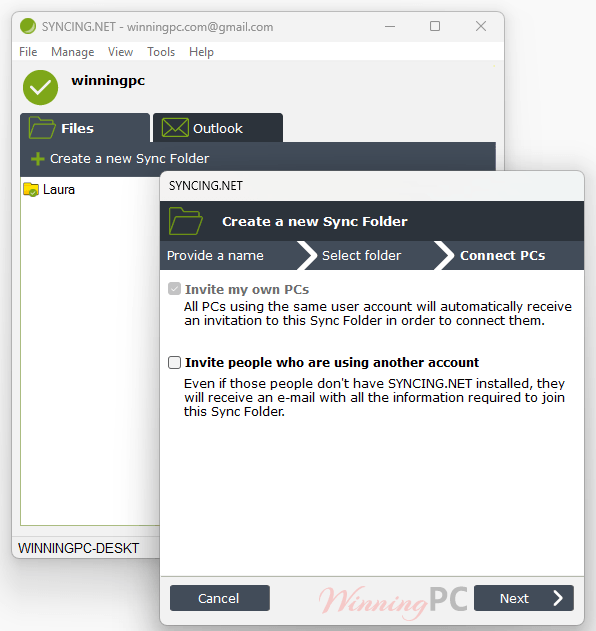
The core idea holds up well. Because it pushes only the changed part of a file rather than the whole thing, editing one section of a large spreadsheet updates the other machines in seconds instead of re-uploading everything, and with no cloud leg in the middle, speed comes down to your own connection rather than a provider’s queue. The invite-only Sync Folder model is what earns its keep for teams: you create a folder, invite specific people to that folder alone, and nobody outside the list can see it exists.
Key features
- Changes-only syncing: Edit one paragraph in a 40 MB document and only that edit travels, which is why sync feels instant on files a cloud drive would spend minutes re-uploading.
- Invite-only Sync Folders: You choose which folder each person can see, and you can add or remove people at any time without disturbing anyone else’s access.
- No server, no storage bill: Files live on your own machines, so there is no per-gigabyte fee and nothing parked on hardware you do not control.
- Offline buffering: Work on a flight, and your changes queue up and go out the moment you reconnect.
- Any file type, no count limit: Spreadsheets, PSDs, video, archives. There is no cap on file size or on how many files a folder holds.
The good and the not-so-good
Is there a cheaper or free way to sync files without the cloud?
Being straight about it: if you are one person syncing your own machines and you do not mind a config screen, Syncthing does this for free. SYNCING.NET FileSharing earns its price when you need invite-only folders for other people and an email support address to write to.
Frequently Asked Questions
Is SYNCING.NET FileSharing a one-time purchase or a subscription?
It is a subscription. The store lists it per year, and the publisher’s own FAQ confirms a one-year license renews for another year while the subscription stays active.
How many PCs does one license actually cover?
Three, five or ten, depending on which tier you buy. Worth knowing: the product page’s overview text mentions syncing “up to 20 PCs”, but the only options you can actually purchase are 3, 5 and 10 computers. Buy for the number of machines in front of you, not the headline number.
Does the FileSharing Edition sync Outlook too?
No. This edition handles files and folders only. Outlook synchronization (mail, contacts, calendars, tasks) belongs to the Personal, Business and Manager editions, which are priced separately. It is an easy mix-up because the same client software covers both.
How strong is the encryption?
Data moves under 256-bit AES end-to-end encryption, which is solid. Authentication uses 1024-bit RSA, and that is the weaker link: current cryptographic guidance treats 2048-bit as the minimum for RSA keys.
What happens to my files if I stop paying?
They stay put. Everything lives locally on your own drives, so nothing is deleted or locked away when the license lapses. What stops is the synchronization itself: your machines simply quit talking to each other, and you go back to copying files across manually.
What you need to run it
| Operating system | Windows 10, 8, 7, Vista, XP, Server 2012 / 2008 / 2003 (32- or 64-bit). Windows 11 is not listed by the publisher. |
| Other platforms | Mac client (v6.0.16.0, May 2026), Linux client (v6.1.1.0, 2016), plus iOS and Android apps |
| Processor | Pentium-class CPU, 800 MHz or faster |
| RAM | 256 MB minimum, 512 MB or more recommended |
| Framework | Microsoft .NET Framework 2.0 or later |
| Internet | Broadband connection required for real-time sync |
| Supported file types | Any file type (xls, doc, pdf, mp3, jpg, mov and so on), with no limit on the number of files or folders |
| Current Windows version | 6.5.0.4124, released 2 May 2026, 8 MB download |
| Note for Linux users | A prerequisites package must be installed before first run |