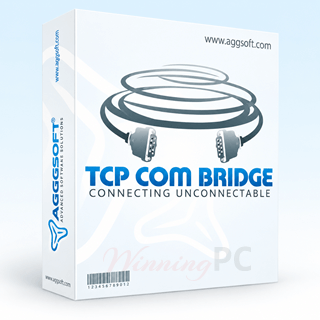

TCP COM Bridge Coupons & Pricing
TCP COM Bridge Standard
TCP COM Bridge Professional
TCP COM Bridge Professional Server + Client
How to apply the AGGSoft code at checkout
- Pick your edition: Standard or Professional and click the Copy Code button above
- AGG Software‘s checkout is handled by PayPro Global. On the payment page, look for the coupon or discount code field.
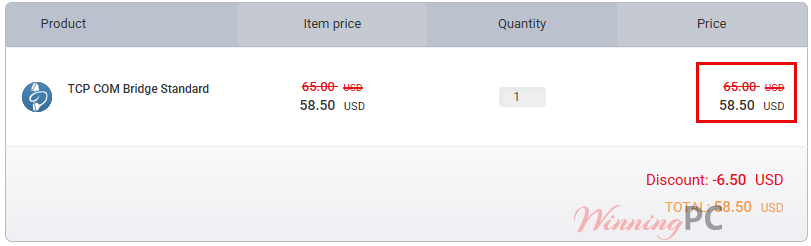
- Paste WinningPC, apply it, and check the total. A single Professional license should fall from $80.00 to $72.00.
- Pay by card, PayPal or wire transfer. Your activation key arrives by email.
How well does TCP COM Bridge actually work?
The point of this program is not that it pushes serial data over TCP. Plenty of tools do that. It is that the port it creates behaves like a real one at the driver level, so a twenty-year-old application that only knows how to open COM3 never learns the difference. That is the whole reason to buy something like this instead of rewriting the software.
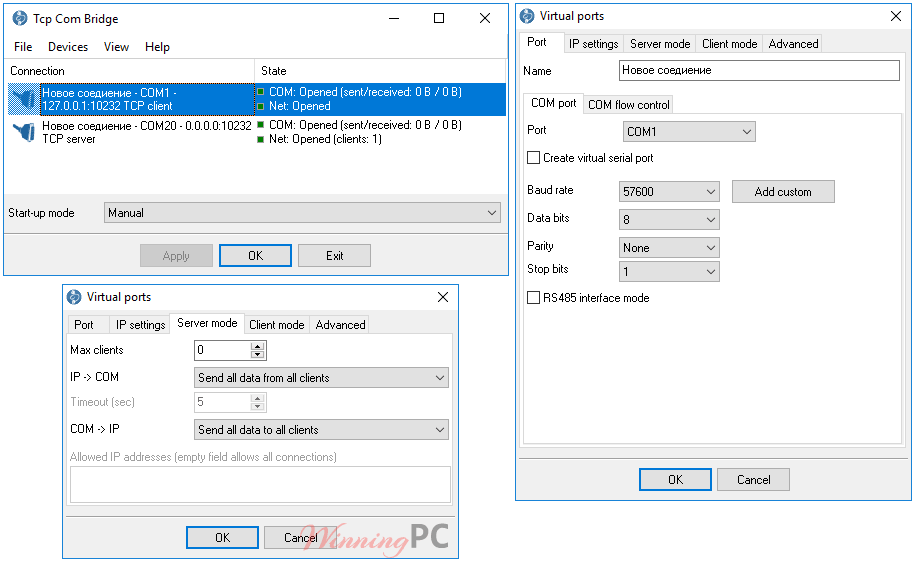
Development is unhurried but alive: TCP COM Bridge version 1.8.3 build 515 landed on 15 May 2026, and the January 2026 build added connect-on-demand, so the program lets go of a physical port when no data is flowing and other software can use it. The Professional edition is where the useful parts live, including service mode, UDP and traffic encryption. Standard is a two-connection, TCP-only tool, and that ceiling arrives faster than you would expect.
Key features
- Up to 256 physical or virtual COM ports on one machine, so a single PC can stand in for a rack of hardware serial device servers.
- 99.9% emulation through a kernel-mode driver, meaning legacy software opens the virtual port exactly as it would a physical one.
- Port splitting and sharing: send one physical port’s data to several virtual ports, or let two applications read the same device, which Windows normally refuses to allow.
- Service mode (Professional): connections and virtual ports come up before anyone logs in, which is what you want on an unattended server.
- Encrypted TCP traffic and an allowed-IP list (Professional), for links that cross the internet rather than a closed LAN.
What we think
Standard or Professional: which one do you need?
| Feature | Standard — $58.50 with code | Professional — $72.00 with code |
|---|---|---|
| Simultaneous connections | 2 | Unlimited |
| Network protocols | TCP only | TCP and UDP |
| Server and client mode | Yes | Yes |
| Virtual COM port creation | Yes | Yes |
| Start-up modes | All except Windows service | All, including service mode |
| Traffic encryption | No | Yes |
| TCP keep-alive packets | No | Yes |
| Connection state checking | No | Yes |
| Remote RTS/DTR control | No | Yes |
| Command line interface | No | Yes |
| Best for | One fixed link on a desktop you log into | Unattended servers, UDP devices, internet links |
Cheaper and free alternatives worth knowing about
| Tool | Price | Works over a network? | Who it suits |
|---|---|---|---|
| TCP COM Bridge Professional (our pick) | $72 with code, perpetual | Yes, TCP and UDP, LAN or internet | Windows sites that need service mode, encryption or many ports |
| com0com + com2tcp | Free, open source | Basic TCP bridging via com2tcp | Local virtual port pairs. No GUI, driver-signing friction on 64-bit Windows, no encryption or service mode |
| HW VSP3 (HW group) | Free edition available | Yes, to a serial device server | Setups built around HW group hardware |
If all you need is two virtual COM ports talking to each other on one machine, com0com does that for free and you can stop reading here. TCP COM Bridge earns its price once the two ends are on different computers, or once you need it running as a service before anyone logs in.
Frequently Asked Questions
What is the cheapest way to buy TCP COM Bridge?
$58.50, the Standard license with code WinningPC. Just know what you are giving up: Standard caps you at two simultaneous connections, speaks TCP only, and cannot run as a Windows service. Professional at $72.00 removes all three limits for $13.50 more.
Do I need two licenses to bridge two computers?
Yes. AGG Software licenses per computer, one license per machine or server, so a point-to-point link between two PCs needs two copies. Two Professional licenses cost $144 at list, $129.60 with the code. You only need a single license if you are splitting or sharing ports on one machine.
Is this a subscription or a one-time payment?
One-time. The license is perpetual and never expires. What does expire is the update entitlement: 12 months of free updates come with a new license, after which a renewal costs 50% of the equivalent new license price. Skip the renewal and you keep using the last version you were entitled to.
What does the free trial actually limit?
21 days, but the limits depend on which AGG page you read, and they disagree. The manual’s trial section says one virtual pair of ports and 65 KB of traffic.
Can I run it over the internet rather than a LAN?
Yes, with two bits of network setup. The machine acting as the server needs a static local IP address and a port-forwarding rule on the router, and if your public IP is dynamic you will need a dynamic DNS name to point clients at.
Can I get a refund if it does not work?
Within 14 days, but the conditions are strict. AGG only considers refunds when the TCP COM Bridge product fails to operate correctly, you must have contacted technical support first, and the request is refused if the activation code has already been used.
What you need to run it
| Operating system | Windows 2000 Professional SP4 to Windows 11 (2022), x86 and x64, Server editions included. Not compatible with Windows 9x, Me or NT |
| Processor | Any Intel-compatible x86 or x64 CPU |
| CPU speed | 1 GHz minimum, 1.5 GHz or higher recommended |
| System memory | 512 MB minimum, 1024 MB recommended |
| Free disk space | About 5 MB, plus room for the system log |
| Network protocols | TCP and UDP (Standard edition: TCP only) |
| COM ports supported | Up to 256 physical or virtual ports per computer |
| Privileges | Administrator rights required to install and manage the virtual serial port driver |
| Latest version | 1.8.3 build 515, released 15 May 2026 |