CodeB Credential Provider Coupons & Pricing
CodeB Credential Provider V2
3 plans · best save 20%
Maintenance Contract ★ Best Deal
Email support - always included, fast and free
Is this CodeB deal safe to use?
Yes – here is what we checked before listing it.
No crack or keygen
You install CodeB’s official, Authenticode-signed binaries and activate with a genuine licence key issued directly by Aloaha Limited, the publisher. Nothing is patched, repackaged or keygenned.
Official authorised discount
Code WINNINGPC20 is a WinningPC-specific discount offered through CodeB’s own sales channel, not a grey-market reseller or key broker.
Secure HTTPS checkout
Payment goes through CodeB’s encrypted store at codeb.io. WinningPC never handles your card details.
Refund Policy
Licence sales are final once the key is issued. CodeB recommends testing the evaluation version first, though limited refund exceptions may apply.
How to Use the CodeB Credential Provider Coupon Code
- Select your plan: Maintenance Contract, Subscription, or Perpetual License.
- Click the purchase link above to open CodeB’s Secure Checkout page.
- At checkout, the code WINNINGPC20 is automatically applied, and you will get the 20% discount immediately.
- Complete payment – CodeB delivers your license key by email.
What CodeB Credential Provider V2 actually does
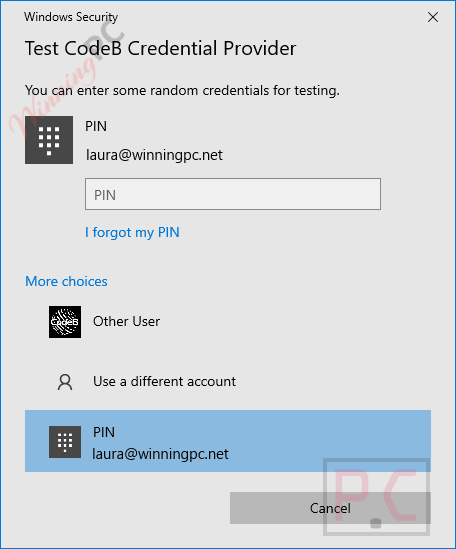
The FIPS 140-2 enforcement angle is the headline differentiator and it is worth understanding precisely. Because CodeB Credential Provider V2 runs in managed .NET code, every cryptographic operation it makes routes through Windows CNG. Turn on the standard Group Policy setting “System cryptography: Use FIPS compliant algorithms” and Windows itself enforces FIPS 140-2 against every crypto call the credential provider makes. Every other Windows credential provider currently on the market is written in native code with its own crypto path – a path that policy setting cannot reach. If you operate in a FIPS-mandated environment, this is the difference between ticking one GPO box and writing an attestation letter.
Worth mentioning for shared-workstation environments: CodeB Credential Provider V2 includes an Office author-tagging feature that appends the authenticating NFC card’s unique ID to the Office author name in Word, Excel and PowerPoint. Every edit, comment and tracked change carries that card ID, which also appears in the Windows event log. Audit teams correlate the two and get end-to-end attribution on shared accounts (Sammelkonten) – the kind of compliance detail that solves a real problem in healthcare and manufacturing settings.
Key features
- NFC contactless cards: MIFARE Classic, DESFIRE EV1/EV2/EV3, national ID cards, transit cards and more; deploy as a second factor or replace the password entirely.
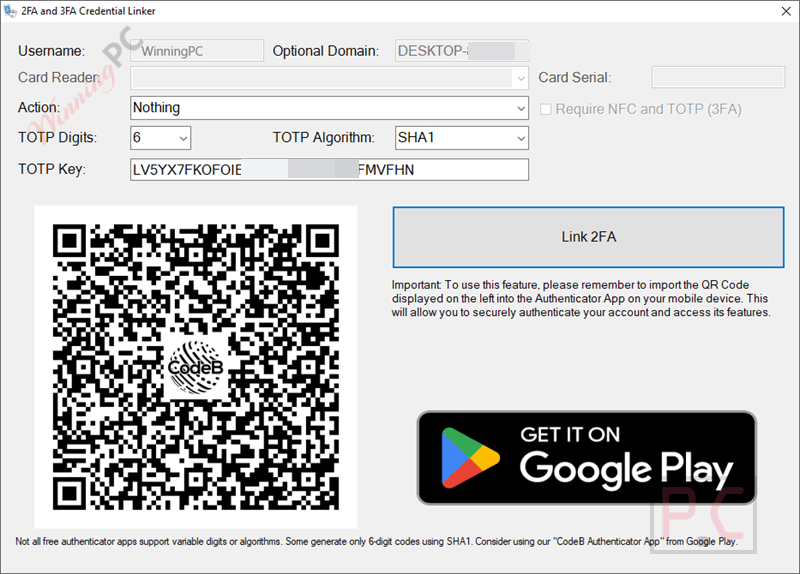
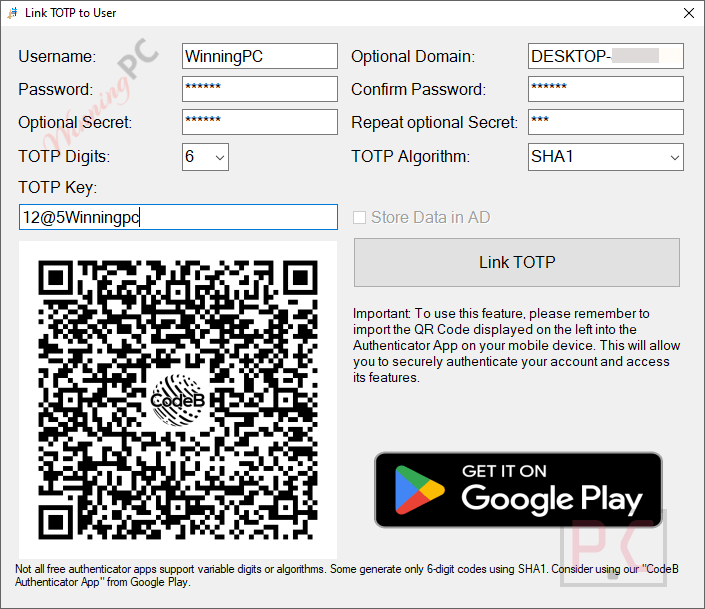
- TOTP (RFC 6238): 30-second codes via any standard authenticator app, SHA-1/SHA-256; fully replaces the password if policy requires it.
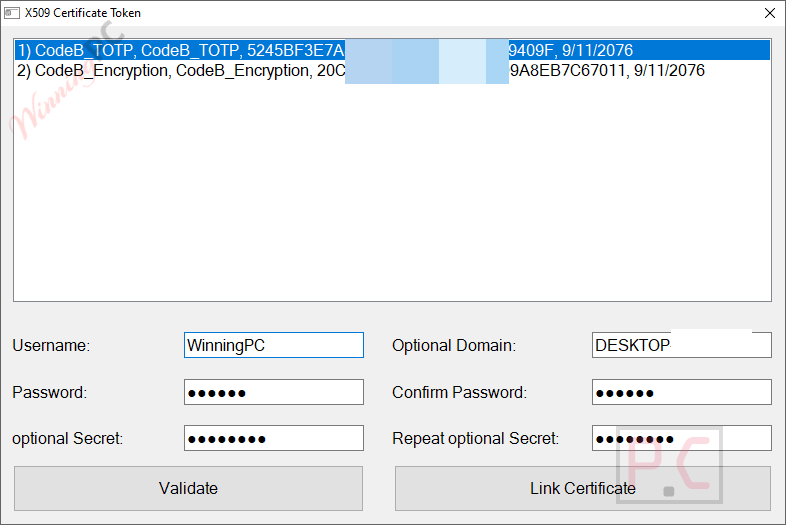
- PKI smartcards and software certificates: X.509 certificates for organisations with an existing PKI estate.
- FIPS 140-2 via Group Policy: enforced by Windows itself through the managed-.NET architecture; no native-code competitor can be enforced this way.
- No cloud required: fully on-premises, no SaaS control plane, air-gap deployable; operated by Aloaha Limited, an EU company based in Malta.
- Office author-tagging on shared accounts: NFC card UID appended to the Office author name at logon; tracks edits and comments to a specific person even on shared Windows accounts.
- Includes Web SSO and Desktop Switcher at no extra cost: both add-ons ship with the CodeB Credential Provider V2 licence; Web SSO fills credentials in Edge/Chrome without exposing them to page JavaScript; Desktop Switcher swaps to a clean desktop profile before a screen share.
What we think
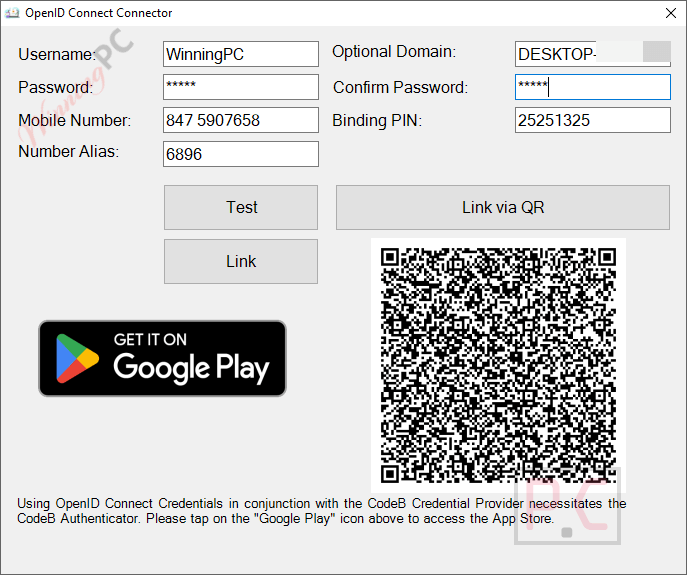
more CodeB Credential Provider v2 Screenshots
Frequently Asked Questions
What is the lowest price for CodeB Credential Provider V2?
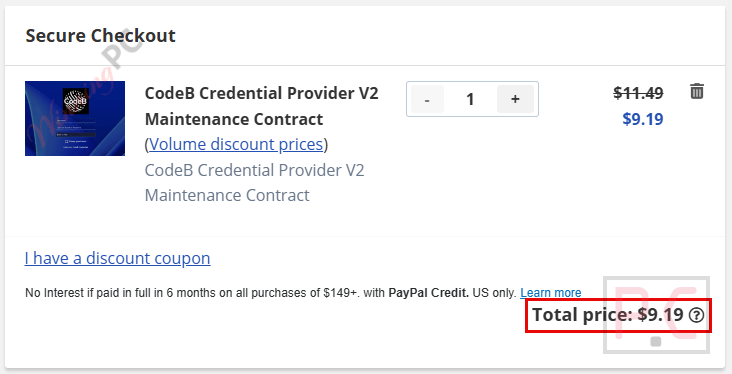
The lowest price with code WINNINGPC20 is $9.19 for the Maintenance Contract. For a fresh licence, the Subscription is $18.39/year and the Perpetual License is $45.99 one-time.
Is there a free trial?
Yes. CodeB provides a fully functional evaluation build on request – the same binary as the licensed release, not a crippled demo. Pilots typically run up to 90 days on production-equivalent hardware against your real Active Directory or Entra ID. Email info@codeb.io to request one. Given the no-refund policy, running the pilot before purchase is strongly recommended.
What happens if I want a refund?
CodeB’s policy is that all licence purchases are final once the key is issued, because keys cannot be revoked remotely (by design – the product is air-gap deployable). The narrow exceptions are a duplicate or accidental purchase within 14 days where the key has not been deployed, or a defect that CodeB cannot remediate within 30 days of a support ticket. Send “Refund request” to info@codeb.io with your contract reference and order date.
CodeB Credential Provider V2 work on Windows 11 and Windows Server 2025?
Yes. It supports Windows 8, 8.1, 10 and 11, plus Windows Server 2012 R2 through Server 2025, on both x86 and x64.
Can I deploy it with no internet connection?
Yes – CP V2 requires no cloud connection or internet access to function. It is fully on-premises and air-gap deployable, with no SaaS control plane. It is operated by Aloaha Limited, an EU company based in Malta.
Can an NFC card replace the password completely, or only act as a second factor?
Both patterns work. CP V2 includes a Credential Provider Filter that removes the Microsoft password tile entirely when policy is applied. Operators tap the card, and if no PIN is configured, they are in. The same software supports card plus PIN as two-factor login with no reinstall needed.
Does CodeB Credential Provider V2 work with Microsoft Entra ID (Azure AD)?
Yes. It works with local accounts, on-premises Active Directory, Entra ID (Azure AD)-joined machines and hybrid configurations. The credential provider resolves the credential and passes it to Windows; Windows validates against whichever account model it is configured for.
What makes the FIPS 140-2 claim different from competitors?
CodeB Credential Provider V2 is written in 100% managed .NET, so it routes all crypto through Windows CNG. When you enable the “Use FIPS compliant algorithms” Group Policy setting, Windows enforces FIPS 140-2 against every crypto call the provider makes. Every other Windows credential provider CodeB is aware of is written in native code with its own crypto path, which that policy setting cannot enforce. For a FIPS-mandated environment, this means one GPO box instead of a signed letter of attestation.
Requirements and supported hardware
| Operating system | Windows 8, 8.1, 10, 11; Windows Server 2012 R2 through 2025 |
| Architecture | x86 + x64 |
| Framework | .NET managed code |
| Account model | Local, Active Directory, Microsoft Entra ID (Azure AD), hybrid |
| Distribution | Command-line installer; Group Policy deployable; MSI on request |
| Internet / cloud | Not required – fully on-premises and air-gap deployable |
| Token hardware | NFC reader (MIFARE/DESFIRE cards); RFC 6238 TOTP app; PKI smartcard reader; USB memory stick |
| Other | CodeB Admin CLI (CodeBAdminCLI.exe) available as a separate download for scripted/unattended enrollment |