Vovsoft Merge Audio Files Giveaway
Vovsoft Merge Audio Files
Helps you merge multiple audio tracks into a single file.
- ProductVovsoft Merge Audio Files
- Websitevovsoft.com
- LicenseLifetime
- PlatformWindows 11, 10 (32-bit & 64-bit)
- Installermerge-audio-files.exemerge-audio-files-portable.zip
- UsageNon-commercial only
- UpdatesNo future upgrades
- SupportNo support
- Updated2026-09-15
License key delivered free to your inbox within minutes.
Vovsoft Merge Audio Files Coupon Code
Vovsoft Merge Audio Files - Lifetime Updates
Lifetime license | All future updates

Vovsoft Universal License
113+ programs | Lifetime license | All future updates
How to Get the Vovsoft Merge Audio Files License Key for Free
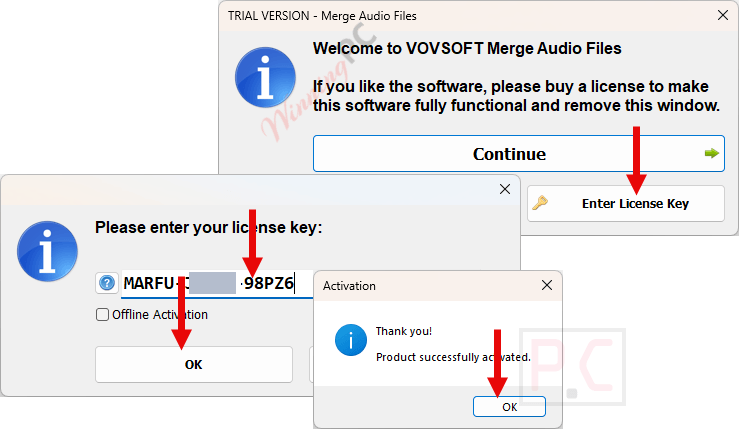
- Fill in your email address on the Vovsoft Merge Audio Files giveaway form and submit – you will get your free license code on your mailbox.
- Download and install Vovsoft Merge Audio Files using the download link provided on the page.
- Launch the application and enter your registration code to activate your lifetime license.
- Add your audio files, arrange the order, pick an output format, and merge.
Is this Vovsoft Merge Audio Files giveaway safe and legit?
Yes. This is a legitimate giveaway run directly through Vovsoft’s own publisher page, not a third-party reseller.
No crack or keygen
You install Vovsoft’s official build and activate with a genuine license key. Nothing is patched, repackaged, or modified.
Official publisher source
The registration form and download run on Vovsoft’s own website. Your key comes straight from the developer.
Secure download
The installer is served over HTTPS from Vovsoft’s servers. Your device is not at risk from the download itself.
No payment required
This is a free giveaway. Your name is used only to generate your key – no credit card, no billing.
Vovsoft Merge Audio Files Review & Features
Vovsoft Merge Audio Files combines multiple audio tracks into a single file with a simple process. Load your files, drag them into order, pick an output format, and hit Merge. For same-format batches – say, a folder of MP3s – it finishes fast with no quality loss. When you’re mixing formats, such as a FLAC narration track alongside MP3 music files, the Re-encode option normalizes everything into a clean output without requiring a separate converter.
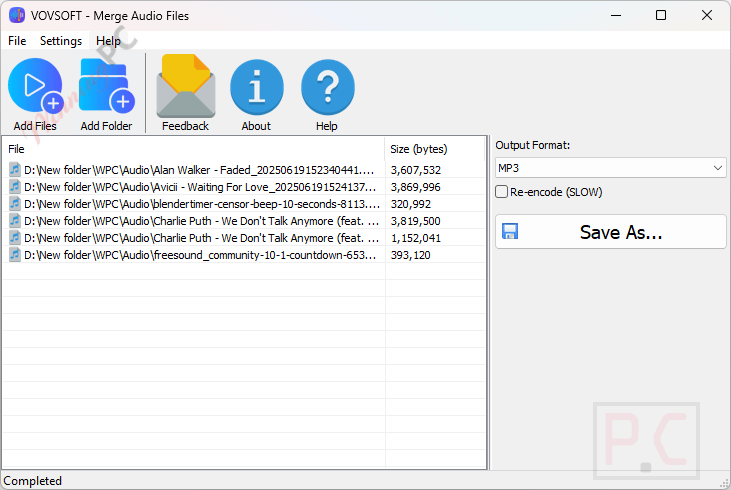
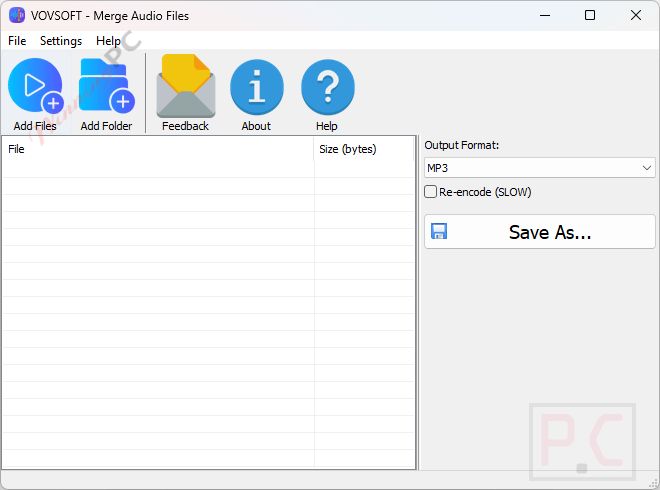
The interface has no learning curve worth mentioning. That simplicity is genuinely useful for the target audience, though it does mean there’s nothing here for anyone who needs to trim a clip, adjust volume levels, or add crossfades between tracks. Those tasks belong in Audacity. For pure merging, though, Vovsoft keeps it straightforward.
Key features
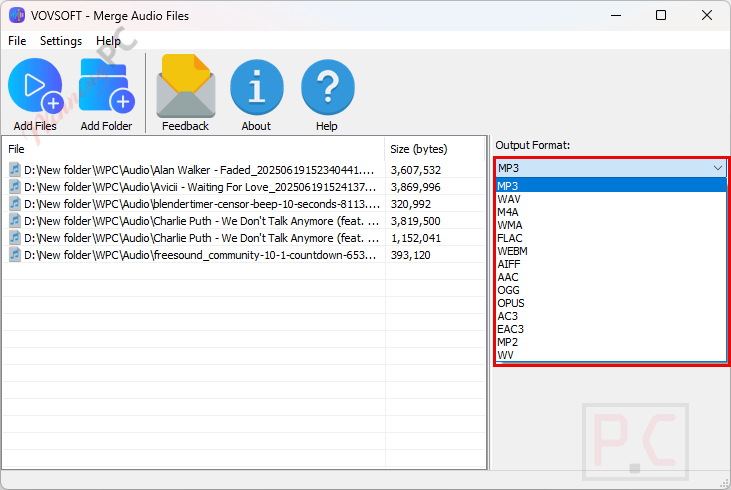
- Merges MP3, WAV, M4A, WMA, FLAC, OGG, OPUS, AAC, AIFF, AC3, EAC3, MP2, and WV files into a single audio track.
- Add individual files or entire folders; reorder tracks by dragging them into position.
- Re-encode option for clean, compatible output when source files use different formats.
- Convert and merge into a different output format in one pass.
- Available as both an installer (16.65 MB) and a portable executable (19.75 MB) – no setup needed for the portable version.
What we think
Screenshots
Frequently Asked Questions
Does this giveaway work on Windows 11?
Yes. Vovsoft Merge Audio Files supports Windows 11, 10, 8/8.1, 7, and Vista on both 32-bit and 64-bit systems.
Is the giveaway license really free for life?
Yes, the key is a genuine lifetime license at no cost. The catch: it comes without future software updates and without tech support. If Vovsoft ships a new version later, you’d need to buy to get it.
When do I need to use the Re-encode option?
Only when you’re mixing different formats in one merge – for example, combining an MP3 and a FLAC file. When all source files use the same format and audio settings, you can skip Re-encode and the merge finishes faster.
System Requirements & Details
| Operating system | Windows 11, 10, 8/8.1, 7, Vista (32-bit & 64-bit) |
| Supported input formats | MP3, WAV, M4A, WMA, FLAC, OGG, OPUS, AAC, AIFF, AC3, EAC3, MP2, WV |
| File size | 16.65 MB (Installer) · 19.75 MB (Portable) |
| Language | English |
| Internet / account | Required for giveaway registration and activation |