
BytePlus Lumina prices with the special offer

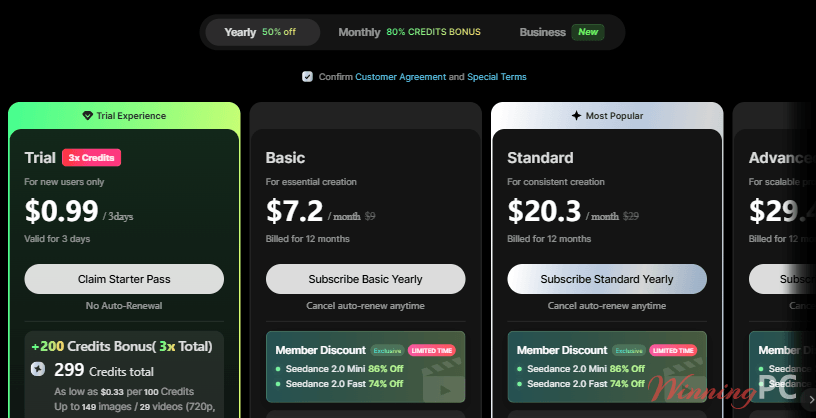
ByteDance Lumina 3-Day Starter Pass (New Users)
299 credits for 3 days (3x the base amount), watermark-free downloads, all models and Canvas access. One-time offer for new accounts, no auto-renewal.
Yearly Plan
4 plans · best save 44%ByteDance Lumina Basic Yearly: 20% Off
900 credits/month (up to 450 images or 90 videos at 720p, 5s), watermark-free downloads, all models, basic features and Canvas access. Works out to $7.20/month, billed yearly.
ByteDance Lumina Standard Yearly: 30% Off
3,000 credits/month (up to 1,500 images or 300 videos at 720p, 5s), all models and features, full Canvas and Canvas Pro access. Works out to $20.30/month, billed yearly.
ByteDance Lumina Advanced Yearly: 40% Off
5,200 credits/month (up to 2,600 images or 520 videos at 720p, 5s), all models and features, full Canvas and Canvas Pro access. Works out to $29.40/month, billed yearly.
ByteDance Lumina Ultra Yearly: 44% Off ★ Best Deal
26,000 credits/month (up to 13,000 images or 2,600 videos at 720p, 5s), early access to new models and advanced AI features, Canvas Pro and Canvas Agent. Lowest cost per credit at $133.83/month, billed yearly.
Monthly Plan
4 plansByteDance Lumina Basic Monthly + Bonus Credits
First month includes 1,260 credits (900 base + 360 bonus). Watermark-free downloads, all models, basic features and Canvas access. Cancel auto-renew anytime.
ByteDance Lumina Standard Monthly + Bonus Credits
First month includes 4,200 credits (3,000 base + 1,200 bonus). All models and features, full Canvas and Canvas Pro access. Cancel auto-renew anytime.
ByteDance Lumina Advanced Monthly + Bonus Credits
First month includes 7,800 credits (5,200 base + 2,600 bonus). All models and features, full Canvas and Canvas Pro access, member pricing on Seedance 2.0 Mini and Fast.
ByteDance Lumina Ultra Monthly + Bonus Credits
First month includes 39,000 credits (26,000 base + 13,000 bonus). Early access to new models and advanced AI features, Canvas Pro and Canvas Agent.
Team Plan
2 plans · best save 13%BytePlus Lumina Team Plan Yearly (per seat): 13% Off ★ Best Deal
30,000 credits per seat each month, pooled team credits, team member management, Canvas Pro and Canvas Agent. $258 per seat/month, billed yearly.
BytePlus Lumina Team Plan Monthly (per seat)
30,000 credits per seat each month, pooled team credits, team member management and early access to new models. Billed monthly per seat.
How to get the BytePlus Lumina special offer
- Click the deal button above to open the ByteDance Lumina pricing page, then sign in or create a BytePlus account.
- Switch to the Yearly tab to see the discounted prices. Use the Monthly tab for the first-month bonus credits, or Business for the Team plan.
- Tick the Customer Agreement and Special Terms box, then click “Subscribe” on the plan you want.
- Check the total before you pay. Once payment goes through, your credits land in your Lumina account straight away.
How well does BytePlus Lumina work?
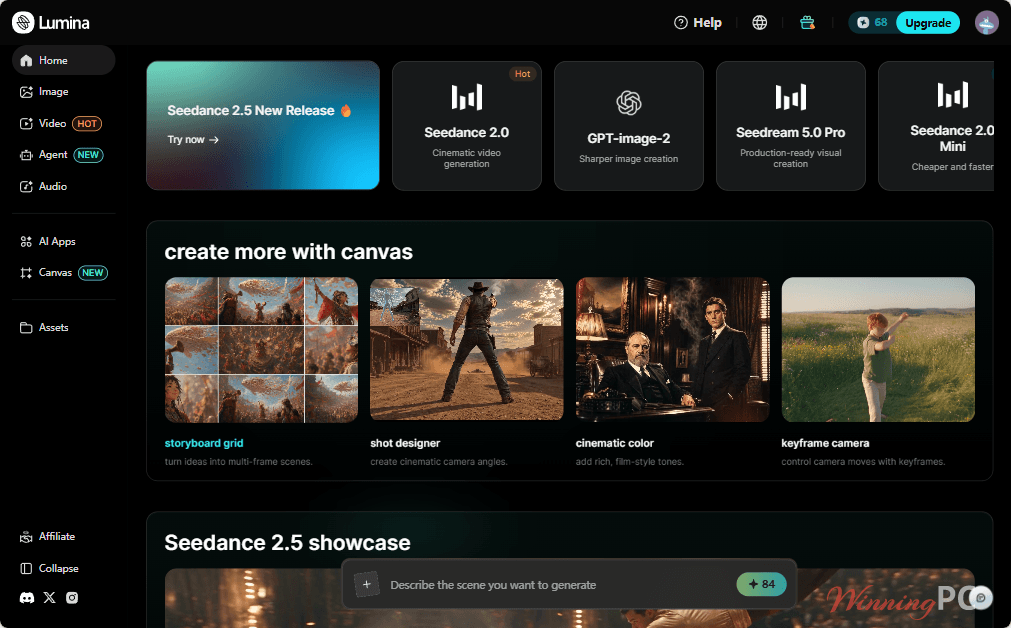
The image side is where Lumina feels most distinctive. Seedream 5.0 Pro doesn’t just hand you a flat picture: it splits the result into separate layers you can move around, which means a banner can go straight into Photoshop or Figma instead of being regenerated five times to fix one misplaced product. The video tools are more ordinary. Every Seedance AI app we checked outputs a single 6-second clip, even though the homepage advertises 30-second Seedance 2.5 generation. Longer stories mean stitching clips together in your own editor. And credits disappear faster than the plan cards suggest. A Seedance 2.0 clip in the AI apps is listed at 180 credits, so Basic’s 900 monthly credits buy about five of them.
Key features
- Seedream 5.0 Pro layer separation: up to 20 editable layers exported as transparent PNGs, plus edits by bounding box, arrow, coordinates or hex color code.
- Seedance 2.0 and 2.5 video apps: text-to-video and image-to-video, with camera moves like push-ins and orbits directed from the prompt.
- Canvas with storyboard tools: storyboard grid, shot designer, cinematic color grading and keyframe camera control for planning multi-shot ads.
- Text in 14 languages: Arabic, Thai, Korean, Japanese and more render with correct character structure, useful for localized ads.
- Multiple models under one plan: Seedance, Seedream and GPT-image-2 share the same credit pool.
What we think
Screenshots
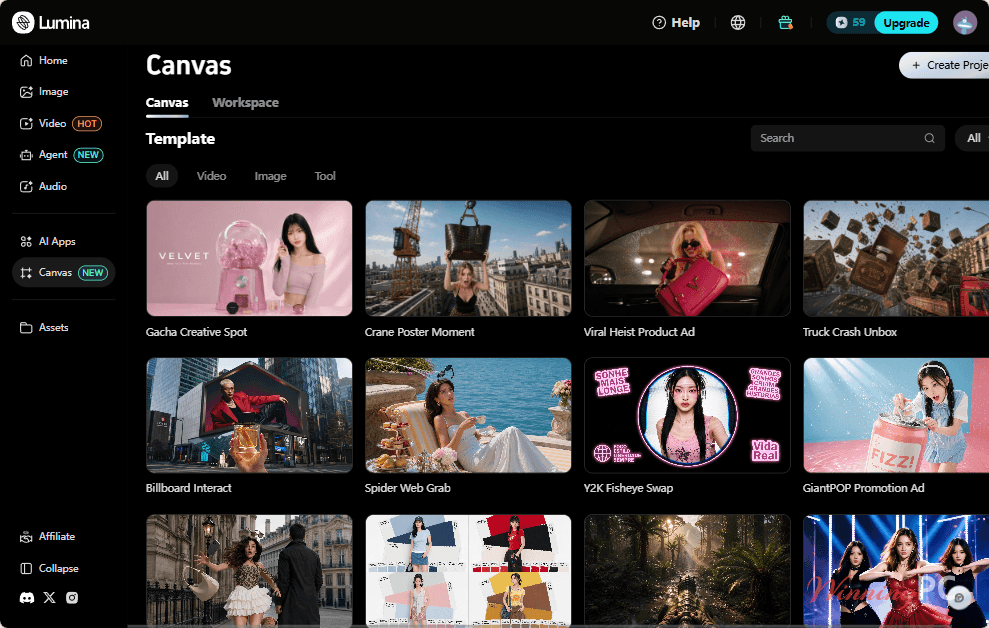
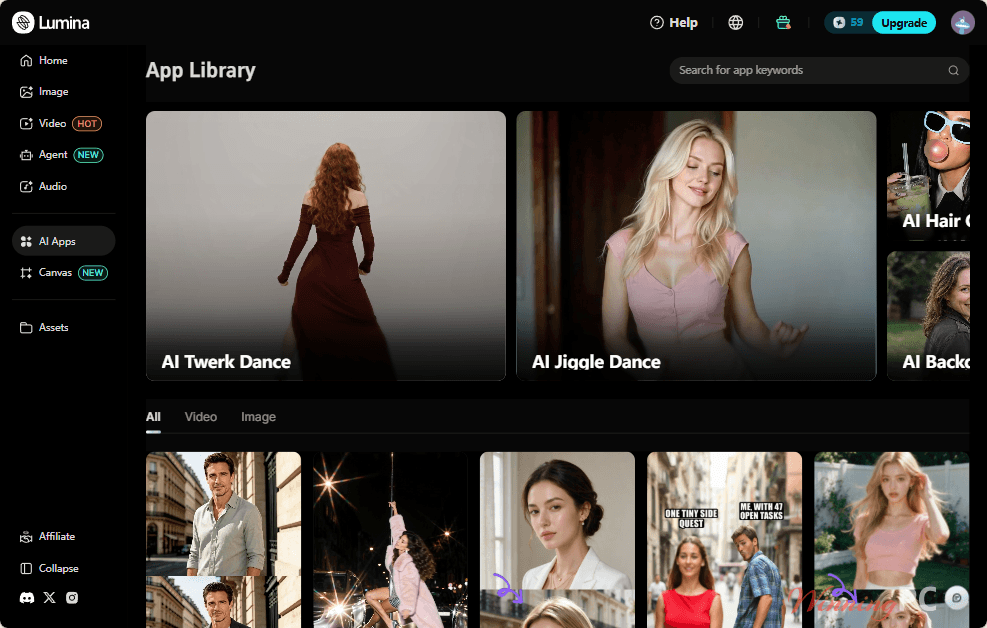
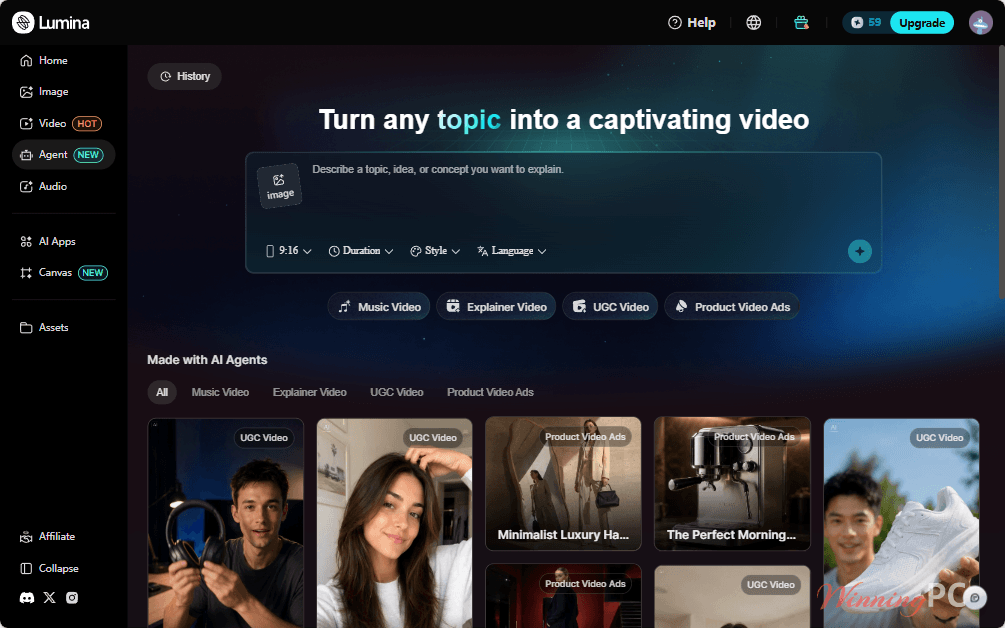
Which BytePlus Lumina plan should you buy?
| Plan | Credits/month | Approx. Seedance 2.0 clips* | Canvas | Extras | Best for |
|---|---|---|---|---|---|
| Starter Pass | 299 (3 days) | 1 | Canvas | New accounts only | Testing before paying |
| Basic | 900 | ~5 | Canvas | Basic features | Mostly images, a few clips |
| Standard | 3,000 | ~16 | Canvas + Canvas Pro | All features | Weekly social content |
| Advanced | 5,200 | ~28 | Canvas + Canvas Pro | All features | Regular ad and product work |
| Ultra | 26,000 | ~144 | Canvas Pro + Canvas Agent | Early access to new models | Agencies and heavy video users |
| Team (per seat) | 30,000 | ~166 | Canvas Pro + Canvas Agent | Pooled credits, member management | Teams sharing one budget |
*Based on the 180-credit list cost of the Seedance 2.0 text-to-video app (6-second clip). Seedance 2.5 costs 276 credits per clip. Member discounts on Seedance 2.0 Mini and Fast can stretch credits further.
Questions people ask about ByteDance Lumina
Is there a free trial of ByteDance Lumina?
Not a free one, but new accounts can buy a one-time $0.99 Starter Pass.
How do I cancel Lumina’s auto-renewal?
Unsubscribe from the account menu at the top right of the Lumina page.
Do unused Lumina credits roll over?
No. Subscription credits reset every month, and whatever you didn’t use is cleared.
Can I upgrade from monthly to yearly later?
Not directly. Upgrades only go monthly-to-monthly or yearly-to-yearly, for example Basic Monthly to Advanced Monthly. You pay the prorated difference, but the credits left in your old package are wiped when the new plan starts, so use them up first.
Can I share one Lumina subscription with my team?
No, personal plans are for the main account only, and each account can hold one active plan.
Is BytePlus Lumina the same as Dreamina?
No. Both belong to ByteDance and both offer Seedance video models, but they’re separate products with separate subscriptions. Lumina is sold through BytePlus and adds Seedream 5.0 Pro, Canvas Pro and team billing. Dreamina is the CapCut-branded consumer app with a free tier.
System Requirements & Details
| Field | Value |
|---|---|
| Operating system | Web-based (runs in a browser); no OS or browser requirements specified ⚠️ VERIFY |
| Processor / RAM / disk | Not specified (generation runs in the cloud) |
| Supported input formats | Images: PNG, JPEG, JPG, GIF, up to 20MB each (Seedance 2.0 image-to-video). Other inputs: not specified ⚠️ VERIFY |
| Supported output formats | Transparent PNG layers (Seedream 5.0 Pro layer separation); 6-second video clips. Video file format and resolution options: not specified ⚠️ VERIFY |
| Other requirements | BytePlus account and sign-in required; one active subscription per account; account verification (KYC) may apply ⚠️ VERIFY |