
Quick Photo Finder Giveaway
Quick Photo Finder
The best and easy to use duplicate photo finder and cleaner to scrape away the accumulated clutter from your Windows and give it a breathing space.
- Product
- Quick Photo Finder
- Website
- quickphotofinder.com
- License
- 1-Year
- Platform
- Windows 10, 8.1, 8, 7
- Installer
- qpfsetup.exe
- Usage
- Non-commercial only
- Updates
- No future upgrades
- Support
- No support
- Updated
- October 7, 2026
Get your unique code by email
License key delivered free to your inbox within minutes.
Protected by Cloudflare Turnstile · Email quality checked by Reoon
All codes have been claimed or the giveaway has closed.
How to Get the Quick Photo Finder License Key for Free
- Fill in your email on the giveaway form on this page and submit it. Check your inbox for the email with your Quick Photo Finder license code (look in spam if it hasn’t arrived within a few minutes).
- Download the installer from the official site, quickphotofinder.com, and install it on your Windows PC.
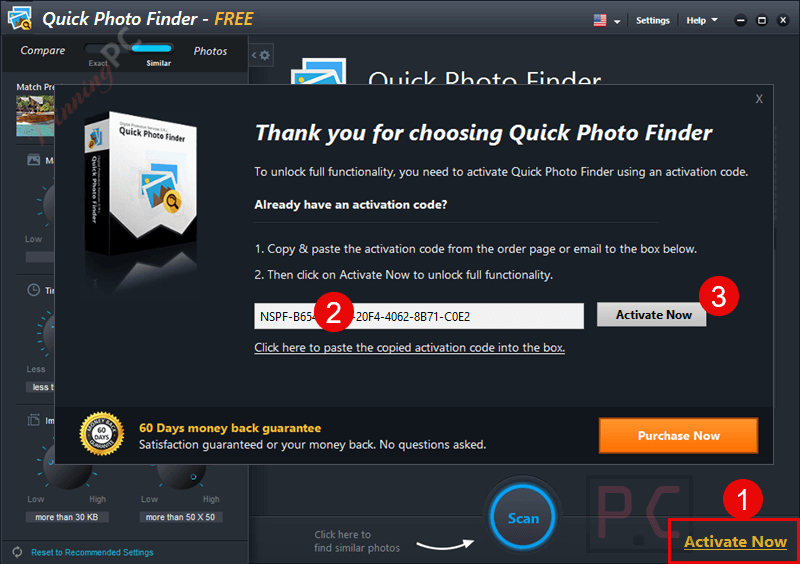
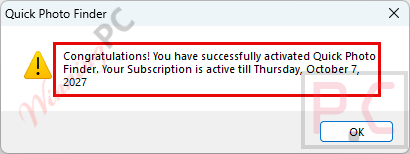
- Open Quick Photo Finder, go to the registration option and paste your code to unlock the full version.
- Do this before the giveaway closes. The publisher’s terms say codes that aren’t activated in time won’t work.
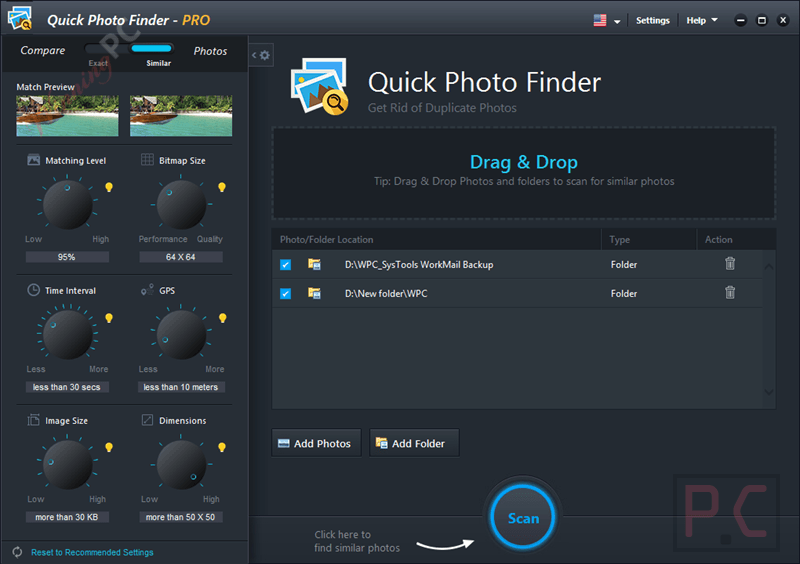
- For your first cleanup, add a folder (or drag it onto the scan pane), set the matching criteria, click Scan, then review the groups before deleting anything.
Special Discount for WinningPC Readers

4DDiG Duplicate File Deleter
1 License for 1 PC | 1-month free upgrades
EaseUS DupFiles Cleaner - Perpetual use
No free updates but lifetime usage

SORCIM Clone Files Checker - 1 Year License
Single Solution Up to 1 Year
Kernel Duplicate File Finder - Personal License
Two Computer | Home User | Lifetime license & updates

Is this Quick Photo Finder giveaway safe to use?
Yes. You’re installing the publisher’s own build and unlocking it with a genuine license code, so nothing about this offer is cracked or grey-market.
No crack or keygen
The key comes from the publisher’s giveaway, and you activate the standard installer from quickphotofinder.com. No patched files, no repackaged setup.
Official source
The promotion runs through the publisher itself, not a third-party key reseller.
Nothing to pay
The giveaway asks for a name and email only. No card details are involved, so there’s no billing risk.
You stay in control of deletions
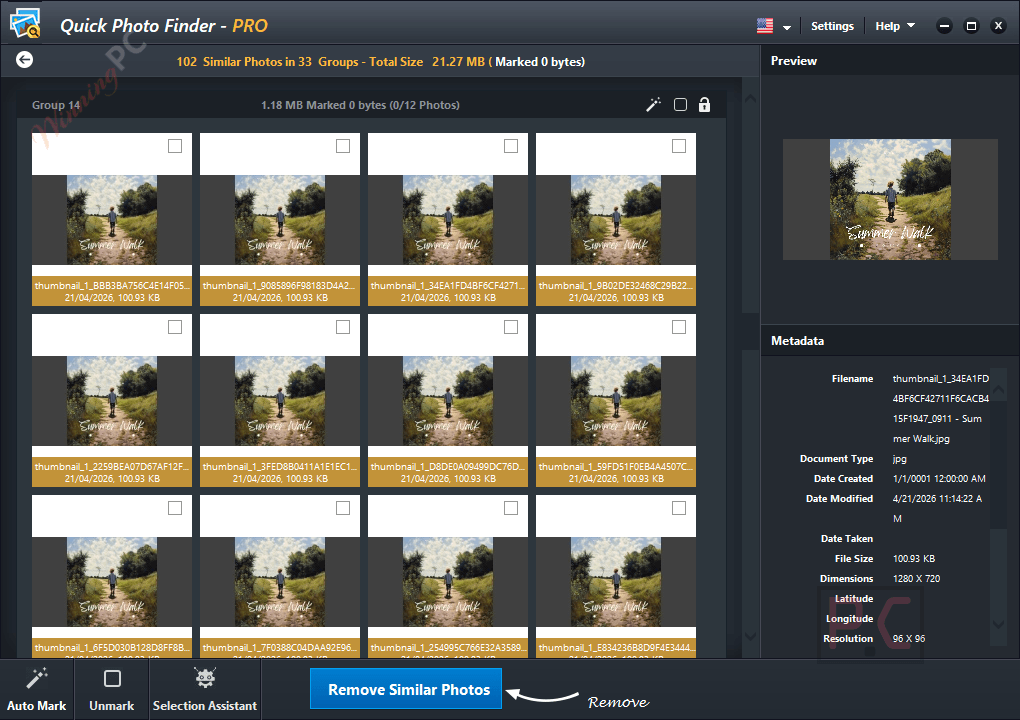
Results are shown in groups and nothing is removed until you confirm it. Still, back up irreplaceable photos before your first big cleanup, as you would with any file-deleting tool.
Quick Photo Finder Review & Features
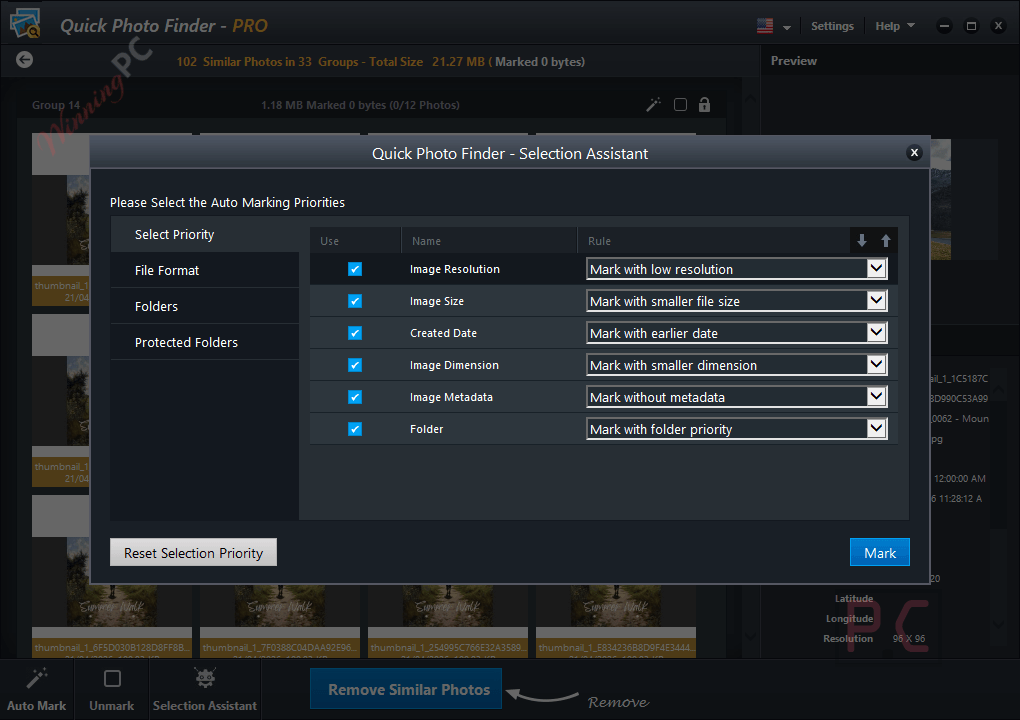
The useful part of Quick Photo Finder isn’t spotting exact copies, which almost any duplicate tool can do. It’s the similar-photo mode. You set the matching criteria from the left panel of the scan window, and it will flag near-identical shots like burst sequences or slightly re-edited exports. That’s where the real space savings are, and it’s also where mistakes happen, so the grouped results matter more than they sound: you see each set side by side and pick what goes. The auto-mark button saves a lot of clicking on big libraries. What’s missing is detail. The publisher talks about “advanced algorithms” but never explains how matching works, and Windows 11 isn’t on its official compatibility list.
Key features
- Exact and similar matching: catch byte-for-byte copies and near-duplicates in the same scan, with criteria you can tune.
- Grouped results: every set of matches sits together, so deciding which copy to keep takes seconds instead of a folder-by-folder hunt.
- One-click auto-mark: selects all the duplicates in one go when you’d rather not tick hundreds of boxes.
- External drive scanning: clean up USB flash drives and portable hard drives, not just your Pictures library.
- Light on resources: runs with 512 MB of RAM and a 1 GHz processor, so older laptops can handle it.
What we think
Screenshots
Frequently Asked Questions
Does Quick Photo Finder work on Windows 11?
It isn’t officially listed. The publisher only names Windows 10, 8.1, 8 and 7. Some download sites list Windows 11, so it may run fine, but since the giveaway comes with no support, test it on one folder before trusting it with your whole library
What happens when the 1-year giveaway license runs out?
Your full license ends after 12 months. The giveaway terms don’t say what the app does afterwards, so the safe plan is to finish your cleanup within the year. If you need it longer, you’ll have to buy the paid version.
Can it find similar photos, not just exact copies?
Yes. Adjust the matching criteria in the left panel of the scan window and it will also catch near-identical images, such as burst shots or lightly edited versions.
Which image formats does it support?
JPEG, TIFF, PNG, BMP and GIF, according to the publisher. It also mentions “more” formats without listing them, so if you shoot RAW, run a test scan before relying on it.
Can I use the free key for work?
No. The giveaway license is for non-commercial use only. Business use needs a paid license.
Is there a free version of Quick Photo Finder?
Yes, but it only removes up to 15 duplicates. That’s enough to see how it works, not enough to clean a real library, which is why the 1-year giveaway key is worth grabbing.
System Requirements & Details
| Field | Value |
|---|---|
| Operating system | Windows 10, 8.1, 8, 7 |
| Processor | 1 GHz |
| RAM | 512 MB |
| Disk space | Not specified |
| Supported input formats | JPEG, TIFF, PNG, BMP, GIF (publisher says “and more”) |
| Other | Can scan external drives such as USB flash drives and portable hard drives |