
![[Contest] Rain Cleaner Pro Giveaway: Win 1 of 50 Free 1-Year Licenses](https://winningpc.com/wp-content/uploads/2026/10/rain-cleaner-pro-icon.png "rain cleaner pro icon")
On this page
Rain Cleaner Pro Giveaway
How to Get the Rain Cleaner Pro License Key for Free
Claim your code from the giveaway box on this page while the 50 licenses last.
Download Rain Cleaner on your computer.
Open Rain Cleaner, click the Settings button in the bottom-left corner, and enter your activation code.
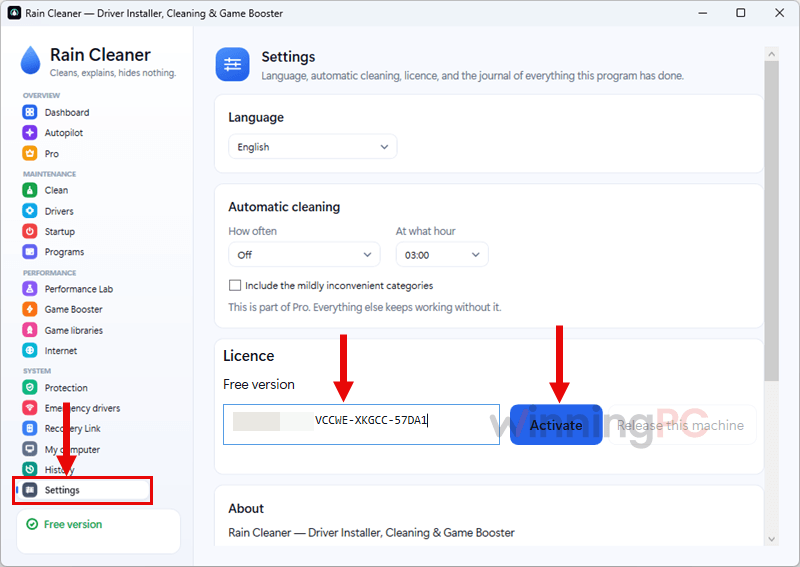
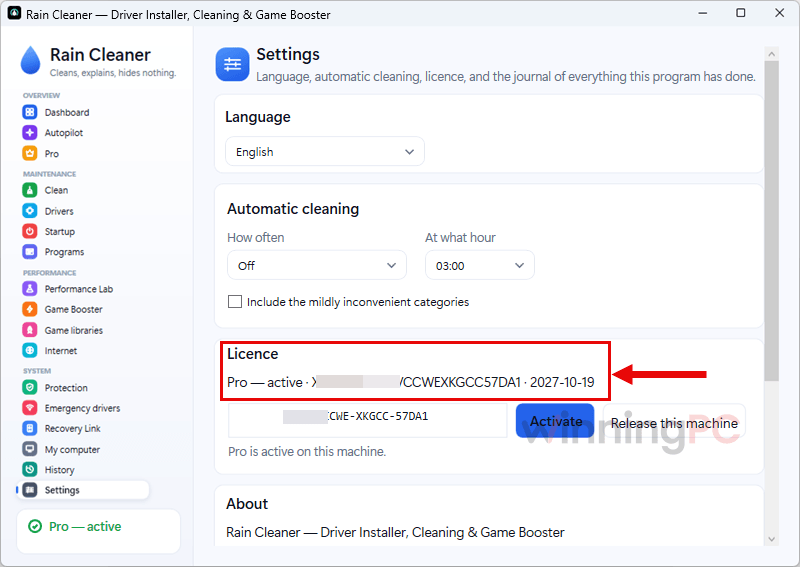
Check that Pro now shows as active, and you’re done.
Top PC Optimization Software Coupon Codes Oct 2026






Is this Rain Cleaner Pro giveaway safe?
Yes. The codes are genuine licences from the publisher, and nothing about claiming one puts your PC or your wallet at risk.
No crack or keygen
You install Rain Cleaner’s official build from raincleaner.eu and activate it with a real code. Nothing is patched or repackaged.
A signed file you can check yourself
The installer is code-signed by Where2Go LTD (Microsoft-verified), and the publisher posts SHA-256 hashes on its Trust page so you can confirm you got the file they built.
No card, no trap
The giveaway never asks for payment details, so there’s nothing to cancel when the 12 months end.
Nothing deleted behind your back
Every cleanup waits for your approval, and the publisher states there’s no in-app telemetry or third-party analytics.
What Rain Cleaner Pro does well, and where it stops
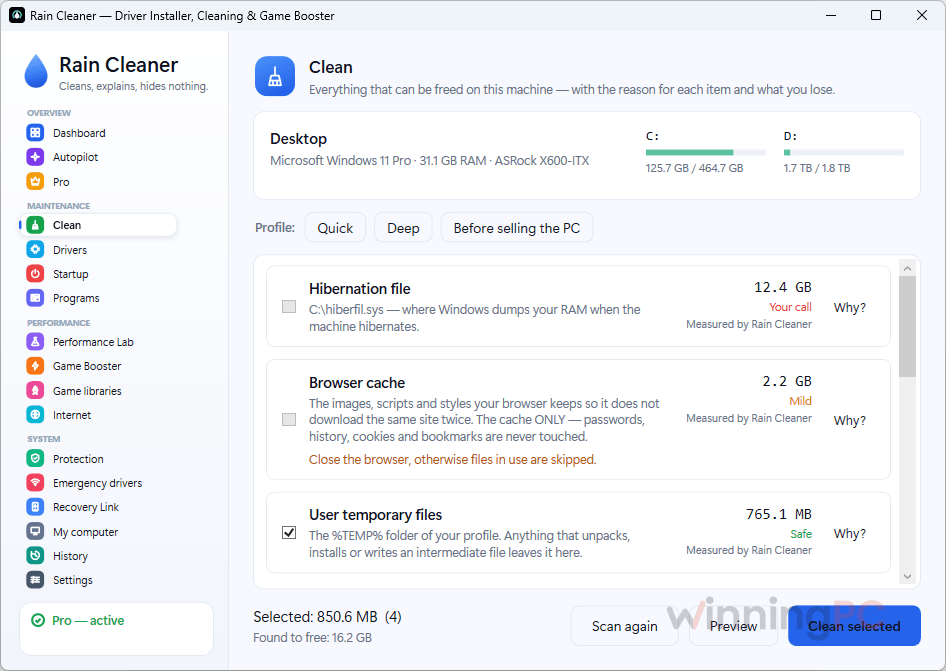
The thing that sets Rain Cleaner Pro, a PC optimization software, apart is restraint. Every finding shows its path, its size and a “Why?” button, and nothing goes until you tick it. The driver side is just as careful: updates come from Microsoft’s own catalogue instead of a third-party driver pack, a restore point is made first, and the old driver is kept so you can roll back in seconds. That matters more than it sounds, since a bad driver can do more harm than a full drive ever will.
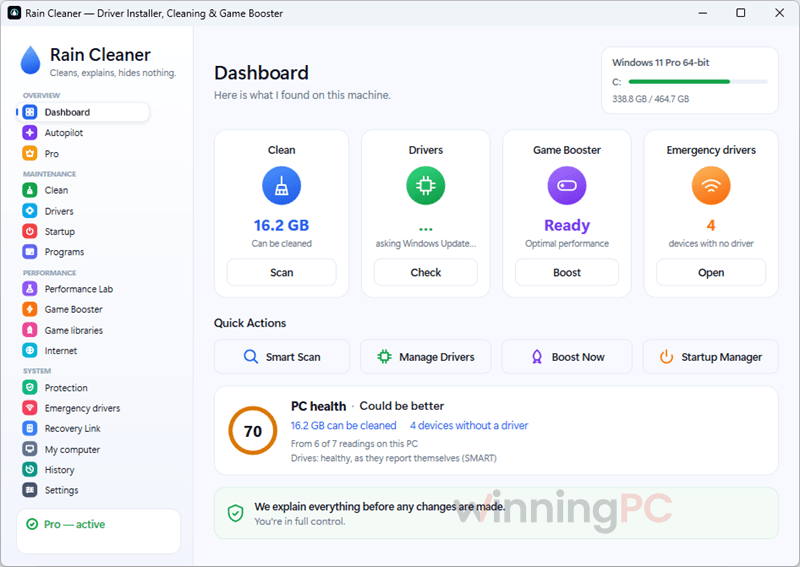
The publisher is honest about the limits, too. Its own guide admits most people don’t need a driver updater at all, and its terms say plainly that the file protection is a watcher, not an antivirus. Some cleanups also can’t be reversed (an emptied Recycle Bin, a deleted Windows.old), which is exactly why the approve-first list is there.
Key features
- Fix My PC: cleaning, a driver check and a crash check in one click.
- Never Run Out of Space: cleans by itself when the disk runs low, so you don’t find out at 2 GB free.
- Update Everything: every driver Windows offers plus game runtimes in one pass, with driver roll-back.
- Undo Anything: one-click undo for every reversible change, from drivers and startup entries to DNS and Game Booster tweaks.
- Scheduled autopilot and Performance Lab advisors: maintenance on a timer, plus advice on what’s holding your PC back and which upgrade would actually help.
The manual tools (approve-first cleaning, game booster, startup manager, ransomware guard, DNS test, emergency network drivers) stay free with no time limit.
The good and the not-so-good
More Rain Cleaner Pro Screenshots
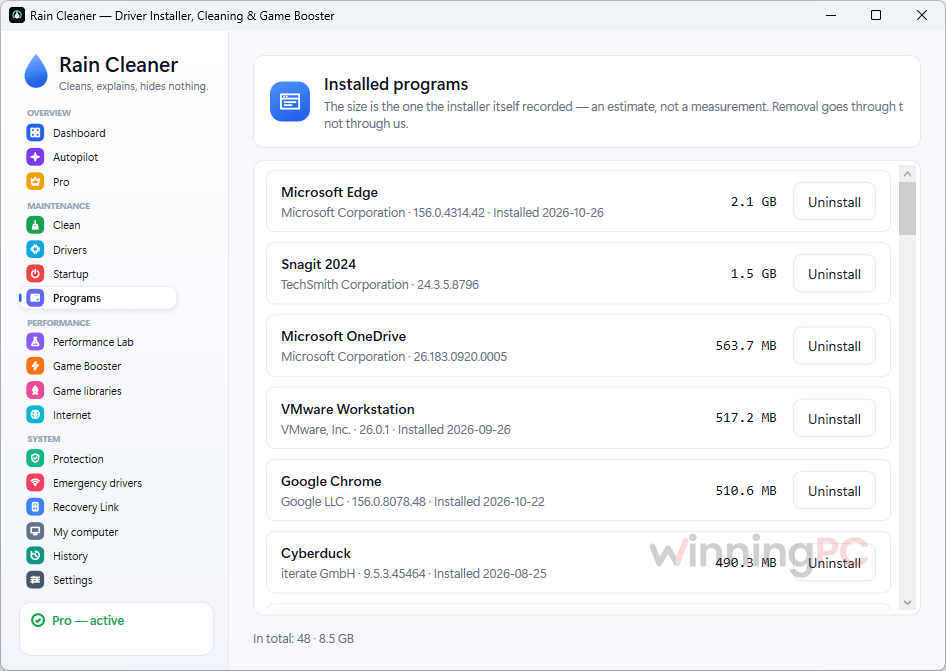
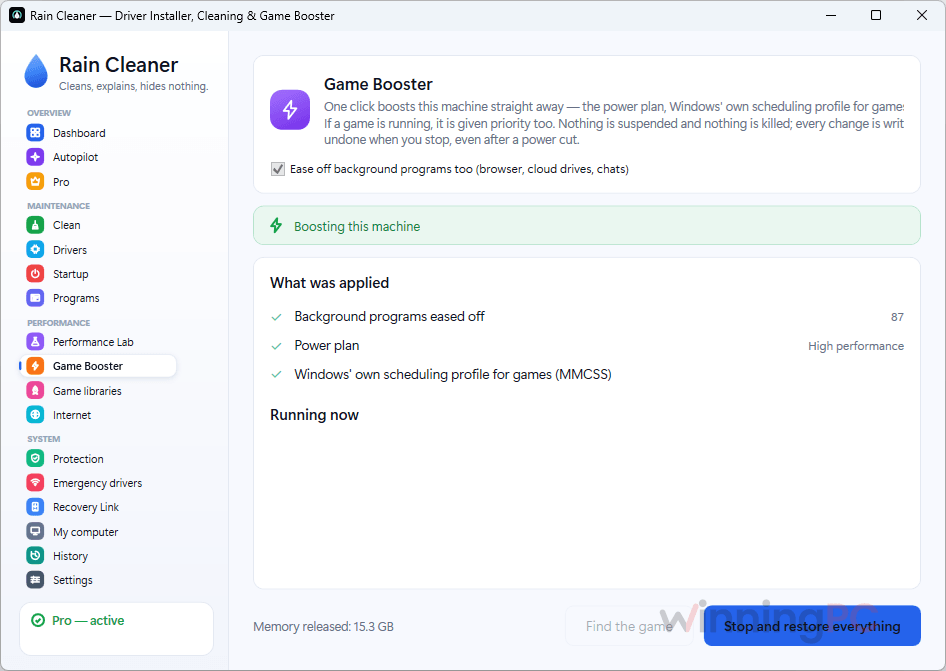
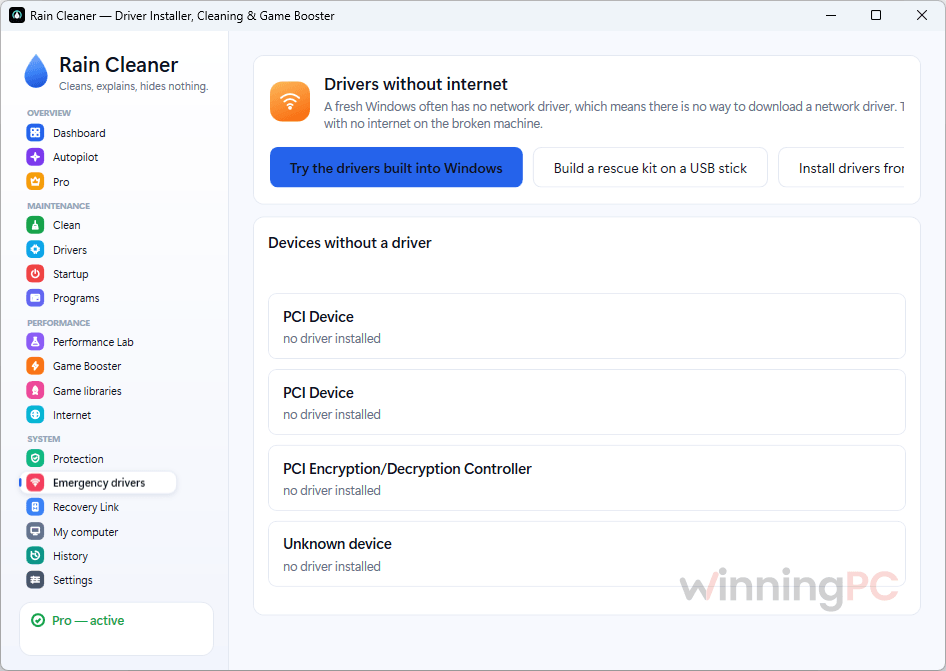
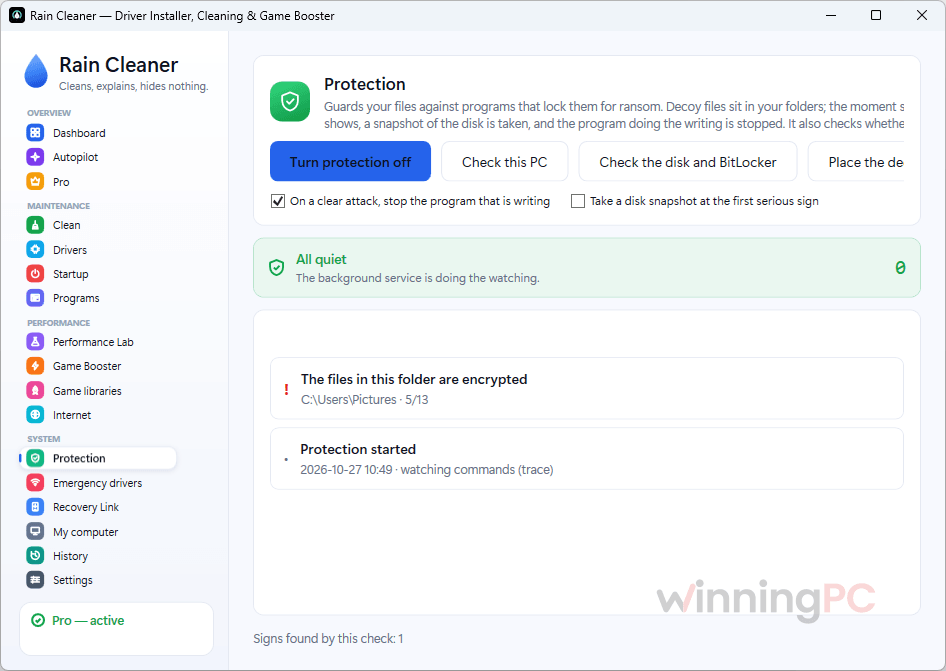
Rain Cleaner Pro vs the alternatives
| Tool | Price | Windows support | Registry cleaner | Money-back | Best for |
|---|---|---|---|---|---|
| Rain Cleaner Pro | Free for 12 months here (1 PC); $40.66/year after | 10 and 11 only | Not listed | 14 days | Cautious users who want to approve every deletion and roll back drivers |
| Wise Care 365 Pro | $11.98/yr | XP to 11 | Yes | 60 days | Budget buyers and older PCs |
| Advanced SystemCare 20 PRO | $10.90/yr | 7 to 11 | Yes | 60 days | One-click users already in the IObit ecosystem (driver updates sit in the separate Driver Booster) |
| Auslogics BoostSpeed 14 Pro | $40.17/yr | 7 to 11 | Yes | Refund guarantee (window not stated) | Tinkerers who want lots of tweaks and scheduled maintenance |
| Glary Utilities Pro 6 | $11.98/yr | 7 to 11 | Yes | Not confirmed | A large toolbox of utilities in one suite |
| Windows built-in (Storage Sense, Disk Cleanup, Windows Update) | Free | 10 and 11 | No | n/a | Most people who just need space back |
Two things stand out. Rain Cleaner is the only paid option here limited to Windows 10 and 11, so it’s not a fit for an old Windows 7 machine. It’s also the only one that doesn’t advertise a registry cleaner. Whether that counts as a gap is debatable: Microsoft has long said it doesn’t support registry cleaners, and the speed gains they promise are hard to measure.
Frequently Asked Questions
When does the free Rain Cleaner Pro license expire?
On 19 October 2027, no matter when you activate it. The 12 months started when the codes were issued, so a code you activate in March gives you about seven months of Pro, not twelve. Activating it soon gets you the full year.
What happens when the 12 months are up?
Rain Cleaner Pro switches back to the free version on its own. Nothing is deleted, nothing is charged, and nothing you did with Pro is undone. Since you never enter payment details, there’s no renewal to cancel either.
Can I use one code on more than one PC?
No, each code covers one Windows 10/11 64-bit PC. You can move it, though: release it in Settings > Licence, then activate it on the new PC, up to 3 times in 30 days. Reinstalling on the same PC is unlimited.
Can I use the giveaway license at work?
No. The giveaway code is for the winner’s personal use and can’t be resold. The free version is a different story: it’s allowed at home and at work on as many machines as you like, and companies can buy Rain Cleaner Business licences.
Why does Windows SmartScreen warn me about the installer?
Because the code signature is new, not because the file is unsafe. SmartScreen also judges files by how widely they’ve been downloaded, and Rain Cleaner is still building that history. Right-click the file, open Properties > Digital Signatures and check it says Where2Go LTD, or skip the warning entirely with the portable ZIP.
Does Rain Cleaner Pro replace my antivirus?
No. It runs alongside Windows Defender or any other antivirus without getting in their way. Its file protection watches for early signs of ransomware encryption and stops the program responsible, but the publisher itself says it is not a substitute for a virus scanner or for backups.
Can I install it from the command line?
Yes. Run winget install TVasilev.RainCleaner, or use choco install raincleaner. Scoop works too once you add the publisher’s bucket.
System Requirements & Details
| Requirement | Details |
|---|---|
| Operating system | Windows 10 and Windows 11, 64-bit (giveaway terms); the product page also lists Windows Server editions. Older Windows versions are not supported. |
| Download size | 65 MB (installer or portable ZIP) |
| Latest version | 2.16.0, released 22 October 2026 |
| Install options | Installer, portable ZIP, winget, Chocolatey, Scoop |
| Interface languages | 13, including English, German, Spanish and Vietnamese |
| Internet | Needed for the licence check, the update check (at most once a day, can be turned off) and driver downloads through Windows Update |
| History export | HTML or JSON, with user names, serial numbers and addresses left out |






can’t find the license
Thank you for the giveaway.
beatiful tweak sofware