On this page
Systweak Advanced System Optimizer Coupons & Pricing
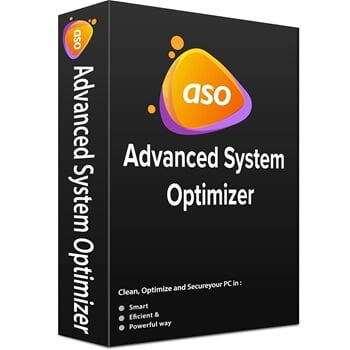
Systweak Advanced System Optimizer
Billed yearly | World class customer support
Can you trust this Systweak deal?
Yes. Our link sends you straight to Systweak’s own checkout with the discount already applied, so you’re buying a genuine license from the developer rather than a reseller key.
No crack, no keygen
You install Systweak’s official build and activate it with a real registration key. Nothing is patched or repackaged.
Straight from the developer
Systweak has published Advanced System Optimizer since 2002, and this offer goes through its official checkout.
Secure checkout
Payment happens on Systweak’s encrypted store page. Your card details never pass through WinningPC.
60-day money-back
If it isn’t for you, contact Systweak within 60 days of registration and they’ll refund the purchase.
How to Use the Advanced System Optimizer Coupon Code
Click the Advanced System Optimizer deal link on this page.
You land on Systweak’s official checkout with the coupon already applied.
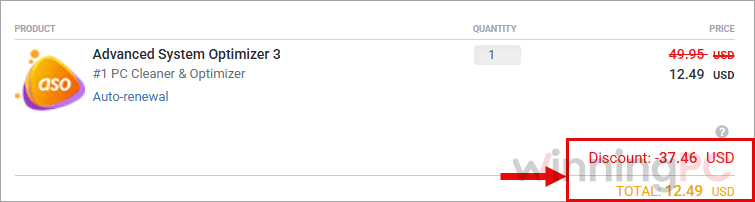
Check the order summary shows $12.49 before you pay. If you see the full $69.95, come back here and click the link again, ideally in a private browser window, since an old Systweak cart can stop the discount from loading.
Look over the cart for any extra items you didn’t choose, then complete payment.
Systweak Advanced System Optimizer Review & Features
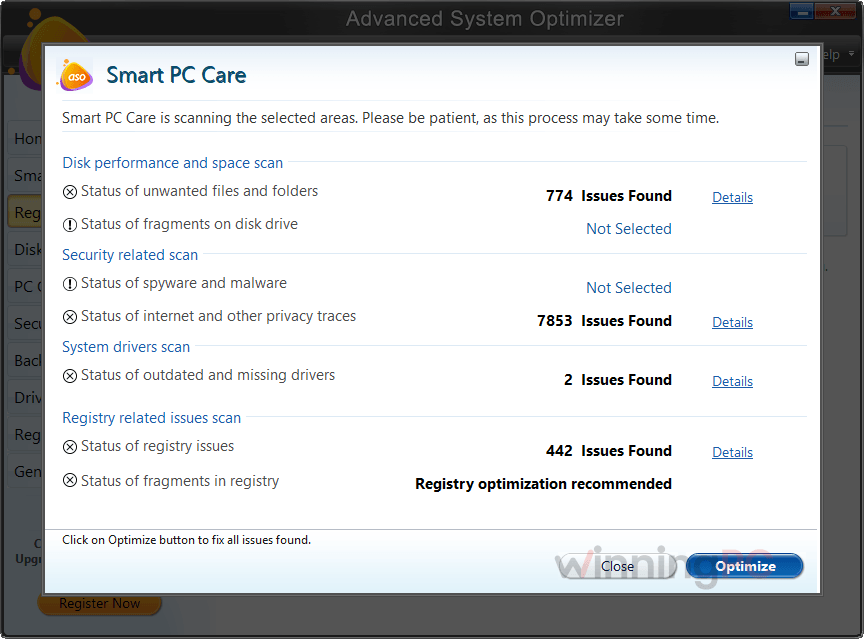
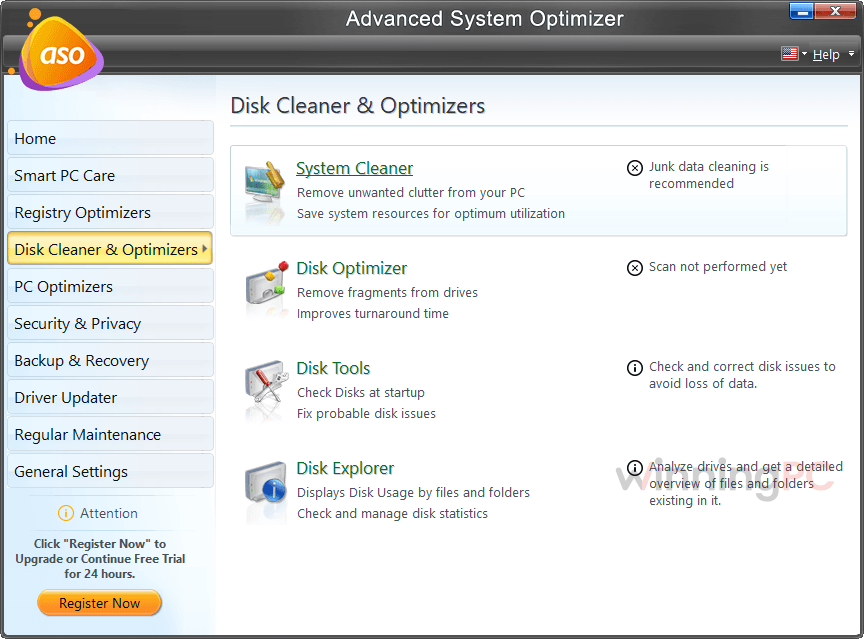
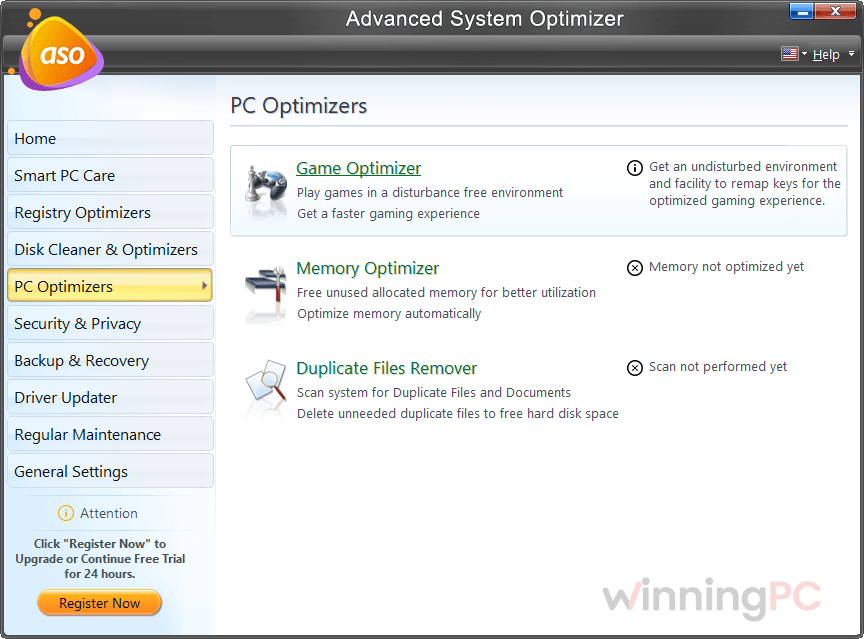
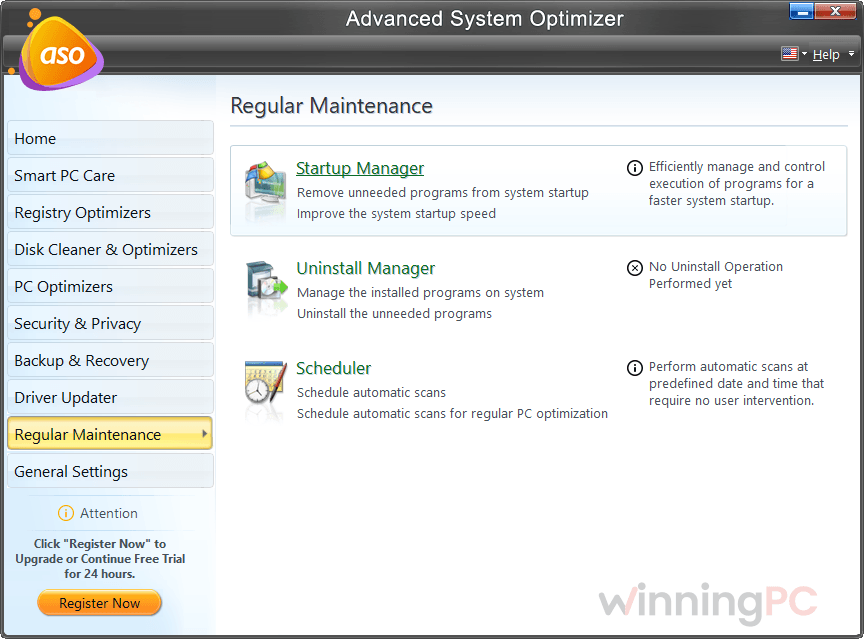
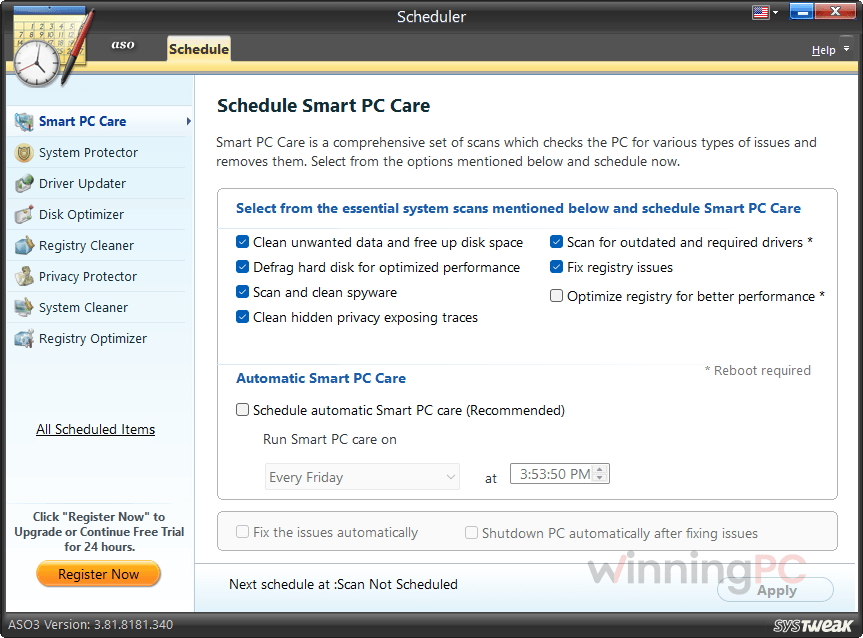
Systweak Advanced System Optimizer is a PC optimization tool, but the real value here isn’t the speed-up promise. It’s the toolbox. Duplicate File Remover, Uninstall Manager and Startup Manager are each things you’d normally download as separate apps, and having them under one roof with a scheduler is genuinely handy. Smart PC Care gives you three scan depths: Quick checks five areas, Deep covers seven and takes noticeably longer, and Custom lets you choose.
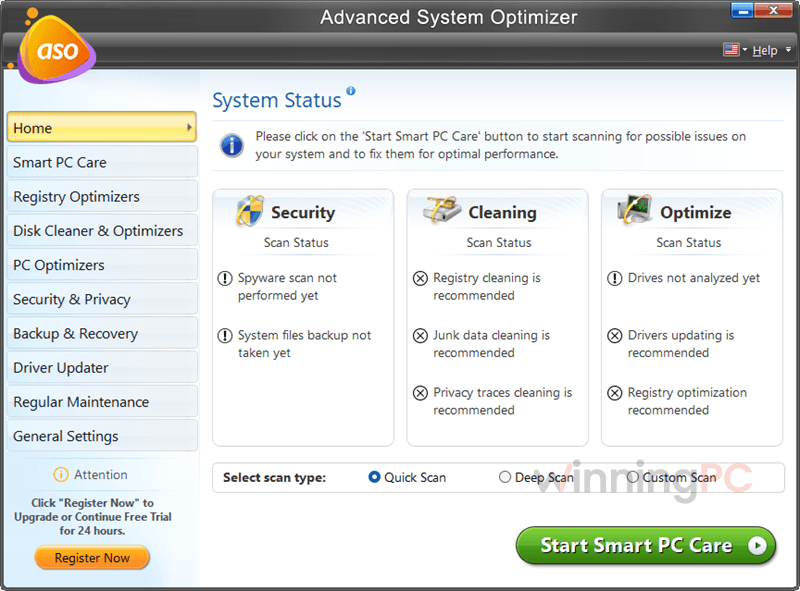
The registry tools are the part I’d expect the least visible gain from on a modern PC, though Systweak at least backs up the registry first and lets you roll back from the Undo Changes tab. A few rough edges show the app’s age. Secure Encryptor only works on individual files, not folders, and your PC can stop responding while registry optimization runs (it recovers once the job finishes).
Key features
- One-click Smart PC Care: clears junk, temp files and browser traces, checks drivers and tidies the registry in a single pass you can put on a schedule.
- Driver Updater with backup: finds outdated, missing or corrupt drivers and saves the old ones first, so a bad update can be undone.
- Backup and recovery built in: a system files backup is made on first install, Backup Manager can store documents and settings locally or remotely, and Undelete recovers files from internal drives, USB sticks and SD cards.
- Privacy tools that go beyond cleanup: Secure Delete overwrites files so they can’t be recovered, and Secure Encryptor password-protects sensitive files.
- Game Optimizer and Memory Optimizer: run a game in a distraction-free sandbox mode and free up RAM held by background processes.
What we think
More Systweak Advanced System Optimizer Screenshots
Systweak Advanced System Optimizer vs Other Alternatives
| Tool | Price | Free version | Best for |
|---|---|---|---|
| Advanced System Optimizer (our code) | $12.49/yr (reg. $69.95) | 24-hour trial only | Cleanup plus backup, undelete and encryption in one app |
| Auslogics BoostSpeed 14 Pro | $31.17/yr | Yes | Detailed tweaks and a customizable dashboard |
| Wise Care 365 Pro | $11.98/yr | Yes | Low-cost cover for a few home PCs |
| Advanced SystemCare PRO | $10.90/yr | Yes | All-in-one with a built-in software updater |
| Nero TuneItUp PRO | $26.95/lifetime | Yes | Hands-off automatic tuning |
| Kerish Doctor | $12.70/yr | 15-day trial | Background maintenance that runs on its own |
| Glary Utilities PRO | $11.98/yr | Yes | A mature free edition to try first |
| Windows built-in tools + BleachBit | Free | Free | Basic junk cleanup with no subscription |
Frequently Asked Questions
Is Systweak Advanced System Optimizer a one-time purchase or a subscription?
It’s a yearly subscription. Systweak’s pricing page lists the $69.95 price as a per-year rebill that auto-renews until you cancel, charged at whatever renewal price applies at the time. The 82% code covers what you pay today, so if you only want one year, ask Systweak support to cancel the renewal before your term ends.
Do I need to type in the coupon code?
No. Clicking our link opens Systweak’s checkout with the code already applied, and the price shows $12.49. If you see the full price instead, return to this page and click the link again.
Is there a free version?
Not a permanent one. You get a 24-hour trial with every feature unlocked, and after that only a few tools keep working.
Does Systweak Advanced System Optimizer work on a Mac?
No. It runs only on Windows 11, 10, 8.1, 8 and 7, in both 32-bit and 64-bit versions.
Will it actually make my PC faster?
Sometimes, and mostly through the less glamorous tools. Trimming startup programs, clearing a nearly full drive and replacing a faulty driver can make a difference you’ll notice at boot. Registry cleaning and RAM optimizing rarely do on Windows 10 or 11, and an SSD doesn’t need defragmenting because Windows already maintains it.
What if a program stops working after I clean the registry?
Roll the change back. Open Registry Cleaner, go to the Undo Changes tab, choose Partial Backups on the left, select the backup from before the cleanup and click Restore.
Can I encrypt a whole folder?
No. Secure Encryptor password-protects individual files only, so you’d need to encrypt the files inside a folder one by one.
How do I get out of a game running in Game Optimizer?
Press F11 to exit the Game Optimizer environment.
System Requirements & Details
| Operating system | Windows 11, 10, 8.1, 8 and 7 (32-bit and 64-bit) |
| Processor | Intel Pentium 3, 500 MHz or equivalent |
| RAM | 512 MB |
| Disk space | 50 MB free |
| Mac support | Not available (Windows only) |

![[Contest] Rain Cleaner Pro Giveaway: Win 1 of 50 Free 1-Year Licenses](https://winningpc.com/wp-content/uploads/2026/10/rain-cleaner-pro-icon.png "rain cleaner pro icon")