
 Laura Marano
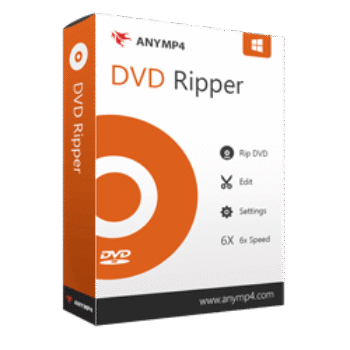
AnyMP4 DVD Ripper helps you rip homemade, commercial, damaged, or 99-title DVDs into MP4, MKV, AVI, MOV, and over 500 other formats. The DVD ripper also includes built-in editing tools, GPU acceleration, and lossless backup features for creating digital copies quickly and easily.
AnyMP4 DVD Ripper for Windows
2 plans · best save 50%
1 Year License ★ Best Deal
One license for 1 PC | 1 Year free upgrades.
AnyMP4 DVD Ripper for Mac
2 plans · best save 50%1 Year License ★ Best Deal
One license for 1 Mac | 1 Year free upgrades.
📄 Licensing & Support Details
- 30-Day Money Back Guarantee
- License Instant Delivery by Email
- 100% Clean & Secure Purchase
- Free Customer Support
- Free Technical Support
- Free Upgrades.
📝 How to apply
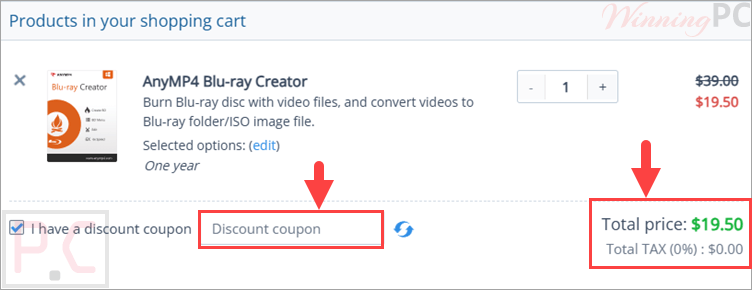
Tap the ‘Copy Code’ button in the box above to copy the code. You’ll then be sent to the checkout page, where the code can be applied to get the markdown.
AnyMP4 DVD Ripper License Key Free Download
- Product name: AnyMP4 DVD Ripper
- Website: https://www.anymp4.com
- License type: 1-year
- Platform: Windows
- Giveaway link: click here
- Download: dvd-ripper.exe
Open the AnyMP4 DVD Ripper giveaway page and complete the form to get your free registration code via email:

Install the software on your computer, open it then register for the full version by the email and license code above:

AnyMP4 DVD Ripper: In-Depth Review & Features

Key Features:
- Rip homemade, commercial, damaged, and 99-title DVDs
- Convert DVDs to over 500 video and audio formats
- Export videos in MP4, MKV, AVI, MOV, FLAC, MP3, and more
- Create 1:1 lossless DVD backups
- Backup DVDs to ISO files and DVD folders
- Preserve subtitles, chapters, menus, and audio tracks
- GPU acceleration with up to 50× faster ripping speed
- Support for 4K, 1080p, 720p, and 480p output
- Add external subtitle files in SRT and ASS formats
- Add or replace audio tracks
- Adjust brightness, contrast, hue, and saturation
- Add text and image watermarks
- Crop, rotate, flip, trim, and merge videos
- Compatible with Apple devices, Android devices, gaming consoles, and media players
- Works with editing software like Adobe Premiere and Sony Vegas.
Pros & Cons:
More screenshots:


Frequently Asked Questions
Where can I find working AnyMP4 DVD Ripper coupon codes?
You can usually find the latest discounts and verified deals for AnyMP4 DVD Ripper on WinningPC, along with offers from the official AnyMP4 website during seasonal promotions.
What is the best current discount for AnyMP4 DVD Ripper?
Right now, WinningPC features a 50% OFF deal for both the 1-Year and Lifetime licenses of AnyMP4 DVD Ripper.
Can AnyMP4 DVD Ripper convert DVDs to MP4?
Yes. The software can convert DVDs into MP4 along with many other popular video formats like MKV, AVI, and MOV.
Does AnyMP4 DVD Ripper support damaged DVDs?
Yes. It supports homemade, commercial, damaged, workout, and 99-title DVDs.
Is GPU acceleration supported?
Yes. The software supports NVIDIA, AMD, and Intel GPU acceleration for faster ripping performance.
Can I back up DVDs without losing quality?
Yes. It supports 1:1 lossless backups to ISO files, DVD folders, MPG, MKV, and MP4 formats.
Does the software work on macOS?
Yes. It supports macOS 10.12 through macOS 15, including Apple Silicon processors.
Can I edit videos before ripping?
Yes. You can crop, rotate, trim, merge, add subtitles, apply filters, and add watermarks before exporting the video.
Is AnyMP4 DVD Ripper safe to use?
Yes. According to the provided information, the software does not store or disclose your private data.
System Requirements & Details
| Language Support | English, Français, Italian, Spanish, Swedish, and more… |
| Operating System | Windows 11/10/8.1/8/7 (32-bit & 64-bit) macOS 10.12–15 |
| Processor | 1GHz Intel/AMD CPU or above |
| RAM & Storage | 2GB RAM or above |
| Supported Input | DVD Disc, DVD Folder, DVD ISO Files. |
| Supported Output | MP4, MKV, AVI, MOV, FLAC, MP3, ISO, DVD Folder, GIF, and 500+ formats. |



Please refresh this giveaway ! I need it