
 Cathryn Lee
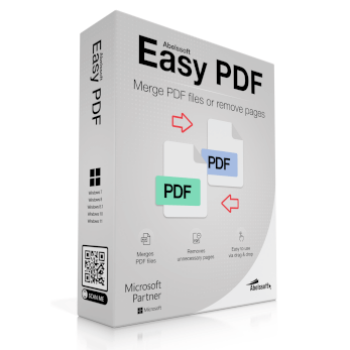
The Abelssoft Easy PDF 2024 function allows you to merge multiple PDF files quickly and easily. This software also lets you create your individual document from a single page of several PDF files.
Abelssoft Easy PDF
Merge PDFs effortlessly & delete individual pages and reorganize documents.
- Product
- Abelssoft Easy PDF
- Product website
- abelssoft.de
- License
- Lifetime
- Platform
- Windows 11, 10, 8.1, 7
- Usage
- Non-commercial only
- Updates
- No future upgrades
- Support
- No support
Download safely
A fresh, short-lived download link is created only when you click.
The free license is no longer available.
Table of Contents
How to get the Abelssoft Easy PDF Free License Key?
Download Abelssoft Easy PDF 2024 full version for free from the above download link. Once you’ve downloaded the Easy PDF 2024 giveaway installer, access the file and run it:

You need to unlock Abelssoft Easy PDF before you can use it. Fill out your name and email address, then click the “Get free unlock e-mail now” button to register the software:

Now you can merge PDF files with ease!

Abelssoft Easy PDF Screenshot!

Abelssoft Easy PDF Import PDF!

Key Features
- Merge multiple PDF files
- Create a new document from several PDF pages
- Very easy operation via drag & drop
- Processes an unlimited number of PDF files
System Requirements & Details
| Language Support | English, Français, Italian, Spanish, Swedish, and more… |
| Money Back Guarantee | 30-Day |
| Operating System | Windows |
| Shipping | Instant Delivery by Email |
| Subscription | Lifetime |
| Support Services | Email, Tickets |





Can it split and merge Text/Layout without reencoding each page to a new solid bitmap graphic?
You can easily check by zooming in to text and it looks pixelated / it is not selectable anymore.
this software does not do what it is supposed to do , it does not merge PDFs ! so what is the point of downloading such an useless software if it does not work ??
This is what I did to merge PDFs. Actually it’s not that complicated, but not that intuitive.
(1) Add PDFs you want to merge
(2) Select ALL (under More icon) imported PDFs you want to merge
(3) Select “Create New PDF”
(4) Drag individual selections from item 2 above to the Create New PDF window
(5) Select Save As in Create New PDF window
(6) “Merged” PDF will be saved to your desired location
Overall disappointing.