SoftOrbits Video Watermark Maker Giveaway: Lifetime License

Softorbits Video Watermark Maker

SoftOrbits Video Watermark Maker is one of the best video watermark maker software that allows you to create a branded video by adding your watermark. Besides, this software can automatically resize watermarks and position them because it has fixed-size watermarks regardless of the video resolution.

Publisher giveaway

SoftOrbits Video Watermark Maker

Use Bulk Video Watermark to add a watermark to video files quickly - batch text or logos and keep your work on your machine.

  • ProductVideo Watermark Maker
  • Websitesoftorbits.net
  • LicenseLifetime
  • PlatformWindows 11/10/8.1/8/7 (32/64 bit)
  • UsageNon-commercial only
  • UpdatesNo future upgrades
  • SupportNo support
  • Updated2026-06-24
Share to reveal your license code and the official claim page.
Verified by WinningPC HTTPS-only redirect
Verified for Jul 2026 by Cathryn: At the moment, no valid coupon codes are available for SoftOrbits Video Watermark Maker. However, you may consider the following alternative software options.
iMyFone MarkGo - Lifetime License

iMyFone MarkGo - Lifetime License

−65%
$20.99$59.99
HitPaw Watermark Remover - Perpetual License

HitPaw Watermark Remover - Perpetual License

−65%
$20.99$59.99
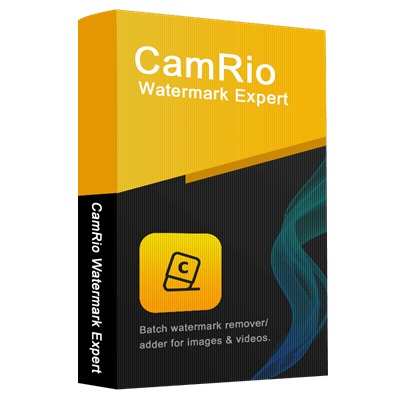
CamRio Watermark Expert - Lifetime License

CamRio Watermark Expert - Lifetime License

−50%
$59$119

Click on the giveaway installer link above to download and install the software on your computer. During the installation process, please enter your email address, then click on the “Get free registration key” button.

get softorbits video watermark maker key
SoftOrbits Video Watermark Maker Giveaway: Lifetime License 1

You will be directed to the giveaway page. Please complete your basic profile to get your free license code

Softorbits Video Watermark Maker License Key
SoftOrbits Video Watermark Maker Giveaway: Lifetime License 2

Please copy the license code and turn back the installation process. Paste the code in the blank and click on the “Activate Now!” button to register the full version for SoftOrbits Video Watermark Maker:

activation softorbits video watermark maker
SoftOrbits Video Watermark Maker Giveaway: Lifetime License 3

Now you can enjoy the software for a lifetime free with full functions!

about softorbits video watermark maker free
SoftOrbits Video Watermark Maker Giveaway: Lifetime License 4

SoftOrbits Video Watermark Maker Screenshot

SoftOrbits Video Watermark Maker
SoftOrbits Video Watermark Maker Giveaway: Lifetime License 5

Add File(s)

add file softorbits video watermark maker
SoftOrbits Video Watermark Maker Giveaway: Lifetime License 6

Main Features

  • Text Watermarks: SoftOrbits Video Watermark Maker allows you to add custom text watermarks to your videos. You can choose the font, color, and position to ensure your watermark stands out.
  • Logo Watermarks: You can use it to insert your logo as a watermark. The software supports transparent backgrounds, allowing your logo to blend seamlessly with the video content.
  • Image Watermarks: It also uses any image as a watermark. This feature is perfect for adding unique graphics or branding elements to your videos.
  • Batch Processing: The batch mode allows you to apply the same watermark settings to a group of videos in one go.
  • Adjustable Watermark Settings: You can customize the size, transparency, and position of your watermarks to a percentage of the source video size, ensuring it looks perfect regardless of the video resolution.
  • Automatic Resizing: The software automatically resizes watermarks to maintain their appearance across different video resolutions. This ensures consistency and professionalism in your branded videos.
  • Save Watermark Templates: Create and save watermark templates for future use. This feature is especially useful if you frequently apply the same watermark to your videos.
  • Support for Various Formats: SoftOrbits Video Watermark Maker supports a wide range of video formats, ensuring compatibility with your existing video files.
  • Protection and Branding: By adding watermarks, you can protect your videos from unauthorized use and ensure that your brand is always visible
FeatureSpecifications
Operating SystemWindows 11, Windows 10, Windows 8.1, Windows 8, Windows 7 (32-bit & 64-bit)
ProcessorIntel Core i3, AMD Ryzen 5, or higher
Memory (RAM)4 GB RAM or above
Graphics CardNVIDIA GeForce Series 8/8M or higher, Intel HD Graphics 2000 or higher, Quadro FX 4800/5600, AMD Radeon R600, Mobility Radeon HD 4330, Mobility FirePro Series, Radeon R5 M230 or newer (latest drivers recommended)
Display Resolution1280 × 768 resolution, 32-bit color
Storage Space1 GB of available hard disk space or more
7.5 Total Score
Average

With SoftOrbits Video Watermark Maker, you can make text watermarks, image watermarks, or both and place them exactly where you want them.
(Review by Cathryn Lee – tech writer and software reviewer at WinningPC)

7.5Expert Score
Overall
7.5
Functionality
7.5
Ease-of-use
7.5
Customer Support
8
4User's score
Overall
4
Functionality
4
Ease-of-use
4
Customer Support
4
Add your review  |  Read reviews and comments

5/5 - (3 votes)

Affiliate Disclosure: Some links on WinningPC are affiliate links. If you purchase through them, we may earn a small commission at no extra cost to you. This helps support our site and keeps our content free.

Cathryn Lee
Cathryn Lee

Cathryn Lee is a Tech Writer at WinningPC with expertise in technical documentation and user-friendly content creation. She focuses on reviewing software for Windows, Mac, Android, and iOS, helping users make informed decisions with clear and helpful guides. With a background in technical writing and SEO, Cathryn ensures that her reviews are both accurate and easy to understand, providing value to readers of all experience levels. Her passion for technology drives her to test and recommend tools that truly enhance digital productivity, while also bringing exclusive deals to the WinningPC community.

3 Comments
Show all Most Helpful Highest Rating Lowest Rating Add your review
  1. 0.1
    Overall
    0
    Functionality
    10
    Ease-of-use
    0
    Customer Support
    0

    WARNING Softorbits DO NOT RESPECT THE INTEGRITY OF YOUR SYSTEMS. They build their programs and installers to bypass admin protections on program installation to allow non-admins like children and employees to install programs when they are not authorised or allowed to install unauthorised programs. They FORCE installation to the system drive, and force installation into an insecure folder hierarchy in the user AppData folders subfolder which is not write protected against non-elevated malware. I do not recommend the installation of products by such a self-serving malicious developer on your machines. Also this is an illegal distribution of FFMPEG binaries since this is a closed source (badly designed) program incorporating open source FFMPEG binaries that are not licensed to be included in a closed source product.

    - CONS: forces install onto system drive forces install into an insecure location that any running process can modify so is insecure. Steals the intellectual property of ffmpeg.org to place watermarks into video stream forcing re-encoding each different watermark duration and instance resulting in significant loss of video quality.
    Helpful(1) Unhelpful(0)You have already voted this
  2. 3.85
    Overall
    80
    Functionality
    70
    Ease-of-use
    80
    Customer Support
    80

    This is license key: VWM2-WSPNY-NBZZC-KVFXL

    Helpful(0) Unhelpful(1)You have already voted this
  3. thank you, the giveaway code is worked.

Leave a reply

Your total score

WinningPC
Logo
Register New Account