
 Chris Bruner
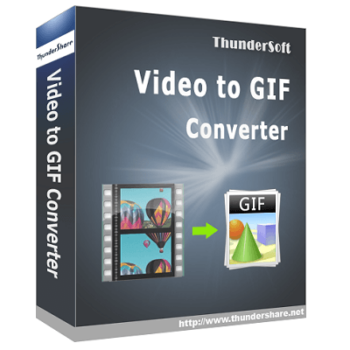
Let’s use ThunderSoft Video to GIF Converter if you are searching for a tool to help you turn your videos into animated GIFs. This handy converter tool allows you to preview original video frame by frame, crop and specify video clip with ease and then you are able to convert your video to GIF with high quality.
This software offers the function to convert MP4 to GIF, avi to GIF, MPG to GIF, WMV to GIF, and FLV to GIF, as well as MOV, VOB, MKV, RMVB, and other format converters. Whether you’re a professional or a hobbyist, this tool provides an efficient way to create animated GIFs for various uses, from social media posts to website elements. Thundersoft Video To GIF Converter is possible to help you add texts and logos to the GIF before conversion, too.
Top Video To GIF Converter Coupon Code
WonderFox Video to GIF Converter
77% off coupon code: regular price $29.90, discounted price $6.96

Honeycam Professional - 50 PCs
45% off: regular price $1950, discounted price $1,072.5
Thundersoft Video To GIF Converter Free Key
- Product name: Thundersoft Video To GIF Converter v5.5.0
- Website: https://www.thundershare.net/
- License type: lifetime
- Platform: Windows
- Download: VGSetup_giveaway.zip
- License code – last updated: Dec 09, 2025
The giveaway has ended!
How to get the license key?
Please enter your email address in the above available form to get your ThunderSoft Video to GIF Converter lifetime license keys.
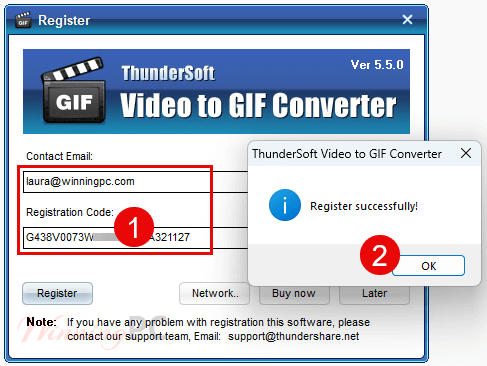
Download and install the software on your computer. Open the program and access the registration window upon launch. To activate the software, enter your email address and the Thundersoft Video To GIF Converter registration key that you receive in the mailbox.
Thundersoft Video To Gif Converter Screenshot!

Add Videos

Crop Video

Output settings

Options

Main Features
- Frame-by-Frame Preview: ThunderSoft Video to GIF Converter allows you to preview the original video frame by frame to ensure a precise selection of the video segment to be converted.
- Easy Cropping and Clipping: This tool also allows you to crop the video and specify the exact clip to convert into a GIF. This functionality facilitates the creation of pertinent and targeted animations.
- Add Texts and Logos: For branding or adding informative captions to your animations, you are also allowed to customize your GIFs by adding text and logos directly into the software.
- Delete Unwanted Frames: To ensure only the necessary parts of the video are included in the final output, this tool provides the function to help you remove any unwanted frames to create a cleaner and more polished GIF.
- Adjust GIF Play Speed and Replay Times: In addition, it can also be used to control the play speed of your GIF and set the number of times it should replay.
- Support for Popular Video Formats: This converter tool supports almost all popular video formats, such as MP4, AVI, MPG, WMV, FLV, MOV, VOB, MKV, and RMVB, making it easy to work with videos from various sources.
- Output File Preview: The next advantage of Thundersoft Video To GIF Converter software is the ability to preview the output GIF before finalizing the conversion to ensure the GIF meets your expectations.
- High-Quality Conversion: This tool helps you maintain the quality of the original video in the converted GIF, ensuring that the animations are smooth and visually appealing.
Technical Details
| Language Support | English |
| Money Back Guarantee | 30-Days |
| Operating System | Windows 11/10/8.1/8/7/Vista/XP |
| Shipping | Full version license code will be sent to you within minutes |
| Subscription | Lifetime |
| Support Services |






note like practically all other Chinese closed source media processing developers Thundersoft include an illegal unlicensed GPLv3 binary distribution of FFMPEG binaries with their program that does all the video conversion.