Laura Marano
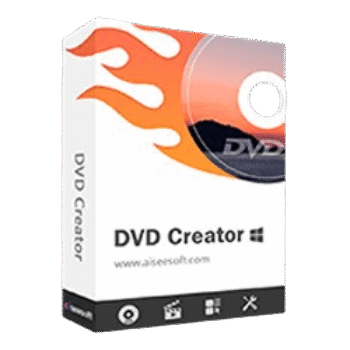
Aiseesoft DVD Creator helps you create DVD discs, DVD folders, and ISO files from videos, audio, and images. It also includes menu customization, subtitle/audio track settings, and basic video editing tools.
Aiseesoft DVD Creator for Windows
2 plans · best save 50%
Aiseesoft DVD Creator for Mac
2 plans · best save 50%
📄 Licensing & Support Details
- License Type: 1-Year, Lifetime license
- 30-Day Money-Back Guarantee
- Free Upgrades
- Technical Support
- 100% Secure.
📝 How to apply
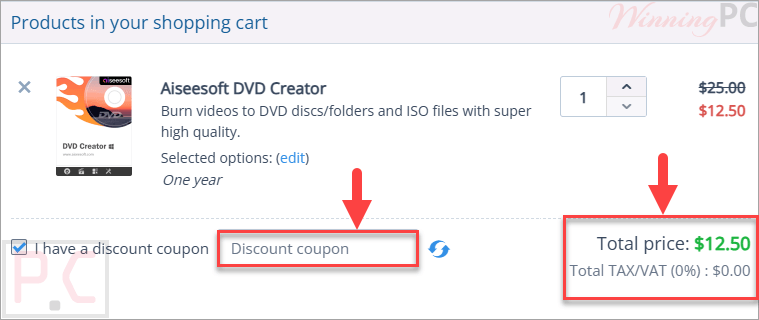
Use the ‘Copy Code’ button in the coupon box above to capture the code, which will lead you to the checkout page for applying your discounted rate.
Aiseesoft DVD Creator: In-Depth Review & Features

Key Features:
- Burns video, audio, and images to a DVD disc, DVD folder, or DVD ISO file.
- Supports DVD-R/RW, DVD+R/RW, DVD-5/9, DVD+R DL, and DVD-R DL.
- Includes DVD menu templates with editable frames, buttons, text, fonts, colors, background music, background images, and opening films.
- Lets users add audio tracks in MP3, AAC, FLAC, M4A, WMA, WAV, OGG, and more.
- Supports subtitles from SRT, SUB, SSA, and ASS files.
- Offers video editing tools for brightness, saturation, contrast, trimming, cropping, aspect ratio changes, and watermarking.
- Provides a real-time preview before burning.
- Uses hardware acceleration for faster DVD burning.
- Works on Windows and Mac.
Pros & Cons:
More screenshots:


Frequently Asked Questions
Are there any promo codes for Aiseesoft DVD Creator?
Yes. WinningPC lists current coupons, and it is also worth checking official Aiseesoft channels for limited-time offers.
What is the best Aiseesoft DVD Creator discount right now?
The best deal listed on WinningPC is 50% OFF, cutting the 1 Year License to $12.50 and the Lifetime License to $24.97.
What can Aiseesoft DVD Creator burn?
It can burn videos, audio, and images to DVD disc, DVD folder, or DVD ISO file.
Does it support DVD ISO creation?
Yes. You can create a DVD ISO file from video for backup or later burning.
Can I create a DVD folder without using a blank disc?
Yes. The software can create a DVD folder with DVD movie content, including the VIDEO_TS folder.
Does Aiseesoft DVD Creator include DVD menu templates?
Yes. It includes menu templates and lets you customize frames, buttons, text, fonts, colors, background music, pictures, and opening films.
Can I add subtitles to a DVD?
Yes. It supports subtitle files such as SRT, SUB, SSA, and ASS.
Can I edit videos before burning?
Yes. You can adjust brightness, saturation, contrast, trim video length, crop the video, change aspect ratio, and add a watermark.
Does it work on Windows 11?
Yes. It supports Windows 11, 10, 8.1, 8, 7, Vista, and XP.
System Requirements & Details
| Operating System | Windows 11/10/8.1/8/7/Vista/XP Mac OS X 10.12 or higher |
| Processor | Windows: 1GHz Intel/AMD CPU or above |
| RAM & Storage | 1GB RAM or more |
| Supported Input | 3GP, 3G2, AVI, DV, DIF, FLV, SWF, F4V, MOD, MIPEG, MJPG, MKV, MPEG, MPG, MPEG-2, VOB, DAT, MP4, M4V, MPV, QT, MOV, RM, RMVB, TS, TRP, TP, WMV, ASF; HD MPG, HD MPEG, HD MP4, HD MOV, HD WMV, HD TS, HD MTS, HD M2TS, HD TRP, HD TP |
| Supported Output | DVD-format disc, DVD folder, DVD ISO file |