Laura Marano
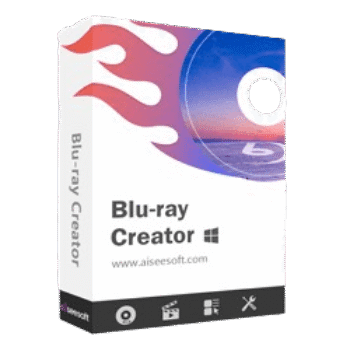
Aiseesoft Blu-ray Creator lets you turn videos into Blu-ray discs, Blu-ray folders, or ISO files. It supports many video formats, editing tools, menus, subtitles, audio tracks, and BD-25/BD-50 output.
Aiseesoft Blu-ray Creator for Windows
2 plans · best save 50%
📄 Licensing & Support Details
- License Type: 1-Year, Lifetime license
- 30-Day Money-Back Guarantee
- Free Upgrades
- Technical Support
- 100% Secure.
📝 How to apply
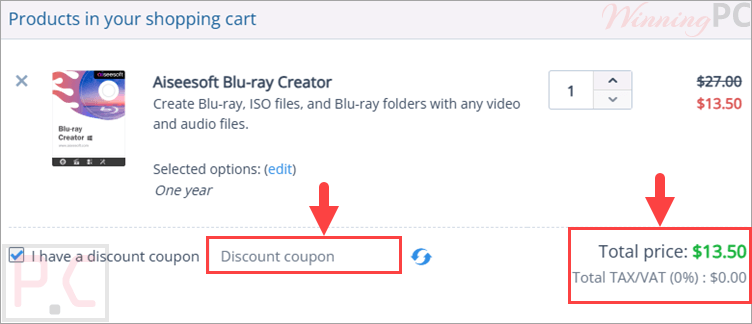
Press the ‘Copy Code’ button in the box above to copy the code, then be redirected to the checkout area, where you can enter it to save money.
Key Features and Screenshots

Key Features:
- Create Blu-ray discs from MP4, AVI, MOV, WMV, MKV, MXF, TS, M2TS, and more.
- Save videos as a Blu-ray folder or an ISO file.
- Supports BD-25 and BD-50 disc types.
- Add audio tracks and subtitles in SRT, SSA, and ASS format.
- Customize Blu-ray menus with editable buttons and text.
- Clip long videos into smaller segments.
- Crop video to remove letterbox areas.
- Add a watermark for a personal touch.
- Preview source video and Blu-ray output effects.
- Take snapshots from video scenes.
- Adjust encoder, frame rate, bitrate, and audio channel.
- Burn several videos to Blu-ray at the same time.
- Includes 3D movie creation features.
Pros & Cons
More screenshots:


Frequently Asked Questions
Are there any Aiseesoft Blu-ray Creator promo codes available?
Yes. WinningPC lists the current coupon deal, and you can also check official Aiseesoft channels for extra offers.
What is the best current discount for Aiseesoft Blu-ray Creator?
The best deal listed on WinningPC is 50% OFF, bringing the 1 Year License to $13.50 and the Lifetime License to $24.97.
Can it create a Blu-ray disc from MP4 files?
Yes, MP4 is supported.
Does it support ISO output?
Yes, you can turn videos into a Blu-ray ISO file.
Can I create a Blu-ray folder instead of burning a disc?
Yes, Blu-ray folder output is supported.
Which subtitle formats can I add?
You can add subtitles in SRT, SSA, and ASS formats.
Does it include video editing tools?
Yes. It includes clip, crop, effect adjustment, and watermark tools.
Can I make a custom Blu-ray menu?
Yes, it provides themed menus with editable buttons and text.
Does it support batch burning?
Yes, several videos can be burned to Blu-ray at the same time.
What Blu-ray disc types are supported?
It supports BD-25 and BD-50.
System Requirements & Details
| Operating System | Windows 11, 10, 8.1, 8, 7, Vista, XP SP2 or later |
| Processor | 1 GHz 64-bit or above; Intel processor and Apple M-series chips listed |
| RAM & Storage | 1 GB RAM or more; 200 MB free hard disk space or above |
| Supported Input | MP4, AVI, MOV, WMV, MKV, MXF, TS, M2TS, TP, TRP, MPG, MPEG, M4V, VOB, HD videos, and more |
| Supported Output | Blu-ray disc, Blu-ray folder, Blu-ray ISO file, BD-25, BD-50 |