Cathryn Lee
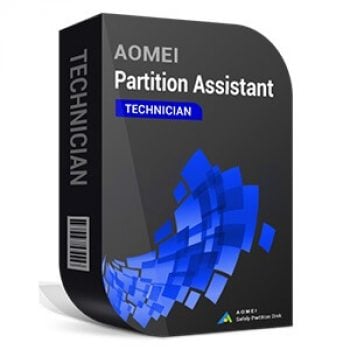
AOMEI Partition Assistant Technician is a partition manager for service providers to manage disks and partitions on Windows PCs and Windows Server. It lets you create, delete, format, move, resize, merge, and split partitions, plus clone partitions or entire disks and hide/unhide partitions. It also converts disks between MBR and GPT (including system disks). It’s built for enterprise and IT maintenance tasks, including managing large groups of PCs and servers across multiple locations.
Partition Assistant Technician Coupon Code

AOMEI Summer Sale 2026: Up to 80% OFF & New Family Bundle
Join AOMEI's Summer Sale 2026 and save up to 80% on popular software and the new Family Bundle. Protect, manage, and recover your valuable data for less. The event ends on Aug 31st, 2026!
AOMEI Partition Assistant Technician (Yearly / Unlimited PCs & Servers)
30% Off coupon code: regular price: $599.0, discounted price: $449.25
AOMEI Partition Assistant Technician + Lifetime Upgrades (Unlimited PCs & Servers)
30% coupon code: regular price: $799.0, discounted price: $559.30

AOMEI Flash Sale (80% OFF)
80% off to get AOMEI bundle to protect, manage, and optimize Windows and iOS or single product.
Main Features & Screenshots

- Disk Space Management: AOMEI Partition Assistant Technician manages disk partitions, optimizes storage usage, and organizes drives while maintaining data integrity and reducing system downtime.
- Portable Boot Version: create a portable edition to repair boot issues and manage partitions directly without relying on the installed operating system.
- Billable Service Support: allows technicians and consultants to provide disk management services to unlimited clients under a commercial support model.
- Latest Windows Compatibility: maintains full compatibility with Windows Server 2025 and Windows 11 for reliable deployment across modern systems.
- Proven Data Safety: developed by professional technicians over 16 years and tested by more than 30 million users for consistent reliability.
- User-Friendly Interface: provides an intuitive layout that helps both beginners and experienced administrators perform partition tasks without complicated steps.
- Portable Technician Tool: run the software directly from removable devices on target machines without installation, simplifying field maintenance and support work.
- Service-Based Revenue Model: enables IT professionals, technicians, and consultants to deliver disk management services to clients without licensing restrictions.
- All-in-One Disk Manager: manage basic or dynamic disks with tools for resizing, moving, merging, deleting, formatting, and organizing partitions efficiently.
- System and Disk Migration: migrate operating systems or clone entire disks between HDDs and SSDs while ensuring the destination drive remains bootable.
- PC Performance Optimizer: locate and remove large files, duplicates, and junk data to recover storage space and improve overall system performance.
- Flexible Disk Conversion: convert MBR to GPT, dynamic disks to basic, logical partitions to primary, and FAT32 to NTFS without data loss.
- Data Erasure and Recovery Tools: permanently wipe drives or files while also supporting partition and data recovery when unexpected data loss occurs.
- IT Service Deployment Tools: simplify storage troubleshooting and configuration across multiple systems, helping service providers minimize downtime and maximize disk utilization.
- MBR to GPT Conversion: convert partition styles to support large-capacity drives, modern operating systems, NVMe hardware, and future upgrade compatibility.
- Bootable Media Creation: build bootable tools to repair systems, wipe drives, reset passwords, access encrypted disks, or deploy operating systems.
- USB Portable Operation: store the software on a USB drive and run it on multiple computers without installation or administrative setup requirements.
More screenshots


Frequently Asked Questions
What is AOMEI Partition Assistant Technician used for?
It’s a disk and partition management tool for service providers and IT admins to manage Windows PCs and Windows Server machines, including partition operations, cloning, conversion, and maintenance tasks.
What partition tasks can it do?
It supports common partition operations like resizing, moving, merging, deleting, and formatting partitions.
Does it support dynamic disks?
Yes. It includes a built-in Dynamic Disk Manager for dynamic disk volumes.
Can it migrate Windows (OS) to an SSD/HDD?
Yes, it can migrate the OS to another drive (SSD/HDD) and is intended to help ensure the target drive can boot.
Can it clone a full disk?
Yes. It supports cloning an entire disk to another drive as part of its system/data migration features.
Can it convert MBR to GPT (and GPT to MBR)?
Yes. It can convert disks between MBR and GPT.
Can it convert dynamic disks to basic disks (and back)?
Yes. It can convert dynamic to basic (and vice versa).
Can it convert a partition type or file system without wiping data?
The page states Partition Assistant Technician can convert logical/primary partitions and convert FAT32/NTFS “without data loss.”
Can I run it without installing (portable use)?
Yes. It supports creating a portable version that can be run from removable media, and it also mentions a “Create portable version” capability.
How does licensing work for the Technician edition, and can users get a discount?
AOMEI states 1 Technician license is for one technician to serve unlimited PCs and servers. WinningPC can also provide a 30% discount coupon code for this product.
Why Choose WinningPC
- Why Trust? We are committed to providing 100% valid and verified coupon codes, so you can always shop with confidence.
- Found an Invalid Coupon or a Better Deal? If you encounter an invalid code or a better offer, please let us know. Our team updates all discount information regularly to ensure accuracy.
- Official Authorization: We only share authentic discounts from trusted software developers.
- No Fake Discounts: Unlike some sites, we never use misleading deals. The final price you see is the true discounted price.
- Secure Purchases: All transactions are processed on the official vendor’s website, ensuring authenticity and data protection.
- Extra Support: If you face order or vendor issues, contact us. We’ll liaise with the vendor to help resolve your problem quickly.
Technical Details
| Language Support | English, Français, Italian, Spanish, Swedish, and more… |
| Money Back Guarantee | 90-Day |
| Operating System | Support Windows 11/10/8.1/8/7 Support Windows Server 2025/2022/2019/2012 |
| Shipping | Register code will be sent to your email in minutes |
| Subscription | Lifetime |
| Support Services | Email, Forums, Live Chat |