
On this page
Nero Video 2026 SE Giveaway
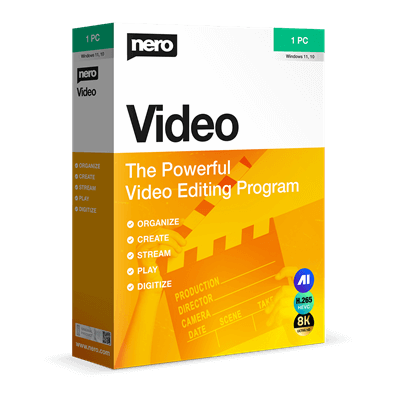
Nero Video 2026 SE
Cut, edit & enhance videos - with full Nero power for your Windows PC.
- Product
- Nero Video 2026 SE
- Product website
- nero.com
- License
- Lifetime
- Platform
- Windows 10, 11 (32/64-bit)
- Updates
- No future upgrades
- Support
- No support
- Updated
- 2026-09-19
Continue on nero.com
Share to reveal the official giveaway page, then register there to receive your license.
The limited-time giveaway!
The free license is no longer available.
Nero Video 2026 SE Plans & Coupon Codes

You may also like

Nero Platinum Suite 2026 - 1 Year
1 PC - 1 year license | Updates & upgrades included with automatic renewal
Nero Platinum Suite 2026 + 3 Free Gifts!
3 Free Gifts includes: Steganos Data Safe, Abelssoft Easy PDF, 3D Chess.
Is this Nero Video 2026 SE giveaway safe and legit?
Yes. This is a genuine promotional offer run directly through Nero’s official website. A few things worth knowing:
No crack or keygen
You install Nero’s own software from the official download link. The serial number is generated by Nero’s servers after you verify your email – nothing is patched, repackaged, or sourced from a third party.
Official publisher giveaway
The registration happens on nero.com itself, not on a reseller or grey-market key site. You’re creating an account with the developer directly.
Account-based activation
Nero ties your license to your Nero account rather than sending a bare serial key. This is standard practice for modern Nero products and means your license is registered to a legitimate account from day one.
Secure checkout if you upgrade
If you decide to buy the full Nero Video 2026 instead, payment goes through Nero’s own encrypted storefront. A 30-day money-back guarantee applies to paid purchases.
How to Claim Your Free Nero Video 2026 SE Key
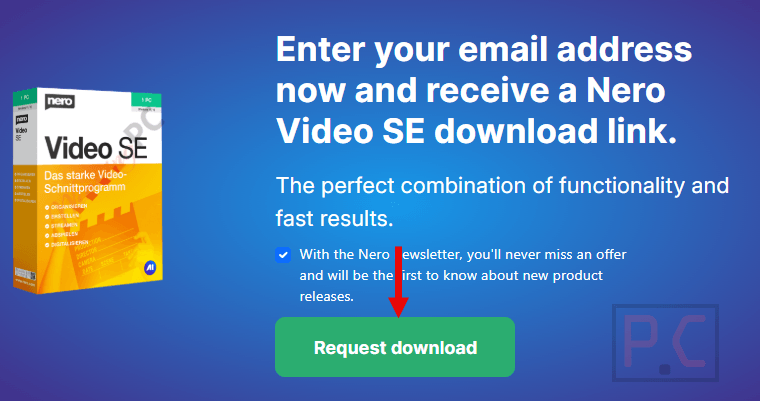
- Go to Nero’s official giveaway page (link above) and click “Request download.”
- Click “Create one!” next to “No account?” to set up a free Nero account. Enter your email address and a password, then click “Create user account.”
- Check your inbox for a confirmation code from Nero. Enter it on the promotional page to activate your Nero account.
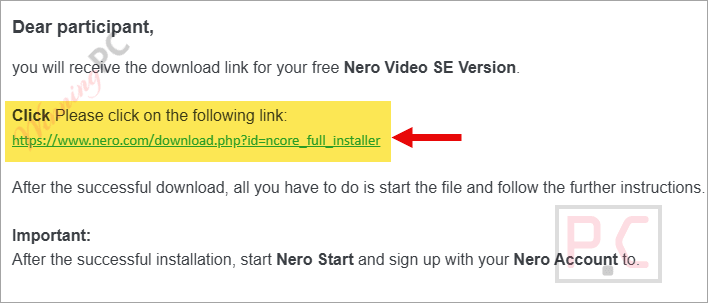
- Nero sends a second email with a download link for the Nero Video SE installation file. Download it.
- Install Nero Video SE on your Windows PC using the official installer.
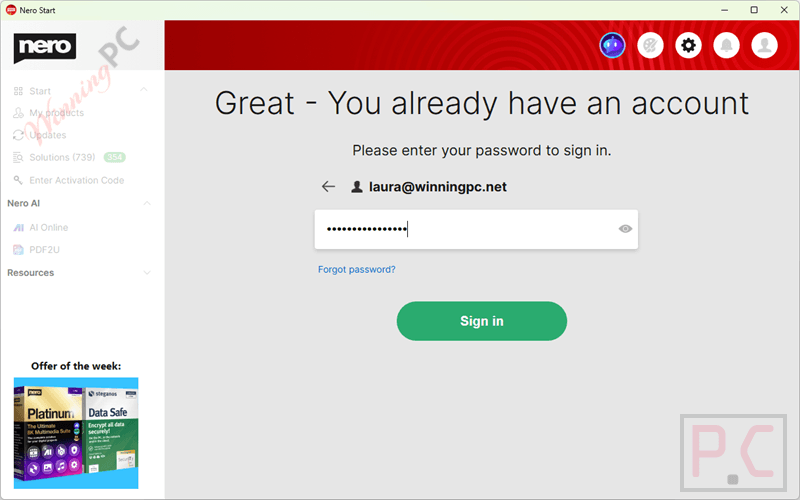
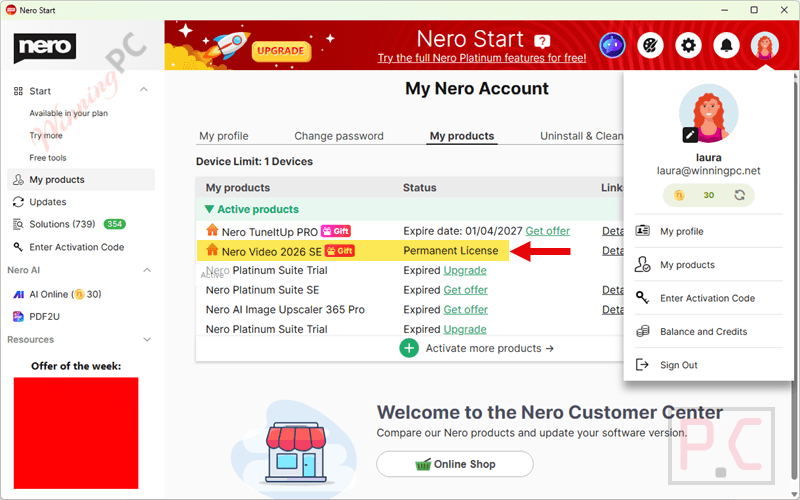
- After installation, open Nero Start and sign in with your Nero account. Your Lifetime license activates automatically – no separate activation code needed.
Nero Video 2026 SE review: what it actually delivers
Nero Video 2026 SE is a capable mid-range video editor with a feature set that punches above what you’d expect for a free giveaway build. The timeline supports HD, 4K, and 8K editing, and standout tools include the Nero Motion Tracker 2026 (which locks text or effects to a moving object throughout a clip), green screen keying, Beat Sync (automatic video cut alignment to a song’s tempo), and more than 1,000 templates covering travel, family, and action content. For home users putting together travel films or birthday slideshows, those features genuinely save time. The interface is clean enough for beginners while still offering depth for more experienced editors who want keyframe animation or multi-track audio.

The SE label is worth understanding upfront. This is a special giveaway build, not the full commercial Nero Video 2026, and it comes locked to non-commercial use with no future updates and no technical support. If something breaks after a Windows update cycle, you’re on your own. That said, for personal projects it’s a lot of software for zero dollars.
Key features
- Multi-track editing up to 8K: Timeline-based editing with HD, 4K, and 8K resolution support; includes portrait video templates for smartphone footage and a 1-click bar remover for widescreen fixes.
- Nero Motion Tracker 2026: Automatically tracks moving objects in a clip and locks text, graphics, or effects to that movement throughout the shot.
- 1,000+ templates and effects: Covers travel, family, celebrations, and action; includes slow motion, time-lapse, tilt shift, airbrush, and old-film effects with full transition control.
- DVD and Blu-ray authoring: Export finished projects with custom disc menus and burn to DVD, Blu-ray, or BDXL formats – unusual to find this bundled with an editor at no cost.
- Beat Sync: Detects the tempo of a backing track and automatically adjusts video cuts to hit the beat, which saves a lot of manual editing time on music-driven videos.
pros & cons
more screenshots!


System Requirements & Details
| Operating system | Windows 10, Windows 11 (32/64-bit); 8K editing and AI features require 64-bit |
| Processor | 2 GHz AMD or Intel minimum; Intel i7-4770+ for 4K UHD; i7-6700 (4 GHz)+ for H.265/HEVC editing |
| RAM | 1 GB minimum; 8 GB recommended for 8K, Motion Tracker, AI Upscaling, and screen recording |
| Storage | 5 GB for typical installation; up to 50 GB additional for disk images and temporary files |
| Graphics | DirectX 9 compliant minimum; Nvidia GTX 970+ / AMD Radeon R9 390+ recommended for AI Upscaling (SD); GTX 1070+ / RX 5600+ for HD AI Upscaling; GTX 960+ for AI Image Upscaler |
| Optical drive | DVD drive for installation and playback; recordable/rewritable drive for burning |
| Internet | Required for license verification |
| Supported input formats | Video: 3GP, ASF, AVI, DIVX, FLV, etc. Audio: MP3, WAV/WAVE, WMA, FLAC, etc. Image: BMP, GIF, ICO, JPEG/JPG, PNG, TIFF/TIF, TGA, etc. |
| Supported output formats | Video: 3GP, AVI, FLV, MKV, MPEG-2, MPEG-4, WMV; disc: DVD Video, Blu-ray/BDMV, AVCHD Audio: AIFF, APE, FLAC, HD-AAC, MP3, MP3-HD, MPEG-4, OGG Vorbis, WAV, WMA Max export resolution: Ultra HD (8K) with surround sound |
| Supported disc/burn formats | Media: CD-R/RW, DVD±R/RW, DVD-RAM, DVD±R DL, etc. Disc formats: Data CD/DVD (ISO, UDF), Blu-ray data, Audio CD, and more. |



Nero is bloatware and installs other programs as part of the nero software managed environment. they are not normal stand alone desktop programs.
So i created an account and got the alleged free video 2026 but when i tried using it all i got was
you need to upgrade to use this feature
So uninstalled total waste of time
Probably it might help to enter the PRODUCT KEY that is shown in your new Nero account under:
1. Subscriptions & Plans – 2. Desktop Products – 3.Order Info: Details
i did
Great video editor with lots of video effects and bountiful transitions.
Outdated UI.