
 Cathryn Lee
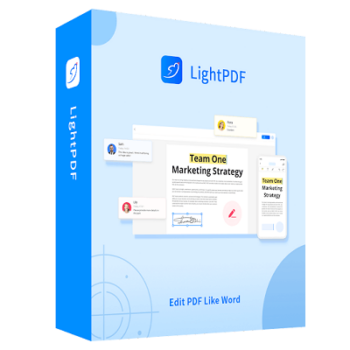
LightPDF Editor is an easy-to-use but powerful PDF editor, which provides many useful PDF editing, reading, and converting features. Its straightforward interface allows you to complete works with PDF in a few clicks. With it, you could modify PDF texts and images, change the layout and insert headers, footers, and links to a PDF file.
Also, it allows you to merge, split and compress PDFs, insert & extract PDF pages, add/remove watermark and background, and more. If you want to convert PDF for other formats, the program also provides features to convert PDF to Word, Excel, PPT, images, TXT & HTML in high quality. And LightPDF can even help you convert PDF scans into editable formats and easily extract or edit the texts from scanned documents. Moreover, you could use it as a PDF reader to highlight, comment, and add bookmarks easily while viewing a PDF document.

LightPDF Perpetual Plan
Lifetime access | 40000 credits received instantly
LightPDF Personal Plan (Buy 3 Get 3 Free)
Best value for regular users
LightPDF Giveaway License Key Free Download
- Product name: LightPDF Editor
- Website: https://lightpdf.com
- License type: 1-year
- Platform: Windows
- Download: lightpdf-setup.exe
- Giveaway link:
click here - License code – last updated: Sep 04, 2025
Click here...
- License key #1: YU7K9-FID83-A6FBR-GTMQN
- License key #2:
9H88B-6CZQJ-33QAS-RDHU4 - License key #3:
KCNYJ-8QSVV-DNXJ2-FGPXJ
How to get the license key?
Open the above LightPDF Editor giveaway website. Enter your name and email address and click the “Get for Free”

Then you will receive an email with the activation code

Download and install the LightPDF Editor on your computer. Click the “Login” at the upper right corner of the program.

Log in and then click “Activate VIP” and enter the LightPDF Editor activation code


Now you can edit your PDF for one 1-year free with Apowersoft LightPDF Editor

LightPDF Editor Screenshot!

Edit

Form

Page

Protect

Convert

Batch

Main Features
- Add your handwritten signature to a PDF in one step
- Edit PDF directly in your web browser with no effort
- Extract text from images or PDFs to an editable format
- Convert Video/Audio to TXT
- Convert PDF pages into JPG files, and pack them in a zip folder
- Convert Word resume, contract, and other documents to PDF
- Combine multiple PDF documents with just one hit
- Remove the protection from a PDF and open it without any password
- Add text or image watermark to all PDF pages with one click
- Convert one or more JPG images to a PDF
- Reduce PDF file size but preserve the quality
- Convert PDF to PowerPoint slideshows for your presentation
- Convert your PPT files to PDF for some formal occasions
Technical Details
| Language Support | English, Français, Italian, Spanish, Swedish, and more… |
| Money Back Guarantee | 30-Day |
| Operating System | Web, Mobile & Desktop |
| Shipping | Register code will be sent to your email in minutes |
| Subscription | 1-Month, 1-Year, Lifetime |
| Support Services | Forums, Tickets |



Excellent software to edit pdf. Thanks to winningpc. No additional programs were installed for me. But registration is tricky. You have to verify the code in yr mail within 60 sec
When you just want to edit some text in a PDF look for the totally free Ableword.
Two additional programs are also installed.
Once a picture viewing program that I certainly do not need, and neither does the other tool.
You will not be informed about this beforehand and you cannot deselect it either – so you can decide for yourself whether you want these additional tools. In addition, these are phone-home programs, so use them with caution.