WinningPC
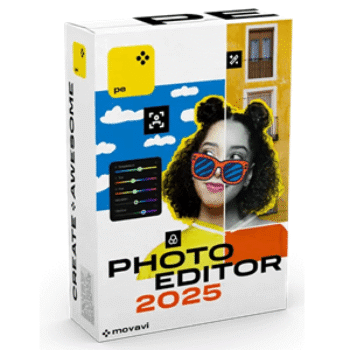
Movavi Photo Editor is a desktop image editing program for photographers of all skill levels. It lets you adjust and enhance digital photos using a range of built-in editing tools. The interface is simple, making it easy to start editing right away, even for beginners. You can crop, retouch, and improve images while keeping the original file unchanged through non-destructive editing. Movavi Photo Editor also allows you to add watermarks, including logos, text, dates, and symbols, to protect or personalize your photos.
Movavi Photo Editor Plans & Coupon Code
Verified for Sep 2026: Don’t forget to use the Movavi Photo Editor coupon code NLAB***20 at checkout to enjoy a 20% discount!
Movavi Photo Editor 2025 1-year subscription
1-year subscription | 14-day money back guarantee
−20%
$39.96$49.95
NLAB•••Copy → Movavi Photo Editor 2025 Lifetime license
Lifetime license | 14-day money back guarantee
−20%
$59.96$74.95
NLAB•••Copy → You may also like
Key Features & Screenshots

- User-Friendly Editing Interface: provides an intuitive workspace that helps you edit images easily without requiring design skills.
- AI Color Enhancement: instantly optimizes color and contrast using artificial intelligence for balanced, natural-looking results.
- Background Removal and Replacement: removes or replaces photo backgrounds in a few clicks, including transparent background creation.
- AI Photo Restoration: restores old photos by removing scratches, creases, stains, tears, and colorizing black and white images.
- Effects and Filters Library: includes over 300 effects and filters to transform images with a wide range of visual styles.
- Image Sharpening Tools: increases sharpness and reduces blur while giving you precise control over image detail.
- Object Removal: removes unwanted elements or people from photos cleanly and without visible traces.
- Portrait Retouching: retouches faces and bodies by smoothing skin, removing blemishes, whitening teeth, adjusting hair color, and refining smiles.
- Automatic Image Management: organizes hundreds of photos automatically or manually, with sorting by name, date, or location.
- Advanced Color Adjustments: adjusts hue, saturation, white balance, HDR lighting, and applies selective tints to chosen areas.
- Text Customization Tools: customizes font, size, color, background, and shapes text into different styles.
- Image Resizing Options: resizes images by entering custom pixel dimensions or selecting preset sizes.
- Crop and Rotate Tools: crop specific areas, change orientation, and rotate images up to 180 degrees.
- Flexible Export Settings: supports multiple formats and sizes, allows metadata removal, and lets you add comments when saving images.
More Screenshots:


Why Choose WinningPC
- Why Trust? We are committed to providing 100% valid and verified coupon codes, so you can always shop with confidence.
- Found an Invalid Coupon or a Better Deal? If you encounter an invalid code or a better offer, please let us know. Our team updates all discount information regularly to ensure accuracy.
- Official Authorization: We only share authentic discounts from trusted software developers.
- No Fake Discounts: Unlike some sites, we never use misleading deals. The final price you see is the true discounted price.
- Secure Purchases: All transactions are processed on the official vendor’s website, ensuring authenticity and data protection.
- Extra Support: If you face order or vendor issues, contact us. We’ll liaise with the vendor to help resolve your problem quickly.
Technical Details
| Language Support | English, Français, Italian, Spanish, Swedish, and more… |
| Money Back Guarantee | 30-Day |
| Operating System | Microsoft Windows 7/8/10/11 64-bit Mac OS X 10.13 or higher |
| Shipping | Register code will be sent to your email in minutes |
| Subscription | 1-Year, Lifetime |
| Support Services | Live Chat, Tickets, Phone |