Cathryn Lee

4K Tokkit can save high-quality TikTok videos, user accounts, hashtags, and audio clips directly to your computer. It provides an easy way to back up your favorite moments, grab bulk content, and enjoy trending videos offline.
4K Tokkit
3 plans · best save 44%
Pro Plan (lifetime) ★ Best Deal
Lifetime license used on up to 3 computers | Free updates
Personal Plan (lifetime)
Lifetime license used on up to 3 computers | Free updates

4K Bundle Pro (lifetime) Editor's Pick
PRO licenses for all 4K Download applications | One-time fee for 3 computers.
📄 Licensing & Support Details
- Activate one license on 3 devices, share it with your friends and family
- Get new features that are implemented after your upgrade without extra pay.
- 14-day money-back guarantee,
- Chat & email support
📝 How to apply
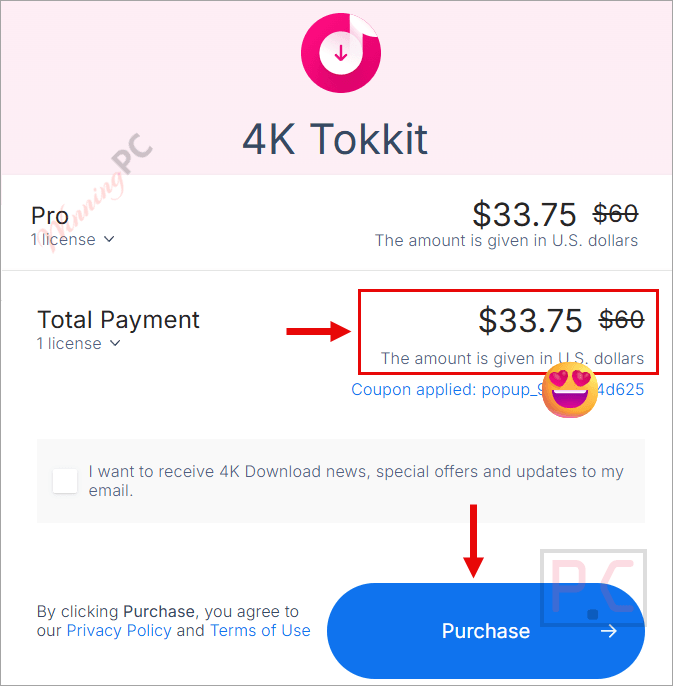
- Once you click the “Coupon Code” button, the 4K Tokkit checkout page will open.
- The markdown will be added automatically to your total.
4K Tokkit: In-Depth Review & Features

Key Features
- Save TikTok media up to Full HD (1080p) in MP4 format.
- Grab all posts from private accounts you follow by using the in-app login authorization.
- Extract original video captions directly to your clipboard.
- Browse popular content in other countries and regions using a built-in proxy setup.
- Collect all posts linked to a specific song or audio track by pasting the sound link.
- Set the app to automatically check for and download fresh clips from specific creators.
Pros & Cons
More 4K Tokkit screenshots


Frequently asked questions
Where can I find a coupon or deal for 4K Tokkit?
The latest and best deals can be found on WinningPC, alongside the official software website or the developer’s social media channels.
What is the best discount currently available for 4K Tokkit?
The best current discount is 44% OFF for the Pro Plan, available directly on WinningPC.
Can I remove the TikTok logo from my downloads?
Absolutely. There is an Edit option that removes the watermark from a single clip or multiple files at once.
How do I save clips that feature a specific song?
Just copy the link to the sound, paste it into the application’s search bar, and hit the Download button.
Is it possible to back up my entire profile?
Yes, you can secure your account by saving all your videos and your user avatar to your hard drive with one click.
Will I get the captions along with the video?
Yes, original captions are saved. You can view or copy them by hovering your cursor over the video icon in the app.
What video format and quality does the app save?
The software saves files in MP4 format at up to 1080p resolution, depending on the highest quality supported by TikTok for that clip.
System Requirements & Details
| Feature | Specifications |
|---|---|
| Language Support | English, French, German, Italian, Spanish, Swedish, Dutch, Czech, Turkish, Finnish, Polish, Russian, Hungarian, Portuguese, Japanese, Korean, Traditional Chinese, Simplified Chinese. |
| Operating System | Windows (version 10 and newer, 64-bit only) macOS (version 12 High Sierra and newer) Linux (Ubuntu 22.04 and newer, 64-bit only) |
| Subscription | 1-Year, Lifetime |
| Supported Input | TikTok URLs (Account names, Hashtags, Sounds, Individual Videos) |
| Supported Output | MP4 (up to 1080p) |