Laura Marano
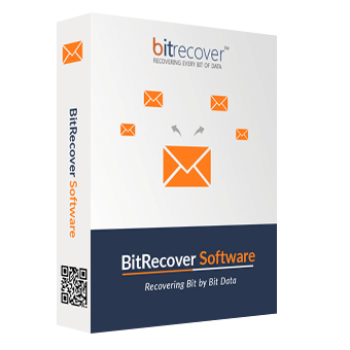
BitRecover Virtual Drive Recovery Wizard is a specialized data recovery tool designed to retrieve lost, deleted, or formatted files directly from virtual disk image files. It bypasses the need for the host virtual machine to boot, allowing you to extract critical data from VHD, VMDK, VDI, and HDD files even after severe system crashes or partition corruption.
BitRecover Virtual Drive Recovery Wizard Coupon Code Sep 2026
BitRecover Virtual Drive Recovery Wizard
2 plans · best save 20%
Standard License ★ Best Deal
For 2 Machines | One-Year License with Free Upgrades & Support
Technician License
For 10 Machines | One-Year License with Free Upgrades & Support
Table of Contents
In-Depth Review & Features
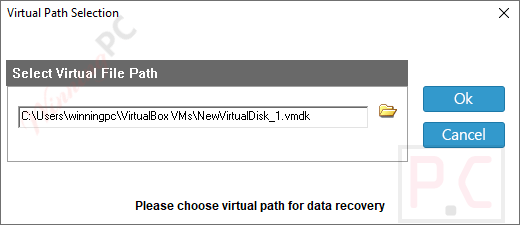
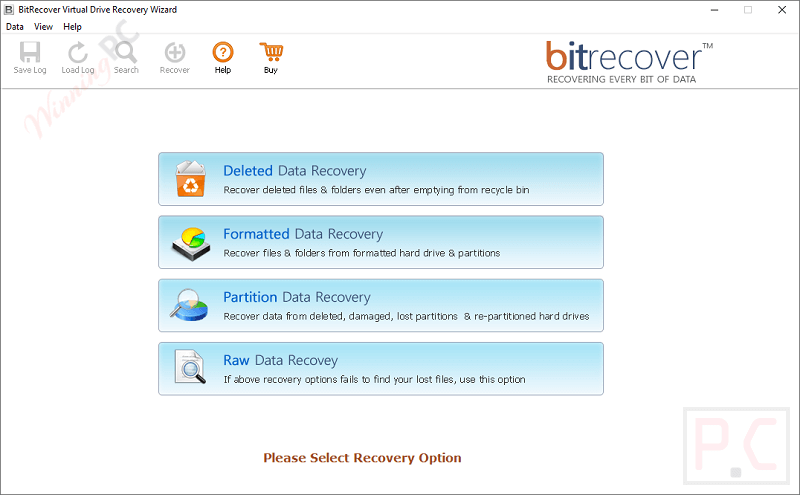
Main Features
- Restores data from VHD, VHDX, AVHD, AVHDX, VMDK, VDI, VBOX, HDD, HDS, PVM, QED, and QCOW files.
- Scans corrupted or inaccessible virtual disks that can no longer be opened normally.
- Recovers files deleted from a virtual machine, including items removed from the Recycle Bin or Trash.
- Retrieves information lost after a virtual disk has been formatted.
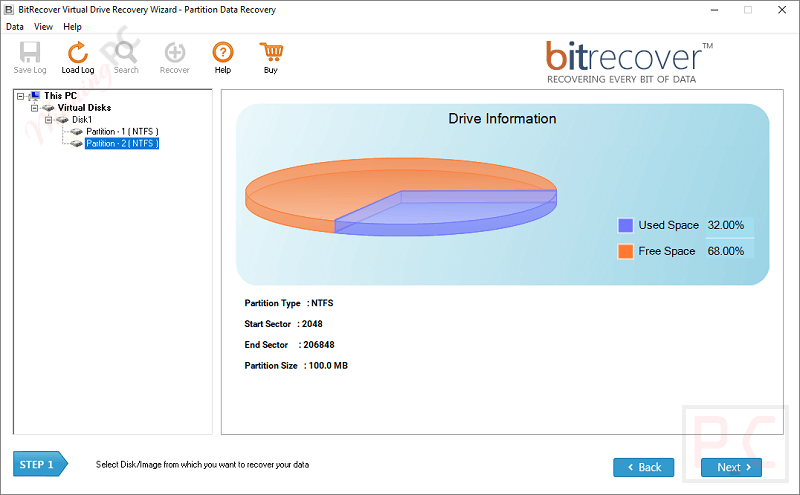
- Finds files and folders from lost, damaged, deleted, or repartitioned virtual drive partitions.
- Uses signature-based Raw Recovery when the file allocation table is damaged.
- Supports file systems including FAT16, FAT32, VFAT, VVFAT, NTFS, NTFS5, HFS+, and EXT variants.
- Works with MBR and GPT disk partition structures.
- Recognizes fixed, dynamic, linked, and differencing VHD disk types.
- Handles monolithic and split VMDK configurations, including sparse and flat disk files.
- Supports virtual drives created by VMware, Microsoft Hyper-V, Oracle VirtualBox, Parallels, Citrix XenServer, QEMU, and Linux KVM.
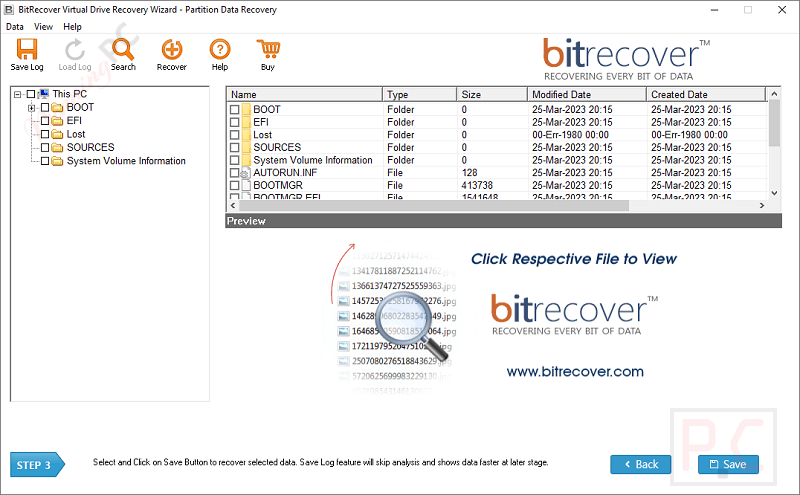
- Displays scanned virtual disk contents before saving recovered information.
- Includes an advanced search option for locating selected items in large disk images.
- Can retrieve data when a virtual machine fails to start or displays a black-screen or BSOD error.
- Supports recovery from Citrix XenServer VG_XenStorage environments and failed LUN drives.
Pros & Cons
More BitRecover Virtual Drive Recovery Wizard screenshots!
Partition Data Recovery
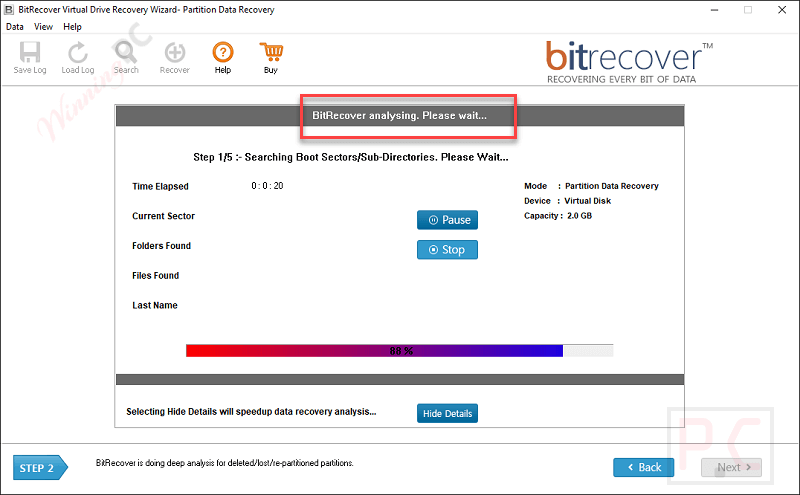
Analysing
Frequently Asked Questions
Where can I track down active promos and deals for BitRecover Virtual Drive Recovery Wizard?
For the most reliable and verified software discounts, WinningPC is your best resource. We coordinate directly with developers to provide working promotional codes for our readers, alongside any public sales offered on the official BitRecover store.
How much can I save with the top current discount on this virtual drive tool?
Right now, you can instantly secure a 20% OFF discount by applying the exclusive code featured on WinningPC. This markdown brings the Standard License from $199 down to $159.20.
Will this tool help if my virtual machine simply refuses to boot?
Yes. If your VM crashes, shows a Black Screen of Death (BSOD), or has been hit by malware, you can load the underlying virtual disk file directly into the software to extract the files without needing the VM to turn on.
Can I recover a partition that I accidentally formatted inside VMware?
Absolutely. By selecting the Formatted Virtual Disk Data Recovery mode, the software bypasses the wiped file system and reconstructs the data from the formatted disk sectors.
Which virtual machine platforms does this software support?
It covers nearly all major platforms, including Microsoft Hyper-V, VMware (ESXi, vSphere, Workstation), Oracle VirtualBox, Parallels Desktop, and Citrix XenServer.
Is it possible to find specific files without exporting the entire virtual drive?
Yes. The software includes an Advanced Search function that lets you scan massive disk files and pinpoint specific documents or folders, saving you hours of manual sorting.
What happens if the file allocation table on my VDI file is completely destroyed?
If standard recovery fails, you can switch to RAW Recovery Mode. This feature ignores the broken file system and searches raw disk sectors for specific file signatures, like .PDF or .DOC.
Can I retrieve data that was permanently deleted from the VM’s recycle bin?
Yes. The Deleted File Recovery Mode is specifically engineered to find and restore files that have been purged from the trash.
Does the recovery wizard work on older Windows Server environments?
It is highly compatible with legacy systems. You can install it on anything from Windows XP and Windows 7 up to Windows 11, as well as Windows Server editions dating back to 2000.
System Requirements & Details
| Specification | Details |
|---|---|
| Language Support | English, Français, Italian, Spanish, Swedish, and more… |
| Operating System | Windows 11 (64-bit), 10, 8, 7 & Windows Server 2022, 2019, 2016, 2012 R2, 2008, 2003, 2000 |
| Processor | Intel Pentium 1 GHz (2.4 GHz recommended) |
| RAM & Storage | Minimum 4 GB RAM / 100MB of free hard disk space |
| Supported Input | .vhd, .vhdx, .avhd, .avhdx, .vmdk, .vdi, .vbox, .hdd, .hds, .pvm, .qed, .qcow |
| Supported Output | Recovered files and folders extracted from supported virtual disk images |