
 Chris Bruner
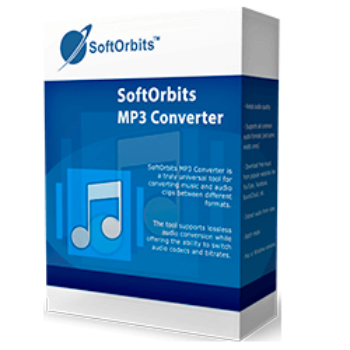
Needing an audio converter application to convert audio files allows you to convert your favorite music files into different formats while maintaining original sound quality. SoftOrbits MP3 Converter is one such program that can convert music between MP3, WMA, M4A, AAC, AC3, WAV, M4B, M4R, FLAC, OGG, and many more formats, and the ability to edit audio allows you to split, merge, trim or clean up audio files individually or in batches.
As well as being a professional audio converter, SoftOrbits MP3 Converter comes with an integrated powerful downloader. You are allowed to download music from popular social media such as YouTube, Vimeo, SoundCloud, etc. Among other things, it includes an integrated player that lets you listen to audio files in formats that it supports.
SoftOrbits MP3 Converter License Key Free Download
- Product name: SoftOrbits MP3 Converter
- Website: https://www.softorbits.com/
- License type: lifetime
- Platform: Windows
- Download: MP3Converter.exe
Giveaway: SoftOrbits MP3 Converter giveaway link- License code – last updated: Aug 18, 2026
Click here...
- License code: MP31-ZGQMX-LPSLB-SMHBR
- License code: MP31-GQPZP-QUQNE-EWDPJ
To receive your free license code, simply fill out your basic profile and enter your email address on the SoftOrbits MP3 Converter giveaway page.

After the installation is complete, start it. To register the full version for free, click on the “Register” button, then enter the license key and email address.

SoftOrbits MP3 Converter main screenshot!

Top Audio Converter Software Coupon Codes October 2026

AnyMP4 Audio Converter - Lifetime
50% Off coupon code, regular price $43.7, discounted price $21.85

Aiseesoft Audio Converter - Lifetime
50% off coupon code, regular price $29, discounted price $14.50

Tipard All Music Converter - Lifetime
50% Off coupon code, regular price $25, discounted price $12.5

Faasoft Audio Converter
40% off coupon code: regular price $25, discounted price $15

Vovsoft Batch Audio Converter Lifetime
30% Off coupon code: regular price $19, discounted price $13.30
Main Features
- Audio Format Converter: SoftOrbits MP3 Converter has the function to convert audio from one format to another. With it, you can convert music and audio clips between different formats like MP3, WMA, WAV, FLAC, and more.

- Download audio: You are provided with the tool to download music and other audio from 1000+ popular websites without a loss of quality. It can extract music, podcasts, and streams from popular social media and streaming platforms such as YouTube, Instagram, Facebook, Twitter, Vimeo, SoundCloud, and many other services.

- Pristine sound quality: You can use this function to grab audio files without losing the original audio quality. In addition, you can produce the clearest sound possible with a given bitrate with the help of the re-encoding algorithms.

- Batch processing: You are allowed to easily make changes in batch mode. This means you can choose thousands of files at once and convert all of them conveniently with just a few simple clicks.

- Audio editing: You can edit audio files like merge multiple audio files into one, trim, and delete unnecessary parts, as well as auto split long audio into multiple segments. You also are allowed to adjust sound effects such as increasing volume, normalizing audio files, and removing background noise during the transition.


Frequently asked questions
Can SoftOrbits MP3 Converter be used to convert multiple files at once?
Yes, SoftOrbits MP3 Converter has a batch conversion feature that allows you to convert multiple files at once.
Does it preserve the quality of the original audio files during conversion?
Yes, SoftOrbits MP3 Converter uses advanced algorithms to ensure that the quality of the original audio files is preserved during conversion. Additionally, it also provides options to adjust the bit rate and sample rate of the output files.
Does it have a built-in player for audio files?
Yes, SoftOrbits MP3 Converter has a built-in player that allows you to play audio files in supported formats.
Technical Details
| Language Support | English, Français, Italian, Spanish, Swedish, and more… |
| Money Back Guarantee | 30-Day |
| Operating System | Windows 7, Windows 10, Windows 11 |
| Shipping | Register code will be sent to your email in minutes |
| Subscription | 1-Month, 1-Year, Lifetime |
| Support Services | Email, Tickets |





When starting its installer, I get “Runtime error (at 26:440):
WinHttp.WinHttpRequest: A connection with this server could not be
established” in my very old, updated 64-bit W7 HPE SP1 machine. 🙁
License code doesn’t work?
Yep. “Invalid license key”. 🙁
Getting an error Internal error download temperyfile invalid URL value
80% coupon code is already expired and invalid.