
 WinningPC
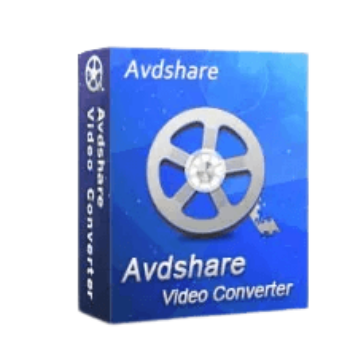
Need a converter application that can convert all popular and rare formats? Look no further than Avdshare Video Converter. This video converter tool supports the conversion of various video and audio formats to AC3, AAC, AIFF, Apple Lossless, ALAC, AU, DTS Digital Surround Audio, FLAC, M4A, MP2, MP3, OGG, Opus, RA, WAV, WMA, etc. Besides, this software allows you to batch-convert multiple video and audio files at the same time.
Before converting a video, you can edit it with this tool to make it more suitable for your needs. Avdshare Video Converter enables you to eliminate extraneous pieces from your films, crop them, apply effects, combine many files into one, add, remove, or extract subtitles from videos and even put watermarks on your videos. Additionally, you may easily alter the video parameters, including the video resolution and frame rate of the output files as well as the video volume.
Avdshare Video Converter Plans & Coupon Code
for Windows:
Avdshare Video Converter - 1 Month
50% coupon code: regular price $19.99, discounted price $9.99
Avdshare Video Converter - 1 Year
50% Off coupon code: regular price $29.99, discounted price $14.99
Avdshare Video Converter - Lifetime
70% Off coupon code: regular price $39.99, discounted price $12
for Mac:
Avdshare Video Converter Mac - 1 Month
50% coupon code: regular price $19.99, discounted price $9.99
Avdshare Video Converter Mac - 1 Year
50% Off coupon code: regular price $29.99, discounted price $14.99
Avdshare Video Converter Mac - Lifetime
70% Off coupon code: regular price $39.99, discounted price $12
Avdshare Video Converter License Free Download
- Product name: Avdshare Video Converter 7.5.2
- Website: https://www.avdshare.com/
- License type: lifetime
- Platform: Windows
- Giveaway link: n/a
- Download: a-video-converter-giveaway.exe
- License code – last updated: Feb 10, 2025
The giveaway has ended!
How to get the license key?
Download the Avdshare Video Converter installer using the above download link, then install it on your computer. Launch the program; enter your license name and the above license key to register Avdshare Video Converter:

Avdshare Video Converter Screenshot:

Add File

Output profiles:

Video editing:

Preferences:

Main Features
- Avdshare Video Converter allows you to convert various video and audio formats to AC3, AAC, AIFF, Apple Lossless, ALAC, AU, DTS Digital Surround Audio, FLAC, M4A, MP2, MP3, OGG, Opus, RA, WAV, WMA, etc.
- You can also use it to convert video to image and picture formats like GIF, PGN, JPG, TIFF, BMP, SWF, FLV, etc.
- This tool helps you preset output devices to directly convert files for viewing on iPad, iPod, iPhone, Apple TV, Android, Android Pad, PSP, Zune, Xbox, BlackBerry, etc.
- It can be used to do some basic editing before conversion: Crop video parts to remove black bars; Trim and cut video segments you do not like; Rotate videos 90 or 180 degrees; Merge multiple files into one; Add subtitles (SRT, ASS, SSA) to your movie, etc.
- The software is designed to allow you to adjust video settings easily: change video resolution and frame rate of output files, increase video volume, etc.
- Avdshare Video Converter offers extremely quick video conversion speeds, and the output files are of excellent quality.
- The software also supports batch processing. This function allows you to convert a large number of video and audio files at the same time.
- Not only does it convert multiple video and audio files but it also retains the quality of converted audio and video files which means it can keep 100% high output quality.
Why Choose WinningPC
- Why Trust? We are committed to providing 100% valid and verified coupon codes, so you can always shop with confidence.
- Found an Invalid Coupon or a Better Deal? If you encounter an invalid code or a better offer, please let us know. Our team updates all discount information regularly to ensure accuracy.
- Official Authorization: We only share authentic discounts from trusted software developers.
- No Fake Discounts: Unlike some sites, we never use misleading deals. The final price you see is the true discounted price.
- Secure Purchases: All transactions are processed on the official vendor’s website, ensuring authenticity and data protection.
- Extra Support: If you face order or vendor issues, contact us. We’ll liaise with the vendor to help resolve your problem quickly.
Technical Details
| Language Support | English, Français, Italian, Spanish, Swedish, and more… |
| Money Back Guarantee | 30-Day |
| Operating System | Mac OS, Windows |
| Shipping | Instant Delivery by Email |
| Subscription | 1-Month, 1-Year, Lifetime |
| Support Services | Email, Tickets |



Good for nothing Chinese crap… 😀
SLOW-SLOW-SLOW…. Very little control over file sizes which starts with Auto and the largest size is 720×576; Video and audio Quality choices (Low, Normal and High) No choice of Frame rate.
Thanks but! the conversion speed is super slow even with Nvdia Gpu Acceleration on my pc
with a SSD and i7 Processors. If you are just looking for an standard video converter with
a good out put file then this is the one…and it’s your for a lifetime.
Thank you so much. It1’s very helpful for me ????
So Fast…..Zero Quality Loss
This Video Converter Is Just Perfect !