
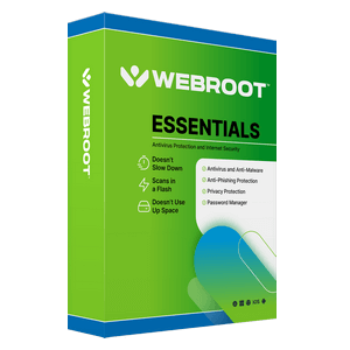
When it comes to online security, speed and efficiency matter just as much as protection. That’s where Webroot Essentials comes in – offering real-time, cloud-based protection that won’t slow down your system. Designed for users who want powerful yet lightweight security, Webroot Essentials provides advanced protection against viruses, malware, phishing, and identity theft with minimal impact on your PC’s performance.
Webroot Essentials Coupon Code Oct 2026 (100% Working)

Webroot Essentials - 1 Device
50% off promo code: regular price $49.99, discounted price $24.99
Webroot Essentials - 3 Device
50% off promo code: regular price $69.99, discounted price $34.99
Webroot Essentials - 5 Device
50% off promo code: regular price $89.99, discounted price $44.99
Webroot: Special Offer
Save up to 50% off: Bank, browse, and shop online with protection that won’t slow you down or get in your way.
Webroot SecureAnywhere AntiVirus Free Key
- Product name: Webroot SecureAnywhere AntiVirus
- Website: https://www.webroot.com/
- License type: 6 months
- Platform: Windows
- Giveaway link: n/a
- Download: wsanabtrav.exe (update: May 13, 2024)
How to get the license key?
Download the installer by using the download link above.
Install Webroot SecureAnywhere AntiVirus on your computer and enjoy 180 days for Free.

You can skip the first scanning to finish the installation quickly

Launch the program and enjoy 180 days, no need to register:

Webroot SecureAnywhere AntiVirus screenshot

Main Features
- Real-Time Threat Protection
Stay safe from malware, ransomware, phishing attacks, and other online threats with instant cloud-based detection. - Lightning-Fast Scans
Webroot Essentials can scan your entire system in just seconds – no more waiting for hours during a full scan. - Minimal System Impact
Designed to run in the background without slowing down your computer, perfect for gamers and multitaskers. - Always Up-to-Date
Since it’s cloud-based, Webroot Essentials automatically updates its threat database, ensuring you’re protected from the latest threats. - Identity Theft Protection
Safeguards your personal and financial data from cybercriminals when shopping or banking online. - Real-Time Anti-Phishing
Blocks fake websites that try to steal your personal information, providing safer web browsing. - Ransomware Protection
Prevents malicious software from locking your files and demanding ransom. - Lightweight Installation
The installer is under 5MB and sets up in just minutes. - Multi-Device Support
Protects multiple devices with a single license, including PCs and Macs.
Technical Details
| Language Support | English, Français, Italian, Spanish, Swedish, German, Japanese, Chinese, and more… |
| Money Back Guarantee | 30-Day |
| Operating System | Mac OS, Windows |
| Shipping | Full version license code will be sent to you within minutes |
| Subscription | 1-Year |
| Support Services | Email, Phone, Tickets |





4,5 of 10
Pros: Fast scan, tiny size
Light on system resources
Can remediate ransomware damage
Advanced features
Cons: No longer offers remote monitoring and configuration
Imperfect protection against hand-modified ransomware
Limited lab test results
Advanced features require uncommon expertise
No volume discount
Firewall settings can be confusing
léger, dés son installation alors que mon pc tournait pas rond, il m’a débarassé des ennemis. c’est un très bon pour la sécurité. je l’ai toujours préféré à bcp d’autres qui sont réputés être meilleurs. merci…
Pros: - très réactif,
- élimination instantanée,
- facile d'utilisation,
- travail en arrière plan,
- n'alourdit pas le pc,
- va avec les pc ancien..
Cons: - ergonomie ancienne,
- les actions securitaire se font sans détails
I have had this antivirus in the past. I don’t recommend it and I don’t trust it. The problems start when you want to uninstall this “something”, because even in safe mode it cannot be completely removed and leaves many suspicious remnants. I don’t trust programs that leave behind difficult-to-remove garbage in the system.
I received an email reply stating that this offer was for new users only. I get this info only by a reply to my question as to why it wouldn’t install without a license key, Why
wasn’t that info included in the offer to begin with…..???
Pros: works along side most other antivirus software and good as an anti-malware
app like Zemana or superantspyware.
Cons: Was at one time advertised as an anti- malware software still seems to function best as such
not a good stand alone antivirus. (This is Just my opinion after using it)
Webroot SecureAnywhere AntiVirus Free Key..This is suppose to be a pre-activated installer
so why does it keep asking for a key code before it will install ???? Anyone have the activation key??
Hi,
This giveaway is for new users only.