
On this page
Wise Care 365 PRO Giveaway
Wise Care 365 PRO
Easily free up valuable disk space and safely clean up invalid registry junk for free. Protect your digital privacy, enhance system security, and enjoy a faster, smoother computer.
- Product
- Wise Care 365 PRO v8.0.5.733
- Product website
- wisecleaner.com
- License
- Lifetime
- Platform
- Windows 11/10/8/8.1/7
- Usage
- For personal use only
- Updates
- No future upgrades
- Support
- No support
- Updated
- 2026-09-18
Download safely
A fresh, short-lived download link is created only when you click.
60% Off (Lifetime license / 1 PC)
How to get the Wise Care 365 PRO License Code for Free?
Option 1: Full version
- Click on the giveaway download link above to download and install the software on your computer.
- The program is pre-activated and does not require manual license registration. After installation, launch it and enjoy it!
Option 2: Giveaway link
- On the Wise Care 365 Pro giveaway page, please complete the available form to get your giveaway installation software.
- For the registration information regarding the specifics of your license activation, check your mailbox
- Install the software and enjoy full functionality.
- Got it for a lifetime free!
Wise Care 365 PRO Coupon Code Nov 2026
Wise Care 365 Pro
4 plans · best save 60%
Lifetime / 1 PC ★ Best Deal
Automatic Updates | Premium Tech Support
Is the Wise Care 365 PRO giveaway safe and legit?
No crack or keygen
The installer is WiseCleaner’s official release. Activation is handled publisher-side; nothing in the build is patched or repackaged.
Official authorized source
The giveaway and all paid purchases go through WiseCleaner’s own platform, not a third-party key reseller or grey-market site.
Secure HTTPS checkout
If you buy a paid plan, payment runs on WiseCleaner’s encrypted store. WinningPC never handles your card details.
60-day money-back guarantee
Paid plans are fully refundable within 60 days. The giveaway key is free, so there is no financial risk either way.
Hands-on with Wise Care 365 PRO
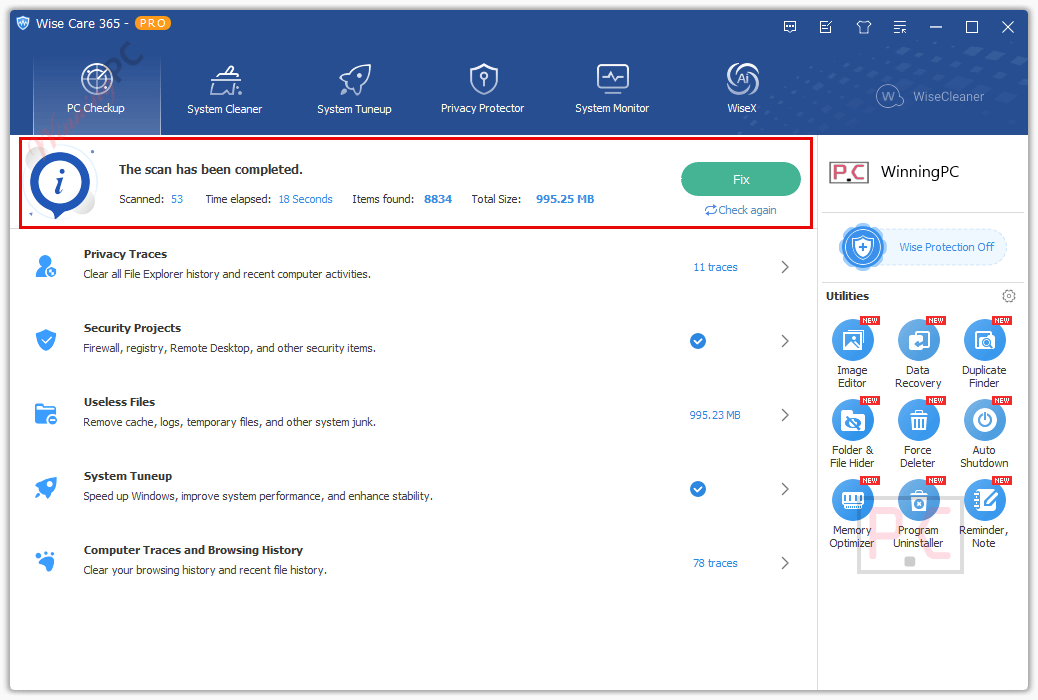
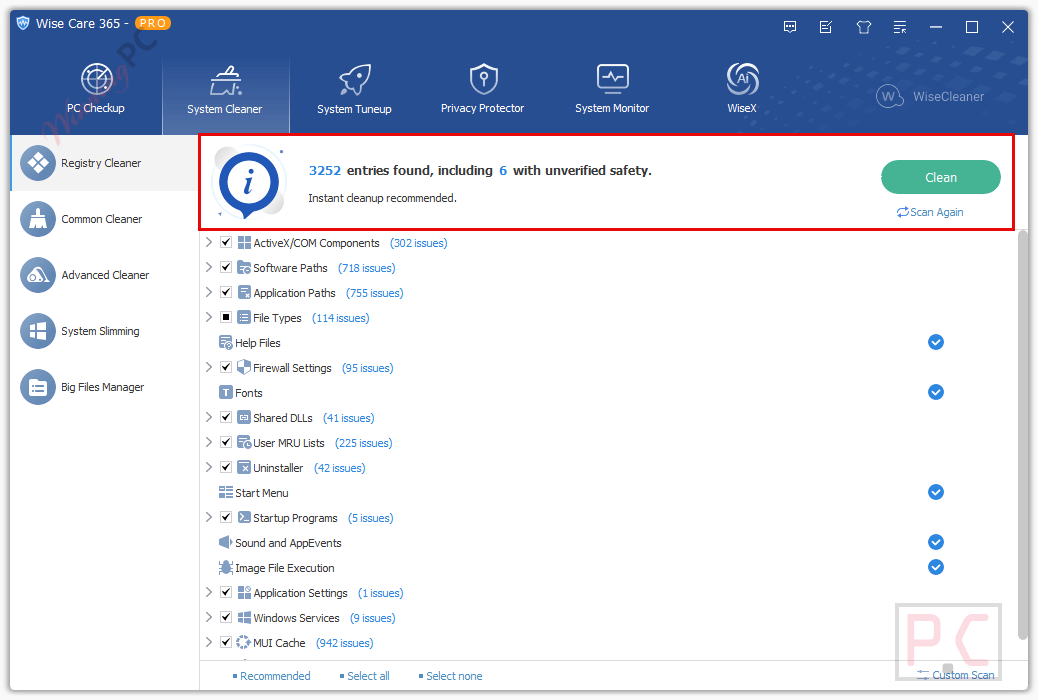
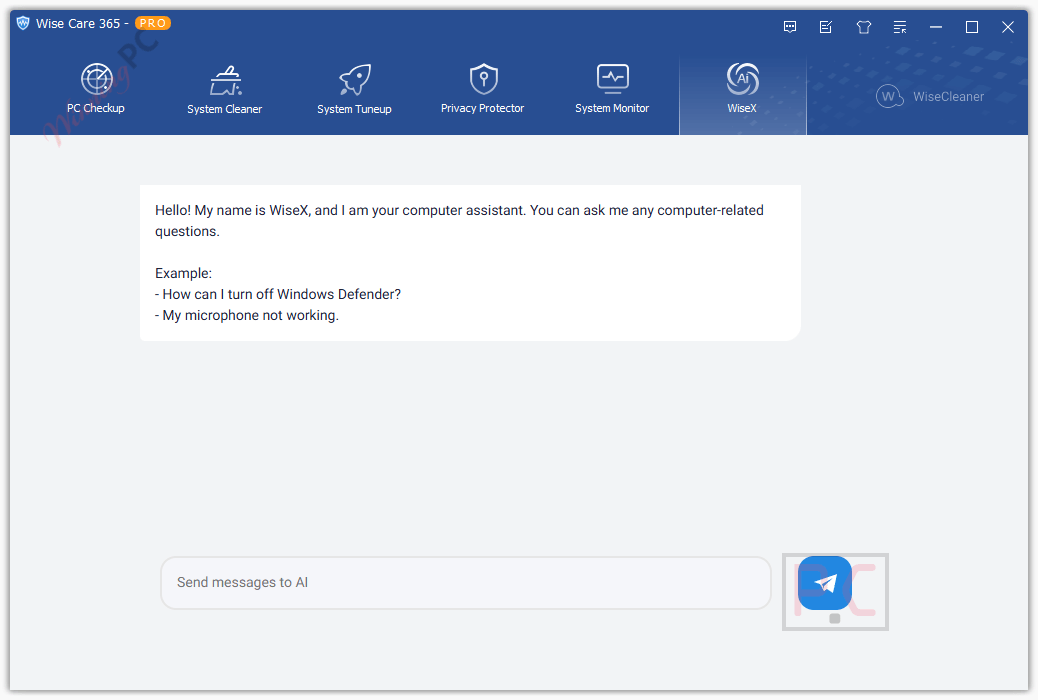
Wise Care 365 PRO bundles six distinct toolsets into one interface: health checkup, system cleaning, tuneup, privacy protection, system monitoring, and the updated WiseX display layer. The cleaning engine covers the usual targets -registry junk, browser caches across 10+ browsers, temp files – but extends to less-obvious clutter like Windows Delivery Optimization files and invalid shortcuts, which most basic cleaners skip.
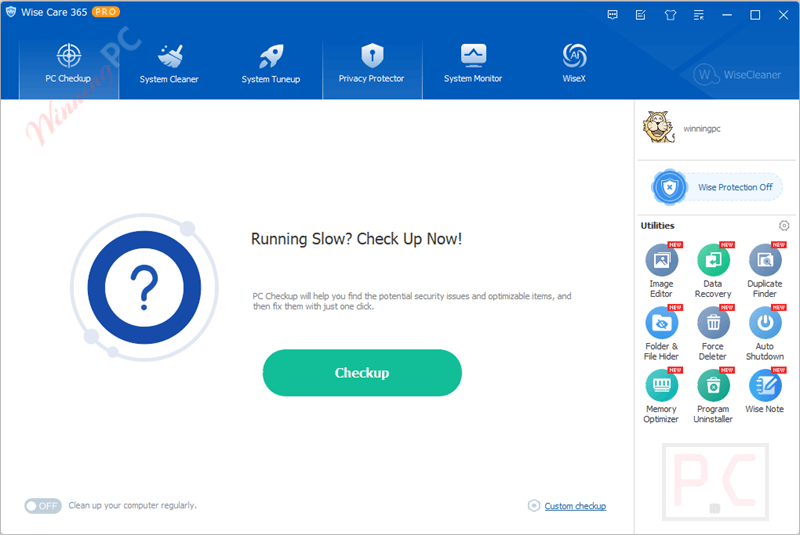
The real-time Wise Protection module is the piece that separates this from a simple cleaner. It actively blocks processes that try to modify the Windows registry, startup list, context menu, or default browser settings without permission. That is closer to lightweight security software than a tune-up utility, and it runs passively without a scheduled scan.
Key features
- One-click PC Checkup with schedulable and fully customizable checkup profiles.
- Registry, junk, and browser cache cleaner covering Chrome, Edge, Firefox, Opera, Safari, and more – plus Windows Delivery Optimization files and invalid shortcuts.
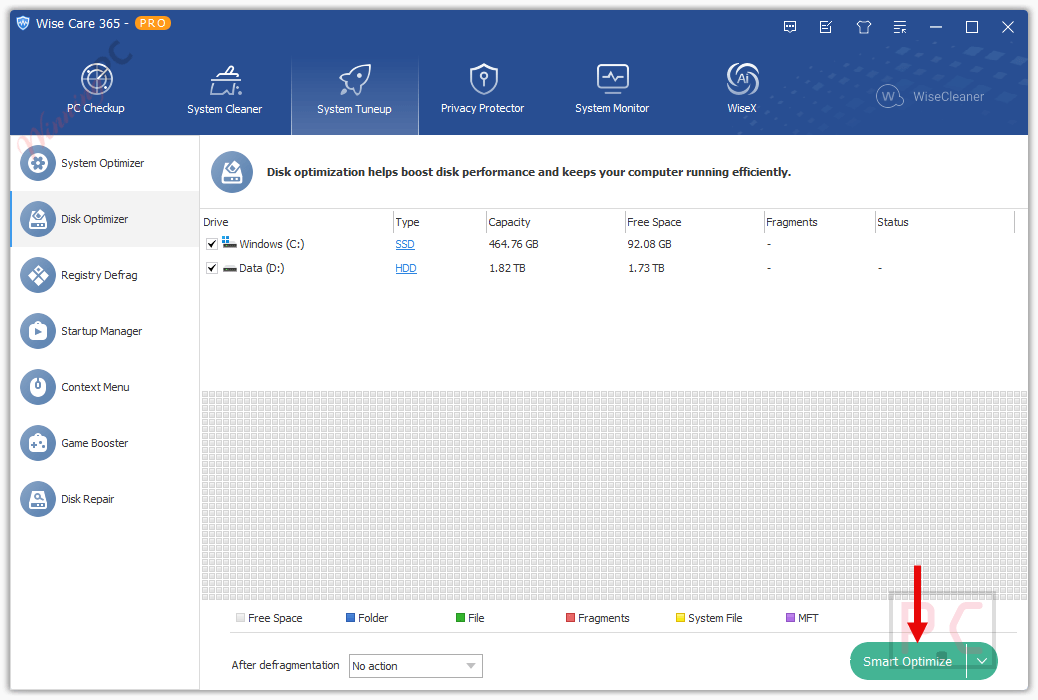
- Disk Optimizer, Registry Defrag, and Game Booster for performance tuning; Startup Manager (PRO) to cut boot time.
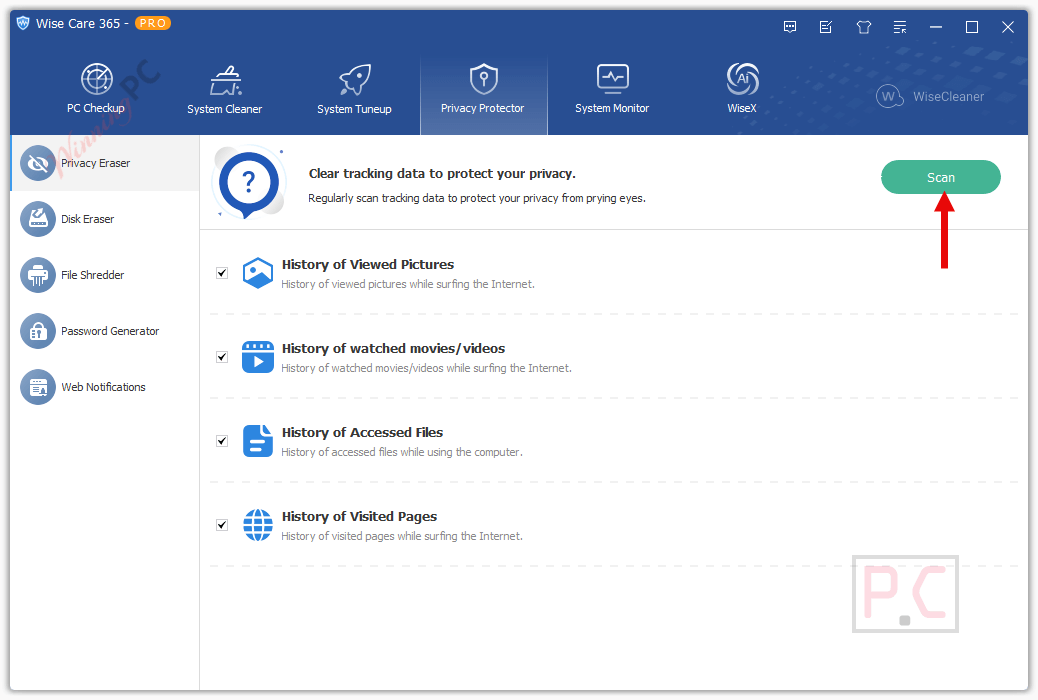
- Privacy Eraser, Disk Eraser, and File Shredder for permanent removal of traces and deleted files.
- Real-time Wise Protection blocks unauthorized changes to registry, startup entries, context menu, and browser defaults.
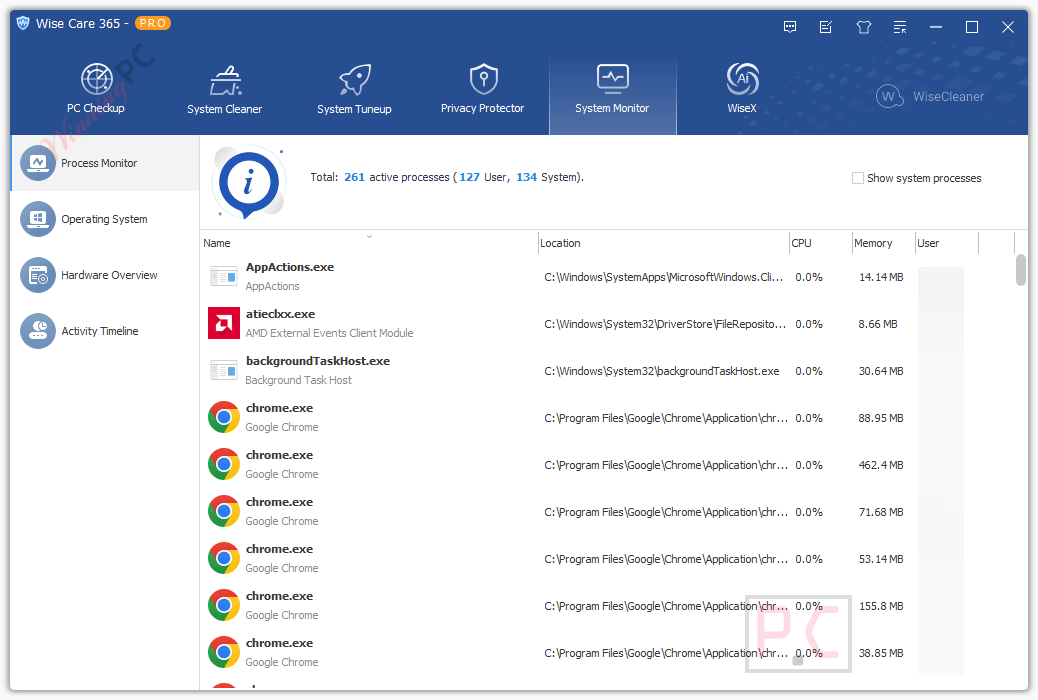
- Process Monitor, Hardware Overview, and OS info panel (including Windows product key and build details).
pros & cons
more screenshots!
Wise Care 365 PRO vs the Alternatives
| Tool | Price | Real-time protection | Platform | Best for |
|---|---|---|---|---|
| Wise Care 365 PRO | Free (this giveaway) / $11.98+ with code | Yes – registry, startup, browser | Windows | All-round maintenance with active protection |
| Advanced SystemCare PRO 20 | $29.87/2 Years/3 PCs | Yes | Windows | Users already in the IObit ecosystem |
| Glary Utilities PRO | $11.98/year | Limited | Windows | Clean interface, budget-friendly option |
| Auslogics BoostSpeed | $40.17/year | No | Windows | Deeper disk defrag focus |
| Smart Game Booster VIP | $16.99/1 Year/3PCs | No | Windows | Gamers only — narrower scope than Wise Care |
| Glary Utilities Free | $0 | No | Windows | Occasional basic cleanup with no spend |
Free option: Glary Utilities Free covers registry cleanup and junk removal at no cost. It lacks real-time protection and the depth of Wise Care 365’s six-toolset suite, but for a PC that just needs a clean every few weeks, it gets the job done without opening your wallet.
Frequently asked questions
Can I use Wise Care 365 on more than one computer?
The licensing terms for Wise Care 365 Pro vary. You should check your specific purchase details (1 PC or 3 PCs) or contact customer support to understand how many computers your license covers.
How do I activate Wise Care 365 Pro?
After purchasing this software, you will receive an activation code. Open Wise Care 365, go to the ‘Upgrade to Pro’ section, and enter your activation code to unlock the Pro features.
What makes it different from the FREE version?
The Pro version offers advanced features not available in the free version, including deeper cleaning options, automatic updates, advanced privacy protection, and technical support.
Is Wise Care 365 Pro safe to use?
Yes, it is designed with safety in mind. It backs up the system before making any changes, allowing you to restore your computer to an earlier state if needed.
How can I contact support if I have questions or need help?
You can contact Wise Care 365 Pro support through their official website. There is often a support (https://www.wisecleaner.com/feedback.html) or contact section where you can submit your queries or issues.
Can this software protect my privacy?
Yes, Wise Care 365 Pro includes features like Privacy Eraser to remove your browsing history and other private data, and Disk Eraser to permanently delete files, making them unrecoverable.
What do I do if it causes a problem with my computer?
First, try using the System Restore feature to revert your computer back to a previous state. If the issue persists, contact Wise Care 365 Pro support for assistance.
How do I update Wise Care 365 Pro to the latest version?
It automatically checks for updates by default. You can also manually check for updates by going to the ‘Check for updates’ option within the software.
What is the best Wise Care 365 coupon code?
The Wise Care 365 PRO coupon code, AVANG***60LESP on WinningPC.com, offers a significant discount of 60% off the regular price.
Where can I find the coupon code?
You can find the Wise Care 365 PRO coupon code on WinningPC.com.
How do I use the Wise Care 365 PRO coupon code?
To use the coupon code, simply visit WinningPC.com, locate the Wise Care 365 product page, and apply the coupon code AVANG***60LESP during the checkout process.
What discount does the WiseCare 365 coupon code offer?
The coupon code provides a generous discount of 60% off the regular price of the software.
Is the coupon code valid for a limited time?
Yes, like many coupon codes, the WiseCleaner coupon code may have an expiration date. It’s advisable to check the terms and conditions on WinningPC.com for the latest information regarding the coupon’s validity period.
Can I use the coupon code for multiple purchases?
The availability of multiple uses for the coupon code may vary. Please refer to the terms and conditions provided by WinningPC.com for specific details.
Are there any restrictions on using the coupon code?
Certain restrictions may apply to the use of the Wise Care 365 PRO coupon code, such as geographical limitations or restrictions on combining it with other offers. Be sure to review the terms and conditions on WinningPC.com for complete details.
How do I contact support if I encounter issues with the Wise Care 365 coupon code?
If you encounter any issues or have questions about the Wise Care 365 PRO coupon code, you can reach out to the support team at WinningPC.com for assistance.
System Requirements & Details
| Operating system | Windows 11 / 10 / 8 / 8.1 / 7 (32-bit and 64-bit) |
| Processor | Pentium 1 GHz or above |
| RAM | 4 GB or above |
| Disk space | 70 MB minimum |
| Language support | 30+ languages: English, Vietnamese, Chinese Simplified/Traditional, French, German, Spanish, Japanese, Korean, Arabic, and others |
| Other | No internet connection required for core features; Wise Protection monitors system changes in real time |





Always show The unlock request was blocked or returned an invalid response. Please refresh the page and try again.
I’ve used this for 5 years, and it’s one of the best Windows cleaning and optimization apps out there. It’s also my go-to for quickly accessing built-in Windows tools. My absolute favorite part is how it hunts down large files to help reclaim disk space.
p/s: thanks for new giveaway, it works like a charm.
Maleware!!!!!!!!!!!!!
ZIP-file won’t extract, after installing WINRAR it requiers a password…….????
Thanks. WinRAR worked. Please add a note about that File Explorer having issues about password part.