
On this page
Rree WonderFox DVD Ripper Pro License
WonderFox DVD Ripper Pro
Rip a DVD to Digital in 5 Minutes
- Product
- WonderFox DVD Ripper Pro 24.3
- Product website
- videoconverterfactory.com
- License
- 1 Year/ 1PC
- Platform
- Windows
- Support
- No support
- Updates
- Free updates
- Usage
- Non-commercial only
- Updated
- 2026-10-21
Continue on videoconverterfactory.com
Share to reveal the installer and the official giveaway page.
83% Off Single Lifetime license
WonderFox DVD Ripper Pro Coupon Codes
WonderFox DVD Ripper Pro
4 plans · best save 87%
Free Gift (HD Video Converter Factory Pro)
Lifetime Free Upgrade/Support
Claiming your free key, step by step
Unlock the giveaway form on this page. That reveals WonderFox’s giveaway page and the download link.
Enter your email address on the giveaway page. WonderFox sends your free license code to that inbox, so check the spam folder if it hasn’t shown up after a few minutes.
Install WonderFox DVD Ripper Pro on your Windows PC.
Open the program, enter the code in its registration window, and the full version unlocks.

How well does WonderFox DVD Ripper Pro work?
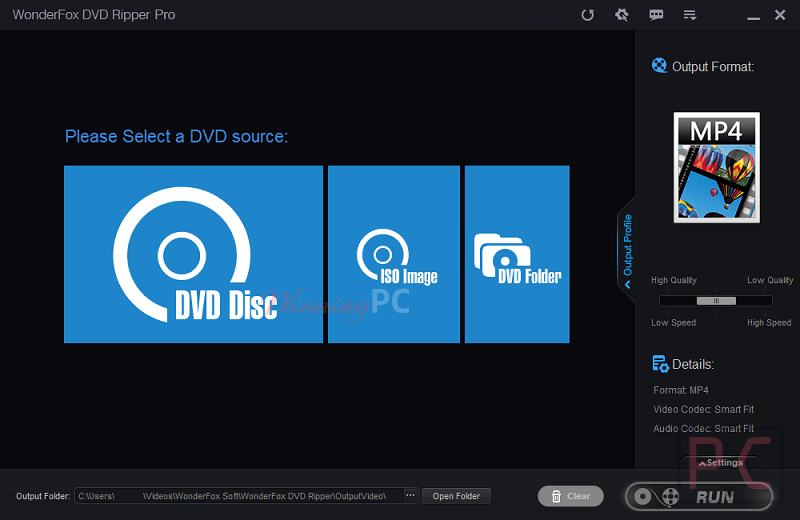
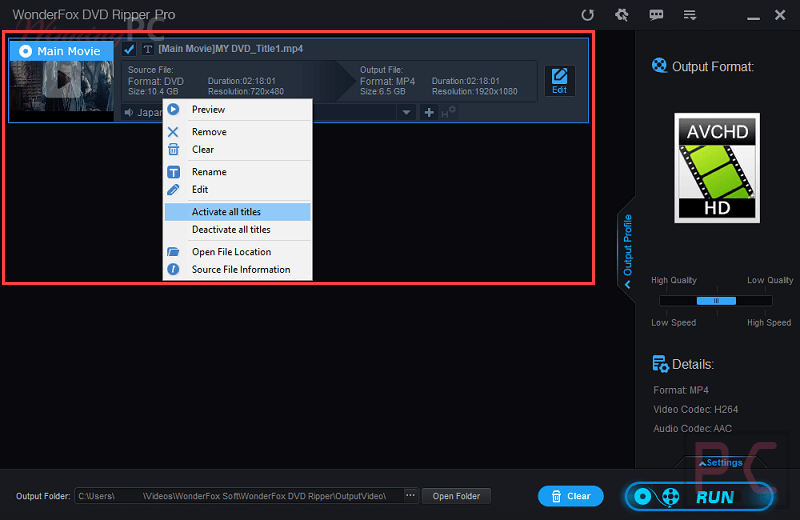
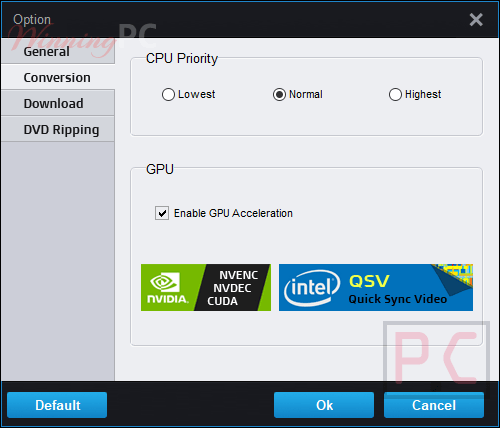
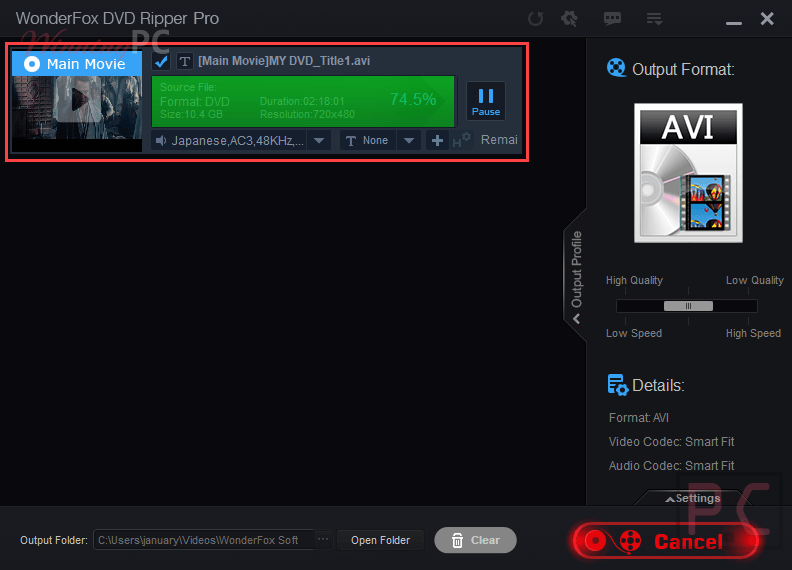
Plenty of commercial DVDs hide the real movie among dozens of decoy titles (WonderFox says it handles 99-title discs), and picking the wrong one is the classic way a rip goes sideways. Speed depends heavily on what you ask for. WonderFox DVD Ripper Pro quotes about five minutes for a straight MPEG-2 backup, but re-encoding a two-hour film to MP4 or MKV takes closer to 20 minutes, and that figure assumes Intel or NVIDIA hardware acceleration.
The 4K and 8K “upscaling” only raises the output resolution; a DVD holds 480p worth of detail, and no setting here invents more. And the long list of supported copy protections is a claim, not a guarantee for every disc on your shelf.
Key features
- Reads three kinds of source: physical discs, DVD ISO images and DVD folders, so old backups work too.
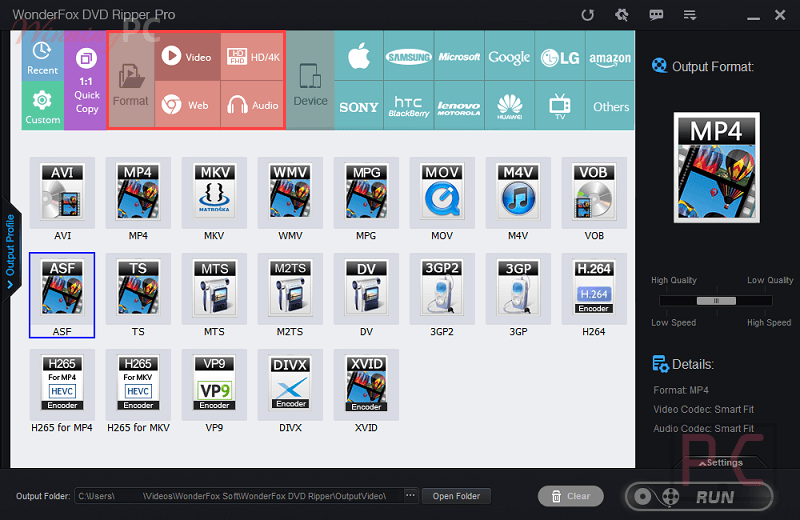
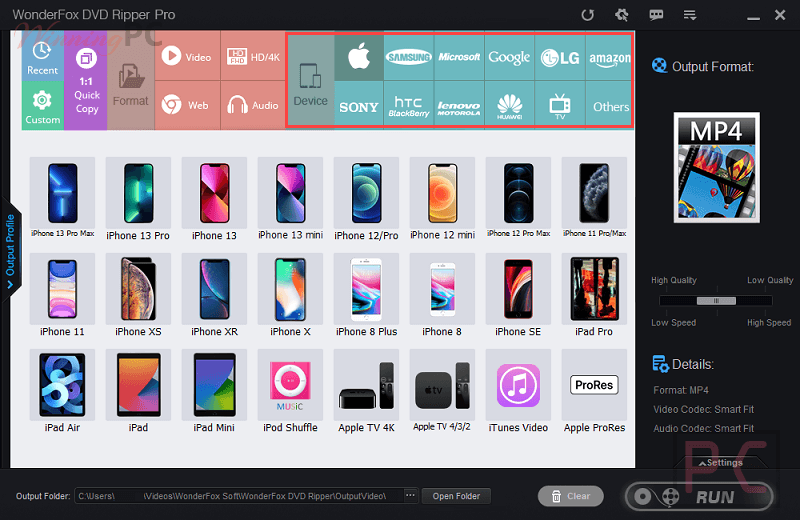
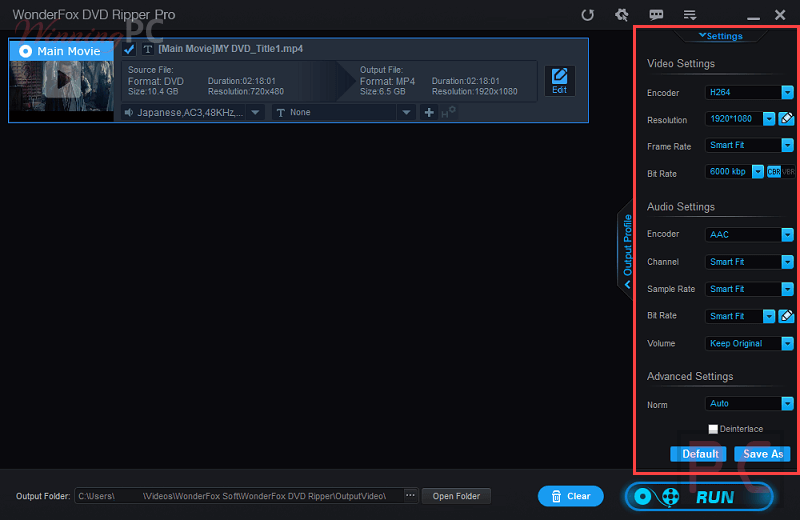
- More than 300 output profiles, from plain MP4 and MKV to presets for iPhone, Android, PS5, Roku and Plex or Jellyfin libraries.
- Three backup modes (ISO image, DVD folder, MPEG-2) for when you’d rather keep the disc intact than compress it.
- Smart compression that WonderFox says shrinks a 7.5 GB disc to roughly 1–2 GB, handy if you’re filling a laptop rather than a NAS.
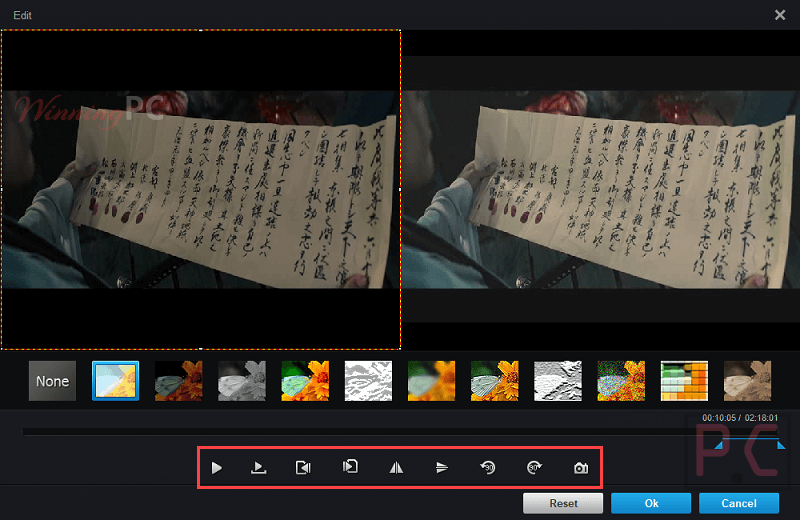
- Light editing before you convert: trim, crop out black bars, deinterlace, and pick the subtitle and audio tracks you want.
What we liked, what we didn’t
Common questions
Does the free WonderFox license expire?
Yes, the giveaway license lasts one year. The giveaway terms don’t say what happens to the program after those 12 months, so if you want something permanent, the $11.96 Single Lifetime deal is the safer choice.
Can WonderFox DVD Ripper Pro rip Blu-ray discs?
No. It’s a DVD-only tool covering discs, ISO images and DVD folders.
How long does it take to rip a DVD?
It depends on the output. WonderFox quotes about five minutes for an MPEG-2 backup and around 20 minutes to convert a two-hour movie to MP4, MKV or MOV with hardware acceleration.
Will the 4K upscaling make my DVDs look like 4K?
No. Upscaling raises the frame size to suit a big TV, but a DVD only holds standard-definition detail, so the picture won’t gain real sharpness.
Can I rip DVDs for Plex or Jellyfin?
Yes. It includes presets aimed at Plex, Emby and Jellyfin, and MP4 or MKV output works with all three.
Does it keep subtitles and multiple audio tracks?
You can choose which subtitle and audio tracks to include, and it supports hardcoded, soft and forced subtitles. Whether every track survives together depends on the output format and profile you pick, so test one disc before batch-ripping a whole box set.
Is there a free trial to test first?
Yes, WonderFox offers a free download of the program. Its official pages don’t spell out the trial’s limits, which is one more reason to take the giveaway key instead.
What you need to run it
| Field | Value |
|---|---|
| Operating system | Windows 11/10/8/7 |
| Processor | 1.5 GHz CPU or higher (multicore supported) |
| RAM | 1 GB or higher |
| Disk space | Not specified |
| GPU acceleration | Intel Quick Sync Video, NVIDIA NVENC (optional, compatible hardware needed) |
| Supported input formats | DVD discs (commercial and homemade), DVD ISO images, DVD folders |
| Supported output formats (video) | MP4, MKV, MOV, AVI, MPEG/MPG, WMV, M4V, FLV, 3GP, VOB, ASF, Apple ProRes; codecs H.264, H.265, AV1 |
| Supported output formats (audio) | MP3, WAV (full audio list not published) |
| Backup formats | ISO image, DVD folder, MPEG-2 |
| Screenshot formats | JPG, BMP |
| Other requirements | A DVD drive to read physical discs |




As usual for media handling software given away by this site it is an illegal distribution of FFMPEG.ORG DLLs built to included GPLv3 code that is illegal to distribute as part of a closed source product.Extracted from avcodec-58.dll :
“license: GPL version 3 or later”
This version does not run under XP or Vista, it throws access violations and then exits. 14.2 was last version I got that ran under Vista. Runs OK under Win10 of course.
As usual with Chinese media software this also abuses FFMPEG project licensing conditions and gives no attribution to it for the millions of developer hours donated to the project.
https://www.videoconverterfactory.com/dvd-ripper/change-logs.html
Thanks.
I have already installed a Dvd Ripper and a Blu-ray player (Digiarty).
Now I am only waiting for Thundersoft Blu-ray Ripper which offers a lifetime license.
It is interesting to note that all the ripping apps are from China,
I have just re-installed Windows on my laptops and now waiting for any giveaway Dvd and Blu-ray Rippers to be made available.
Hopefully before the end of the year.
Great timing! We’re excited to let you know that a new license code for a DVD and Blu-ray Ripper giveaway has just been updated. ???? Don’t miss the chance to grab it now and enjoy your newly set-up laptop to the fullest!
Obrigado pelo trabalho de divulgação desses softwares. Excelente dia \m/!