On this page
4K Download Bundle Coupons & Pricing

4K Bundle Pro (lifetime) Editor's Pick
PRO licenses for all 4K Download applications | One-time fee for 3 computers.
How to Use the 4K Bundle Coupon Code
Copy the discount code from the box above. Open the 4K Bundle page on 4kdownload.com using the button on this page.
Look at the total before you type anything, then paste the code into the coupon field.
Pay, then check the inbox you used for the order. 4K Download sends five separate activation keys there, one per app.
How well does the 4K Download Bundle hold up?
Most of the value sits in one app. 4K Video Downloader Plus Pro handles seven downloads at once and saves new uploads from the YouTube channels and playlists you follow, which makes it closer to an archiving tool than a paste-a-link grabber. The rest is more uneven. Tokkit’s bulk downloads by account, hashtag or sound are genuinely handy, but it tops out at Full HD. The Image Compressor feels like the odd one out in a video bundle, though removing its daily limit is a real upgrade if you prep images for a website. One detail is easy to miss: the four desktop keys allow commercial use on up to three computers each, while the Android key is personal use only.

Key features
- 4K Video Downloader Plus (Pro): save single videos, playlists, whole channels, search results and subtitles from YouTube, plus Vimeo, Facebook and TikTok, in MP4 or MKV up to 8K when the source has it. Pro adds 7 simultaneous downloads, auto-saving from followed channels, and AI tools that isolate speech, reduce echo and strip background music.
- 4K YouTube to MP3 (Pro): pull audio from videos, playlists or entire channels as MP3, M4A or OGG, including from SoundCloud, with local AI vocal isolation and noise reduction.
- 4K Tokkit (Pro): grab TikTok clips one at a time or in bulk by account, hashtag or sound, and auto-download new posts from accounts or hashtags you follow.
- 4K Image Compressor (Pro): batch-compress JPEG, PNG, WebP, HEIC and PDF files to a target size or percentage, convert between formats, with no daily cap.
- 4K Video Downloader for Android (Personal): save videos, audio, playlists and whole YouTube channels straight to a phone or tablet, up to 8K, with no limits on single downloads or on how much of a playlist or channel you can save.
What we liked, what we didn’t
Questions people ask about the 4K Download Bundle
Is it really a one-time payment?
Yes. You pay once and there’s no subscription. Each key stays valid for the lifetime of its product, and updates to the apps you bought are included. The catch is in the fine print: under 4K Download’s terms, a new major release or a separate product may require a new license.
How many computers can I install it on?
Three per desktop app. Each of the four Pro licenses activates on up to three computers. If a reinstall eats an activation, 4K Download’s support can reset the count.
Can I get a refund if it doesn’t work for me?
Yes, within 14 days. The 4K Download Bundle FAQ promises a full refund on online purchases in that window. 4K Download’s separate Refund Policy is narrower in wording: it lists qualifying cases (duplicate purchases, activation failures, software errors still unresolved after 30 days) and allows those claims up to six months after purchase. Email support@4kdownload.com with your purchase email and order number.
Is there a free version I can try first?
Yes. The 4K Download apps have free tiers with daily limits. 4K Video Downloader Plus, for example, caps free users at a set number of downloads per day. Test the free versions on your own links before you buy.
I already own a 4K Download license. Can I upgrade instead?
Yes. Enter your current key on 4K Download’s Upgrade page to see your options for moving to the bundle.
Is the bundle cheaper than buying the apps separately?
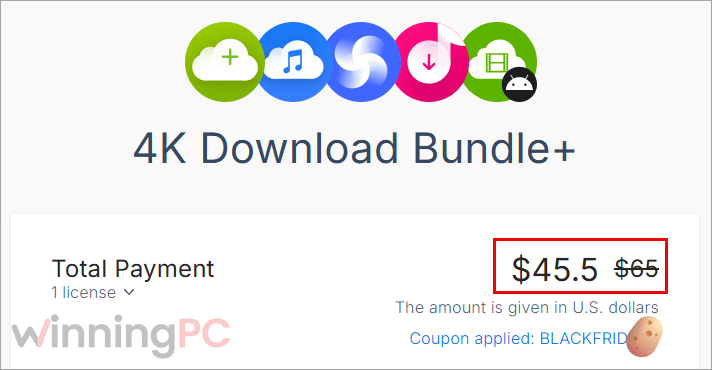
Yes, by a wide margin. A single 4K Video Downloader Plus Pro license has been listed at around $45 on its own, so at $45.50 the bundle costs roughly the same as that one app and throws in the other four.
System Requirements & Details
| Field | Value |
|---|---|
| Desktop OS | Windows 11 (64-bit), macOS 12 or later, Ubuntu 22.04 or later (64-bit, GNOME). Vendor FAQ also lists Windows 10 (64-bit), with Windows 11 recommended |
| Mobile OS | Android 10 or later |
| Supported sources (downloaders) | YouTube (videos, playlists, channels, search results, subtitles), Vimeo, Facebook, TikTok, SoundCloud |
| Supported input formats (Image Compressor) | JPEG, PNG, WebP, HEIC, PDF and others |
| Video output | MP4, MKV, up to 8K when the source offers it (Tokkit: MP4 up to Full HD) |
| Audio output | MP3, M4A, OGG |
| Other requirements | Internet connection; YouTube Premium + in-app sign-in for high-quality YouTube Music audio; Pro keys: up to 3 computers each |