Chris Bruner
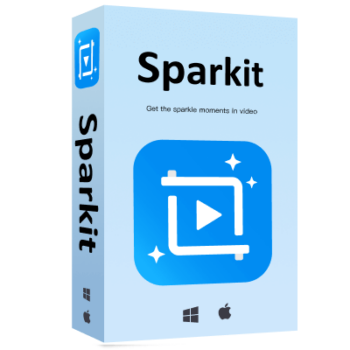
Sparkit extracts still images from videos using subtitles or specific timestamps. It supports formats such as MP4, MKV, and MOV, and saves frames in PNG, JPG, or WEBP without quality loss. You can also combine captured images into one composite image and adjust the layout, spacing, and style. This video capture tool is useful for pulling key frames from video, creating visual references, and turning video scenes into editable images.
Sparkit Plans & Coupon Codes (100% Working)

Sparkit – 1 Month Plan
77% off coupon code: regular price $29.95, discounted price $6.96
Sparkit – 1 Year Plan
72% off promo code: regular price $49.95, discounted price $13.96
Sparkit – Lifetime Plan
70% discount coupon code: regular price $69.95, discounted price $20.96
Sparkit – Family Plan
72% discount coupon: regular price $99.95, discounted price $27.96
Sparkit Giveaway License Key Free
- Product name: Sparkit
- Website: https://www.swysoft.com/
- License type: 6-month
- Platform: Windows, macOS
- Download: sparkit.dmg sparkit.exe
- Giveaway link: click here
- License code – last updated: June 01, 2024
Click here...
- License code: CB875D-B191F0-22BE6C-A9E540-5144B2
How to get the license key?
On the Sparkit giveaway page, please enter your name and email address then click on the “Get License” button to get your free license code

The license keys will be sent to you immediately. Check your mailbox and get it. If you don’t receive the registration code, please check your Spam mailbox.

Click on the above download link to download and install the software on your computer.

When the installation is done. Launch it! Click on the “Register” button on the main screen then copy and paste the above license code to activate the software.

Sparkit Main Screenshot!

Key Features and Screenshots

- Frame Extraction: extracts individual video frames by timestamp or subtitle cue so you can capture exact moments without missing details.
- Advanced Image Capture: captures full-resolution images from video while preserving quality for presentations, digital displays, and other visual projects.
- Auto Captions: generates subtitles automatically to add context to extracted images and help identify the right frames.
- Manual Subtitle Adjustments: lets you upload subtitles or edit them manually so extracted images match the intended content more accurately.
- Image Merging: combines multiple images into a single composite for collages, storytelling, or other visually organized content.
- Customizable Output Settings: lets you adjust layout, spacing, file format, and save location to control how exported images are organized.
More Screenshots:


Frequently asked questions
What makes Sparkit unique compared to other image extraction tools?
Sparkit is distinct in its ability to integrate auto-captioning with high-resolution image capture, offering more precise control over the extraction and merging of video frames.
Can Sparkit be used for professional film editing?
Yes, its high-quality output makes it suitable for professional applications, including film editing, where capturing specific frames and creating promotional content or trailers is necessary.
Is there support available for Sparkit users?
Sparkit offers robust customer support through its website, with detailed guides and a dedicated support team ready to assist with any technical issues or questions.
What are the limitations of the free trial?
The free trial of Sparkit may include limitations such as the inability to use certain features like auto-captions and watermarks on the final output images.
Technical Details
| Language Support | English, Français, Italian, Spanish, Swedish, and more… |
| Money Back Guarantee | 30-Day |
| Operating System | Microsoft Windows 10 (64-bit) 20H2 version or later macOS 13.0 or later |
| Shipping | Register code will be sent to your email in minutes |
| Subscription | 1-Month, 1-Year, Lifetime |
| Support Services |