
On this page
iReaShare iPhone Manager Giveaway
iReaShare iPhone Manager
A data transfer and management software for iPhone, iPad, and iPod touch devices
- Product
- iPhone Manager
- Website
- ireashare.com
- License
- 1-Year
- Platform
- Windows 11/10/8/7
- Installer
- ireashare-iphone-manager.exe
- Support
- No technical support
- Updates
- No free upgrades
- Usage
- Non-commercial use only
- Updated
- September 24, 2026
Get your unique code by email
License key delivered free to your inbox within minutes.
Protected by Cloudflare Turnstile · Email quality checked by Reoon
All codes have been claimed or the giveaway has closed.
iReaShare iPhone Manager Plans & Coupon Codes
iReaShare iPhone Manager
6 plans · best save 67%
Is this iReaShare iPhone Manager giveaway safe and legit?
Yes. This giveaway is authorized and run directly by iReaShare, the software’s own publisher.
No crack or keygen
You download iReaShare’s official installer and activate it with a genuine license key. Nothing is patched, repackaged, or modified.
Official authorized source
The free key comes from iReaShare itself – not a third-party reseller, grey-market key shop, or unauthorized aggregator.
Secure checkout for paid upgrades
If you decide to buy a plan, payment goes through iReaShare’s own encrypted store. Your card details never touch WinningPC.
30-day money-back on paid plans
Annual and lifetime licenses are refundable within 30 days; monthly plans within 7 days. The giveaway key is free, so there is no financial risk either way.
How to Get the iReaShare iPhone Manager Key Free?
- Enter your email address on the giveaway form to get your free license key.
- Download the iReaShare iPhone Manager installer to your Windows PC.
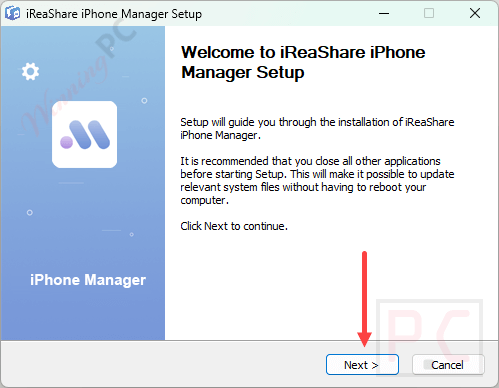
- Run the installer and follow the on-screen setup – standard Windows installation, no unusual steps.
- Launch iReaShare iPhone Manager once setup completes.
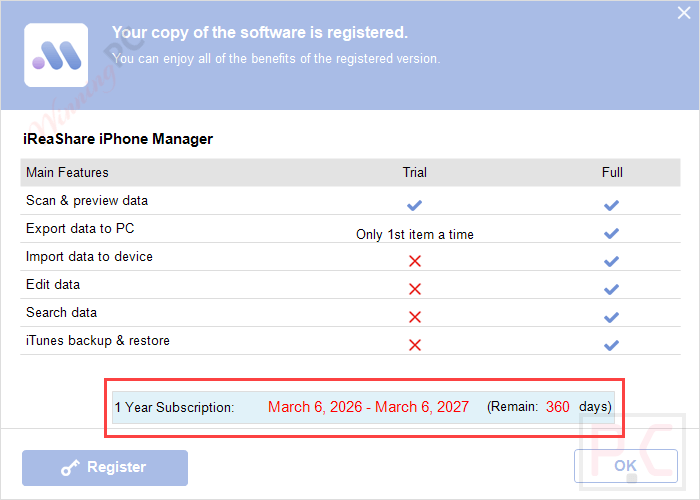
- Copy your license code and enter it in the registration window to activate your 1-year license.
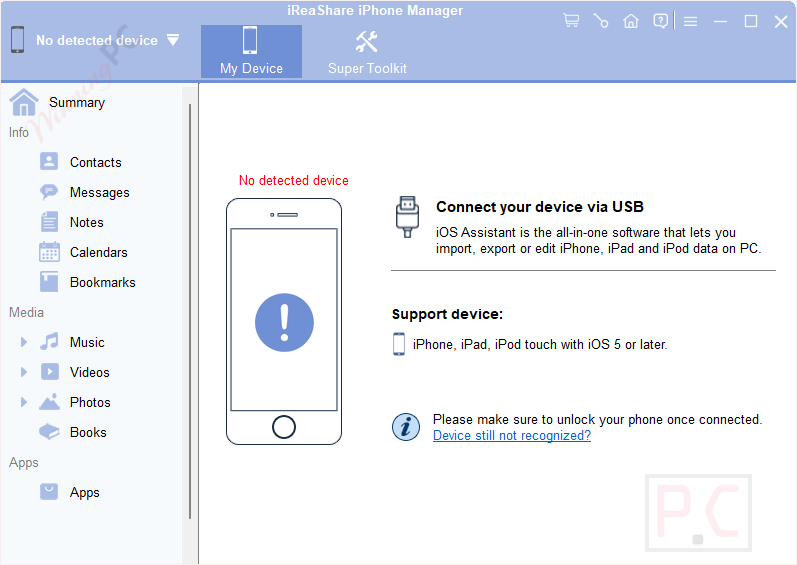
- Connect your iPhone, iPad, or iPod touch via USB and start transferring or managing your data.

iReaShare iPhone Manager: In-Depth Review & Features
iReaShare iPhone Manager handles the full iTunes replacement loop without the usual friction: back up your device to a PC folder, restore to another iOS device, and move individual files in either direction. The practical standout is the preview layer before exporting. You browse photos album by album, scroll through SMS threads, or scan contacts before deciding what to pull. That selective approach is meaningfully faster than tools that dump everything into a folder for you to sort out afterward. For giveaway users, the no-updates caveat is worth taking seriously rather than glossing over: iOS moves fast, and a fixed version has a limited shelf life. If a future update breaks a transfer feature, the only fix is a paid upgrade.

Key features
- Seamless Data Transfer: moves documents, videos, music, and photos between your computer and iOS devices without reducing file quality.
- iTunes-Free Backup and Restore: works as an iTunes alternative for backing up data to the default iTunes folder and restoring it to iOS devices.
- Preview and Selective Export: lets you preview data before transfer so you can export and organize specific files more efficiently.
- Contacts Management: allows you to add, edit, and delete contacts from your computer and save them in CSV, VCF, or XML.
- Comprehensive Media Management: helps you view, organize, and transfer photos, videos, and music, while creating custom albums and playlists.
- Wide Compatibility: supports many iPhone, iPad, and iOS versions, including newer devices and older software releases.
pros & cons
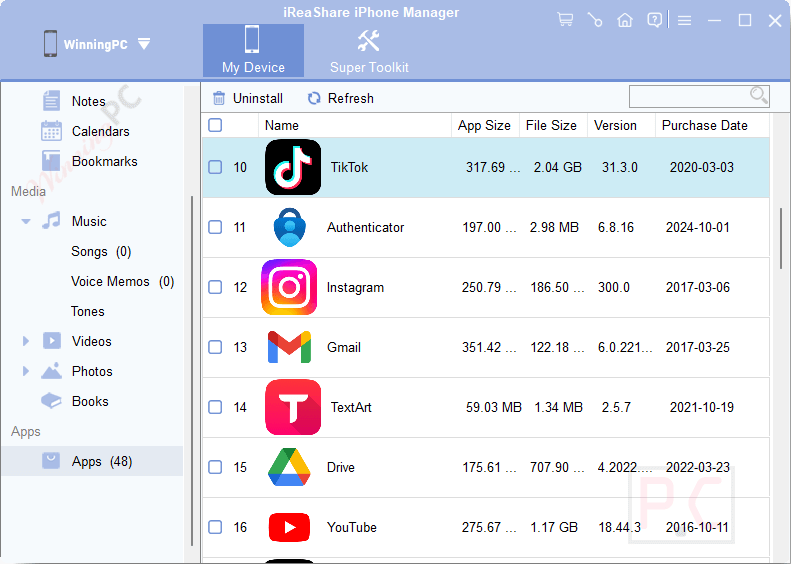
more iReaShare iPhone Manager screenshots!
Frequently Asked Questions
What types of data can I transfer using iReaShare iPhone Manager?
You can transfer contacts, photos, videos, music, messages, documents, bookmarks, notes, and more between your iOS device and a computer.
Can I use iReaShare iPhone Manager without iTunes?
Yes, this software functions independently of iTunes, allowing you to back up and restore iOS data without using iTunes.
Is it possible to manage my iOS contacts with this software?
Absolutely, you can add, edit, delete, and export contacts directly from your computer in various formats such as CSV, VCF, and XML.
What file formats does iReaShare iPhone Manager support for export?
It supports multiple formats, including CSV, VCF, XML, HTML, and more, depending on the data type.
How secure is my data with iReaShare iPhone Manager?
iReaShare iPhone Manager operates in a secure, read-only mode to ensure that your data is safe and private throughout the transfer.
How can I get a discount on iReaShare iPhone Manager?
With the WINNINGPC50 coupon code, which is offered by WinningPC, you can get a substantial discount of 50% on your purchase of iReaShare iPhone Manager.
System Requirements & Details
| Operating system | Windows 11 / 10 / 8 / 7 (giveaway); Mac OS X 10.9 or higher (paid license only) |
| Supported input | iOS device data: contacts, SMS/iMessage, photos, videos, music, notes, calendars, bookmarks, apps |
| Supported output formats | Contacts: CSV, VCF, XML · Bookmarks: XML, HTML · Photos/videos/music: native device formats |




It offers a straightforward way to transfer data between iPhone and PC without relying on iCloud or iTunes. It supports various data types including photos, music, videos, and contacts. However, not all data types support data transfer between both but only from iPhone to PC.