Cathryn Lee

The Redmine Reporter Plugin helps you export Redmine issues into printable reports for sharing or emailing. With this plugin, you can create reports using ready-made PDF templates or build your own designs in just a few clicks. With automated delivery, sharing updates by email, public links, or issue attachments is supported, helping you save a lot of time. The Redmine Reporter Plugin also uses the Liquid markup language, giving you control over branding, layout, and included fields through fully customizable templates. Reports can include single or multiple issues, saved queries, comments, time entries, subtasks, and custom fields.
Redmine Reporter Plugin Coupon Codes September 2026

Redmine Reporter plugin - Single-server license
30% off coupon code: regular price $199, discounted price $139
Redmine Reporter plugin - Multi-server license
30% off coupon code: regular price $399, discounted price $279.3
RedmineUP full stack bundle
63% discount coupon code: regular price $3,436, discounted price $1,259.30. RedmineUP complete plugin pack contains all PRO versions of plugins: Agile, Helpdesk, CRM, MailChimp, Invoices, Finance, Products, Checklists, People, Questions, Zenedit, Reporter
Key Features and Screenshots
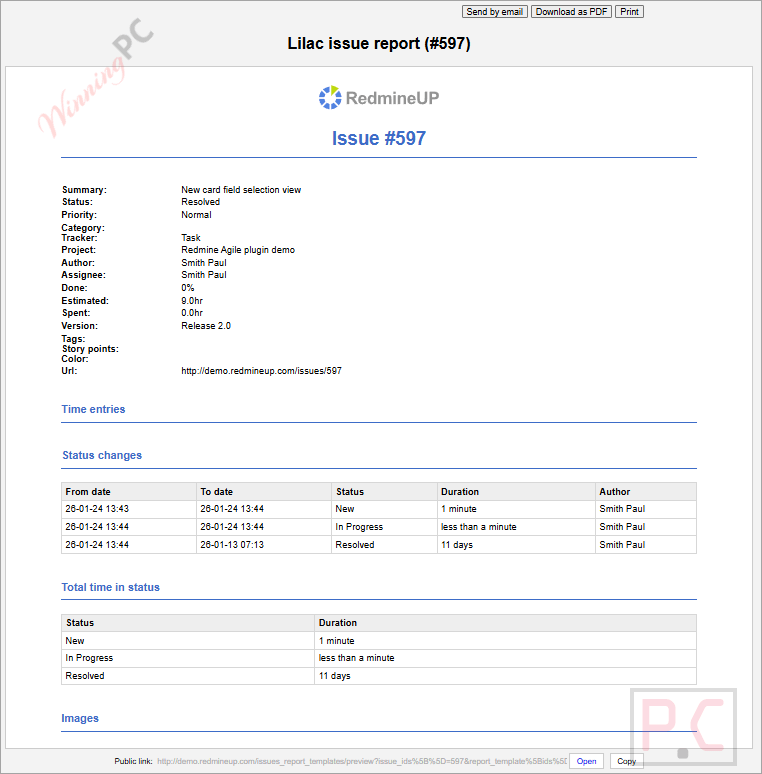
- Export single and multiple issues to PDF: Create PDF files from one issue or many issues at once for easy sharing and storage.
- Template selection for PDF exports: Choose a specific template when exporting single issues or bulk issue reports.
- Dynamic reports for saved queries: Generate reports that automatically reflect the latest results from saved Redmine queries.
- Export from issue pages and filtered results: Create reports directly from an issue page or from a filtered list of issues.
- Flexible permission and template settings: Control access rights and assign templates based on user roles or individual projects.
- Email reports or attach them to issues: Send reports by email or add them to an issue’s history for reference.
- Export comments, notes, time entries, and subtasks: Include detailed issue-related information beyond basic fields in each report.
- Time entry reports: Generate reports focused specifically on logged time data.
- Liquid markup template engine: Build and customize report templates using the Liquid markup language.
- Import and export templates: Move report templates between systems or reuse them across projects easily.
More Screenshots!

How to Use
Step 1. Install the plugin and restart Redmine.
Step 2. Enable report permissions for the needed user roles.
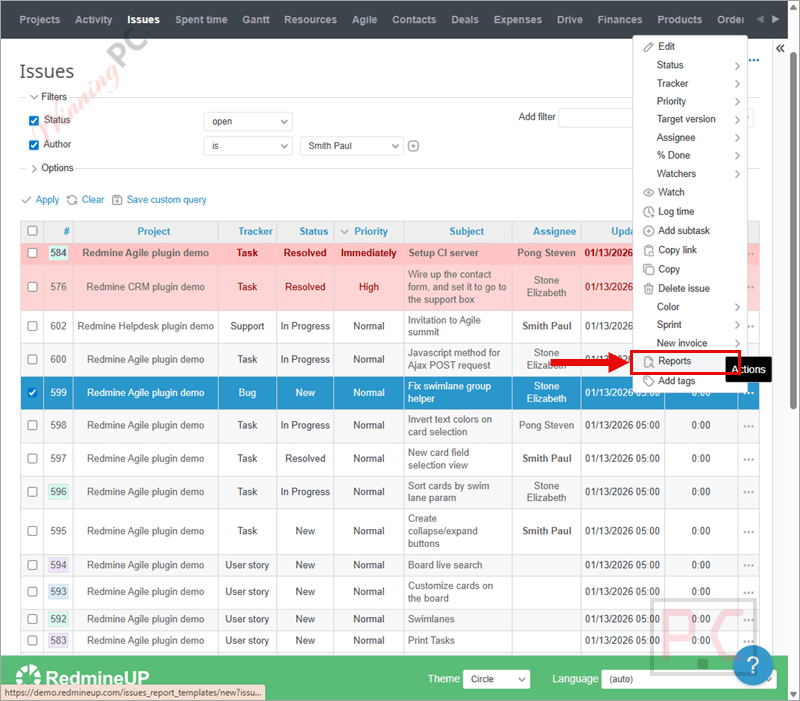
Step 3. Choose a built-in template or create your own.
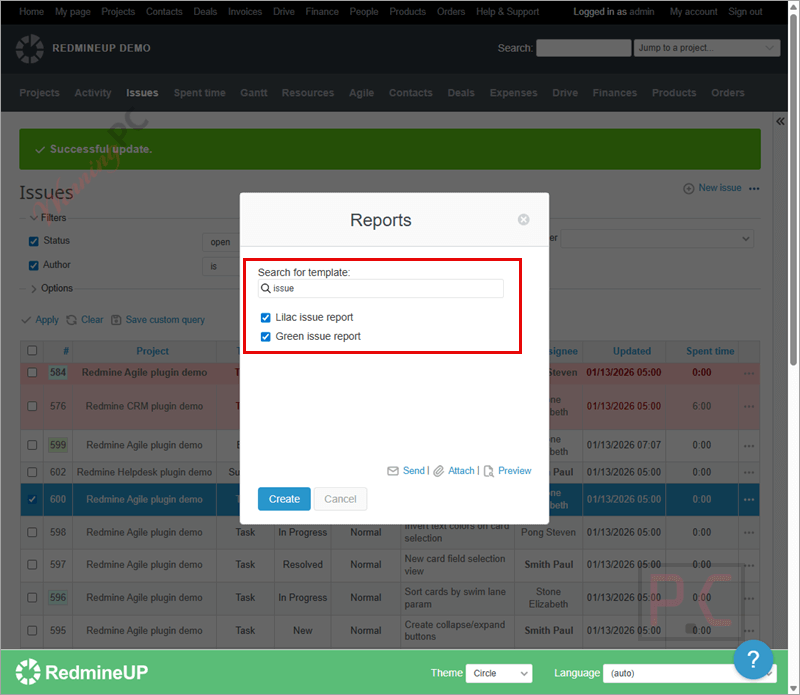
Step 4. Select an issue, multiple issues, or a saved query.
Step 5. Export the report to PDF.
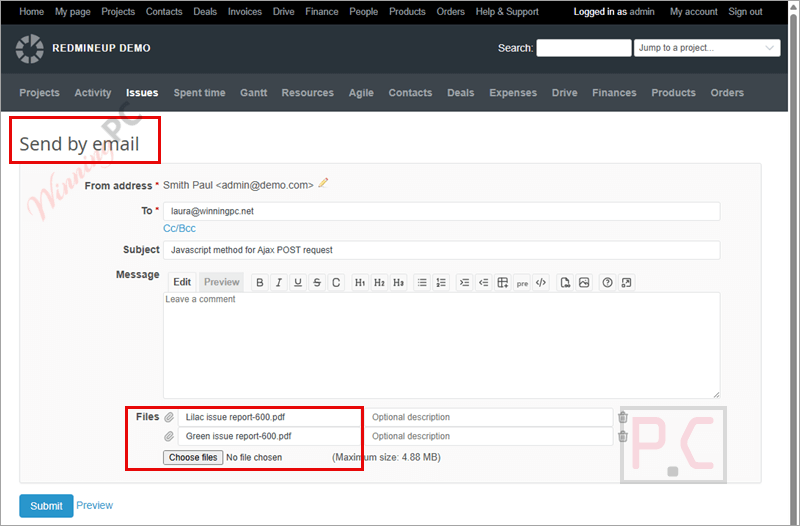
Step 6. Share it by email, public link, or download.

Step 7. Optionally attach the report to an issue or automate reports.
Frequently asked questions
Can I export more than one issue at a time?
Yes, the Redmine Reporter Plugin supports exporting both single issues and multiple issues in one PDF file.
Does it support custom report templates?
Yes, you can use built-in templates or create your own with full control over layout, fields, and branding.
What data can be included in reports?
Reports can include issue details, custom fields, comments, notes, time entries, and subtasks.
Can reports be generated from saved queries?
Yes, you can create dynamic reports based on saved queries that always reflect current data.
Can I attach reports to Redmine issues?
Yes, generated reports can be attached to an issue’s history for tracking shared updates.
How can I get Redmine Reporter Plugin at a lower price?
You can use a WinningPC coupon to get the Redmine Reporter Plugin at the best available discount before purchasing.
Why Choose WinningPC
- Why Trust? We are committed to providing 100% valid and verified coupon codes, so you can always shop with confidence.
- Found an Invalid Coupon or a Better Deal? If you encounter an invalid code or a better offer, please let us know. Our team updates all discount information regularly to ensure accuracy.
- Official Authorization: We only share authentic discounts from trusted software developers.
- No Fake Discounts: Unlike some sites, we never use misleading deals. The final price you see is the true discounted price.
- Secure Purchases: All transactions are processed on the official vendor’s website, ensuring authenticity and data protection.
- Extra Support: If you face order or vendor issues, contact us. We’ll liaise with the vendor to help resolve your problem quickly.
Technical Details
| Language Support | English, Français, Italian, Spanish, Swedish, and more… |
| Money Back Guarantee | 30-Day |
| Operating System | Linux, OS X, Windows |
| Shipping | Register code will be sent to your email in minutes |
| Subscription | 1-Year |
| Support Services | Email, Forums |