Laura Marano

Redmine Drive plugin helps me store and share files right inside Redmine, and the folder setup feels simple. I can use it to store files within projects or in shared storage, and access can be easily controlled with roles. In addition, this plugin can be used for safe file sharing, allowing someone to access files for a short period that expires on a date I choose. Drive files can also be used as issue attachments, which helps keep everything up to date without wasting space. And when I choose the Redmine Drive plugin Pro version, I also get folder sharing, live search, ZIP downloads, and more filters.
Redmine Drive Plugin Promo Codes Oct 2026

RedmineUP full stack bundle
RedmineUP complete plugin pack contains all PRO versions of plugins: Agile, Helpdesk, CRM, MailChimp, Invoices, Finance, Products, Checklists, People, Questions, Zenedit, Reporter
Key Features and Screenshots
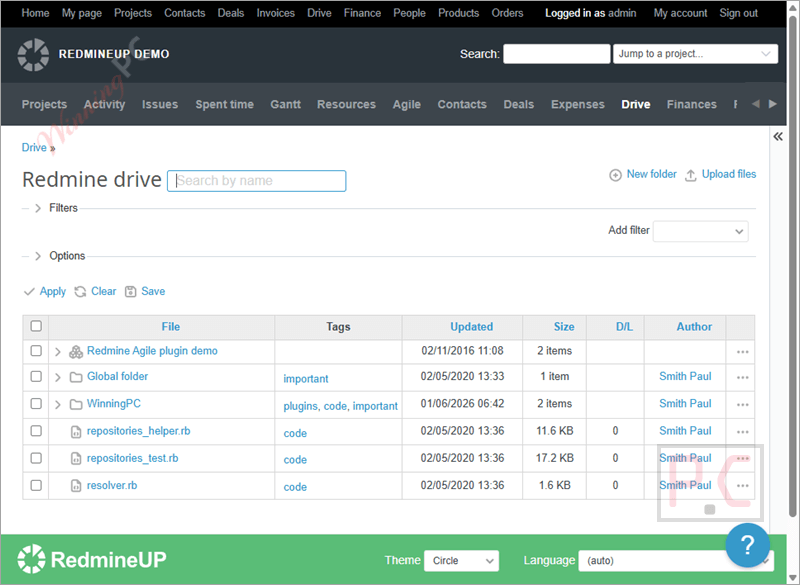
- Flexible access permissions: Control who can view or manage files using role-based access at both project and global Redmine levels.
- Time-limited file sharing: Share files or folders with an expiration date so access automatically ends when needed.
- Organized file storage: Keep documents structured using project-based and global folders for easier file management.
- Tags and saved queries: Add tags and filters to locate files faster and save common searches for reuse.
- Project and global folders: Create folders inside specific projects or in shared storage, with permissions set for logged-in users.
- Issue file attachments: Attach Drive files to issues to keep updates in sync while reducing duplicated storage.
- Date-restricted download links: Limit file and folder access to a selected timeframe so clients can only download files until a set date.
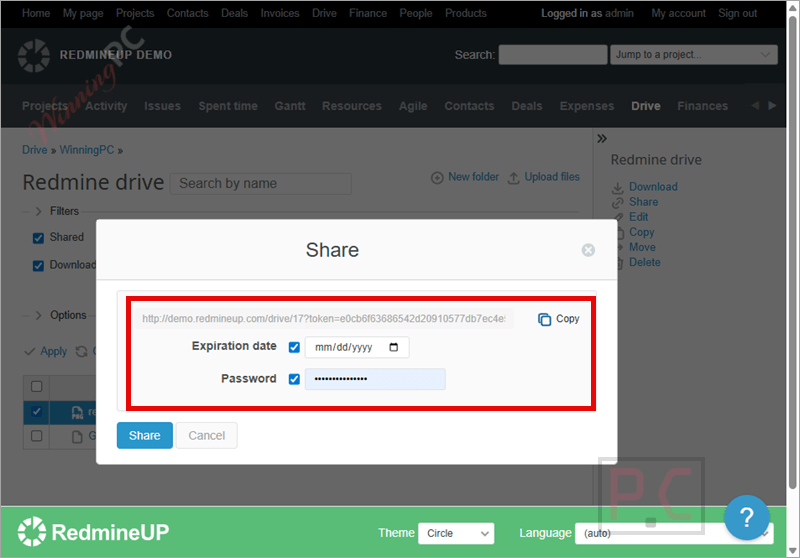
- Password-protected file sharing: Share files or folders on the Drive and secure them with a password so only users with the correct password can open them.
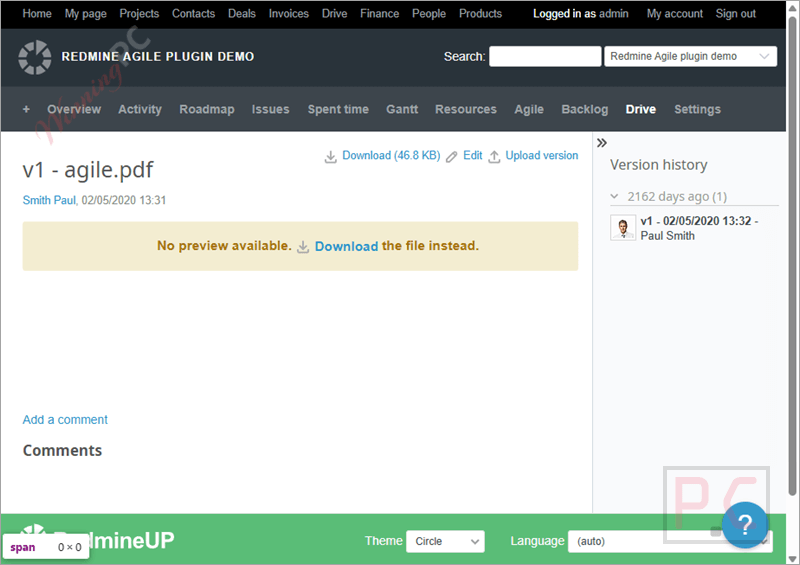
- File version history: Upload new versions of a file, view all past versions in one place, and roll back to an earlier version whenever needed.
- PRO version extras: Includes folder sharing, tags for files and folders, savable queries, time links, live filename search, ZIP downloads, extra table fields, and advanced query filters.
More screenshots!
How to Use (Step-by-Step Guide)
Step 1. Install and enable the plugin
Upload Redmine Drive to your Redmine plugins folder, run the required setup, and restart Redmine to activate it.
Step 2. Open Redmine Drive
Log in to Redmine and go to the Drive section from the main menu to access file storage.
Step 3. Create folders
Add folders inside a project or at the global level, depending on how you want to organize files.

Step 4. Set permissions
Assign role-based access so only the right users can view, upload, or manage files.
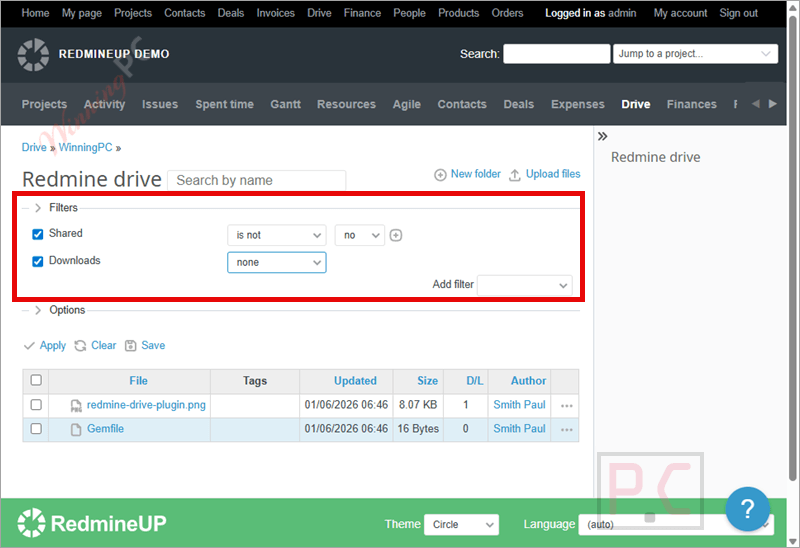
Step 5. Upload files
Add files to folders or upload new versions to keep documents updated in one place.
Step 6. Share files or folders
Generate sharing links, set expiration dates, or protect access with a password if needed.
Step 7. Attach files to issues
Link Drive files to Redmine issues to keep attachments current without duplicating storage.
Step 8. Find files quickly
Use tags, filters, and saved queries to locate documents faster, especially in large projects.
Step 9. Manage versions
View version history, open older versions, or roll back to a previous file when required.
Frequently Asked Questions
Does it support role-based permissions?
Yes. Access to files and folders is controlled by Redmine roles, so you decide who can view or manage content.
Can I share files with an expiration date?
Yes. You can create time-limited links so files or folders are only accessible until a selected date.
Is password protection available for shared files?
Yes. Shared files and folders can be secured with a password for extra protection.
Can Drive files be attached to Redmine issues?
Yes. Files stored in the Drive can be attached to issues without duplicating storage space.
What extra features come with the PRO version?
The PRO version adds folder sharing, live filename search, ZIP downloads, extra filters, and saved queries.
How can I get the best price for Redmine Drive Plugin?
You can use a WinningPC exclusive coupon to get the best available price when purchasing the PRO version.
Why Choose WinningPC
- Why Trust? We are committed to providing 100% valid and verified coupon codes, so you can always shop with confidence.
- Found an Invalid Coupon or a Better Deal? If you encounter an invalid code or a better offer, please let us know. Our team updates all discount information regularly to ensure accuracy.
- Official Authorization: We only share authentic discounts from trusted software developers.
- No Fake Discounts: Unlike some sites, we never use misleading deals. The final price you see is the true discounted price.
- Secure Purchases: All transactions are processed on the official vendor’s website, ensuring authenticity and data protection.
- Extra Support: If you face order or vendor issues, contact us. We’ll liaise with the vendor to help resolve your problem quickly.
Technical Details
| Language Support | English, Français, Italian, Spanish, Swedish, and more… |
| Money Back Guarantee | 30-Day |
| Operating System | Linux, OS X, Windows |
| Shipping | Register code will be sent to your email in minutes |
| Subscription | 1-Year |
| Support Services | Email, Forums |