
 Chris Bruner
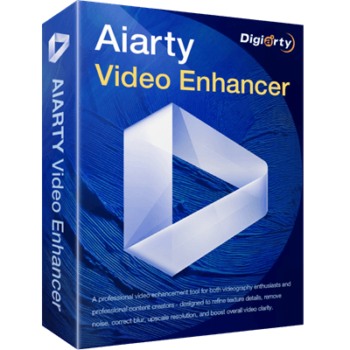
Aiarty Video Enhancer makes it easy to turn low-quality videos into sharp, high-resolution clips without needing advanced editing skills. This AI video editor tool can upscale, denoise, deblur, and restore footage with impressive clarity. It supports both real-world and animated videos, delivering smooth 4K results that look great on modern screens. You increase video frames up to 60 or even 120 fps for ultra-smooth playback or slow-motion effects. With GPU acceleration and Turbo mode, the software runs up to 3X faster than traditional tools.
Aiarty Video Enhancer Plans & Coupon Codes (100% Working)
Aiarty Video Enhancer - 1 Year/ 1 PC
30% off coupon code: regular price $99, discounted price $69
Aiarty Video Enhancer - Lifetime/ 3 PCs
37% off: regular price $235, discounted price $149
Aiarty Video Enhancer for Mac - 1 Year /1 Mac
30% off: regular price $99, discounted price $69
Aiarty Video Enhancer for Mac - Lifetime/ 3 Mac
30% off: regular price $235, discounted price $149

Aiarty 3-in-1 Bundle (Lifetime)
48% discount: regular price $499, discounted price $259
Aiarty 3-in-1 Bundle for Mac (Lifetime)
48% discount code: regular price $499, discounted price $259
Aiarty Video Enhancer License Key Free Download
- Product name: Aiarty Video Enhancer v2.5
- Website: https://www.aiarty.com/ai-video-enhancer/
- License type: lifetime
- Platform: Windows, macOS
- Giveaway:
Aiarty Video Enhancer giveaway link - Download: aiarty-video-enhancer.exe aiarty-video-enhancer.dmg
- License code – last updated: August 31, 2025
Click here...
- License code for Windows: FECNN-NKDE7-L2R4Q-JGQVO
- License code for Mac: FF2UB-ER6TE-WNJNF-ESABZ
How to get the license key?
Please enter your email address on the giveaway page to get your free license code

Click on the download link above to download and install the software on your computer. When the installation is done, please copy and paste the license code to activate the software with full functions.


Got it for free!

Aiarty Video Enhancer main screenshot.


Main Features
- AI-Powered Upscaling to 4K: Aiarty Video Enhancer brings a fresh look into old, blurry, or low-res videos by automatically upscaling them to crystal-clear 1080p or 4K with smart AI upscaling technology.
- Advanced AI Models for Versatile Enhancement: Thsi tool provides 3 AI models: moDetail-HQ v2 for adding sharpness and intricate detail, Smooth-HQ v2 for restoring color fidelity and texture, and superVideo vHQ for handling extremely noisy or low-light footage.
- GPU‑Accelerated Speed & “Turbo Mode”: This tool leverages hardware acceleration and a dedicated Turbo Mode to deliver real-time video enhancement speeds, especially on modern NVIDIA GPUs. It has the ability to 4K upscaling with superior quality, 3X more efficient than other AI tools.
- Advanced Denoising & Deblurring: By using a proprietary combination of Diffusion and GAN technology, the AI models automatically reduce noise and sharpen blurry footage, restoring frames with camera-like precision.
- AI Frame Interpolation: Stuttering videos can easily be improved to 90fps, 120fps, or higher using the AI frame interpolation module, which also creates new frames for fluid slow-motion videos.
- AI Audio Denoise: Thanks to using sophisticated AI algorithms, this tool can remove unwanted background noise and enhance vocals with precision, bringing crystal-clear sound.
- Quick Edit: With built-in video editing options including rotate, flip, crop, and de-interlace, this tool is perfect for correcting angles or preparing content for different platforms such as Instagram, TikTok, YouTube, and more.
- Batch Processing: The software supports batch processing, enabling users to upscale, enhance, and add details to multiple videos at once with AI to save time and boost efficiency, with no limits on the number of files.
- Wide Format Support: This tool supports 20+ input video formats, including MP4, AVI, MOV, MKV, WMV, FLV, TS, M2TS, MTS, plus older formats like RM, VOB, DivX. You are allowed to export videos in MP4 and MOV formats.
Frequently asked questions
How does Aiarty Video Enhancer work?
This tool uses advanced AI models trained on thousands of real-world video samples to automatically detect and fix imperfections, sharpen details, and upscale resolution without manual editing.
What video formats does this tool support?
It supports popular formats such as MP4, AVI, MOV, MKV, FLV, and WMV for both input and output, ensuring wide compatibility.
What AI models are available in the software?
The software includes multiple models such as face enhancement, deblurring, noise reduction, motion interpolation, and color correction, tailored for different types of footage.
How long does it take to enhance a video?
Processing time depends on the video length, resolution, and your computer’s hardware, but AI acceleration ensures faster results on modern GPUs.
Does this tool support batch processing?
Yes, the software allows you to enhance multiple videos at once, which is perfect for content creators or video archivists.
Will the enhanced videos have a watermark?
The free trial adds a watermark. However, purchasing the full version removes all watermarks from exported videos.
Is there a discount for Aiarty Video Enhancer?
Yes! You can save 37% off by using the WinningPC coupon code: VI***TRA during checkout.
Technical Details
| Language Support | English, Deutsch, Japanese, 中文简体, 中文繁体. |
| Money Back Guarantee | 30-Day |
| Operating System | Windows 10(x64) (version 1809 for CPU and above, 1903 for GPU and above) macOS 13.0 or higher |
| Shipping | Register code will be sent to your email in minutes |
| Subscription | 1-Year, Lifetime |
| Support Services |




This is a 64bit program, why does it install by default to C:\Program Files (x86)\ hierarchy? This version is an improvement over the previous giveaway version and licensing but it is not without quirks/problems. If one tries to preview a particular scheme of AI operations in Nvidia GPU that is not using TensorRT 10 inference it seems it has to process the entire video before it shows a single frame of AI enhancement… OK that’s bad enough but the waiting for inference processing cannot be canceled even when it looks like the processing has been interrupted by playing the video clip and the waiting for inference notice is gone… but the processing is still ongoing in the background consuming the same GPU resources which has to complete … and even “X”ing close the main window does NOT stop the preview GPU processing and the process continues on in the background and to end the Aiarty Video Enhancer.exe process while this preview processing is continuing one has to manually End Task in task manager or other equivalent! My humble opinion Aiarty have rushed this to release or giveaway and this is a beta release at best. You can choose where to install this AND once installed if you are trying to preserve the system SSD and install onto a different drive you can set the temp folder and the AI model download location and the logging folder
It appears it incorrectly tries to use TensorRT 10 when TensorRT 8 inferences fail regardless of the fact that if one cannot run TensorRT 8 inferences then you won’t be able to run TensorRT 10 inferences and it gets stuck in a loop that never terminates and never progresses because the underlying hardware cannot support TensorRT 8 or 10 and the Nvida GPU option should not be offered to the user at this time if TensorRT 8 is the lowest version you are going to support and that is not supported in the initial hardware evaluation like it was on mine. CPU and Intel GPU support still worked albeit very slowly.
License code (1-year) – last updated: August 28, 2025 → don’t work !!! The message on the software is “your email adresse is incorrect” …
You need to download the giveaway installer from our website.
By the way, a new giveaway for the latest version is now available, and you can get it right away.
does not work with Intel GPUs only works with TensorRT 10.x based Nvidia cards. VERY limited AI support. QUITS if you don’t have a suitable Nvidia GPU.
The giveaway license you can get today by submitting your email address is NOT a 1 year license but a 90 day license! The 1 year license requires you to create an online presence showcasing this product with the free trial and its limitations and produce a before and after advert or produce a portfolio and show them and jump through some hoops. This is NOT a straightforward giveaway at all. ALL the free licensing options have limited number of processings assigned to the license.
A new giveaway for the latest version is now available, and you can get it right away.