Chris Bruner

iMyFone Cloud Backup is a secure and easy-to-use cloud backup solution that helps protect your important data, such as photos, videos, documents, chat records, and more, from accidental loss or device failure. With one-click uploads, automatic syncing, and smart file organization, your files stay safe and accessible anytime, on any device. The service offers flexible storage plans from 5GB to 2TB and supports Windows and Mac, with mobile support coming soon, making cloud backup simple and reliable for both personal and professional use.
iMyFone Cloud Backup Coupon Sep 2026 (100% Working)

iMyFone Cloud Backup - 1-Month Plan
56% off coupon code: regular price $7.99, discounted price $3.49
iMyFone Cloud Backup - 1-Month Plan for 100GB Cloud Storage
60% off coupon code: regular price $11.98, discounted price $4.88
iMyFone Cloud Backup - 1-Month Plan for 200GB Cloud Storage
58% off coupon code: regular price $14.98, discounted price $6.28
iMyFone Cloud Backup - 1-Month Plan for 2TB Cloud Storage
58% off coupon code: regular price $32.98, discounted price $13.98
iMyFone Cloud Backup - 1-Year Plan
55% off coupon code: regular price $19.09, discounted price $9.09
iMyFone Cloud Backup - 1-Year Plan for 100GB Cloud Storage
58% off coupon code: regular price $44.98, discounted price $18.88
iMyFone Cloud Backup - 1-Year Plan for 200GB Cloud Storage
52% off coupon code: regular price $59.98, discounted price $28.68
iMyFone Cloud Backup - 1-Year Plan for 2TB Cloud Storage
58% off coupon code: regular price $189.98, discounted price $79.08
Key Features & Screenshots
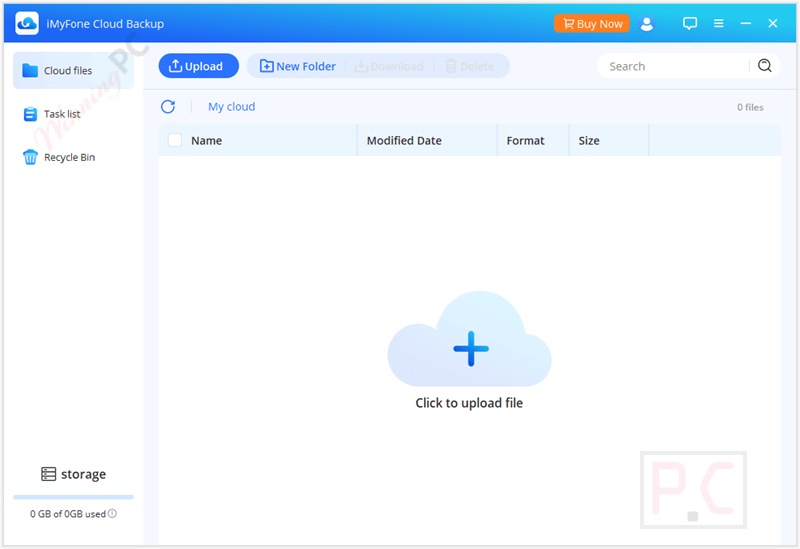
- Supports Multiple File Types: iMyFone Cloud Backup is designed for ease of use, with one-click upload functionality for quick backup of important data such as photos, videos, movies, chat histories, files, and game saves.
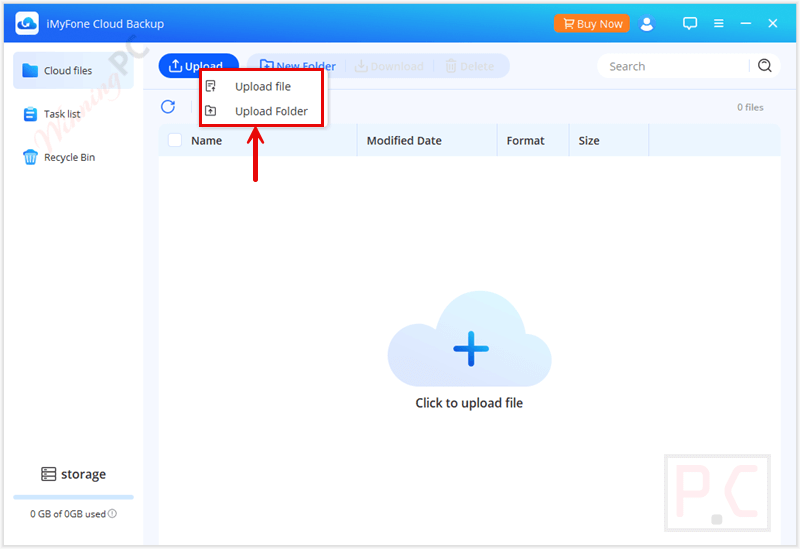
- Permanent Data Security: This tool helps you store files and data on highly secure cloud servers with advanced encryption to ensure a permanent guarantee against loss or unauthorized access.
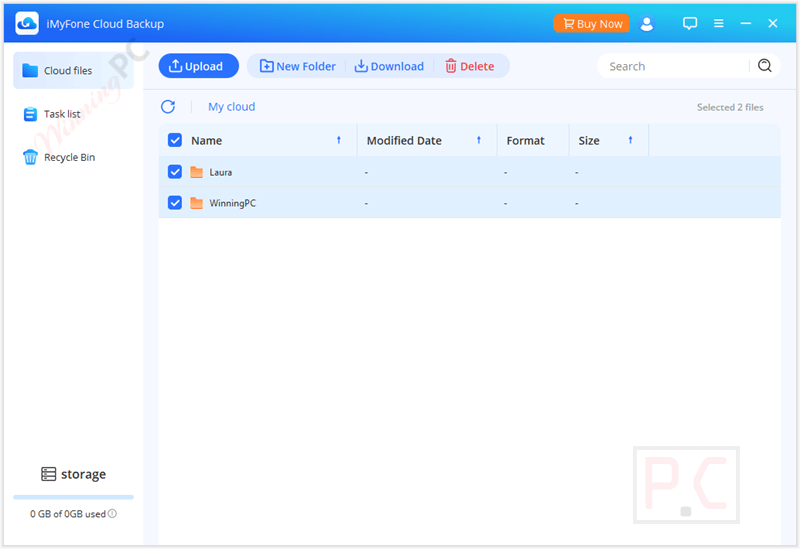
- Cross-Device Sync and Instant Access: You are allowed to seamlessly sync and access your cloud files from any supported PC or Mac. Simply log in, and you can download your backed-up files or manage your files on any authorized device, ensuring seamless access across different computers and platforms.
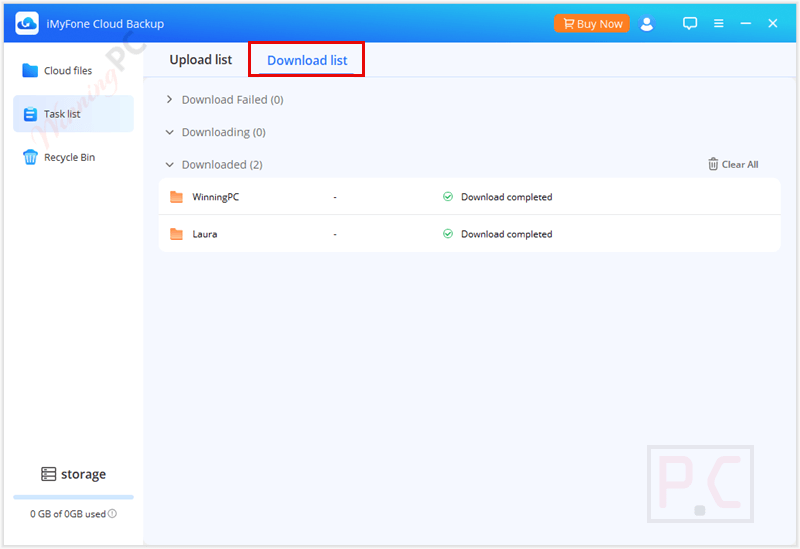
- Efficient File Organization: This software provides easy file management features. You can create folders, utilize a fast and accurate search bar to quickly locate files by name, and keep your cloud storage organized. Uploaded files are always accessible and simple to manage, regardless of backup volume, even when you have thousands stored in the cloud.
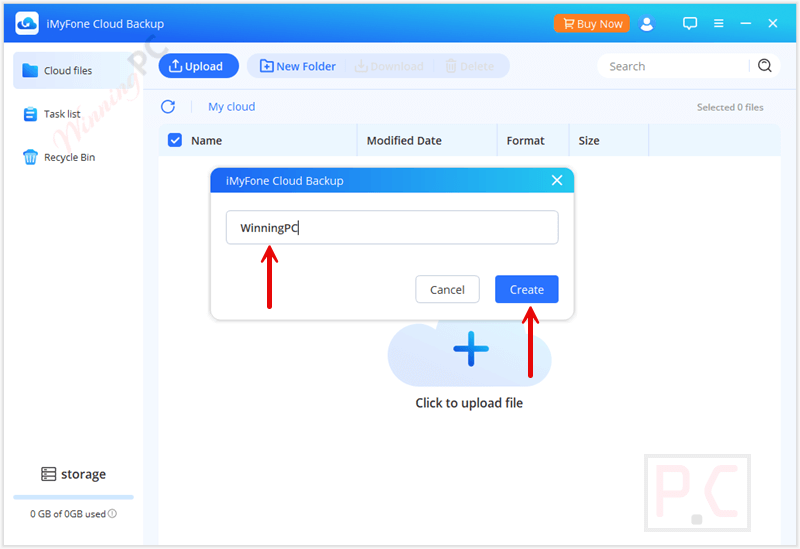
- Scalable Cloud Storage Plans: It starts with 5GB of free space for basic files and expands to 100GB, 200GB, or even 2TB for media, large projects, or games based on your needs. This tool is ideal for everything from basic backups to professional-grade storage.
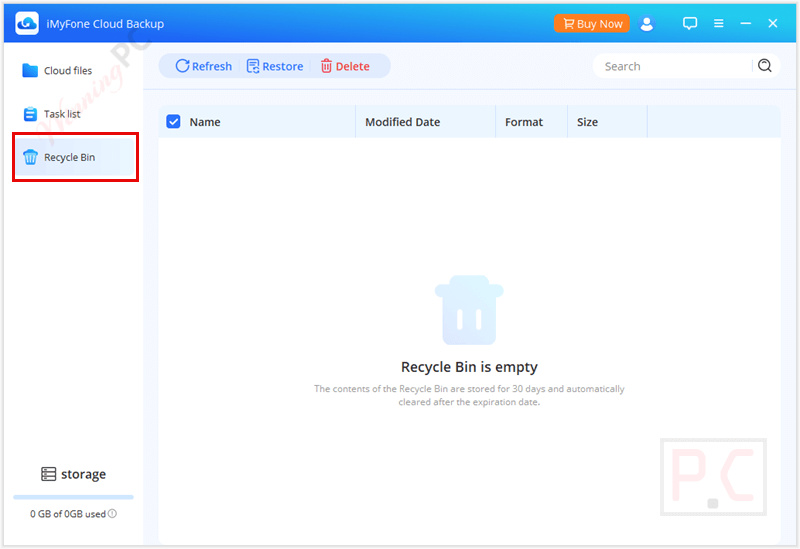
- Recycle Bin with Recovery Window: iMyFone Cloud Backup helps you manage storage easily by deleting unneeded files to free up space. They still stay in the recycle bin for 30 days in case you want to restore them. Remember to empty the bin regularly, as it still takes up space. You can also upgrade your plan anytime for more storage.
- Cross-Platform Compatibility: This tool currently supports Windows (11, 10, 8.1, 8, 7, Vista, XP) and macOS (10.10 and later), with iOS and Android support on the way, making it a future-proof solution.
Pricing Plans & Conclusion
Pricing Plans
| Plan Name | Price | Cloud Storage | Key Features |
|---|---|---|---|
| Cloud Backup Standard Plan | 1-Month Plan: 1-Year Plan: | 5GB | – Supports backup of files in any format – Privacy and data security – Digital delivery – Free updates |
| Cloud Backup + 100GB Cloud Storage | 1-Month Plan: 1-Year Plan: | 100GB | – Same as above, with more storage |
| Cloud Backup + 200GB Cloud Storage | 1-Month Plan: 1-Year Plan: | 200GB | – Same as above, with even larger storage |
| Cloud Backup + 2TB Cloud Storage | 1-Month Plan: 1-Year Plan: | 2TB | – Same as above, with maximum storage |
Trial & Refund
- Free Trial: iMyFone Cloud Backup offers a free trial version so you can test the software and its features before purchasing.
- Refund Policy: This tool comes with a 30-day money-back guarantee if you are not satisfied with the product.
Frequently asked questions
How do I back up my files using this tool?
You can upload files by clicking the Upload button or the Cloud icon in the app. Files are stored securely in your cloud account, and you can organize them into folders
What types of files can I upload?
You can back up images, videos, audio, documents, app data, chat logs, and even game saves.
Can I restore my data without losing anything?
Yes, as long as your backup is complete and intact, you can restore your data without any loss by following the proper steps in the software.
What should I do if my cloud storage is full?
You can either delete unnecessary files to free up space or purchase additional cloud storage directly within the app.
What if I forget to back up regularly?
iMyFone Cloud Backup allows for manual and scheduled backups to keep your files updated automatically.
How do I delete files from my cloud storage?
Select the files you want to remove and delete them in the app. Deleted files go to the recycle bin, which you should clear regularly to free up space.
Is there a recycle bin for deleted files?
Yes, deleted files are moved to a recycle bin and can be restored within 30 days. Files in the recycle bin still occupy storage space until permanently deleted.
How can I get a discount on iMyFone Cloud Backup?
Simply visit WinningPC and use the coupon code pk***p7 at checkout to get up to 60% off your purchase!
Technical Details
| Language Support | English |
| Money Back Guarantee | 30-day refund policy under clear conditions |
| Operating System | Windows 11, 10, 8.1, 8, 7, Vista, XP macOS 10.10 and later versions |
| Shipping | Digital delivery (no physical shipping) |
| Subscription | 1-Month, 1-Year |
| Support Services | 24/7 support, live chat, email, online form, support center |