
 WinningPC

pCloud Premium is a cloud storage solution designed to help users store, access, sync, share, back up, and manage files from anywhere. It combines secure cloud storage, automatic backup, file collaboration, media streaming, and privacy-focused protection under Swiss data privacy standards.
pCloud Giveaway
Store, access, and manage your files on your own terms, from anywhere.
- Product
- pCloud Premium
- Product website
- pcloud.com
- Platform
- Windows
MacOS
Linux
Android
iOS
Browser extensions - Updated
- 2026-06-17
Redeem your license
After unlock, copy the redeem code and open the official claim page.
The free license is no longer available.
pCloud Coupon Codes & Special Offers

pCloud Mid-Autumn Festival Sale: Up to 64% Off
This Mid-Autumn Festival, get a pCloud Lifetime plan with FREE Encryption and enjoy up to 64% OFF 1 TB Lifetime, 2 TB Lifetime, and 10 TB Lifetime. The event ends on October 7, 2026.
pCloud For Premium
3 plans · best save 22%500 GB - Lifetime ★ Best Deal
500 GB Storage | 500 GB Shared link traffic
pCloud For Business
2 plans · best save 20%pCloud Business - Yearly (3 users) ★ Best Deal
1 TB storage per user | 180 days file versioning
pCloud For Family
2 plans · best save 47%10TB - Lifetime (5 Users) ★ Best Deal
10 TB Storage | 10 TB Shared link traffic
📄 Licensing & Support Details
- License Type: Subscription (Monthly, Yearly) or Lifetime License
- Support Terms: Not specified
- Money-Back Guarantee: 14 days
📝 How to apply
- Click the “Copy” button in the box above to get this deal.
- This will take you to the payment page where the reduced rate will be applied.
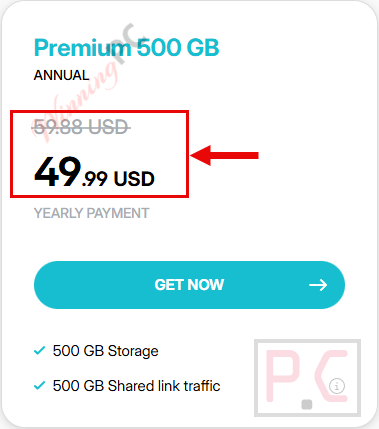
How to Get a Free pCloud Premium Storage Account?
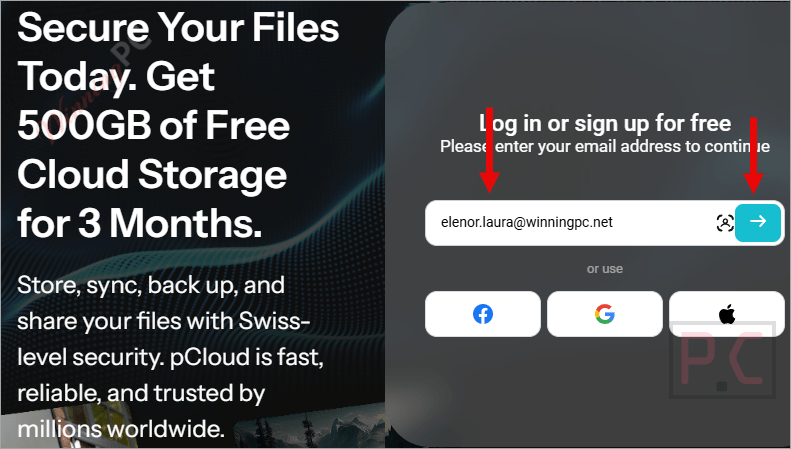
Please click on the signup link (500GB) above, enter your email address to log in or sign up for free, and get 500GB of free cloud storage for 3 months.
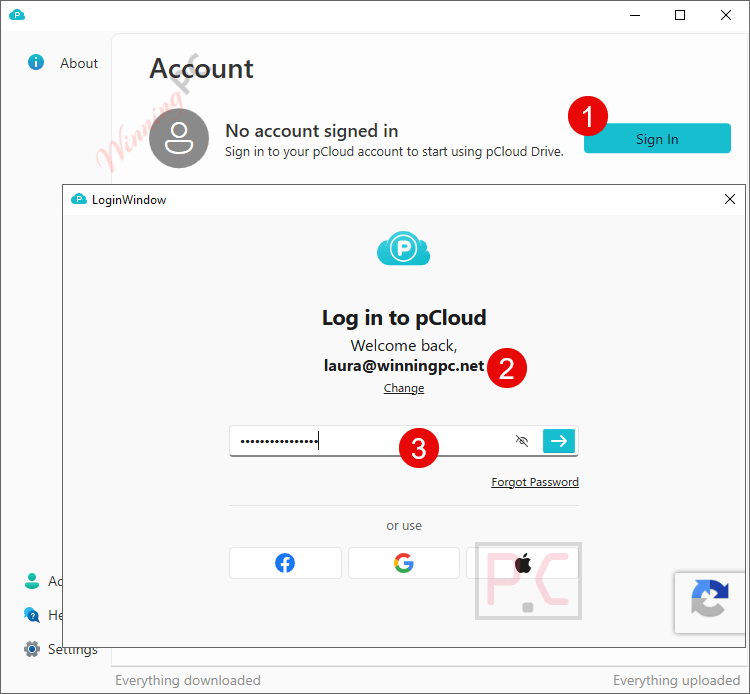
Verify your email, then click on the “Apply promo code” button to activate the 500GB promotion:

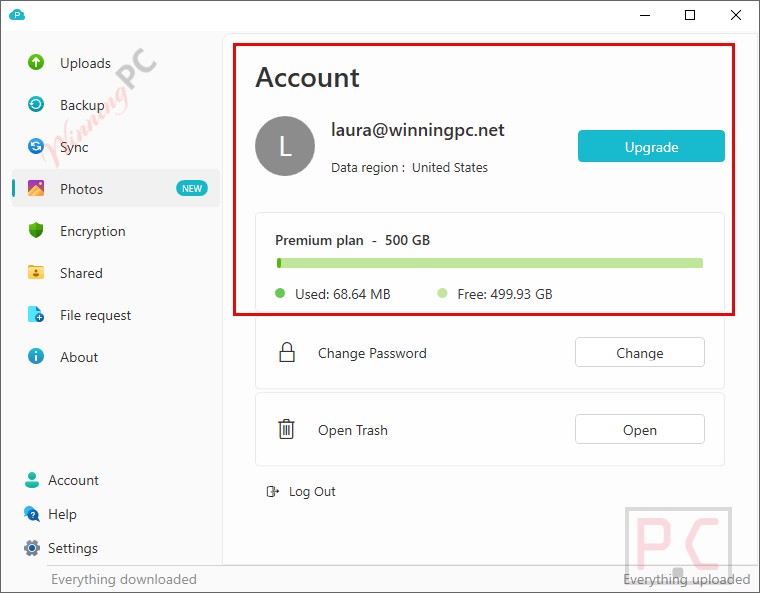
Enjoy this plan (pCloud Premium 500GB/3 months) for free:
In-Depth Review & Features
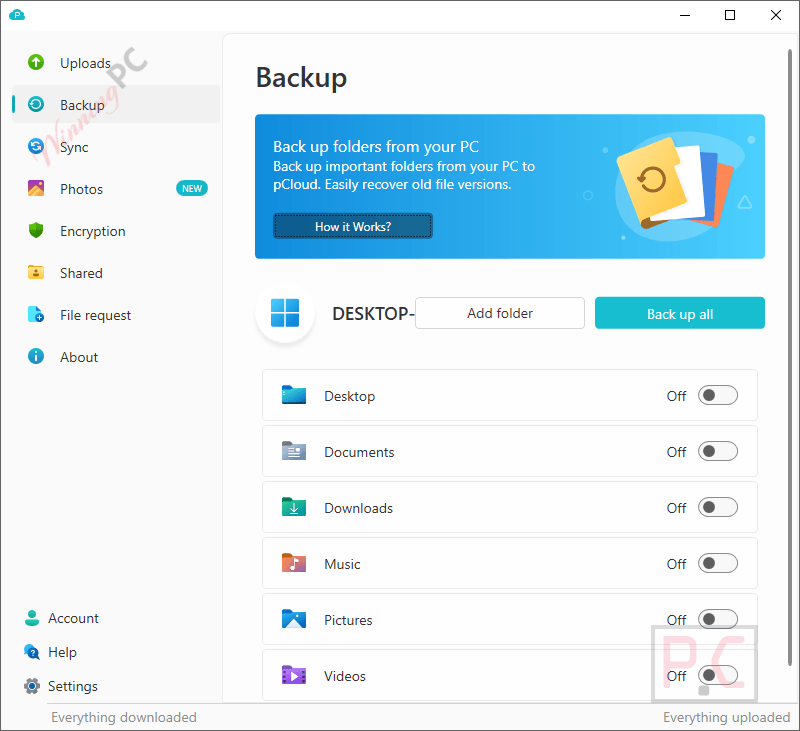
Main Features
- pCloud Drive Backup: Save your computer folders instantly without any file size or transfer speed limits.
- File Revisions: Restore previous versions of your documents or rewind your entire account to a specific time within the last 30 days.
- File Requests: Gather documents from clients or friends using a secure link, allowing them to upload directly to your folder even without an account.
- Built-In Media Streaming: Watch stored videos (MP4, MOV, MKV, AVI, WEBM) or listen to audio files directly from the cloud without downloading additional software.
- Mobile Scanner: Turn physical receipts and paper notes into digital files using your phone’s camera.
- Smart Photo Gallery: Automatically organize your images on a timeline or map, and edit them using the built-in photo editor.
- Branded Sharing: Customize your download links by adding your logo, a custom cover image, and a personalized message.
Pros & Cons
Frequently Asked Questions
Where is the best place to find active promo codes for this cloud storage?
You can always find the newest deals and active discounts right here on WinningPC, alongside the standard offers from the official website.
How much can I save on a subscription right now?
Currently, you can get up to 47% OFF the lifetime plan and 17% OFF the yearly option directly through WinningPC.
Do my friends need an account to send me files?
No, you can send them a file request link, and they can upload directly to your specific folder.
Does the mobile app work if I lose my internet connection?
You can pre-select specific files for offline access. Any edits you make to those files will sync automatically when you reconnect to the internet.
Are my shared links customizable?
Yes, premium users get unlimited branded links where you can add a logo, a cover image, and a personal message to make the link look professional.
Who holds the encryption key to my private files?
Only you. The zero-knowledge encryption ensures your files are locked on your device before uploading, so no one else can read them.
What happens when my phone runs out of photo space?
The automatic upload feature saves your phone’s gallery directly to the cloud, allowing you to delete local copies and free up room.
Can I choose where my data is physically stored?
You have the option to pick between their certified data centers located in either Europe or the USA.
System Requirements & Details
| Feature | Specifications |
|---|---|
| Language Support | Multilingual |
| Operating System | Desktop, mobile, and tablet platforms |
| Supported Input | Files, folders, photos, videos, audio files, scanned documents |
| Supported Output | Cloud storage, file sharing links, synced files, streamed media, backups |




Hello, How can I get 20 GB of storage free forever? I have already a pCloud account. I just have tried to login using giveaway link where I can get 20 gb but I still have only 7gb.
The 20GB forever offer is only for new users, which means you need to create a new account for this deal.
Got it. Thank you! Now I have an account with 20 gb forever. 🙂
thanks
thanks
1 year expired
how to get 1 year sbucription the promocode not redeem shown expire.