Cathryn Lee
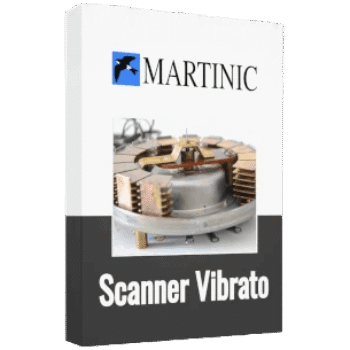
Martinic Scanner Vibrato plugin is one of those effects that instantly gives music a sense of motion and life. Originally found in classic tonewheel organs, this electromechanical effect dates back to the 1940s and is loved for its swirling chorus and expressive vibrato. Martinic Scanner Vibrato brings that exact character into a modern plugin, carefully modeled to keep the charm and even the quirks of the original hardware.
Martinic Scanner Vibrato Plans & Coupon Codes (100% Working)

Martinic Scanner Vibrato - Lifetime License
10% coupon code: regular price $49.0, discounted price $44.1
Martinic Scanner Vibrato - One Year License
10% coupon code: regular price $16.0, discounted price $14.40
Yoy may also like
Martinic AX Bundle
This incredible bundle grants you access to our AX73 Synthesizer, AXFX effect rack and AX Chorus effect, including also a compilation of over 1200 high quality presets.
Key Features and Screenshots
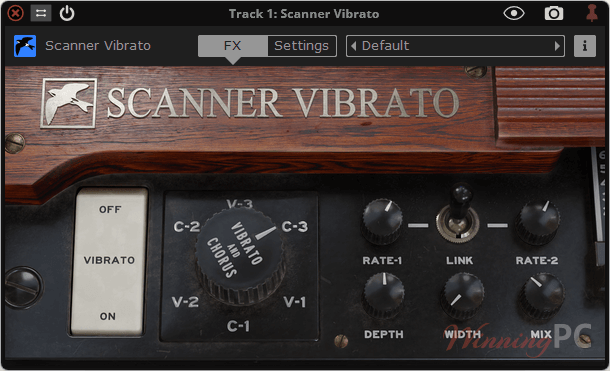
- Faithful recreation of the classic tonewheel organ scanner-vibrato
- Improved ACE modeling for realistic analog behavior
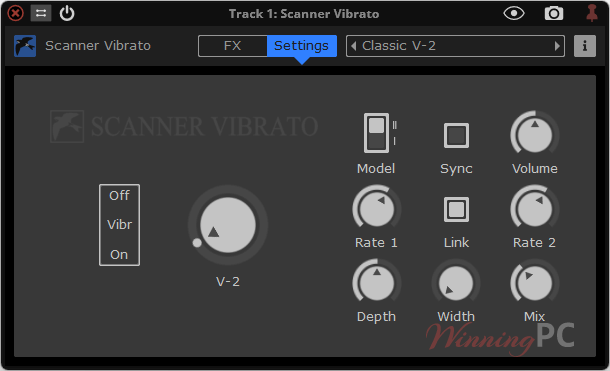
- Classic chorus and vibrato modes (C-1/C-2/C-3 and V-1/V-2/V-3)
- Adjustable rate, depth, and mix controls
- Optional stereo width with independent left/right rates
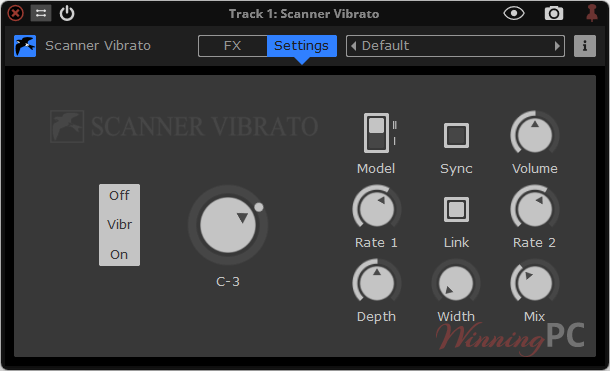
- Tempo sync for DAW-locked modulation
- 16 built-in presets, from subtle movement to rotary-style effects
- Stereo-only effect with smooth on/off switching
- Output volume control for easy level matching
- Available in AAX, AU, CLAP, VST2, and VST3 formats
More screenshots
How to Use
- Step 1. Load Scanner Vibrato as an insert effect on a stereo track in your DAW.
- Step 2. Use the large rotary selector to pick a chorus (C) or vibrato (V) preset, from light to heavy depth.
- Step 3. Set the modulation speed using Rate-1 and Rate-2, or enable Sync to lock it to your project tempo.
- Step 4. Turn off Link to create different left/right rates, then adjust Width for anything from mono to wide stereo.
- Step 5. Increase Depth for stronger movement. If using chorus modes, adjust the Mix to balance dry and wet signal.
- Step 6. Use presets as a starting point, then automate rate or depth to add natural movement over time.
Frequently Asked Questions
Is Scanner Vibrato only for organ sounds?
No. While it’s inspired by tonewheel organs, it works beautifully on guitars, synths, strings, and even vocals.
Does it sound different from a normal chorus plugin?
Yes. Scanner Vibrato has a distinct movement and character that comes from its original electromechanical design.
Can I sync the effect to my DAW tempo?
Yes. The Sync option lets you lock modulation speed to your project tempo.
Is there a free trial available?
Yes. You can try Scanner Vibrato free for up to 30 days before purchasing.
Does it support stereo processing?
Yes. It’s a stereo-only plugin with flexible stereo width and independent left/right rates.
Is there any discount available?
Yes. WinningPC provides an exclusive 10% coupon code for Martinic Scanner Vibrato, helping you save on the official price.
Why Choose WinningPC
- Why Trust? We are committed to providing 100% valid and verified coupon codes, so you can always shop with confidence.
- Found an Invalid Coupon or a Better Deal? If you encounter an invalid code or a better offer, please let us know. Our team updates all discount information regularly to ensure accuracy.
- Official Authorization: We only share authentic discounts from trusted software developers.
- No Fake Discounts: Unlike some sites, we never use misleading deals. The final price you see is the true discounted price.
- Secure Purchases: All transactions are processed on the official vendor’s website, ensuring authenticity and data protection.
- Extra Support: If you face order or vendor issues, contact us. We’ll liaise with the vendor to help resolve your problem quickly.
Technical Details
| Language Support | English and more… |
| Money Back Guarantee | 30-Day |
| Operating System | Windows 7 or newer, or Mac OS X 10.9 (Mavericks) or newer |
| Shipping | Register code will be sent to your email in minutes |
| Subscription | 1-Year, Lifetime |
| Support Services | Email, Tickets |