
Redemption Guide (Step-by-Step)
Our discount is heavily protected against scraping bots, so the best way to activate it is to click our link directly.
- Click our Activation Link: Head to the official store using our direct discount link. The 10% discount is pre-loaded into the URL.
- Verify the Cart Total: Make sure the price drops from $999.00 to $899.10 before you type in your credit card details.
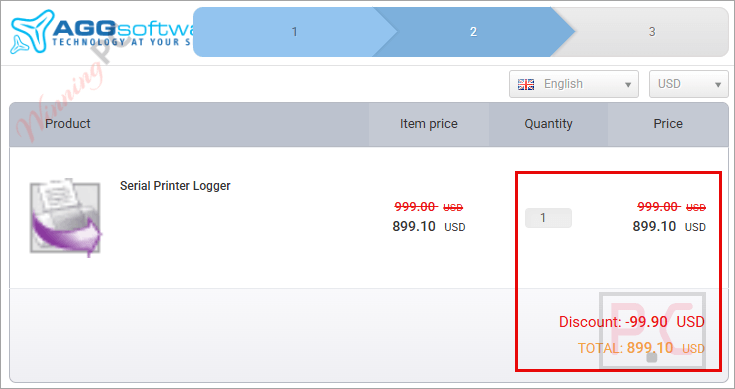
- Complete the Checkout: Enter your payment info. The software license will hit your email inbox immediately.
What is Serial Printer Logger?
Serial Printer Logger is a specialized utility that replaces your old dot-matrix printers with a single PC. It captures data from printers connected via RS232, RS485, or Ethernet and instantly converts it into a binary log file, a PDF, or a Microsoft Word (RTF) document.
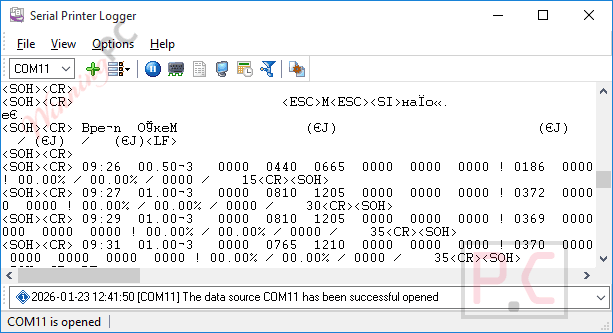
It works by parsing ESC/P control codes directly from the binary data stream, extracting font types and sizes, and even decoding graphics. This allows you to create highly accurate electronic backups or reprint documents later exactly as they would have looked on paper. Serial Printer Logger is built strictly for users who want to ditch paper and consumables without changing the legacy software that sends the print jobs. Setup is menu-driven, just pick your communication parameters and your desired output format, and the software handles the rest.
In-Depth Review & Features
Serial Printer Logger does a lot more than just dump raw text into a notepad file. Here is exactly what you are getting based on the official spec sheet:
- Multi-Port Logging: You aren’t limited to replacing just one printer. The software logs multiple ports at the same time, allowing you to capture data from several dot-matrix printers simultaneously. Every single port can be configured with completely different settings.
- ESC/P Parsing & Graphics Decoding: It supports most ESC/P and ESC/P 2 control codes (excluding custom characters). It reads different font types and sizes, customized paper sizes (A4, A5, Letter), and even decodes bitmap or raster graphics.
- Real-Time PDF & Word Exports: Data isn’t just captured; it’s formatted. It outputs ready-to-use Adobe PDFs (with graphics compressed for smaller file sizes) or Microsoft Word RTF files. It also supports raw binary logging with date/time stamps and custom baud rates.
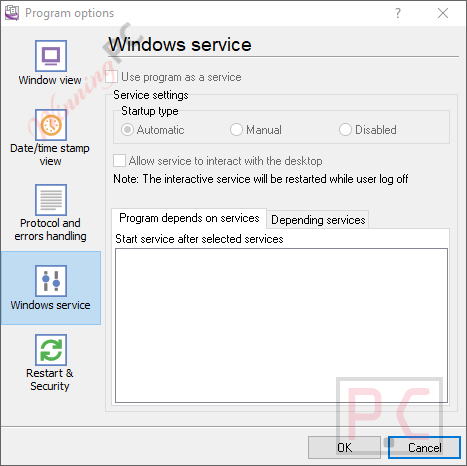
- Windows Service Mode: This is crucial for server environments. The software runs as a Windows service, meaning it boots up as soon as the operating system starts. It doesn’t need a user to log in, and it keeps running even if users log on or off the workstation.
- Diagnostics & Plugins: You can write all program messages to a separate file to diagnose errors. Plus, it supports plugin modules to extend the program’s features down the line.
More AGG Software Serial Printer Logger screenshots!
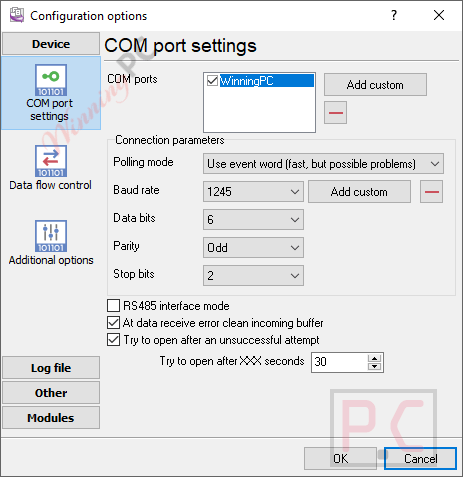
COM port settings
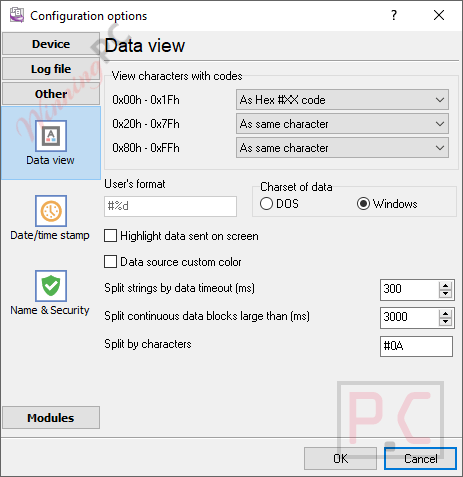
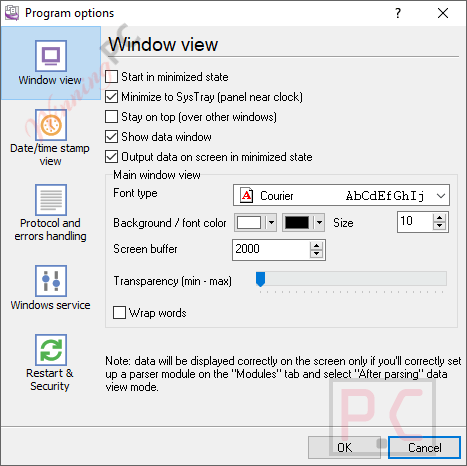
Data view
Windows service
Windows view
Frequently Asked Questions
Is this the best coupon for Serial Printer Logger?
Yes. WinningPC currently offers the highest discount rate available on the market for this software. Our link is verified and working as of Oct 2026.
Can I monitor more than one dot-matrix printer at a time?
Yes, the software has the capability to log multiple ports simultaneously, and you can assign completely different settings to each port.
Do I need programming skills to set this up?
No programming is required. The configuration process is entirely menu-driven with a simple step-by-step setup and context-sensitive online help.
Will this run on my Windows Server?
Yes, it works on all Windows versions since Windows 2000, including Server editions.
What happens if my PC restarts? Do I need to log back in to start logging?
No. Serial Printer Logger can run in “Windows service mode.” It starts automatically as soon as the OS boots up, requiring no user login, and continues running through user logons and logoffs.
Does it capture images or just text?
It captures both. It decodes bitmap and raster graphics from the data flow and includes them in your exported RTF or PDF files.
Technical Specifications
| Operating Systems | Windows 2000 through Windows 11 (2022), including Windows Server. Supports both x86 and x64 platforms. |
| Latest Version | 4.1.2 build 310 (Updated March 10, 2026). |
| Supported Connections | RS232, RS485, Ethernet. |
| Export Formats | Binary log file, Adobe PDF, Microsoft Word (RTF). |
| Control Codes Supported | Most ESC/P and ESC/P 2 (excludes custom characters). |