On this page
MacUtil Giveaway
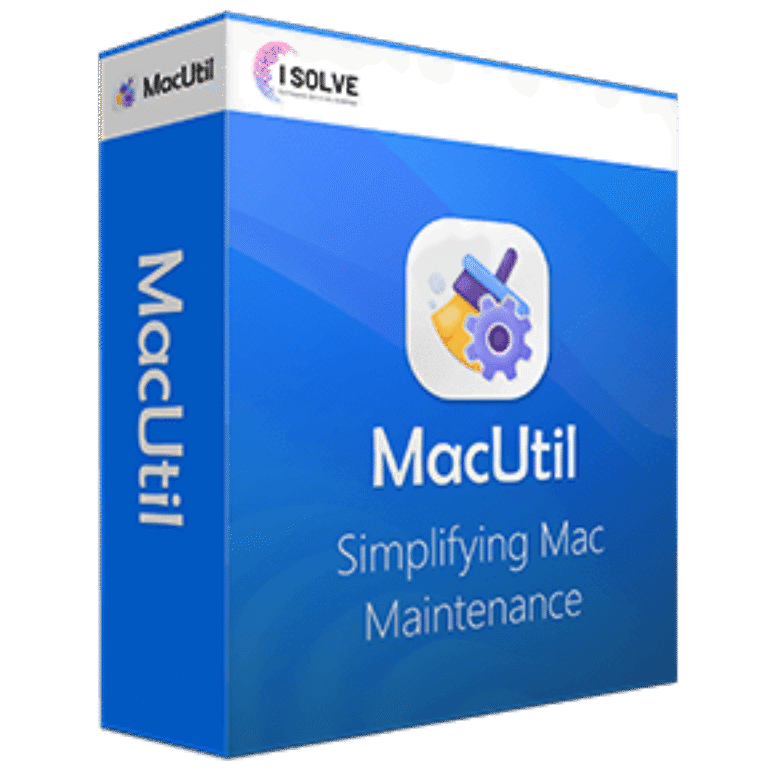
MacUtil
Your Go-To Mac Cleaner
- Product
- MacUtil
- Website
- macutil.com
- License
- 1 Year/ 1 Mac
- Platform
- macOS 12.0 or later
- Support
- No support
- Usage
- Non-commercial only
- Updated
- October 18, 2026
Get your unique code by email
License key delivered free to your inbox within minutes.
This giveaway ended on .
Protected by Cloudflare Turnstile · Email quality checked by Reoon
You can enjoy CleanMyMac with 55% Off coupon codes
How to Get the MacUtil License Key for Free
- Enter your email address in the giveaway form above. Your free MacUtil license code is issued through this form.
- Download MacUtil from the official site (macutil.com), then open the .PKG file in your Downloads folder to install it.
- Copy your license code and paste it into MacUtil to activate the full version.
- Start with Smart Scan. It suggests what to remove, and you can untick anything you want to keep before cleaning.


Top macOS Optimization Software Coupon Codes

CleanMyMac - 1 Device/Annually
24/7 Technical and Sales Support | 30-day money back guarantee


iMyFone Umate Mac Cleaner Lifetime Plan
Supports 5 devices | Lifetime free updates & using


4DDiG Mac Cleaner - Lifetime/1 Mac
Free upgrades and technical support

EaseUS CleanGenius for Mac
Lifetime free upgrades | 30-day money back guarantee
Is the MacUtil giveaway safe to use?
Yes, as long as you install the app from macutil.com and activate it with the code from the giveaway form.
No crack or keygen
You install MacUtil’s own build and activate it with a genuine license code. Nothing is patched or repackaged.
Official source only
The key comes from the publisher’s giveaway, not a reseller or a key-sharing site.
Apple notarization, explained honestly
MacUtil says the app is notarized by Apple. That’s an automated malware scan, not the hand review apps get in the App Store, so it’s a useful baseline rather than a guarantee of quality.
You decide what gets deleted
Smart Scan recommends files to remove, but you can review the list and pick items manually before anything goes.
How well does MacUtil work?
MacUtil’s real strength is that it covers the cleanup jobs most people actually do, from one place. The app uninstaller is the part I’d lean on most, because it goes after the scattered support files an app leaves behind, which is where dragging an app to the Trash falls short. App Lock is a nice surprise in a cleaner, too: you can password-protect specific apps, which is handy on a shared family Mac. Where I’d temper expectations is the speed side. Modern macOS manages memory well on its own, so one-click RAM clearing tends to give short-lived gains, and the “X4.5 faster boot” style figures on MacUtil’s site don’t come with a stated test method.

Key features
- Junk File Removal: Automatically detects and deletes hidden cache files, unused items, and unfinished downloads.
- Large File Finder: Locates large, forgotten files like old movies or documents for easy deletion or organization, saving resources.
- RAM Cleaner: Clears up memory with a single click to improve responsiveness.
- Maintenance Scripts: Executes system scripts to optimize app performance.
- Fast Memory Optimizer: Identifies and halts memory-hogging processes and background plugins.
- LockMyApps: Lock any app on your Mac with a single strong Master password, or hide all your personal files, data, and photos in one click and keep them safe.
- Privacy Enhancer: Removes tracking cookies, chat logs, and browsing history to safeguard personal data.
- Smart Uninstaller: Detects and removes both known and unknown apps, plugins, and extensions.
- Duplicate Finder: Organize your files, speed up searching on your Mac, and free up disk space by deleting duplicate files.
- Clipboard: Organizes and makes all your copied data readily accessible, facilitating hassle-free data management.
- App File Cleanup: Finds and deletes leftover files from uninstalled apps to maintain system hygiene, or searches for duplicates across other locations.
- Startup Items: Manage and prevent applications from starting automatically on startup to ensure a faster system Startup.
- File Shredder: Permanently shredding files & folders from your Mac System to keep sensitive information secure and impossible for anyone to retrieve.
- Speedier App Launch: Improves app launch times by updating apps and removing sluggish extensions.
What we think
more MacUtil Screenshots


MacUtil vs the alternatives
| Tool | Price | Pricing model | Best for |
|---|---|---|---|
| MacUtil | Free (giveaway) · from $24.99 | Three-month subscription | Casual users who want cleanup plus App Lock |
| CleanMyMac | $6.96/month | Monthly or yearly or one-time | The most polished all-in-one, if budget allows |
| MacKeeper | $7.47/month | Monthly or yearly | Users who also want antivirus and VPN bundled |
| MacCleaner Pro | $14.95/month | Monthly or yearly or one-time | Deeper disk, duplicate and hidden-file tools |
| iMobie MacClean | $13.99/yr | Yearly or one-time | Older Macs, if you can still get a current build |
| macOS Storage settings | Free (built in) | Included with macOS | Occasional light cleanup with nothing to install |
Prices change often, so check each vendor’s store before buying. If you only clean up a couple of times a year, the built-in Storage settings in System Settings may be all you need.
Frequently Asked Questions
Is MacUtil free?
Yes, through this giveaway you get a free 1-year license. Outside the giveaway, MacUtil has a free version for trying its features, and paid plans start at $24.99.
Does the MacUtil subscription renew automatically?
Yes, paid subscriptions renew automatically. To stop it, contact support at support@isolve-software.com. Your plan stays active until the end of the term you’ve already paid for, and it simply won’t renew after that.
What happens when the giveaway license runs out?
The free key covers one year. MacUtil doesn’t say what the app does once that year ends, so plan on either buying a paid plan or uninstalling it when the time comes.
Can I use the giveaway license for work?
No. The giveaway terms allow strictly non-commercial use, so it’s for your personal Mac only.
Can I get a refund on a paid plan?
Yes, within 60 days of purchase. You’ll need your order ID and the email used at checkout. The refund covers the current subscription term only, and it isn’t available once the license has expired.
Does MacUtil work on my Mac?
It needs macOS 12.0 (Monterey) or later and about 100 MB of free space. MacUtil doesn’t state whether its build runs natively on Apple Silicon, so older Macs stuck below macOS 12 are out either way.
How is MacUtil different from macOS’s built-in storage tools?
MacUtil goes further. macOS’s Storage settings handle basics like emptying the Trash and flagging large files, while MacUtil adds full app uninstalling with leftovers, a privacy cleaner and App Lock. For light, occasional cleanup, the built-in tools are often enough.
System Requirements & Details
| Money Back Guarantee | 60-Day |
| Operating System | macOS 12.0 or later |
| Disk space | 100 MB |
| Shipping | Register code will be sent to your email in minutes |
| Subscription | 3-month |
| Other requirements | An email address to receive the giveaway license code |
| Support Services | Email, Tickets |